





RubiPro KVM Switch Dual Monitor 2 Computers
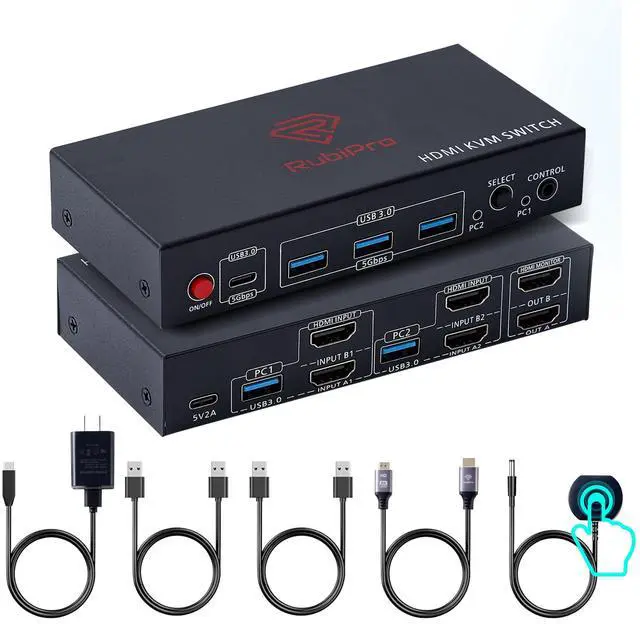
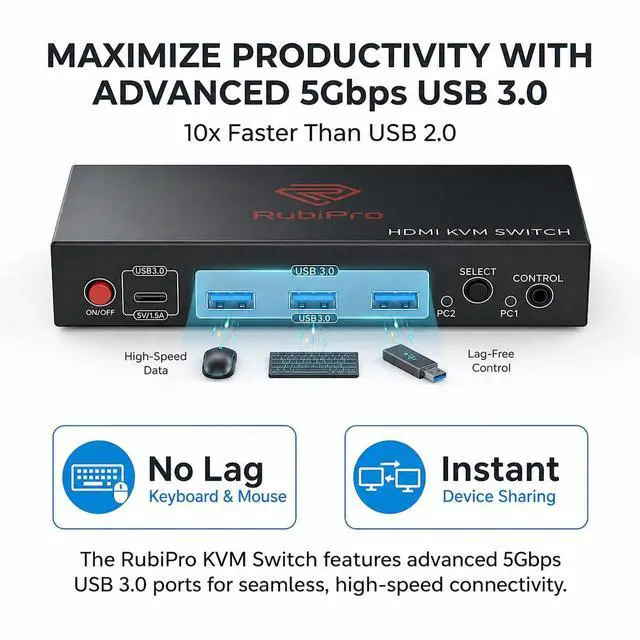
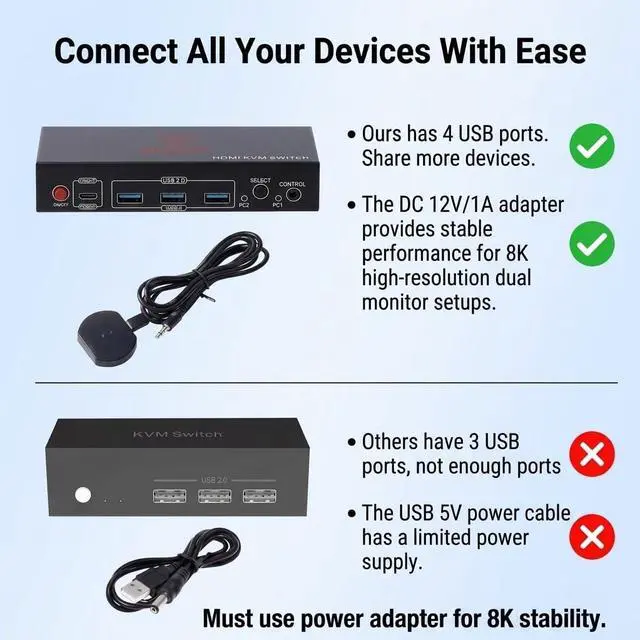
Take control of your digital environment with the RubiPro 8K HDMI KVM Switch. Effortlessly manage two computers using a single keyboard, mouse, and dual-monitor setup. Engineered for high-output professionals, this advanced switch integrates four USB 3.0 ports to ensure lightning-fast data transfers while maintaining crisp, ultra-clear 8K visuals. Streamline your multitasking and reclaim your desk space.

Plug-and-Play Simplicity: Seamless Switching in Seconds
Simplify your workflow with instant transitions. Whether you prefer the front-panel toggle or the convenient wired remote, you can switch between systems in a heartbeat. With no drivers or software required, RubiPro offers a true plug-and-power experience. Our lag-free switching technology is specifically designed for professionals who need reliable, split-second responsiveness when managing multiple PCs.

Dynamic Display Modes: Work Your Way
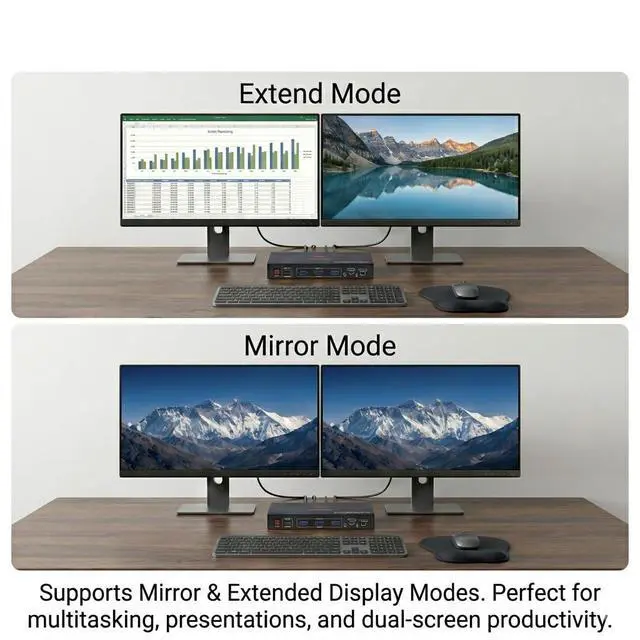
Unlock the full potential of your dual-monitor setup with flexible viewing options. Use Extend Mode to spread your projects across a wide digital canvas for maximum productivity, or choose Mirror Mode to duplicate your screen for seamless presentations and demos. Whatever the task, RubiPro KVM Switch provides the versatility you need to work more efficiently.

Stunning 8K Realistic Video Quality
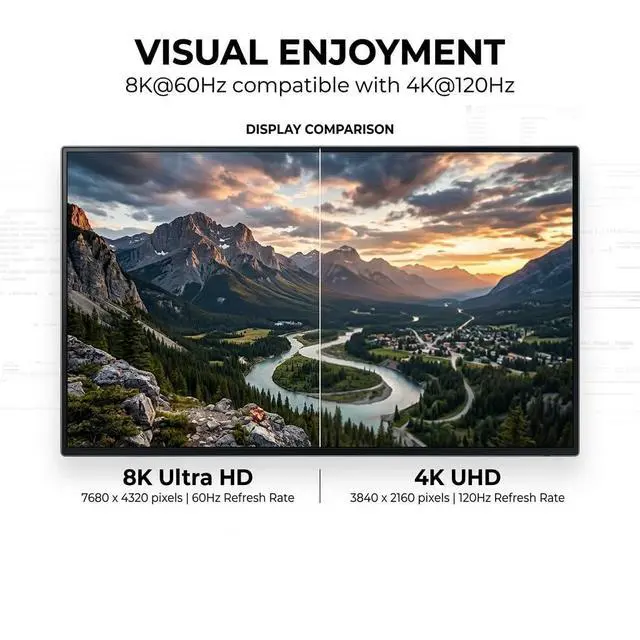
Step into the future of clarity. RubiPro supports stunning 8K@60Hz resolution and is fully compatible with 4K@120Hz for buttery-smooth performance. Whether you are gaming, editing high-resolution video, or streaming media, every frame is rendered with lifelike detail and vibrant color. Our HDMI 2.1 bandwidth ensures a stable, compromise-free signal for your high-end displays.

Universal Compatibility: Every Environment
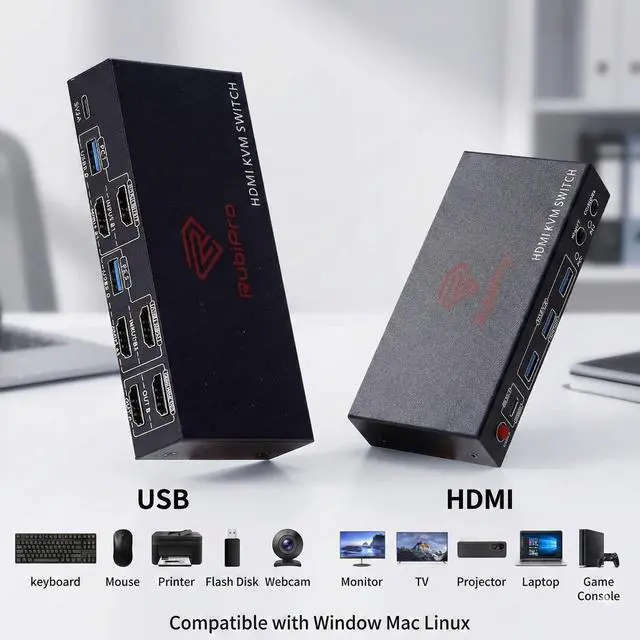
From high-tech offices to gaming dens and classrooms, the RubiPro KVM Switch adapts to you. It is fully compatible with Windows, Mac, and Linux, ensuring a hassle-free setup across different operating systems. Share your peripherals and data instantly, reducing equipment clutter and enhancing collaboration in any professional or personal workspace.

The RubiPro Advantage: Why Choose Us?
Reclaim Your Desk. Amplify Your Power.
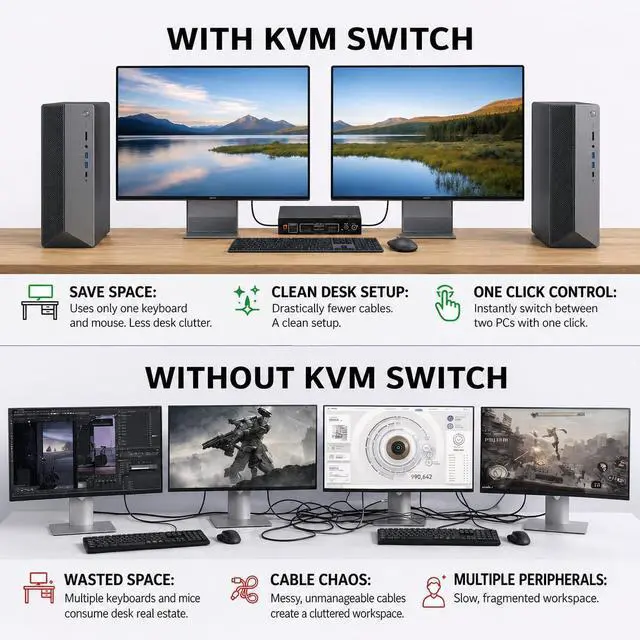
Stop the "cable chaos." The RubiPro 8K KVM Switch is the professional-grade solution for the modern multi-tasker. Whether you are a developer switching between MacOS and Windows, or a gamer managing a streaming PC. RubiPro is designed for users who want a simple, reliable KVM without complicated setup or high cost
Critical Setup Requirements
Each computer must have 2 HDMI outputs for dual monitor (extend mode). Requires 6 HDMI Connections total ( 1 High-Speed Braided cable is included). Adapters or single-port laptops may limit functionality. Use of the included 12V adapter is highly recommended for 8K stability and USB charging functionality.
FAQ
Q: Why is only one monitor working?
A: Each computer must have 2 HDMI outputs for dual monitor (extend mode). If only one HDMI is available, only one display will function fully.
Q: Does this require software?
A: No, it is completely plug-and-play.
Q: Can I use this with a laptop?
A: Yes, but dual monitors require 2 video outputs (HDMI or compatible adapters).
RubiPro KVM Switch Dual Monitor 2 Computers
Take control of your digital environment with the RubiPro 8K HDMI KVM Switch. Effortlessly manage two computers using a single keyboard, mouse, and dual-monitor setup. Engineered for high-output professionals, this advanced switch integrates four USB 3.0 ports to ensure lightning-fast data transfers while maintaining crisp, ultra-clear 8K visuals. Streamline your multitasking and reclaim your desk space.
Plug-and-Play Simplicity: Seamless Switching in Seconds
Simplify your workflow with instant transitions. Whether you prefer the front-panel toggle or the convenient wired remote, you can switch between systems in a heartbeat. With no drivers or software required, RubiPro offers a true plug-and-power experience. Our lag-free switching technology is specifically designed for professionals who need reliable, split-second responsiveness when managing multiple PCs.
Dynamic Display Modes: Work Your Way
Unlock the full potential of your dual-monitor setup with flexible viewing options. Use Extend Mode to spread your projects across a wide digital canvas for maximum productivity, or choose Mirror Mode to duplicate your screen for seamless presentations and demos. Whatever the task, RubiPro KVM Switch provides the versatility you need to work more efficiently.
Stunning 8K Realistic Video Quality
Step into the future of clarity. RubiPro supports stunning 8K@60Hz resolution and is fully compatible with 4K@120Hz for buttery-smooth performance. Whether you are gaming, editing high-resolution video, or streaming media, every frame is rendered with lifelike detail and vibrant color. Our HDMI 2.1 bandwidth ensures a stable, compromise-free signal for your high-end displays.
Universal Compatibility: Every Environment
From high-tech offices to gaming dens and classrooms, the RubiPro KVM Switch adapts to you. It is fully compatible with Windows, Mac, and Linux, ensuring a hassle-free setup across different operating systems. Share your peripherals and data instantly, reducing equipment clutter and enhancing collaboration in any professional or personal workspace.
The RubiPro Advantage: Why Choose Us?
Reclaim Your Desk. Amplify Your Power.
Stop the "cable chaos." The RubiPro 8K KVM Switch is the professional-grade solution for the modern multi-tasker. Whether you are a developer switching between MacOS and Windows, or a gamer managing a streaming PC. RubiPro is designed for users who want a simple, reliable KVM without complicated setup or high cost
Critical Setup Requirements
Each computer must have 2 HDMI outputs for dual monitor (extend mode). Requires 6 HDMI Connections total ( 1 High-Speed Braided cable is included). Adapters or single-port laptops may limit functionality. Use of the included 12V adapter is highly recommended for 8K stability and USB charging functionality.
FAQ
Q: Why is only one monitor working?
A: Each computer must have 2 HDMI outputs for dual monitor (extend mode). If only one HDMI is available, only one display will function fully.
Q: Does this require software?
A: No, it is completely plug-and-play.
Q: Can I use this with a laptop?
A: Yes, but dual monitors require 2 video outputs (HDMI or compatible adapters).