
Your Browsing History





Any questions? Our AI beta will help you find out quickly.
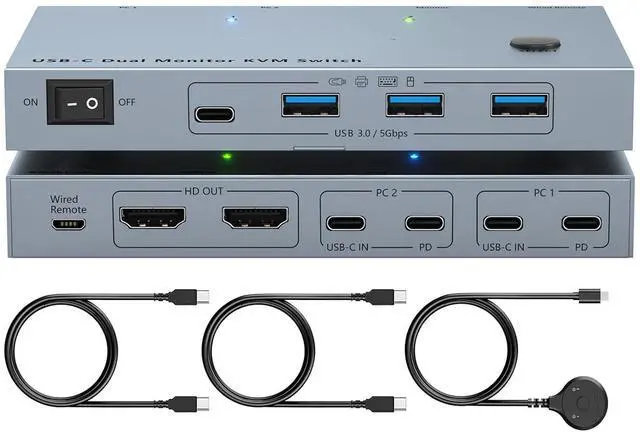
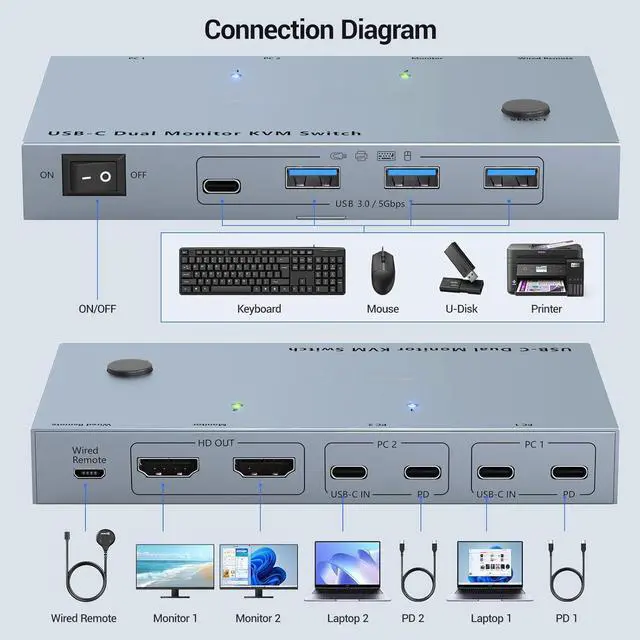
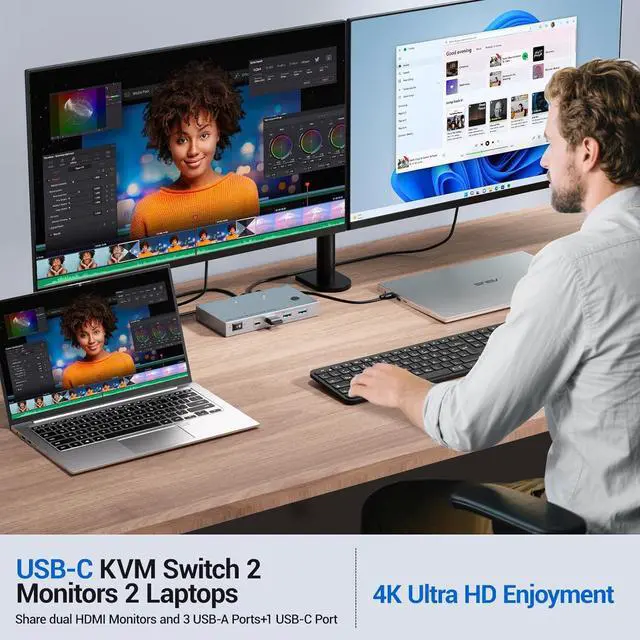
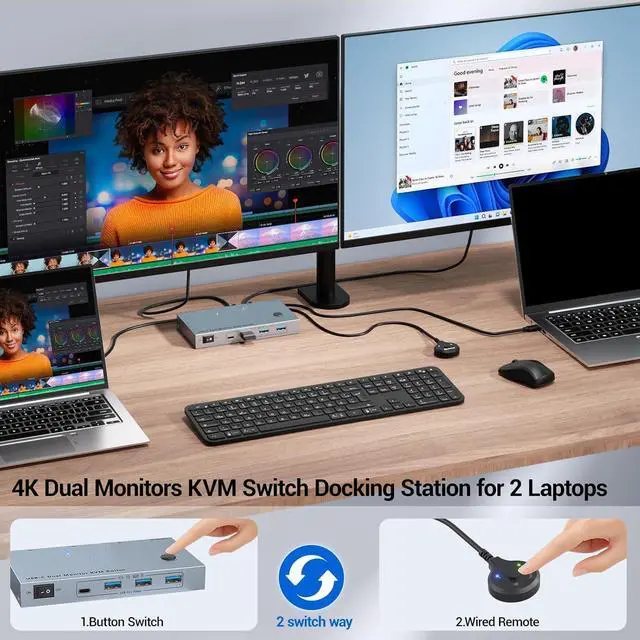
KVM Switch 2 Monitors 2 Laptops USB-C This USB C KVM switch allows 2 laptops to share 2 monitors and 4 USB devices such as keyboards, mice, printers and more. Each laptop requires only one USB-C input cable, eliminating desktop clutter. Please note: To get the display from a laptop, use a USB Type-C 3.1 Gen 2 or later cable that supports the Alt (Video & Data and PD) function.
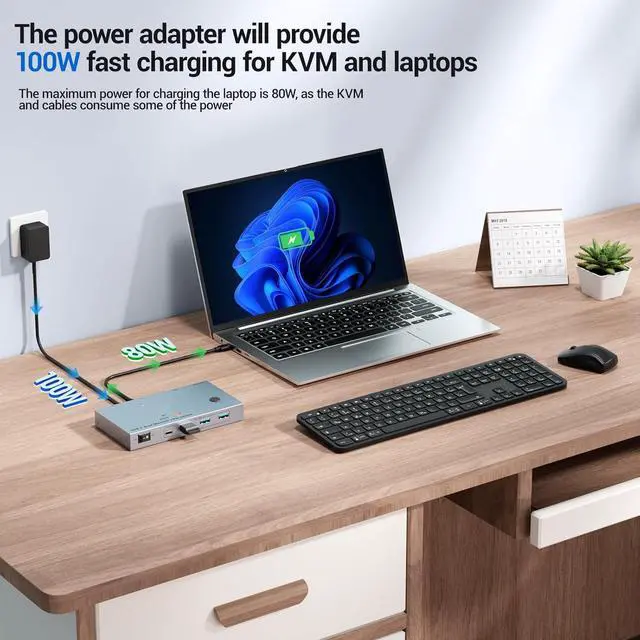
Support 80W PD Fast ChargingThe 4K Dual Monitor KVM Switch is designed with an 80W PD charging port, which can provide enough power for your laptop during use, eliminating the hassle of USB-C charging ports being occupied --- and it can also ensure the device works more stably.
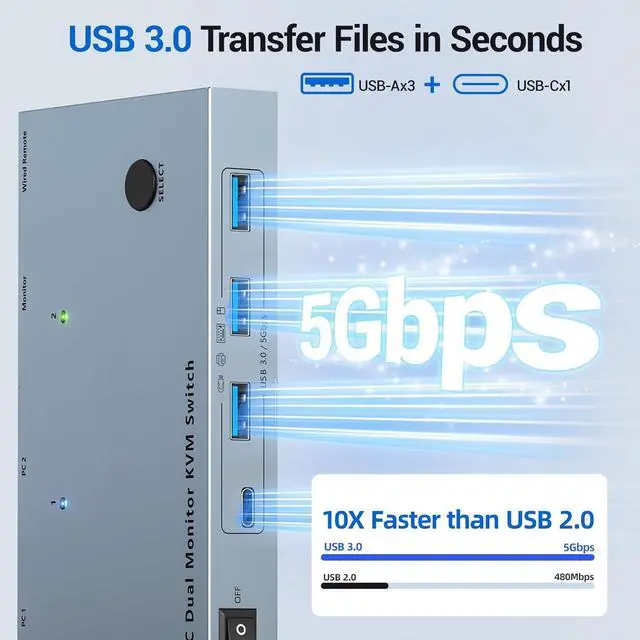
5Gbps Super Speed Transfer USB C KVM Docking Station transfers files in seconds. 2 Monitors 2 Laptops Switch is equipped with 4 USB 3.0 ports (3 USB-A ports + 1 USB-C port) for 2 laptops to share USB devices such as keyboards, mice, printers, etc., with a data transfer speed of up to 5Gbps.
Ultra High Definition 4K Visual Effects USB 3.0 KVM Switch for 2 laptops supports up to 4K@60Hz, 2K@144Hz /120Hz resolution and backward compatible. Provides visual enjoyment. Note: The switching resolution of 2 laptops supported by this output depends on your laptop, monitor and USB C cable.
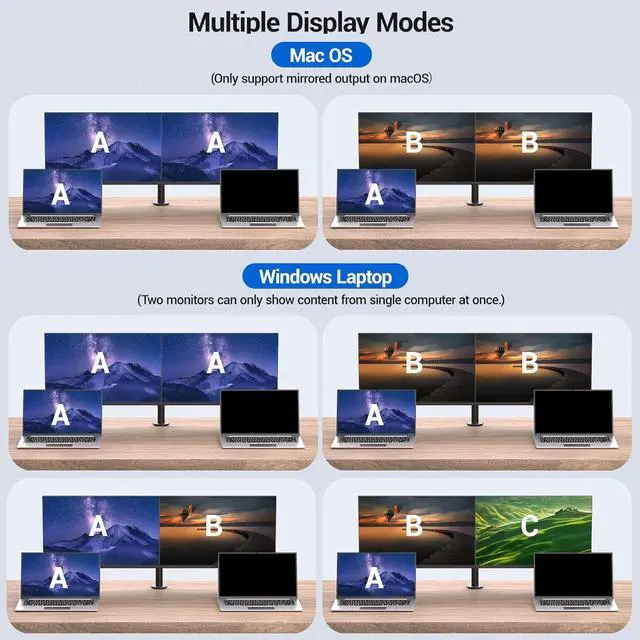
[Multi-Display Mode] Windows system dual monitors support MST (Multi-Stream Transfer) mode and SST mode. macOS (M1, M2) system only supports SST mode, not MST mode. You can press Windows and P key to select the desired mode. Note: Both monitors can only display content from a single computer once.
Two Fast Switching MethodsPlug and play, no driver required. usb c switch 2 computers support push button switch and wired switch, allowing you to quickly switch between two laptops. the LED indicator shows the laptop that is working.
[Packing List] 1 x USB C KVM switch, 2 x USB C cable, 1 x 1.5m remote control, 1 x user manual. Any problem, please let us know to solve it.