
Your Browsing History




Any questions? Our AI beta will help you find out quickly.
How to Get Dual Monitor Display (Must Read before Order!!!)

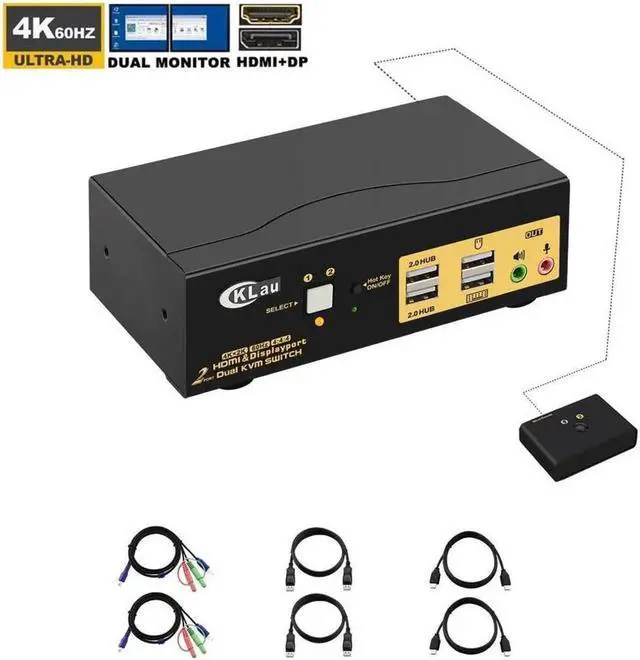
4K@60Hz 2 Port HDMI + Displayport Dual monitor KVM Switch with Audio, USB 2.0 Hub
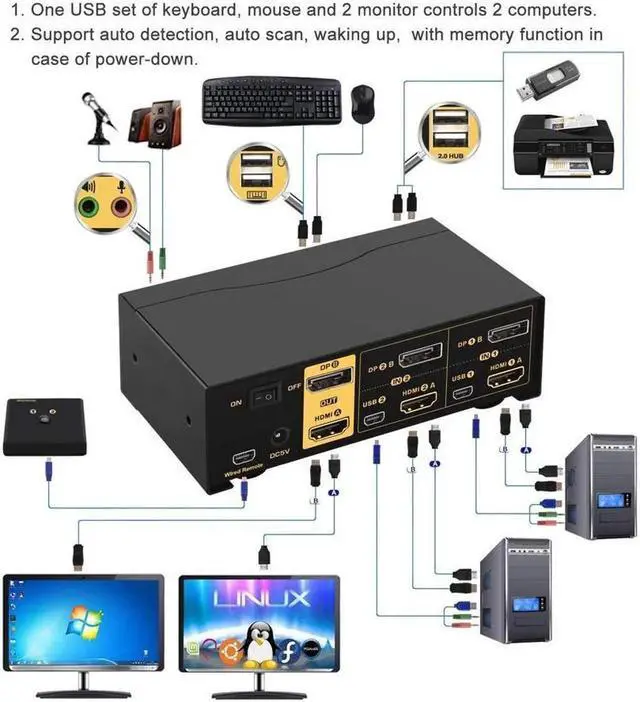
One set of USB keyboard, mouse and 2 monitors controls 2 HDMI+displayport computers/laptops. With audio and mic output. Save space for you and bring a lot of convenience to your work.
Installation Step;
1. Turn off all devices and unplug all the cables;
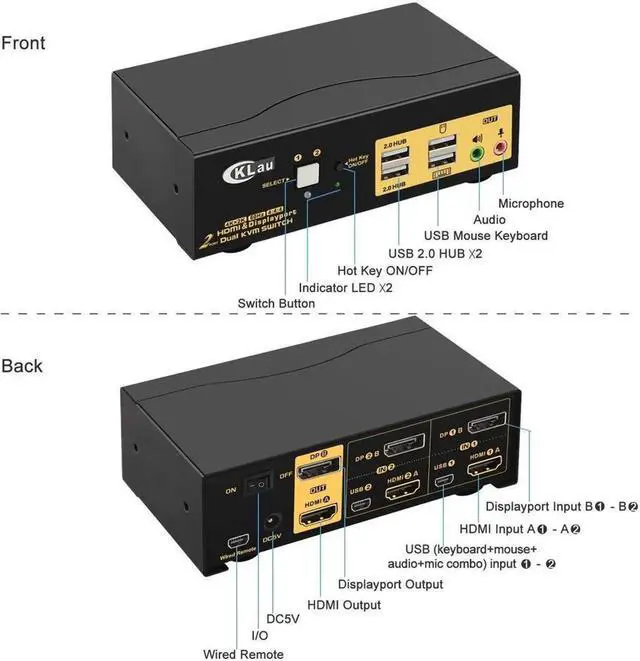
2. Plug KVM cables, displayport cables, HDMI cables into KVM switch and your computers/laptops;
3. Plug mouse and keyboard into KVM switch;
4. Plug displayport cable, HDMI cable into KVM switch and monitors;
5. Plug speaker or microphone into KVM switch if needed;
6. Plug AC socket into KVM switch and AC socket;
7. Turn on KVM switch;
8. Boot computers/laptops.
Warm Tips:
It is DP1.2 60Hz version for displayport port, it doesn't compatible DP1.4 version, 100Hz, 120Hz, 144Hz devices

Does Everything You Need!

Hotkey on/off key
1. This key default turn on, Hotkey on light is green.
2. Customers can turn on/off this function according his requirement;
3. If some gaming mouse and multimedia Keyboard don't work, he need to turn off Hot key on/off button, then the issue was solved.

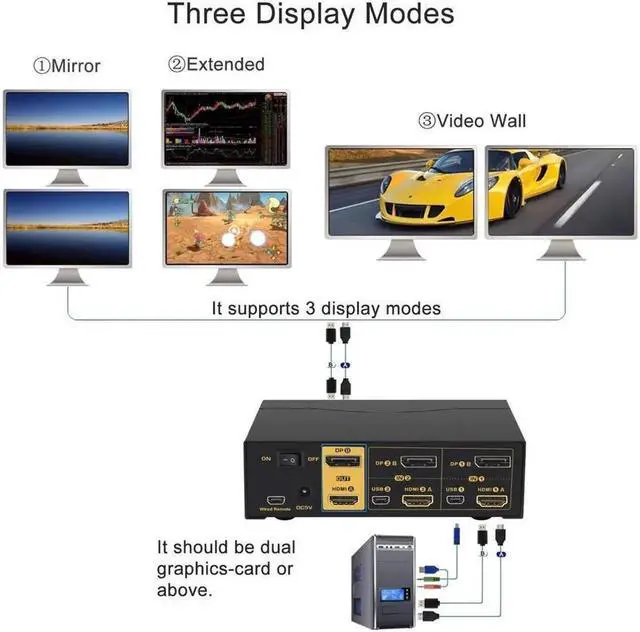
Support Three Display Modes

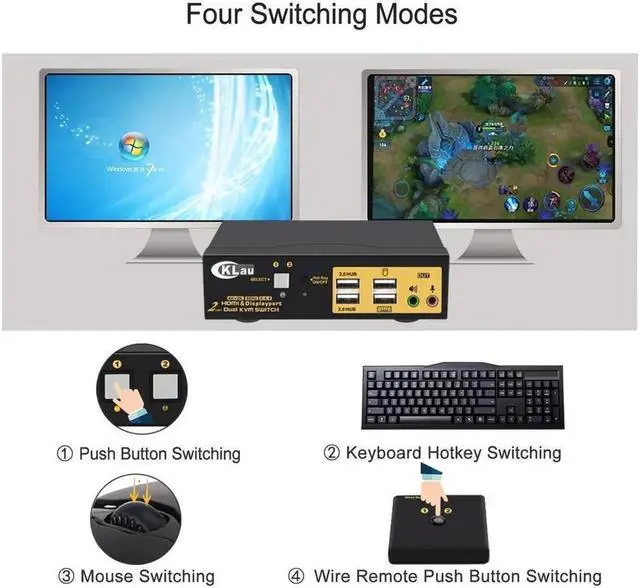
Four Switching Ways:
1. Wired-remote push button switching: Switch to any port by remote button after you plug it to the KVM.
2. Button switching: Push buttons on the front panel to switch.
3. Keyboard hot-key switching: Double click the right [Ctrl] +click [Port Number]+click[Enter]
4. Mouse switching: Double click middlie roller of mouse to switch.
(Tips: button switching and wired-remote push button switching can't be using together)

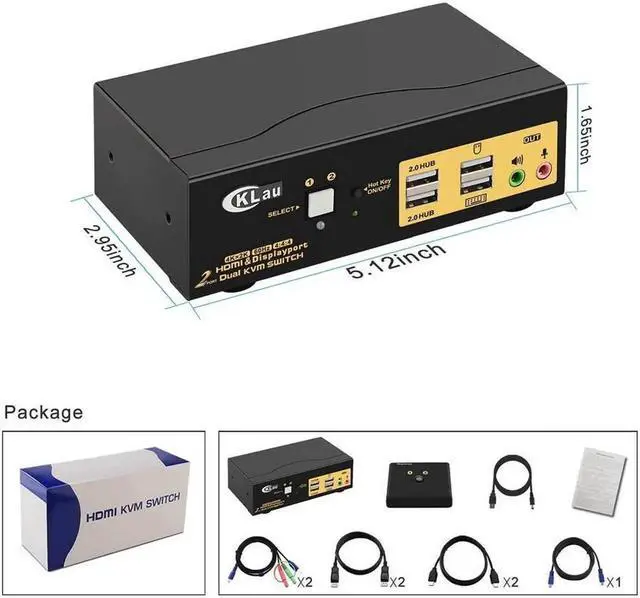
Package contents:
1 x 2 Port KVM switch
1 x DC5V 2A power dapter
2 x KVM Cables
2 x HDMI cables
2 x dispalyport cables
1 x wired-remote
1 x User manual
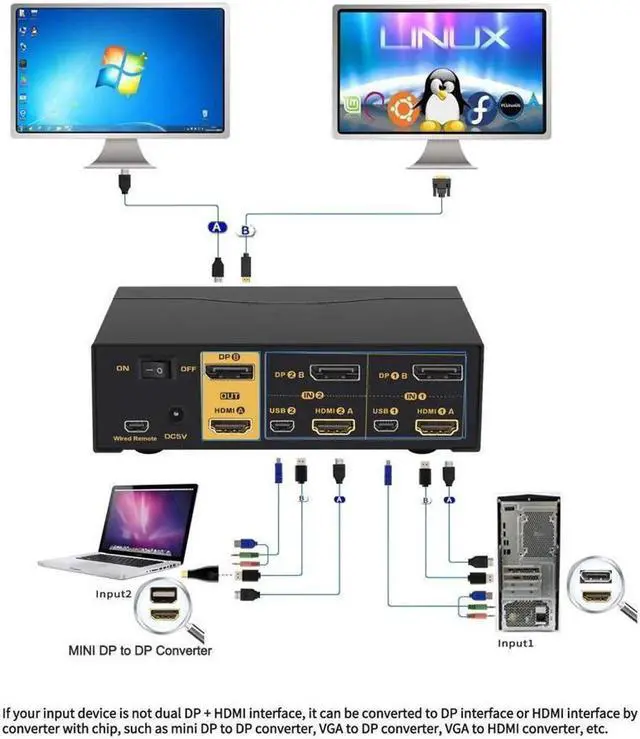
How to Get Dual Monitor Display (Must Read before Order!!! )
Each computer / laptop needs 2 video connections to correspondent HDMI A and DP B port on the KVM switch using the standard HDMI 2.0 cables and DP cables included.
Reliable adapters are needed but not included for DVI, VGA, USB Type C video outputs. Please be aware of the adapters needed for your setup before order. VGA to HDMI or HDMI to VGA adapter must be seperately powered.
Resolution output is subject to adapter if any.
Avoid using adapters on both monitor and computer side for a same video flow. For eg. if there is an adapter on computer for connecting HDMI A port, and then another adapter for connecting HDMI Out A to monitor, it may cause display issue.