
Your Browsing History





Any questions? Our AI beta will help you find out quickly.
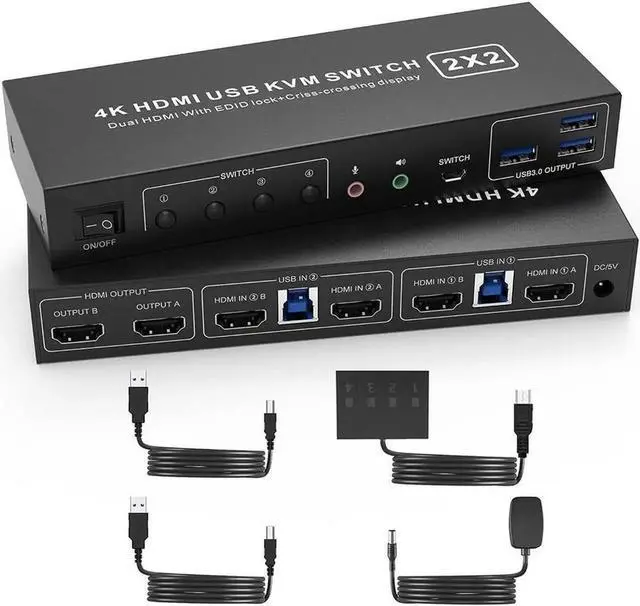
USB 3.0 Dual Monitor HDMI KVM Switch for 2 Computers
Advantages of our dual-channel KVM:
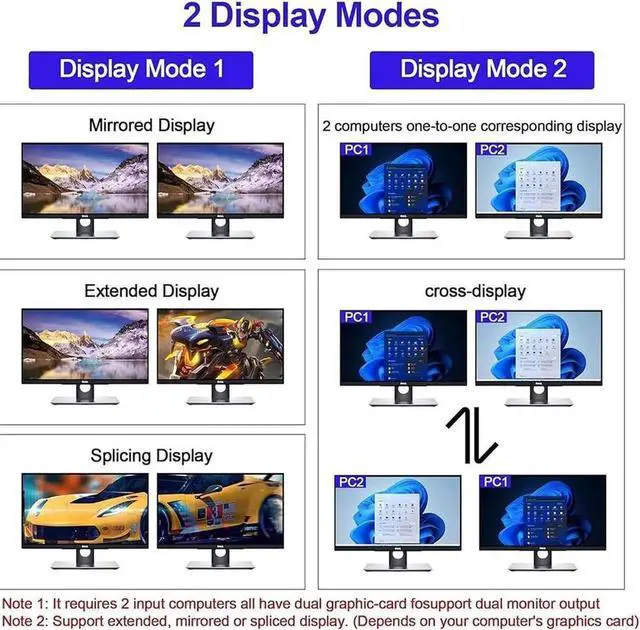
Display Mode 1: Mirror/Copy Display; Extended Display; Surround/Splicing Display
How to switch:
Display Mode 2: 2 computers one-to-one corresponding display, Criss-crossing Display
How to switch:
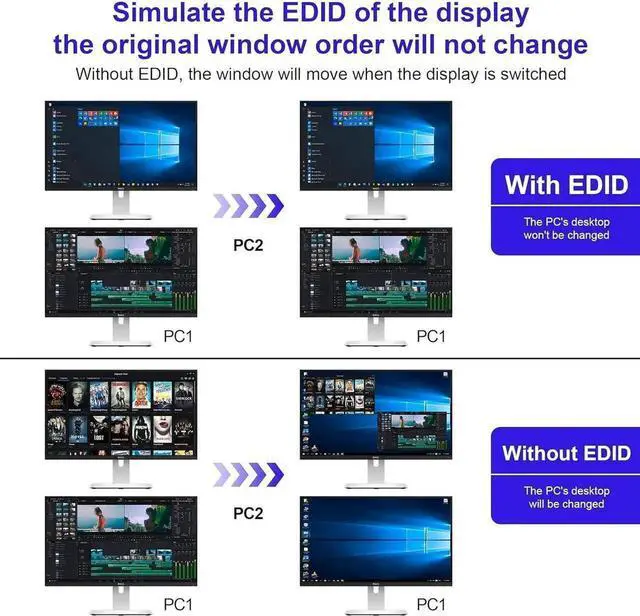
Support EDID Lock Screen
installation steps:
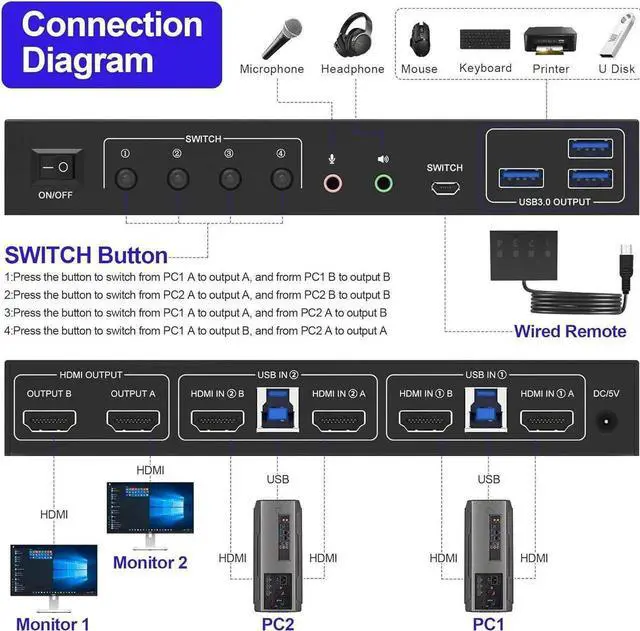
1. Insert the DC/5V adapter into the KVM;
2. Plug the HDMI cable into the KVM and monitor;(HDMI Output)
3. Plug the HDMI cable and USB cable into the KVM and your computer/laptop (HDMI cables are not included)(Input)
HDMI IN1 A + HDMI IN1 B + USB IN1=PC1
HDMI IN2 A + HDMI IN2 B + USB IN2=PC2
4. Insert the mouse and keyboard into the KVM switch
5. If needed, you can connect a microphone and audio port
Note:
1. Most of the reasons why only onevideo output works is because of incorrect connection. Please make sure eachcomputer have 2 HDMI cables connect to the KVM.
2. If the KVM switch does not work, you can turn off the switch on the panel and turn it on again after 2-3 seconds, and it will return to normal.
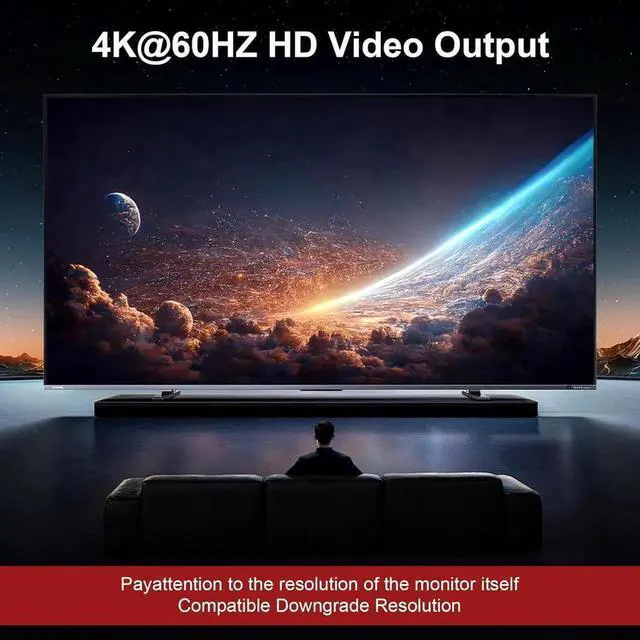
Dual Monitor KVM Support 4K@60HZ
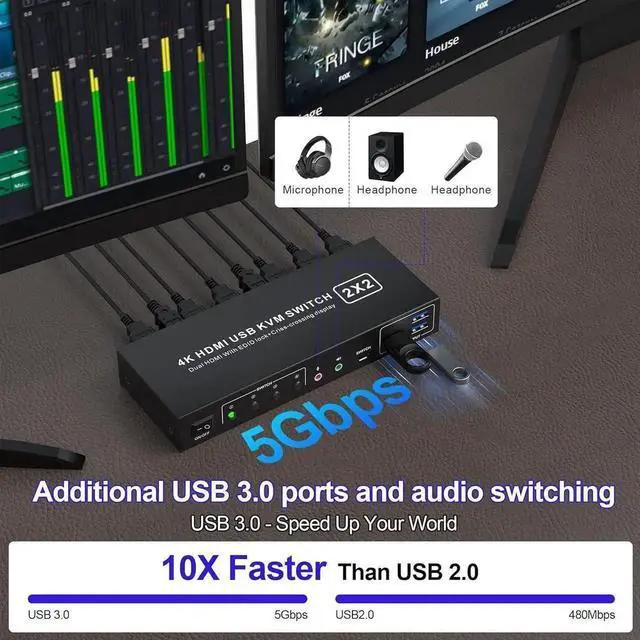
2 PCs Share 3 USB 3.0 Devices
Headphone Jack and Microphone Jack
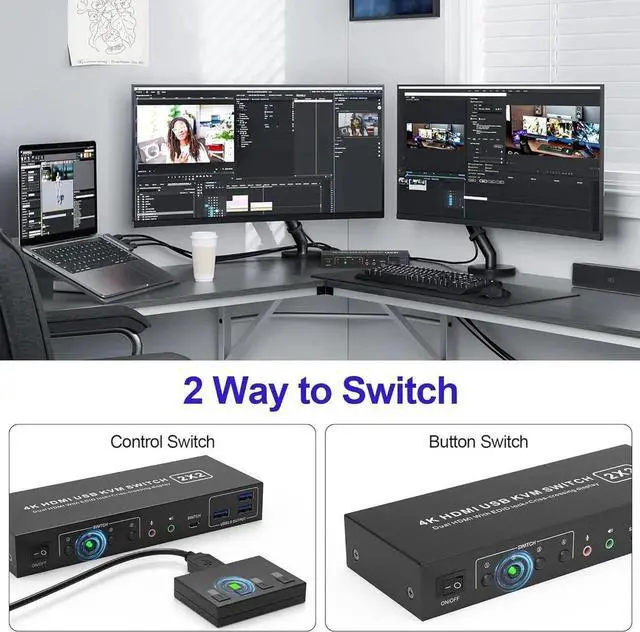
Dual Monitor KVM Switch: Ideal for access 2 PC with 2 monitors and 1 set of keyboard mouse. You can easily have a dual monitor setup per system or switch it to a single monitor system showing both systems.
Multiple Display Methods: Dual monitors offer more than just output expansion, mirroring, and splicing modes; they also enable cross-display functionality between 2 PCs.
Support Simulation EDID: This kvm switches can simulate the EDID of the display, store the resolution and refresh rate of the display.
4K 60Hz: Supporting up to 4K@60Hz, and also supports 3D and 1080P@60Hz or other lower resolution (Downward Compatible).
with 3 USB 3.0 Ports: with 3 USB 3.0 ports for sharing keyboard, mouse, printer and other USB devices. USB 3.0 data transfer up to 5Gbps; Also supports separate audio and microphone output.
Convenient Switching modes and Wide Compatibility:
1. Toggle selection on front panel;
2. Wired remote switch. Compatible with Windows, Linux, Mac, Unix, Ubuntu, Raspberry etc..