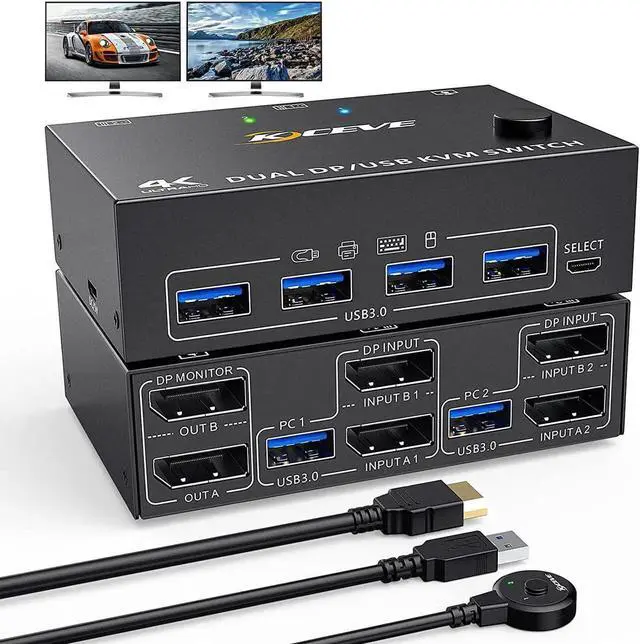
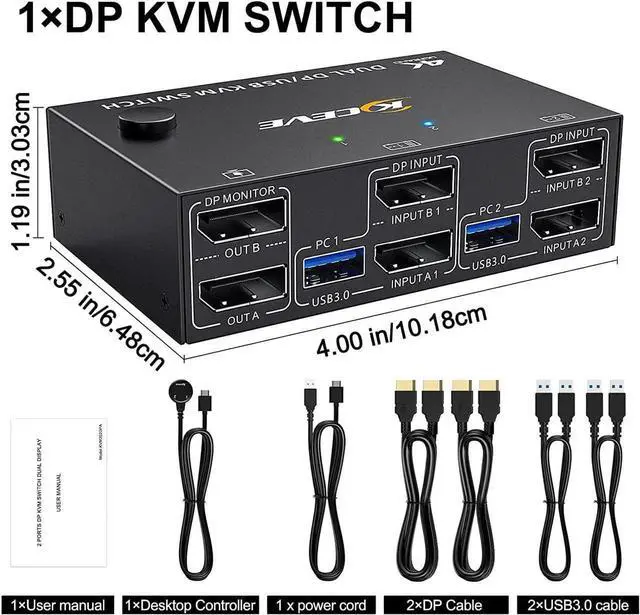
USB 3.0 Dual Monitor DisplayPort KVM Switch 8K @30Hz 4K @60Hz, 2 in 2 Out DP KVM Switch 2 PC 2 Monitors, KVM switches with 4 USB 3.0 ports for 2 PCs, with DP+USB cable and desktop controller
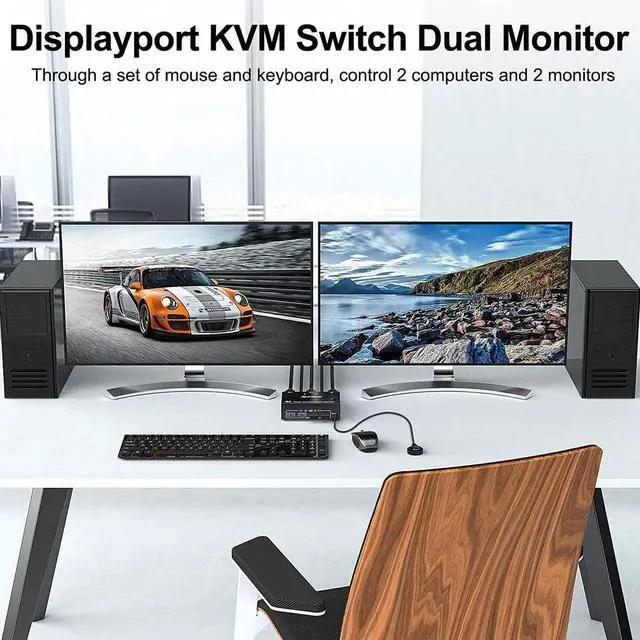
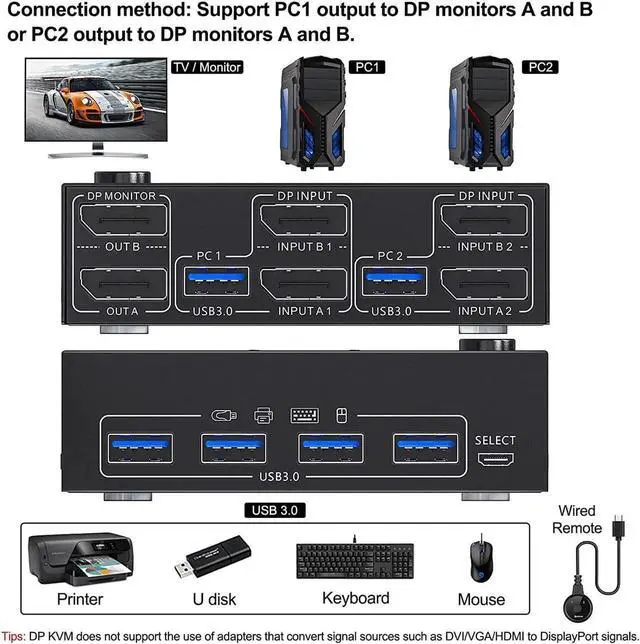
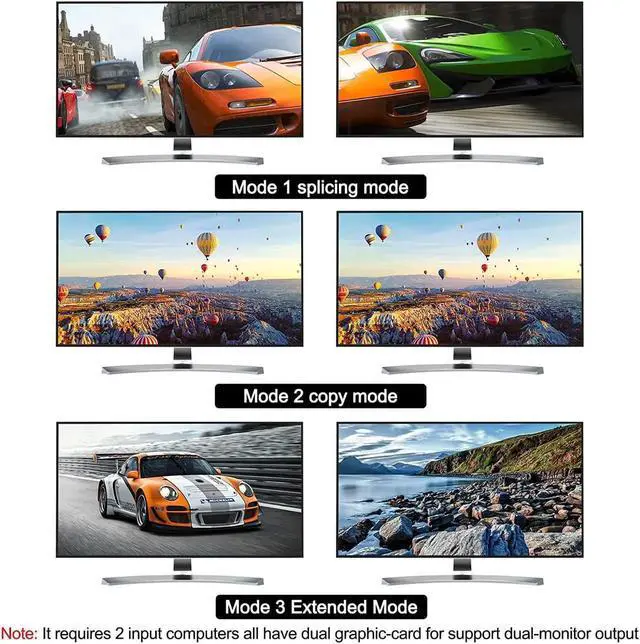
[DisplayPort 1.4 KVM Switches] This dual monitor KVM switches controls 2 PCs or laptops with just one set of keyboard, mouse and 2 monitors. Can view mirrored and extended desktops or display information from two PCs for home office setup, gaming, and streaming device support.
[Ultra HD 8K@30Hz Resolution] Supports up to 8K @30Hz, 4K@60Hz, 2K@144Hz, backward compatible with DP 1.2. NOTE: The final resolution also depends on the graphics card, monitor, cables, and adapters and how they work together.
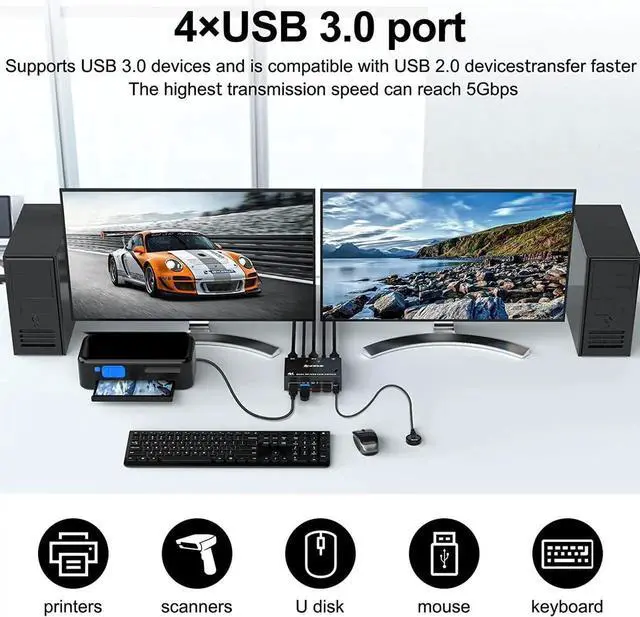
[with 4 USB 3.0 Ports]with built-in 4 USB 3.0 ports, which can detect keyboard, mouse, printer, scanner and other USB devices. USB 3.0 port provides file transfer speeds of up to 5Gbps.
[Good compatibility] This driverless KVM switch with two displays is compatible with Windows 10/8/8.1/7/Vista/XP and Mac OS, Linux etc... Plug and play, no external power required.
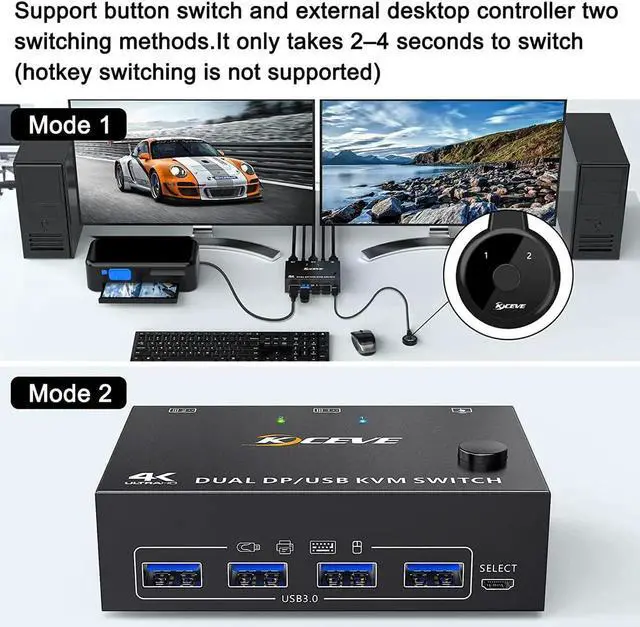
[Two switching modes]You can switch between computers using the buttons on the control panel or the wired remote controller.
+
+
Overview
Specs
Reviews
Any questions? Our AI beta will help you find out quickly.
Try me now
The above resolution data is from our Lab. The resolution may vary depending on the connected device and connection cable.
If you need to obtain 4K@120Hz or higher resolution and refresh rate, please make sure that both the computer and the monitor support 4K@120Hz, and the connecting cable must be a real 8K cable
If the computer can output 4K@120Hz or higher resolution and refresh rate, and the monitor can support displaying 4K@120Hz or higher resolution and refresh rate, but cannot support it after connecting to the KVM, please replace the cable with a better quality DP cable.
Learn more about the Detailed Specifications
Additional Information
First Listed on Newegg
April 15, 2026
There are no reviews yet.
Do you own this product?
Warranty & Returns
Warranty, Returns, And Additional Information
Warranty
Please contact the Seller directly for warranty information. Warranty information may also be found on the Manufacturer's website.