• $119.96
  • Ships from China.
    Sold by Astral Tech

    Shipped by Astral Tech

    Price alert
    Shop it at NeweggBusiness.

    Meet Your Seller

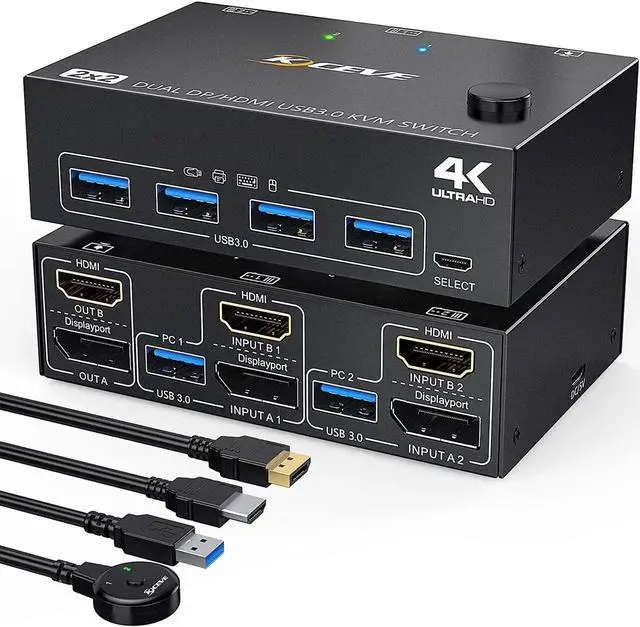
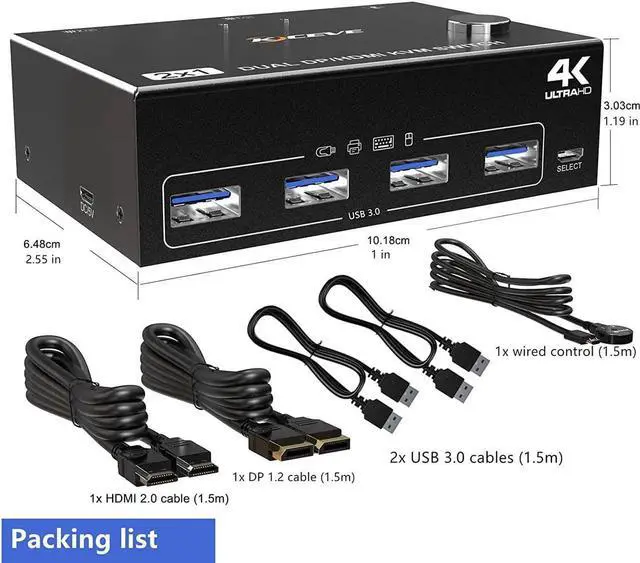
    Dual Monitor Displayport HDMI USB 3.0 KVM Switch 2 Computer 2 Monitors, DP HDMI KVM Switcher Supports 4K @60Hz for 2 Computers Share Keyboard, 4 USB 3.0 Ports, Wired Remote and 4 Cables Included

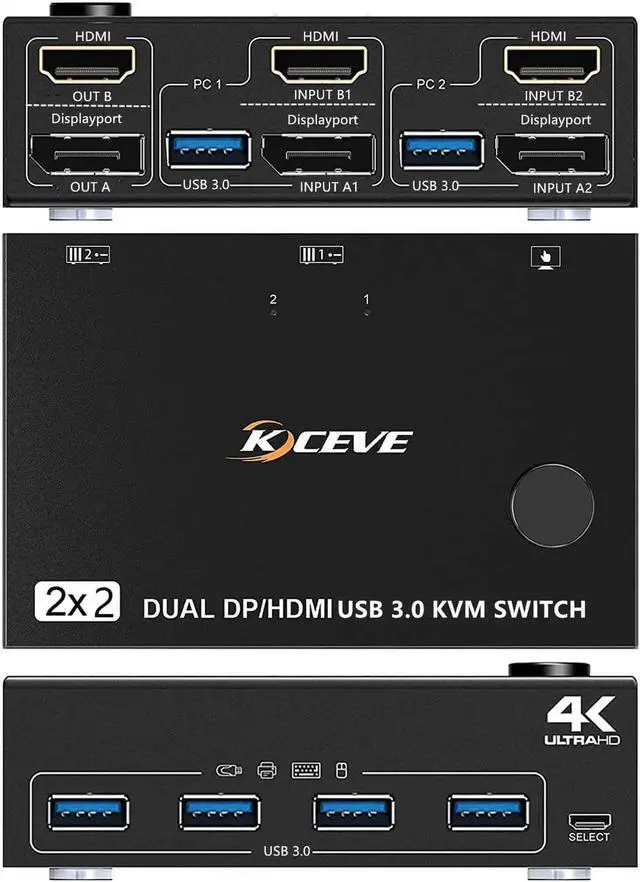
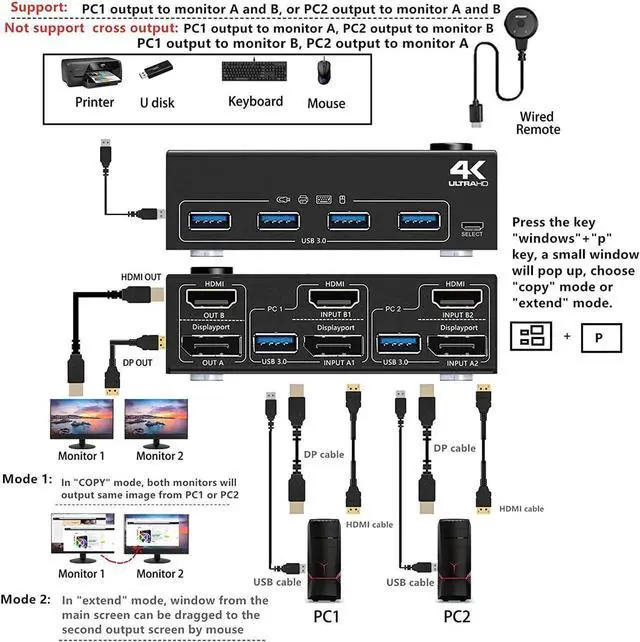
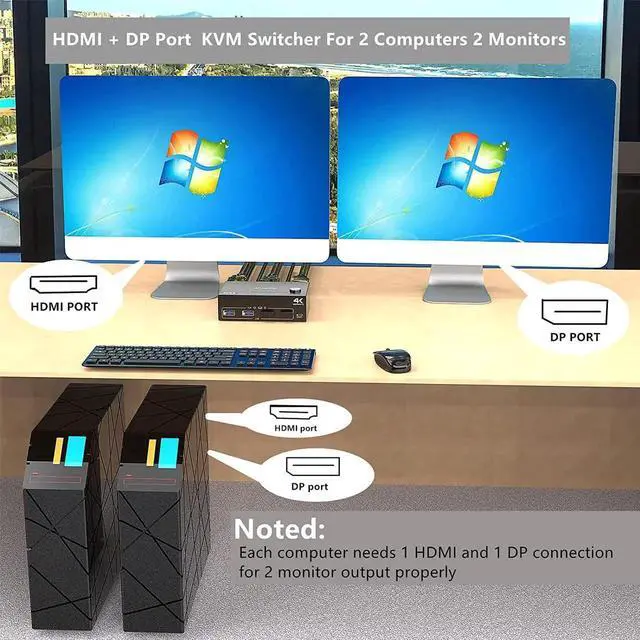
    • [HDMI + DP Port KVM Switch] This is a perfect KVM switch for DP and HDMI ports device to share keyboard mouse and monitor. When in copy mode the main screen can be copied to the second output screen. When in extend mode, the window from the main screen can be dragged to the second output screen.
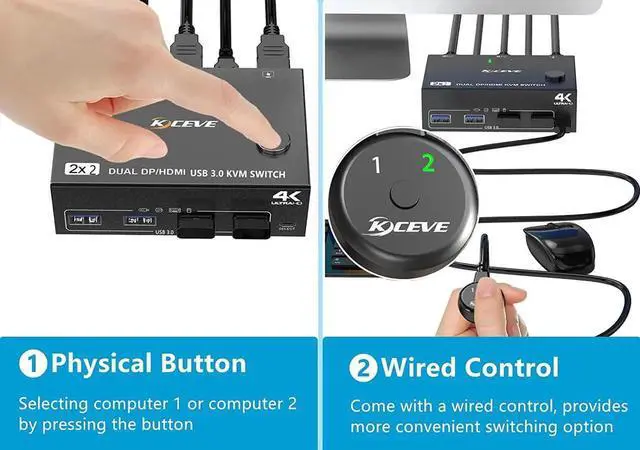
    • [Support 2 Switching Mode] Support physical button and wired control. Only when your computer supports dual display or multi display, you can use this DP HDMI KVM switch to achieve two computers to share two monitors, please choose extended mode or copy mode in your computer.
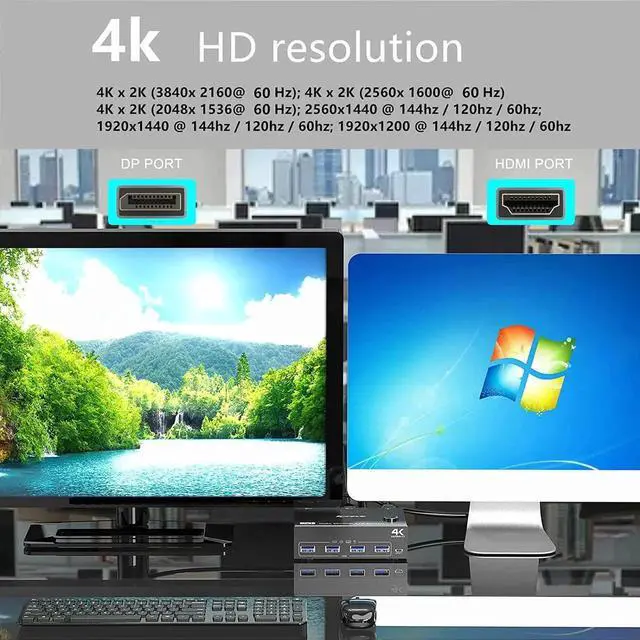
    • [Ultra HD 4k Visual Enjoyment] Support high resolution of 4K@60Hz, please use HD.MI 2.0 cable and DP 1.2 cable to achive 4k@60Hz resolution.
    • [ With 4 USB 3.0 USB Port] with 4 USB 3.0 port for sharing mouse, keyboard, USB printers, etc,. USB 3.0 transmission is more stable and faster.
    • [Plug and play] Plug and play, drive-free, widely used in many occasions, such as office, conference, teaching, performance, live broadcast..
    +
    +
    Overview
    Specs
    Reviews

    Set up step:

    Windows system to quickly set dual-screen output.

    1. Press Windows and P on the keyboard

    2. Select Extend or Copy

    3. Enter to confirm

    Warm tips:

    If using the MST multi-screen docking station, the computer CPU requires 11th generation; Docking station resolution work with 4k@30Hz or 1080p@60Hz when dual screen display.

    MAC1/MAC2 only supports one external screen, no multi-screen output.

    In order to get a good using experience, it is recommended to use DP+HDMI monitors with the same resolution.


    Warranty & Returns

    Warranty, Returns, And Additional Information

    Warranty

    • Please contact the Seller directly for warranty information. Warranty information may also be found on the Manufacturer's website.
    • CONTACT

    Return Policies

    Manufacturer Contact Info

    LOADING...