• $248.99
  • Free 30-day Returns
  • Ships from China.
    Price alert
    Shop it at NeweggBusiness.

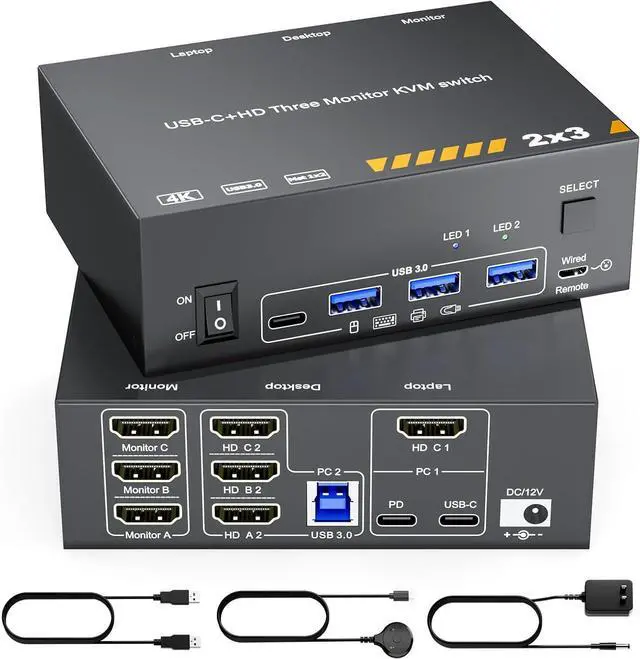
    KVM Switch 3 Monitors MST USB-C & Triple HDMI USB Type-C Docking 4K@60Hz Triple Monitor KVM Switch for Laptop & Desktop PC, 100W PD Charging, with Type-C 3.1 Gen2 Cable and Wired Remote Control

    • Laptop Desktop KVM Switch: The laptop desktop 3 monitors KVM switch not only allows to extend your USB-C laptop with 3 HDMI monitor outputs and 4 USB 3.0 ports, but also allows you to easily share 3 monitors and 4 USB 3.0 devices between work laptop & personal desktop, which combines the functionality of a USB-C docking station and a 2 computers 3 monitors KVM switch.
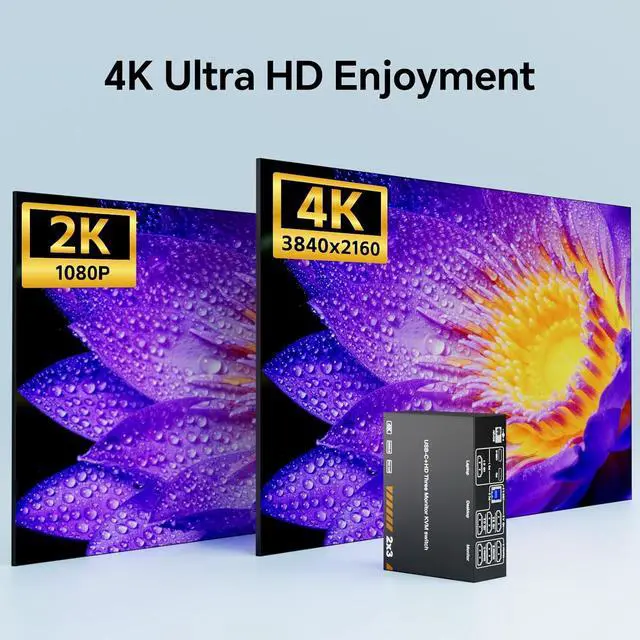
    • 4K@60Hz: The laptop and PC KVM switch supports outputting 3 screens at 4K@60Hz with 4:4:4 color depth, and is backward compatible with 2K@120Hz, 2560x1440@120Hz/60Hz, and 1920x1440@144Hz/120Hz ect.
    • 5Gpbs USB KVM: The KVM docking equipped with 4 USB 3.0 port for connecting keyboard, mouse, printer, USB flash drives, and more.With a blazing-fast transfer rate of 5Gbps, you can enjoy superior speed and stability compared to USB 2.0. Note: When connecting high power consumption devices, please plug in the included 12V/1A power charger to provide enough power for the KVM.
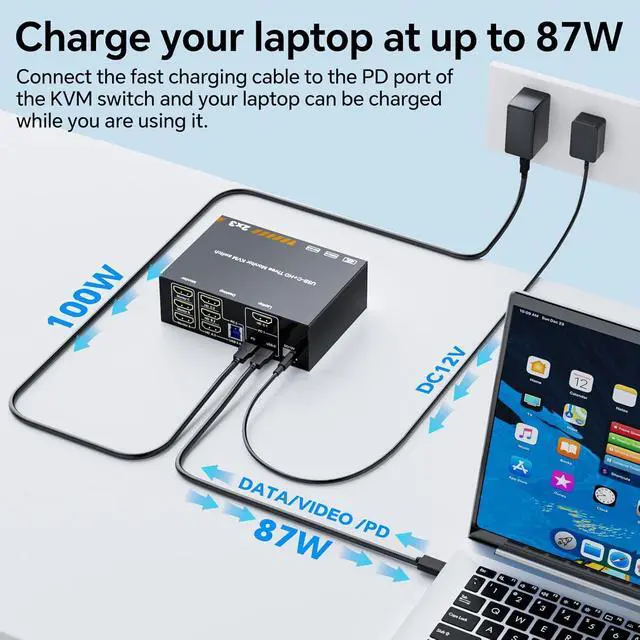
    • Support 100W PD: The KVM switch features a 100W power delivery(PD) port, when you use this 3 monitors laptop desktop PC KVM switch, you can also power your laptop simultaneously. Note: 00W actually powers the laptop at 73~80W, because both device and lines will consume power.
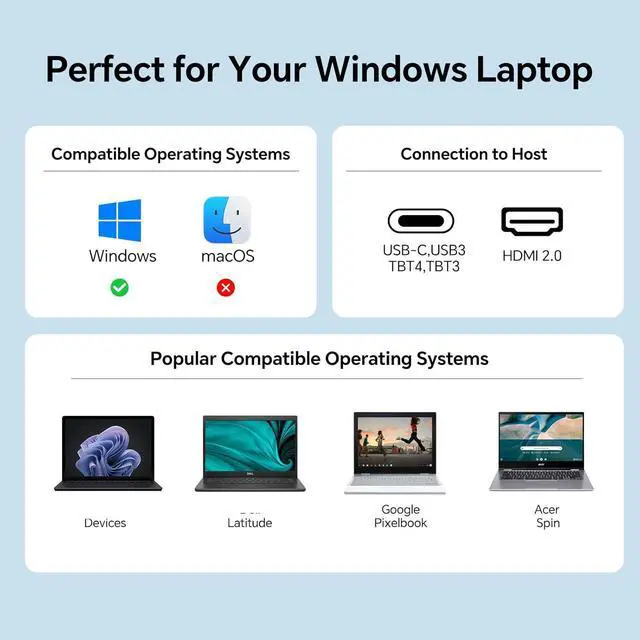
    • Wide Compatibility & 2 Switching Mode: The kvm switch is Effortlessly compatible with a wide range of operating systems, including Windows, Mac OS, Linux, and Chrome OS. Supports two switching methods-physical button and wired remote controller.
    +
    +
    Overview
    Specs
    Reviews
    avatar

    Any questions? Our AI beta will help you find out quickly.

    Important Note Before Use:

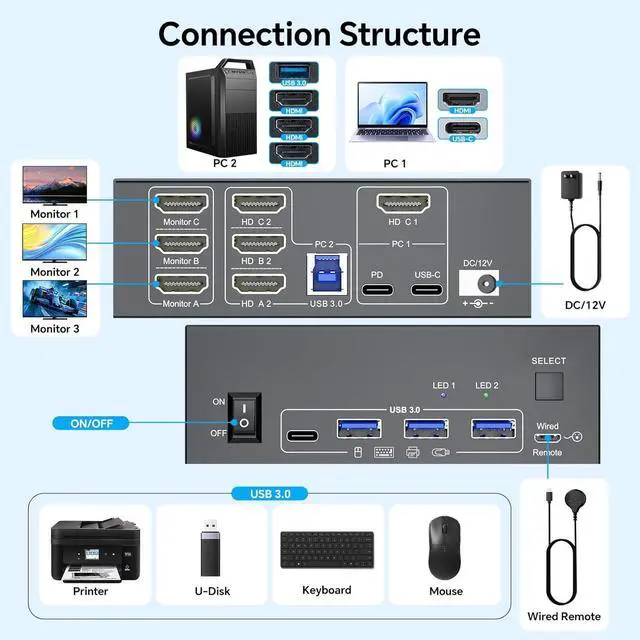
    1: To get 3 screens output from laptop/desktop, the laptops USB-C port needs to support DP Alt function(Video&Data&PD Transfer), and the laptop should support outputting USB-C & HDMI simultaneously; Desktop PC should be connected to 3 HDMI cables+1 USB cable;

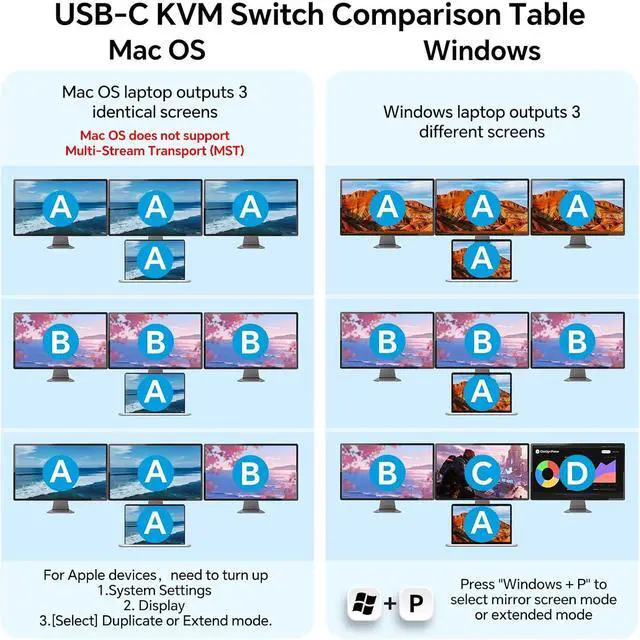
    2. For Windows laptops or computers, this KVM supports two display modes: Duplicate and Extend. But Mac OS is limited to mirror mode and can't extend 3 different screens, because MAC M1/M2 doesnt support MST (multi-stream transport)

    Connection Steps

    1. Connect 1*USB-C 3.1 Gen 2 Cable + 1* HDMI 2.0 Cable from laptop to the 3 monitors KVM switch

    2. Plug the 100W laptop power cable from socket to the "PD" port on the laptop desktop KVM switch

    3. Connnect 3*HDMI 2.0 cables +1*USB-A to USB-B cable from desktop PC to the relevant port on the triple monitor KVM switch

    4. Connect 3 monitors to "Monitor A", "Monitor B" and " Monitor C" port on the USB-C triple HDMI KVM switch

    5. Connect keyboard mouse, U Disk, USB camera to the USB port on the front of the KVM switch

    6. Plug the DC/12V power cable into "DC/12V" Port, and insert the wired remote controller to the relevant port, then turn On the 3 monitors laptop desktop KVM switch

    Warranty & Returns

    Warranty, Returns, And Additional Information

    Warranty

    • Please contact the Seller directly for warranty information. Warranty information may also be found on the Manufacturer's website.
    • CONTACT

    Return Policies

    Manufacturer Contact Info

    LOADING...