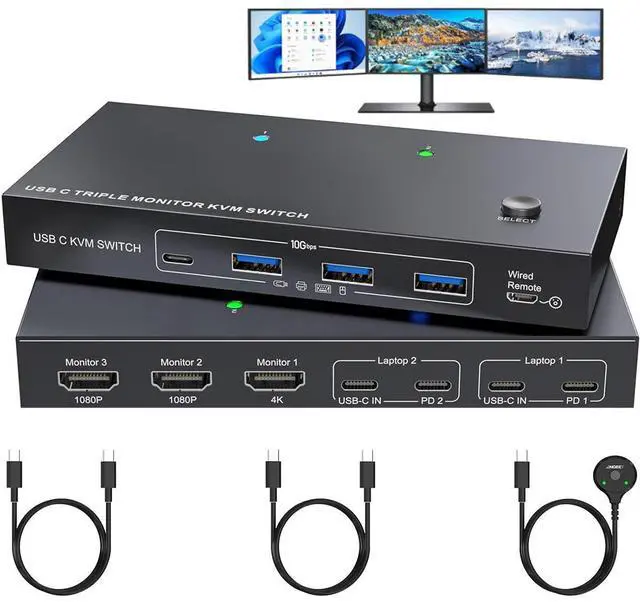
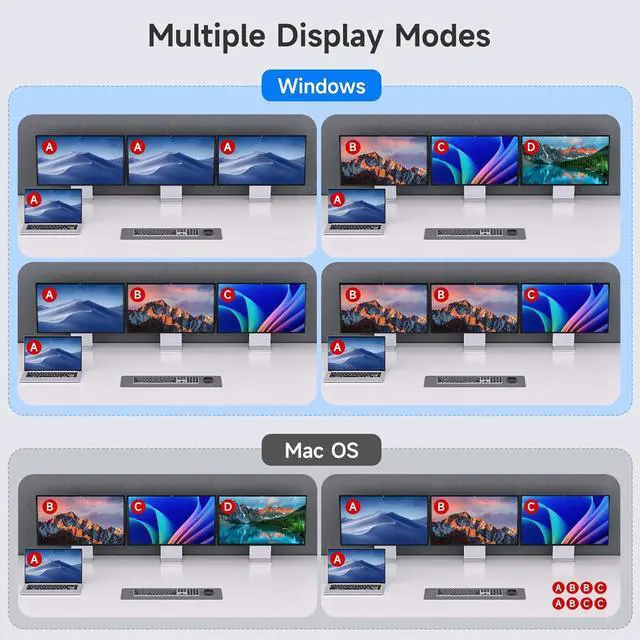
With The USB C 3 monitors KVM switch, you can switch between 2 laptops to share 3 HDMI external displays and 4 USB 3.2 ports.
Features:
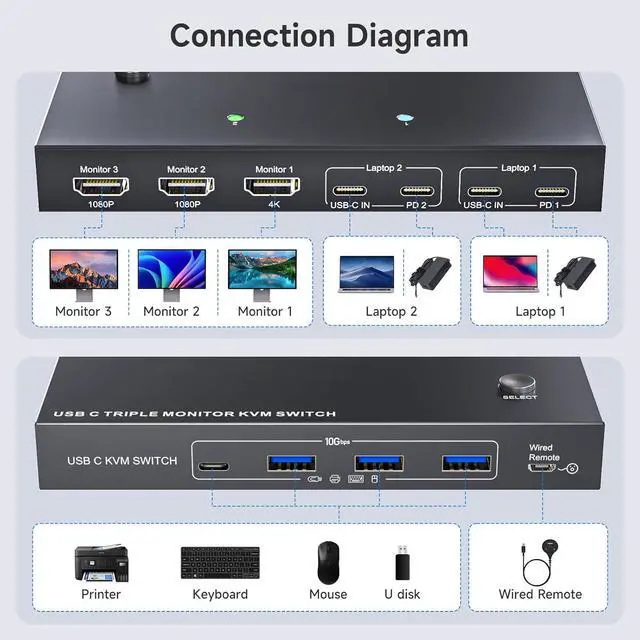
- USB C Docking KVM Switch 3 Monitors 2 LaptopsThe USB C 3 monitor KVM switch combines USB-C docking station and 3 monitors KVM switch, which not only does it expand your laptop into a workstation with 3 HDMI monitors, 4x USB 3.2 ports (3×USB-A + 1×USB-C), and 2*80W PD charging ports, but also allows to one-click switching between 2 laptops.
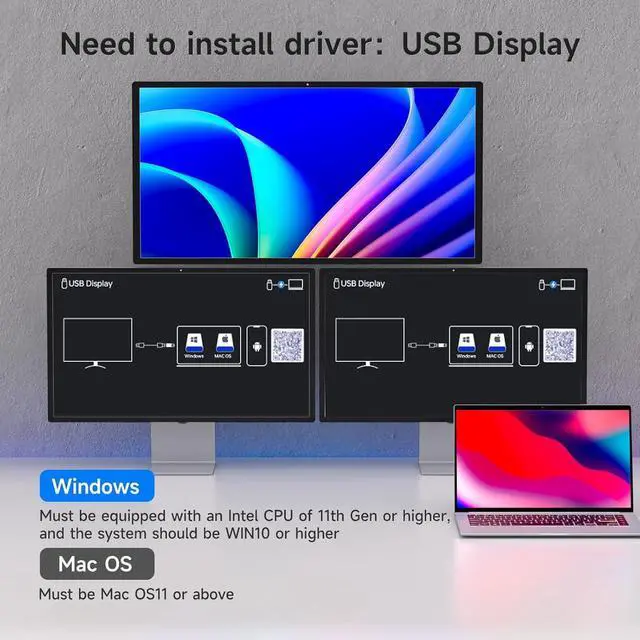
- Driver Installation is RequiredThe 2 computers 3 monitors KVM switch supports simultaneous output of 3 HDMI monitors, with resolutions of 1*4K@60Hz+2*1080P@60Hz. Note: After connecting your laptops to the USB C KVM switch, the laptop will automatically recognise the USB device and a pop-up window will appear, please follow the wizard to install the USB driver.This driver does not record any information, Only used for identifying monitors.
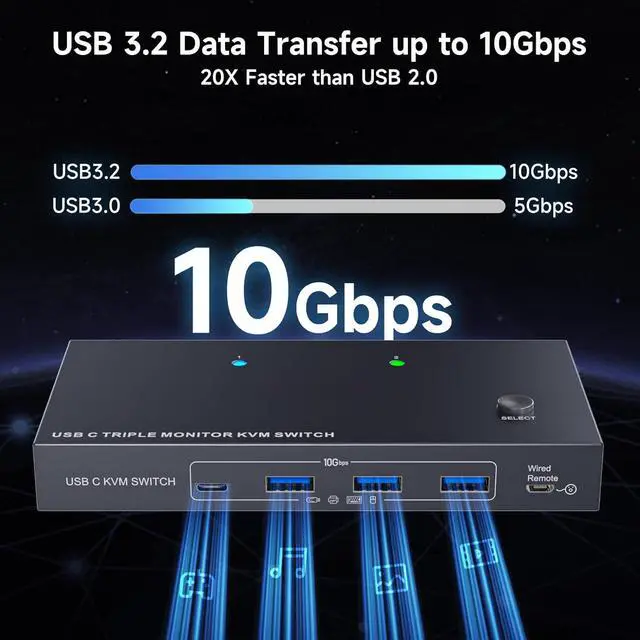
- 3 Monitors KVM Switch with 4 USB 3.2 PortsThe triple monitor KVM switch USB C docking station is euqipped with 4 USB 3.2 ports(3×USB-A + 1×USB-C) for connecting keyboard, mouse,external hard drives,etc. With a data transfer rate of up to 10Gbps,Backward compatibility with USB 1.1/2.0/3.0.
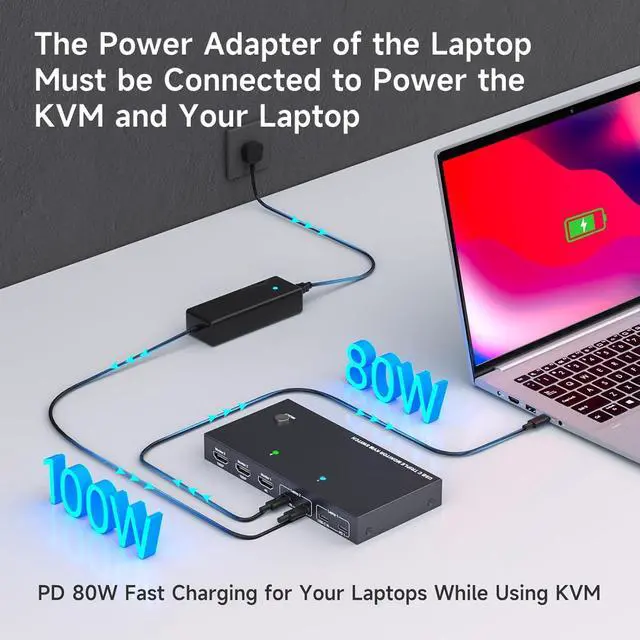
- Charge your laptops via KVM SwitchKVM switch 3 monitors 2 computers USB C features with 2x80W PD charging ports,simply plug your laptop charger into the PD port to charge your laptop,eliminating the hassle of limited laptop ports. Note: It is necessary to plug the laptops charger into the PD port to power the KVM switch for stable operation.
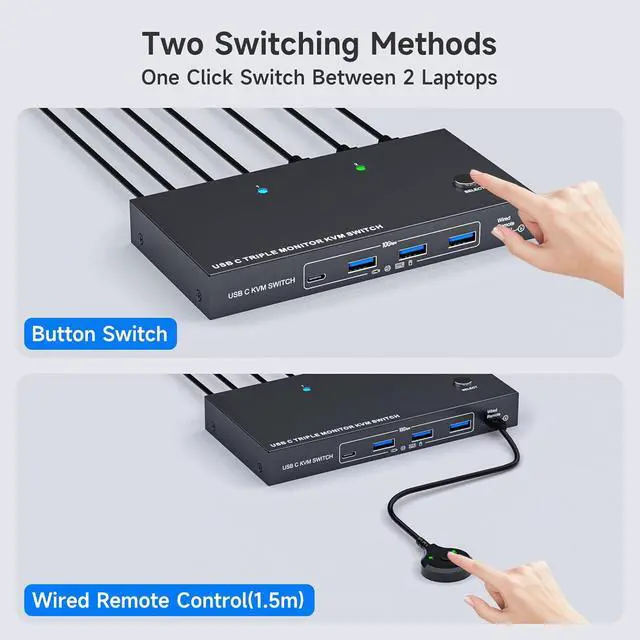
- Wide Compatibility & Two Switching Ways The 2 port USB C 2 laptops 3 monitors KVM switch is effortlessly compatible with Windows and Mac OS. Supports two switching methodsphysical button and wired remote(1.5 m),while LED indicators clearly display the active computer.
- Important Note (1)Driver installation is required to recognize the monitors;(2)To get the 2 computers 3 monitors USB-C KVM switch work properly, the laptop system must be 11th or above;(3)It is necessary to plug the laptops charger into the PD port to power the KVM switch;(4)2 USB C cables in the packaging, but HDMI cables are not included. (5)Not supporting EDID emulation and hotkey switching.Any problem,just take a little time to email us, you will receive a 100% satisfactory solution.





 here!
here!