




 here!
here!
I’m your shopping assistant for PC builds, upgrades, and everything tech.
Got questions? Ask away!
Start a conversation
here!
I’m your shopping assistant for PC builds, upgrades, and everything tech.
Got questions? Ask away!
Start a conversation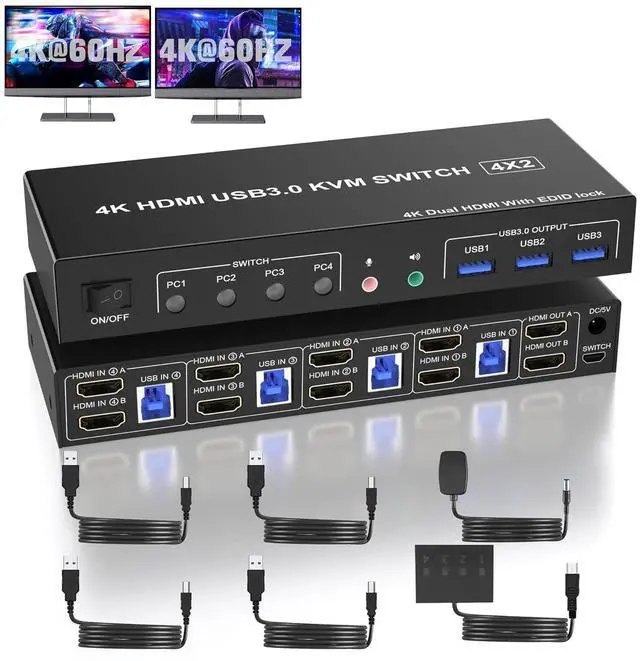



Any questions? Ask CelesteSM will help you find out quickly.
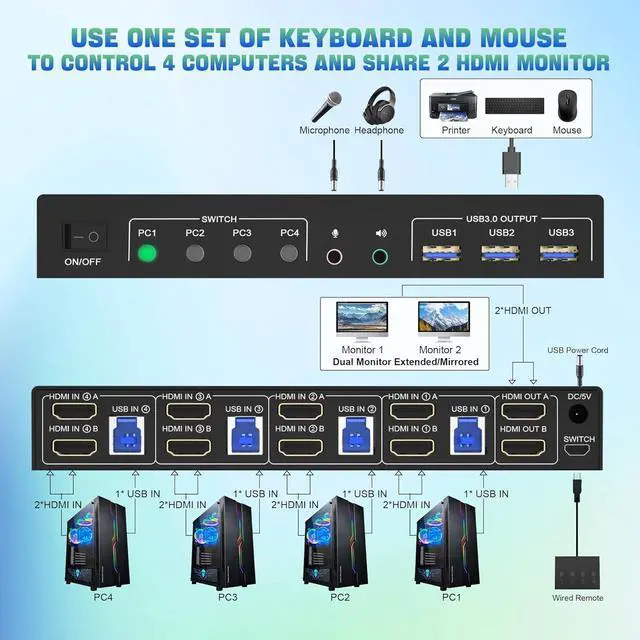
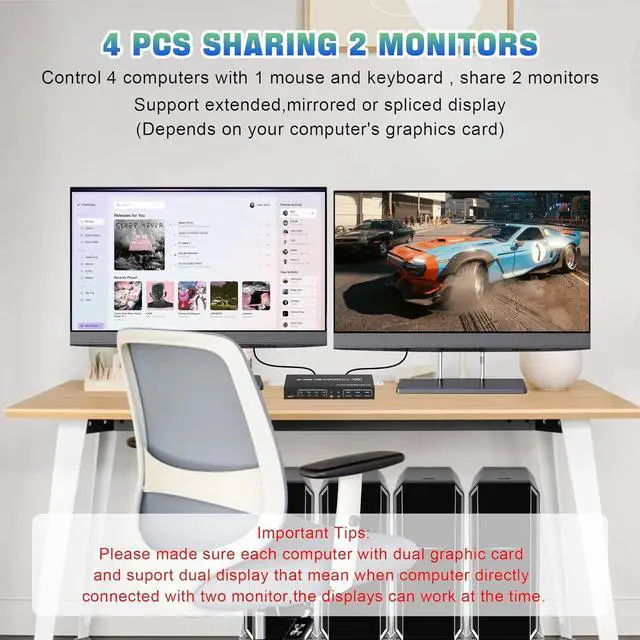
With this 4 port USB 3.0 dual-monitor HDMI KVM Switch (HDMI+HDMI), you can easily control 4 signal sources at the same time, share the same keyboard and mouse, and share 2 monitors.
Note: Each input source device must be connected to two dual monitors.
Product Features
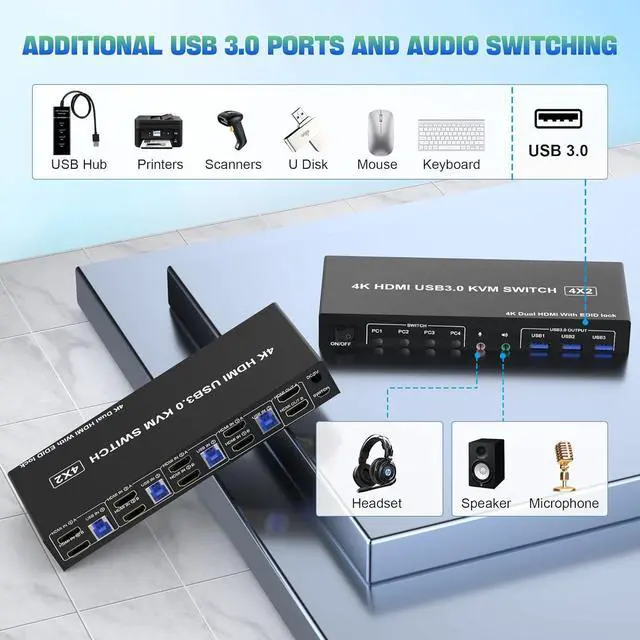
4 computers share one set of keyboard, mouse, 2 monitors, and more USB 3.0 peripherals.
This dual monitor HDMI KVM switch Supports maximum resolution up to 4K 60Hz
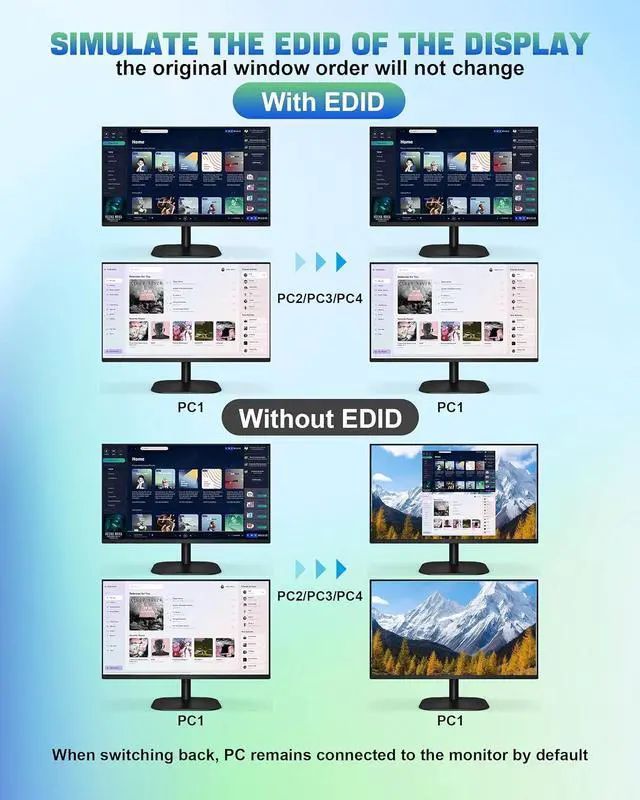
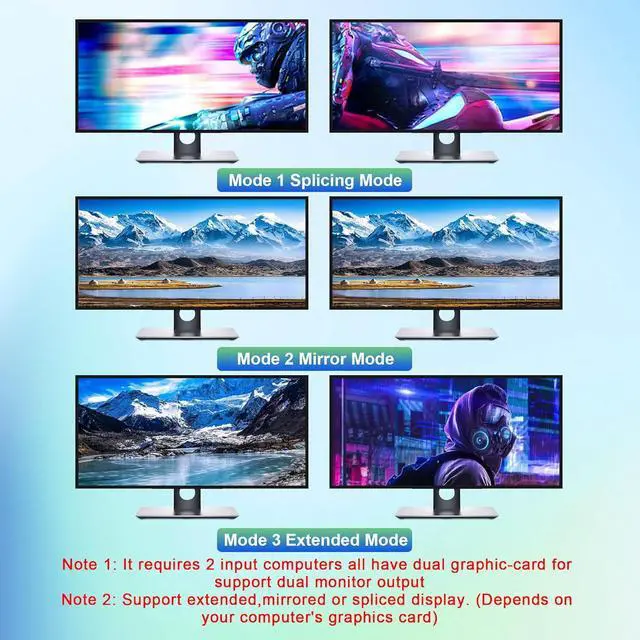
YUV 4:4: 4, HDCP 1.4, HDR 2.2, with EDID Emulator; Dual monitors output support up to 4K@60Hz for extended, mirrored or spliced display(Depends on your computer's graphics card. );
Compatible with Windows 11/10/7/2000/XP/Vista, Linux, UNIX, Ubuntu, Fedora, and other systems;
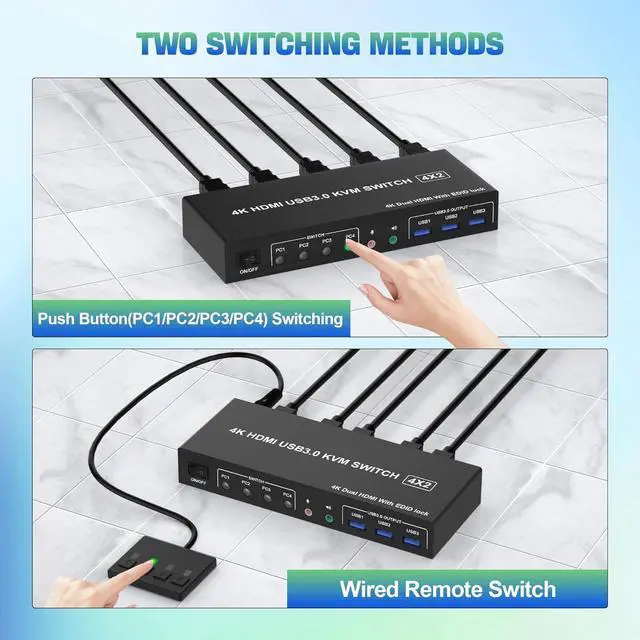
2 Switching modes: Button switch and wired remote.
The ports that need to plug in HDMI/USB cables are all hidden behind the KVM, so the desktop doesn't get cluttered;
No complicated installation is required, and non-professionals can easily operate it.
Independent Audio Microphone output.
installation steps:
1. Insert the DC/5V adapter into the KVM;
2. Plug the HDMI cable into the KVM and monitor; (Output)
3. Plug the HDMI cable and USB cable into the KVM and your computer/laptop (HDMI cables are not included) (Input)
HDM1 IN1 A + HDM1IN1 B + USB IN1=PC1
HDM1 IN2 A + HDM1IN2 B + USB IN2=PC2
HDM1 IN3 A + HDM1IN3 B + USB IN2=PC3
HDM1 IN4 A + HDM1IN4 B + USB IN2=PC4
4. Insert the mouse and keyboard into the KVM switch
5. If needed, you can connect a microphone and audio port
What's in the Box:
1 x USB 3.0 KVM Switch 2 Monitor 4 Computers
4 x USB 3.0 a-b Cables
1 x switch button cable
1 x 5V adapter
1 x User manual



