here!
here!
I’m your shopping assistant for PC builds, upgrades, and everything tech.
Got questions? Ask away!
Start a conversation
here!
I’m your shopping assistant for PC builds, upgrades, and everything tech.
Got questions? Ask away!
Start a conversation



Any questions? Ask CelesteSM will help you find out quickly.
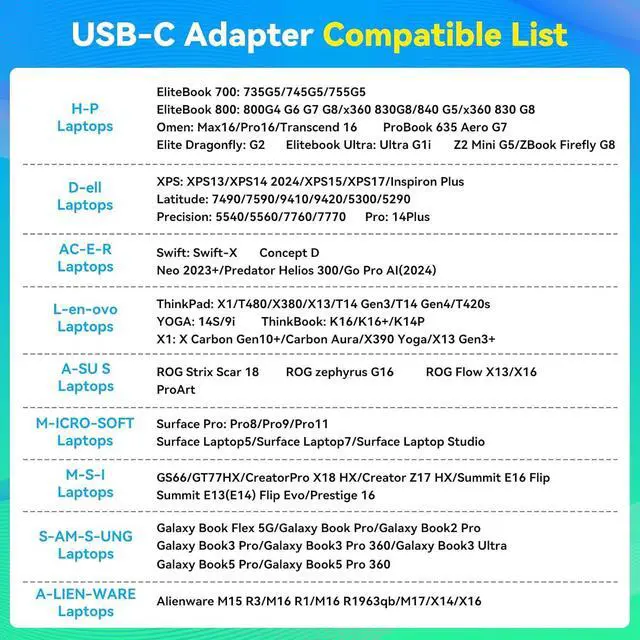
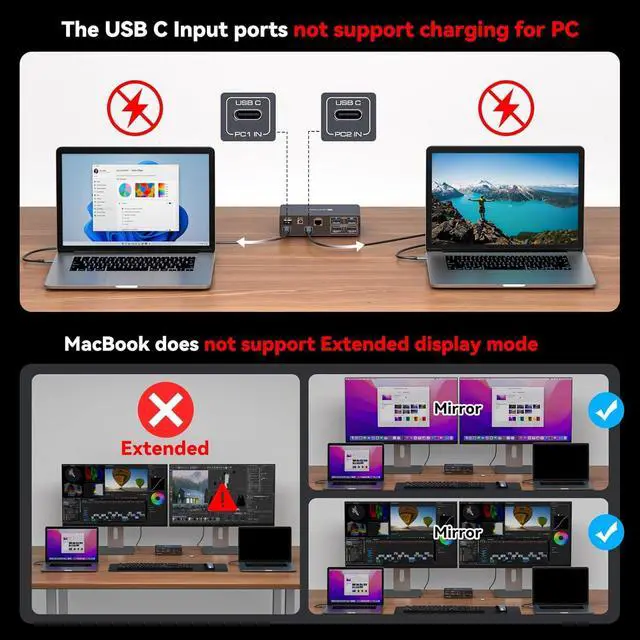
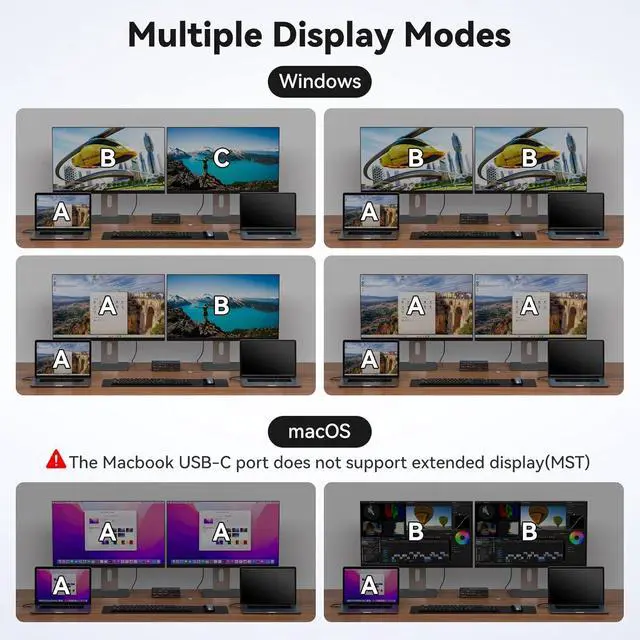
Read before purchasing: 1. The USB C input of this kvm Switch cannot reverse charge a laptop (not PD capable) 2. Due to technical limitations Macbook or Mac OS users do not support the extend function, extend to two different images is not supported. Only copy mode is supported. 3. Please make sure the USB C port of your laptop is Thunderbolt 3 or above. Otherwise this device will not work.
Compatibility information: 1. Please ensure that each computer has at least one Thunderbolt 3 or higher port and one DP port. 2. Please make sure both of your monitors have an DP Port. 3. HDMI to DP or DP to DVI/VGA cable and other docking station devices are not recommended
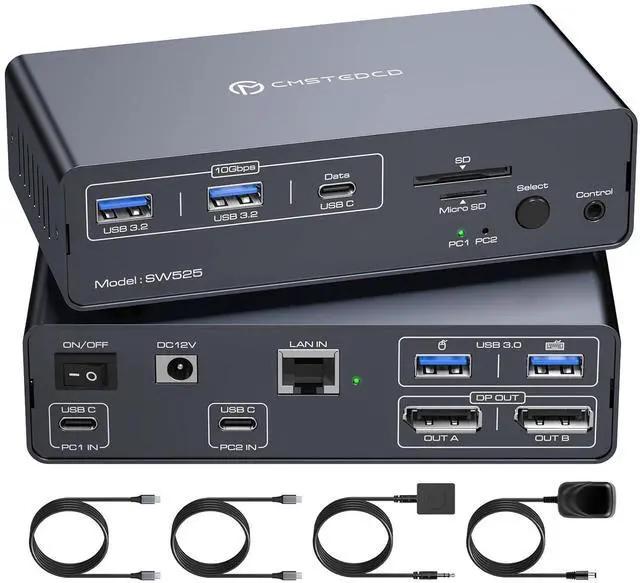
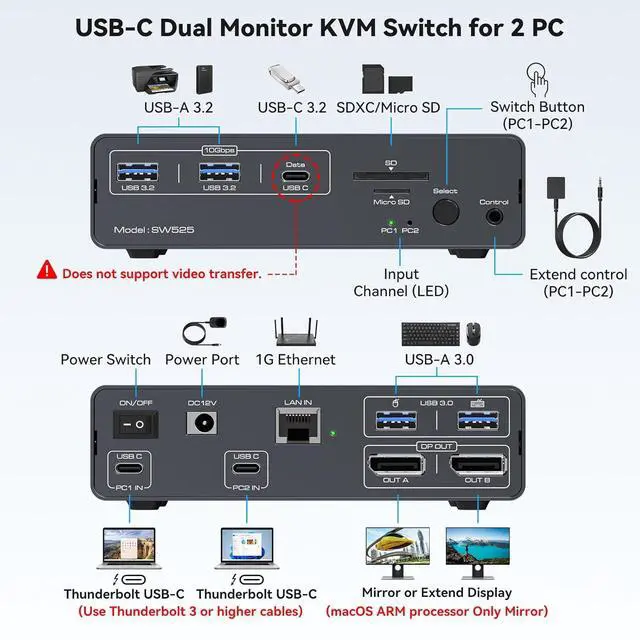
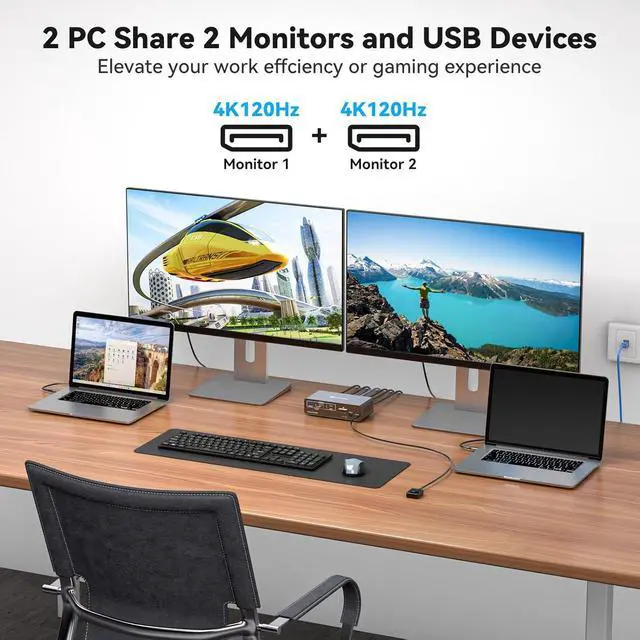
The usb c kvm supports two laptop computers with USB C ports to share a 12-in-1 docking station. It includes two Display Port monitors, mouse, keyboard, USB flash drive, SD card and other devices. You can seamlessly switch between work and personal laptops to improve work efficiency and enjoy the convenience of switching between work and games.
Note: Ensure that the C ports of both laptops support video transmission. The USB C input port does not support charging laptops (No PD charging function)
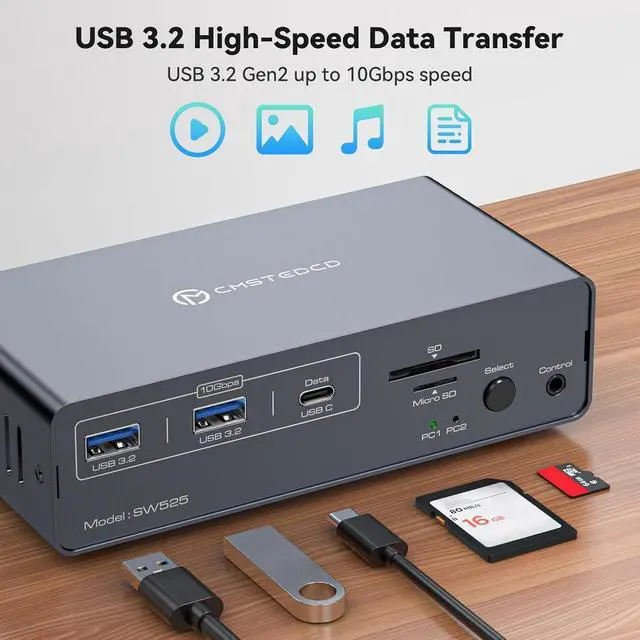
The KVM switch dual monitor displayport has 2 USB 3.2 ports and one USB C port. The transmission speed is up to 10Gbps, suitable for devices such as USB flash drives and hubs. The USB 3.0 port is for mouse and keyboard, making the connection smoother and downward compatible with USB 2.0. Equipped with SD and Micro SD card ports to copy data to laptops and PCs easily.
Note: USB C output port marked "DATA" only for data transfer. (video transfer is not supported)
This USB C 2 pc 2 monitor switch has an Ethernet Port with up to 1000Mbps speed for fast file and software package downloads. Besides the device's button switch, there's an extra extended independent switch button, enabling easier movement of the whole machine under the cable management block and placement of the unobtrusive switch button on the table top for a neater desktop.
Note: No support for keyboard shortcuts (hotkeys); Network not for two laptops simultaneously