• $138.99
  • Free 30-day Returns
  • Ships from China.
    Price alert
    Shop it at NeweggBusiness.

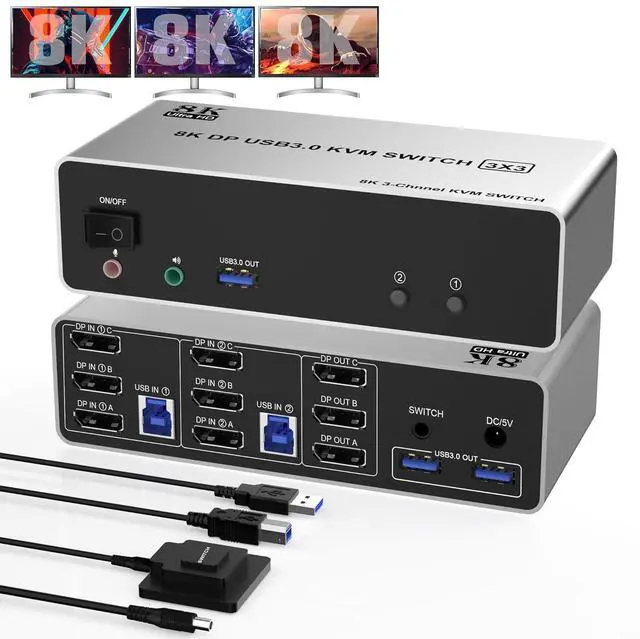
    DP1.4 Triple Monitor KVM Switch 8K@60Hz, Extended and Copy Mode, 2 in 3 Out Displayport KVM Switch for 2 Computers Share 3 Monitors & 3 USB 3.0 Devices&Audio Microphone with Desktop Controller

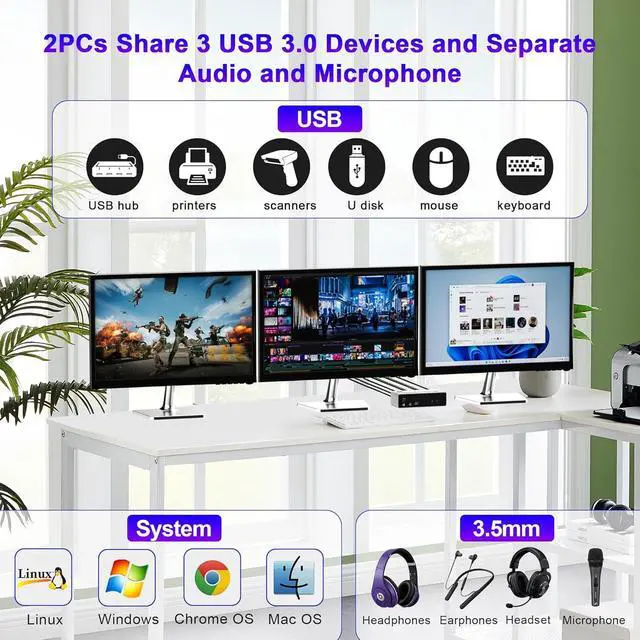
    • DP KVM Switch 3 Monitors 2 PCs: The KVM switches allow 2 computers or other signal source to share 3 HD monitors and 3 USB 3.0 ports, such as mouse, keyboard, printer etc.
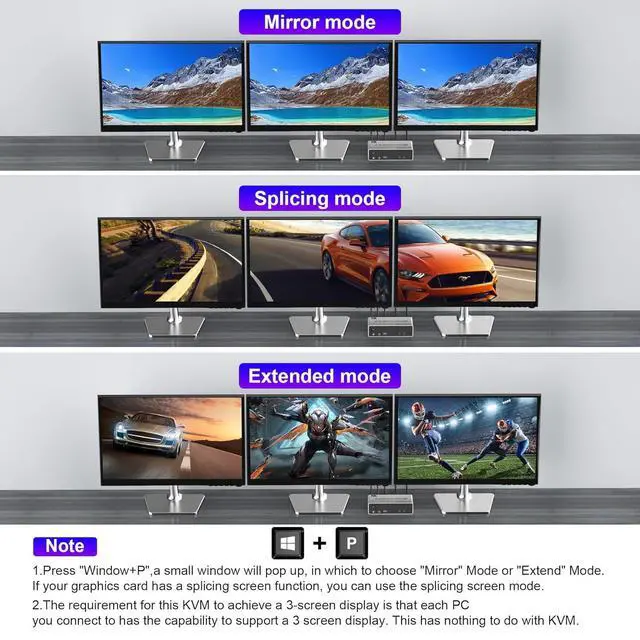
    • Extended and Copy Mode: In copy mode, the main screen can be copied to the 2nd & 3rd output screens and display 3 identical screens. In extended mode, the main screen can be dragged to the 2nd & 3rd output screens and display 3 different screens.
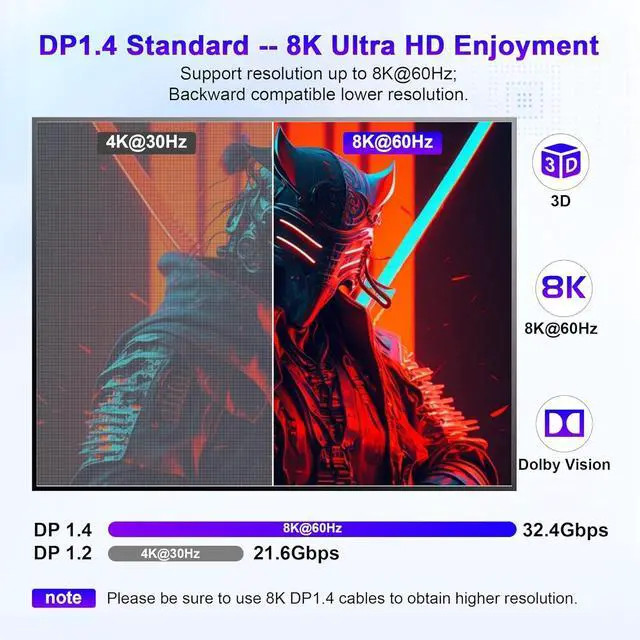
    • 8K UHD: The DP 1.4 KVM switch supports resolutions up to 8K@60Hz 4K@144Hz and downward compatible DP 1.2.
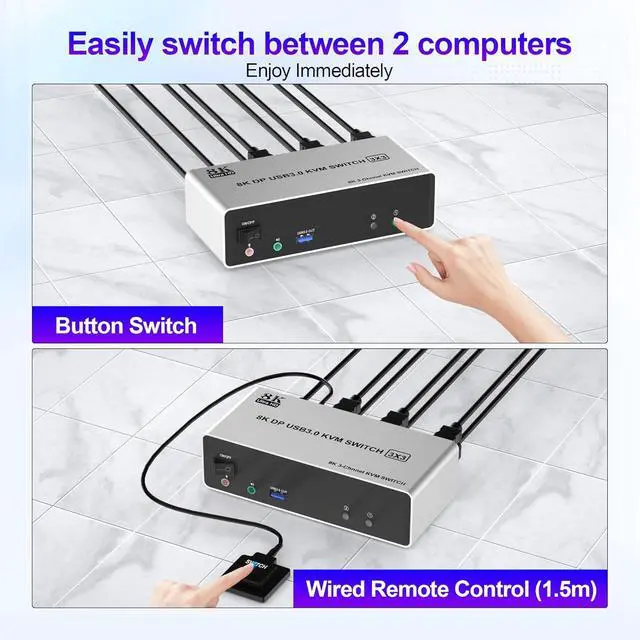
    • Easy to Use: Plug and play. Two switching modes are easy to switch; 1. Press the "Select" button; 2. Connect the extension button to hide your switcher, making your layout easier and your work area more tidy. Compatible with Windows, Linux, Mac, Unix, Ubuntu, Raspberry etc.; also supports DP devices without USB signal input like DVR, NVR etc.
    • Stable Work: With the external power design, USB devices can obtain a stable working environment through the switch.
    +
    +
    Overview
    Specs
    Reviews
    avatar

    Any questions? Our AI beta will help you find out quickly.

    8K@60Hz 3 Monitors DisplayPort KVM Switch USB 3.0 for 2 Computers Sharing 3 Monitors and 3 USB 3.0 Ports, Audio & Microphone

    Advantages:

    1. 1. 2 computers / laptops share one set of keyboard, mouse and 3 monitors (3 DisplayPort)

    1. 2. Triple monitors output support up to 8K@60Hz for extended and mirrored display

    1. 3. Two Switching modes: Button switch and wired remote.

    1. 4. KVM switch with 3 USB 3.0 ports for USB devices, and with extra Audio Microphone output

    1. 5. Cross support major operation systems including Windows, Linux, Mac and more

    1. 6. The ports that need to plug in DisplayPort/USB cables are all hidden behind the KVM, so the desktop doesn't get cluttered

    Installation Steps:

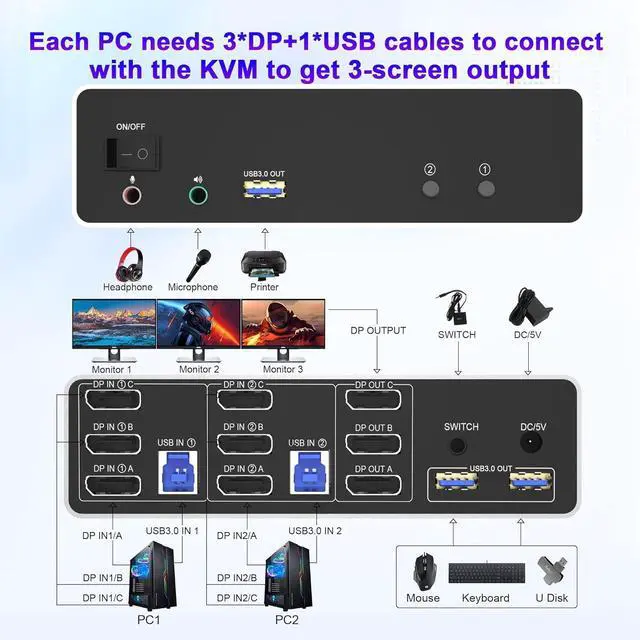
    1. 1. Insert the DC/5V adapter into the KVM ;

    1. 2. Plug the 3 DP cable into the KVM and monitor;(3 DP Output)

    1. 3. Plug the 3 DP cable and USB cable into the KVM and your computer/laptop (DP cables are not included)(Input)

    DP IN 1A + DP IN 1B + DP IN 1C + USB IN 1=PC1

    DP IN 2A + DP IN 2B + DP IN 2C + USB IN 2=PC2

    Please check whether DP IN 1A, DP IN 1B, DP IN 1C, and USB IN 1 corresponding, and whether DP IN 2A, DP IN 2B, DP IN 2C and USB IN 2 are corresponding. Mixed insertion is not supported.

    1. 4. Insert the mouse and keyboard into the KVM switch

    1. 5. If needed, you can connect a microphone and audio port

    Note:

    1. Most of the reasons why only one video output works is because of incorrect connection. Please make sure each PC has(3 DP cables+1 USB cable) connect to the KVM.

    2. If the KVM switch does not work, you can turn off the switch on the panel and turn it on again after 2-3 seconds, and it will return to normal.

    Warranty & Returns

    Warranty, Returns, And Additional Information

    Warranty

    • Please contact the Seller directly for warranty information. Warranty information may also be found on the Manufacturer's website.
    • CONTACT

    Return Policies

    Manufacturer Contact Info

    LOADING...