

Your Browsing History

Meet Your Seller


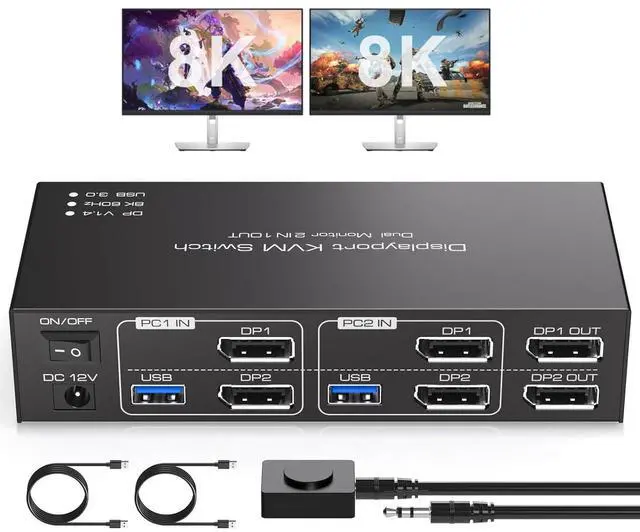


WRIARICH Dual Monitor Displayport KVM Switch 2 Monitors 2 Computers 8K@60Hz/4K@120Hz USB 3.0 DP 1.4 KVM Switches for 2 Computers Share Dual Displays and 4 USB Devices Support Extended & Copy Mode
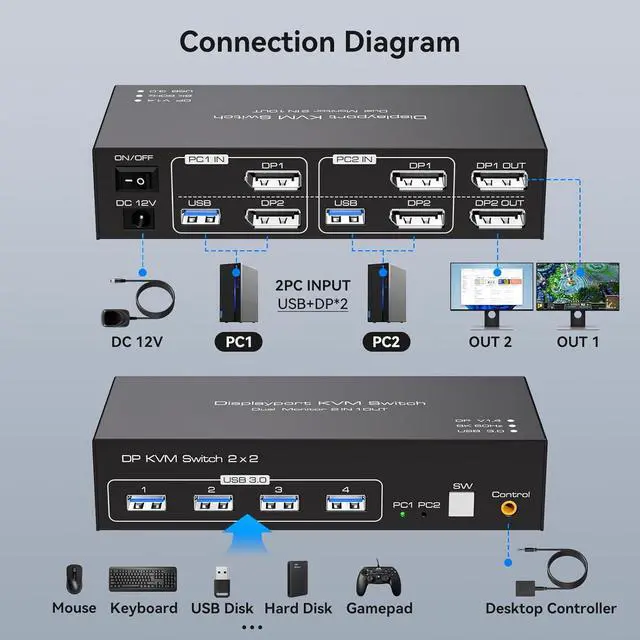
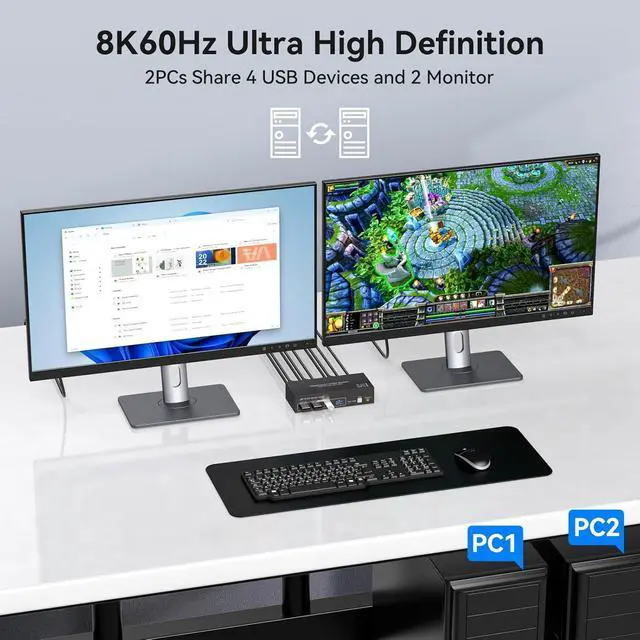
- [Displayport KVM Switch] The KVM Switch allow two computers to share two HD monitors and 4 USB 3.0 ports, such as mouse, keyboard, printer U disk, etc.
- [Support Extended and Copy Mode] Extended Mode: windows on the main screen can be dragged to the second
+
+
Overview
Specs
Reviews

Any questions? Our AI mode will help you find out quickly.
Try me now
Dual Monitor DIsplayport KVM Switch
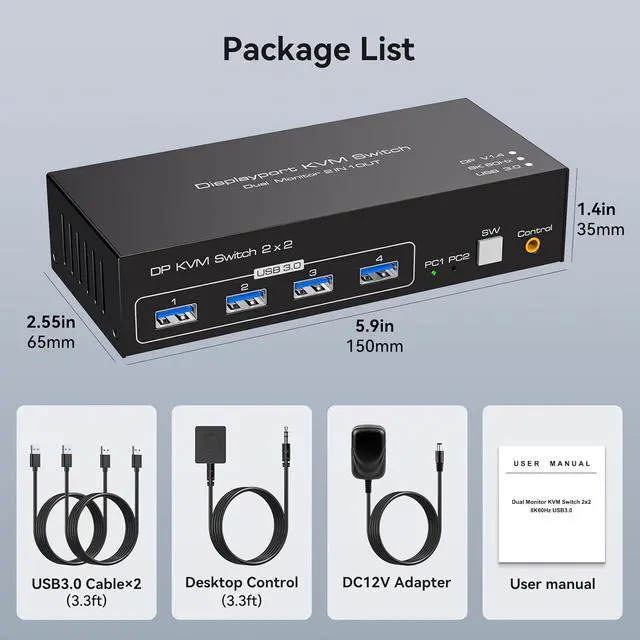
KVM Switch 2 Monitors 2 Computers Display port allow two computers to share two HD monitors and 4 USB 3.0 ports, such as mouse, keyboard, printer U disk, etc. KVM switches includes 12V power adapter. (The current provided by the pc host is small, can't support USB devices such as hard disks). With the external power design, USB devices can obtain a stable working environment through the switch.
Note: To output to two monitors, the DP1 and DP2 ports must be connected to the same computer
DP KVM switches support Extended&Copy Mode.
Extended Mode: windows on the main screen can be dragged to the second output screen and display two different screens.
Copy Mode: Computer host outputs 2 identical images on 2 monitors. (Note: Please make sure your computer supports multi-display and each connected computer requires 2 DP ports)
The DP 1.4 KVM switch supports resolutions and refresh rates up to 8K@60Hz 4K@120Hz, and is backward compatible with 1080p 3D 720P, etc. Bringing you a realistic and smooth visual experience. For best results, make sure your computers, monitors, and cables all support 8K and high refresh rates
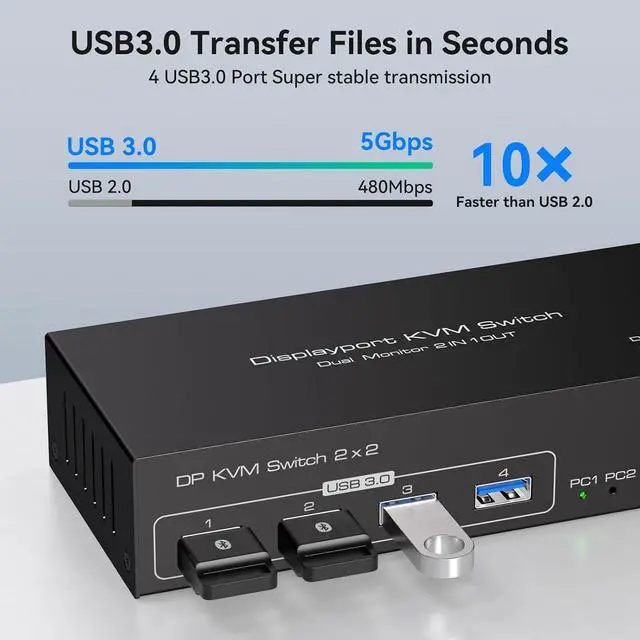
Display port KVM Switches 2 PC 2 Monitor with 4 usb 3.0 ports, two computers can share up to 4 usb devices, such as mouse, keyboard, printer, hard disk, etc. The transmission speed of USB 3.0 is as high as 5Gbps, which is far superior to USB 2.0 in reading data, and compatible with USB 2.0
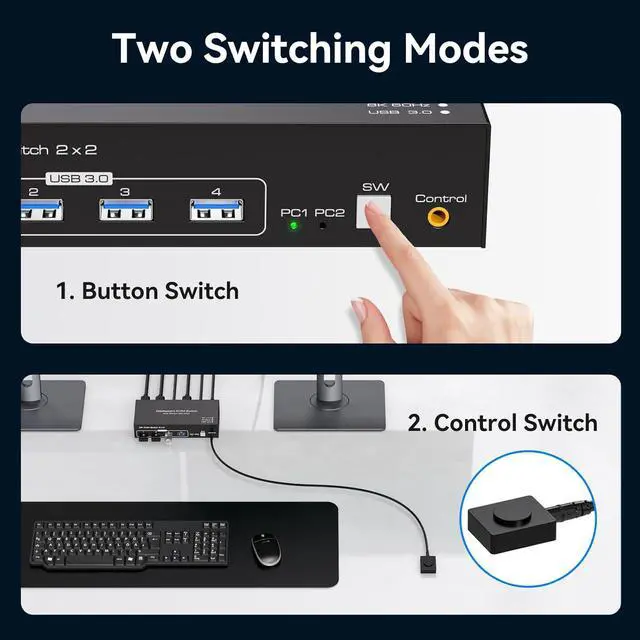
The DP KVM Switches supports panel button and external wire controller switching. Using the wired extension button, you can place the KVM outside the work area, making your desktop cleaner and tidier. Or just press the panel button next to the indicator light to achieve one-click switching, Simple, quick and easy to use.
NOTE: Keyboard shortcuts (hotkeys) toggles are not supported
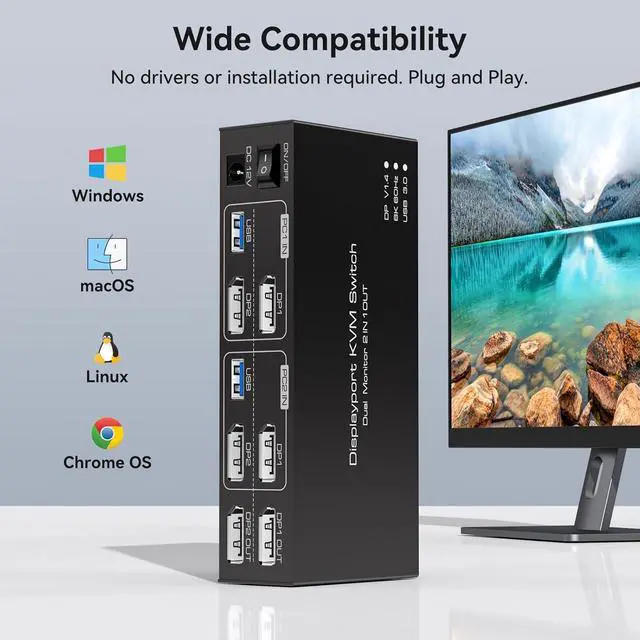
The Dual Monitor KVM Switch Display port Plug and play without any software driver, Compatible with Windows/Vista/XP and Mac OS, Linux and Unix. The DP KVM switch supports multiple input devices such as PC, laptop, A--pp-le TV, PS3/PS4, X-box, and is widely used in offices, multimedia teaching, conference rooms, etc
Warranty & Returns
Warranty, Returns, And Additional Information
Warranty
- Please contact the Seller directly for warranty information. Warranty information may also be found on the Manufacturer's website.
- CONTACT
Return Policies
- Return for refund within: 30 days
- Return for replacement within: 30 days
- This item is covered by Seaside Shop Return Policy
Manufacturer Contact Info
- For a directory of all our manufacturers, please click below.
- Manufacturers Directory
LOADING...