




 here!
here!
I’m your shopping assistant for PC builds, upgrades, and everything tech.
Got questions? Ask away!
Start a conversation
here!
I’m your shopping assistant for PC builds, upgrades, and everything tech.
Got questions? Ask away!
Start a conversation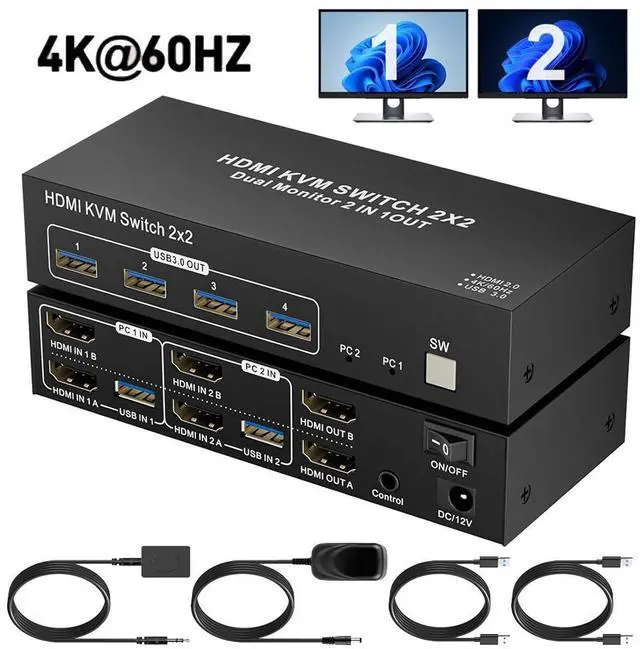
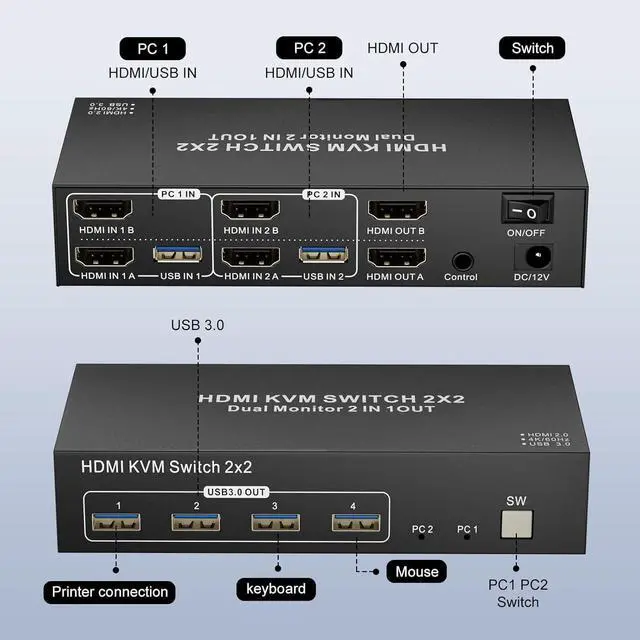
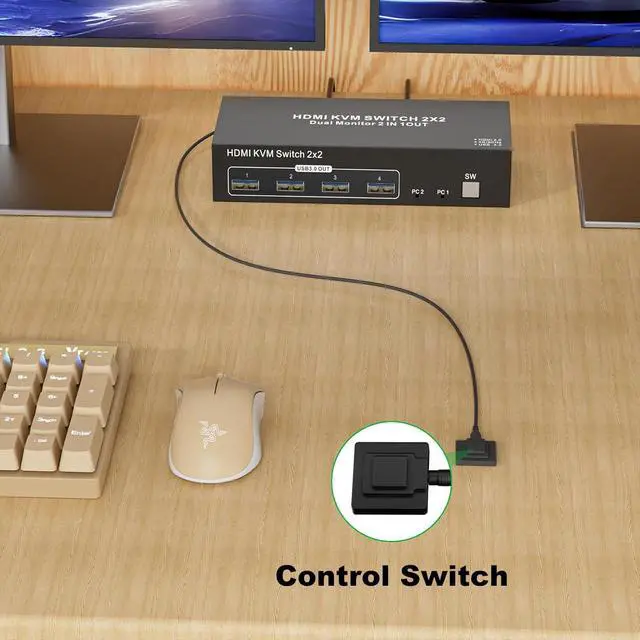



Any questions? Ask CelesteSM will help you find out quickly.
Q & A
Q: Does this KVM switch have a hotkey switching function?
A: No, it does not have a hotkey switching function. However, it comes with an extended remote switch button that can extend up to 1 meter, allowing you to hide the KVM switch and still easily switch between computers.
Q1: Is an external power supply necessary for this KVM switch?
A1: For optimal performance, especially in dual-monitor configurations, an external power source is recommended. While the KVM switch can operate via USB power alone, connecting it to an external supply enhances stability and reliability, particularly when multiple devices are in use.
Q2: My computer only has a USB-C port instead of HDMI; what should I do?
A2: Youll need a USB-C to HDMI adapter. Likewise, for any other non-HDMI outputs, ensure you use high-quality adapters that convert effectively to HDMI to ensure full compatibility with the KVM switch and prevent signal degradation.
Q3: What happens if I connect only one HDMI port from my PC to the KVM switch?
A3: If only one HDMI port is connected, the switch will display content on just one monitor, not both. To achieve a dual monitor setup, you must connect both HDMI inputs from the PC to the KVM switch.
Q4: Can I use any HDMI output port on the KVM switch, or does it have to match the input?
A4: The HDMI outputs on the KVM switch need to match the inputs. For instance, if you connect a PC to HDMI IN 1B, it will display through HDMI OUT B, while HDMI IN 1A will correspond with HDMI OUT A.



