• $79.99
  • Free 30-day Returns
  • Ships from China.
    Price alert
    Shop it at NeweggBusiness.

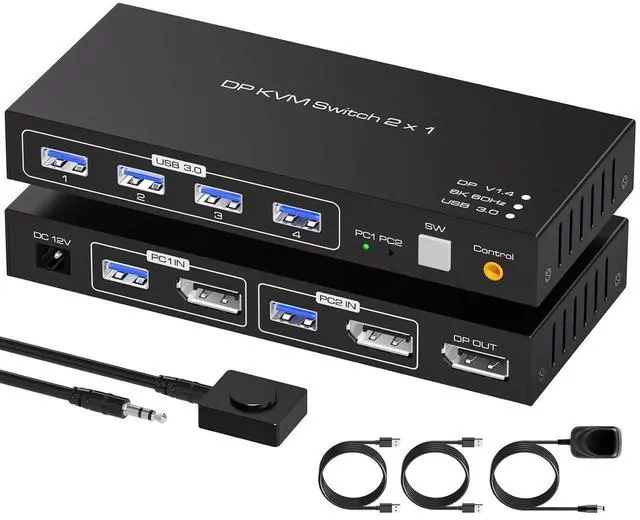
    2 Ports Displayport KVM Switch 2 Computers 1 Monitor, USB 3.0 DP1.4 KVM Switcher 2 in 1 Out for 2 computers share 4 USB 3.0 Devices Support 8k@60hz 4k@120hz, with desktop controller and power adapter

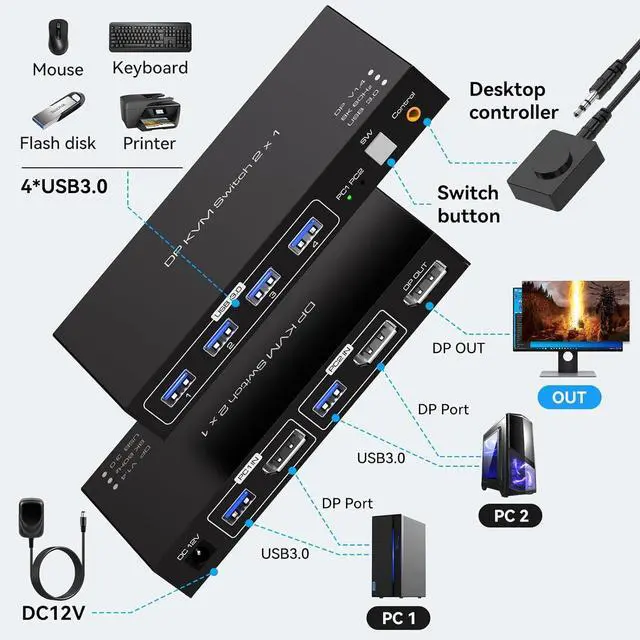
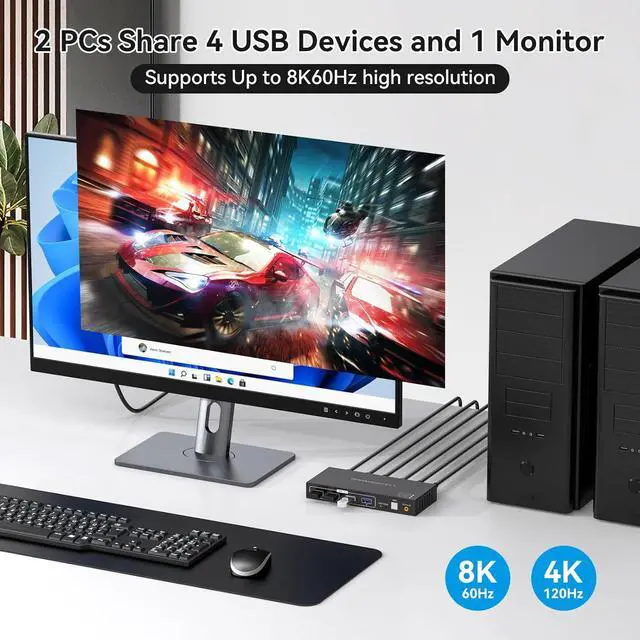
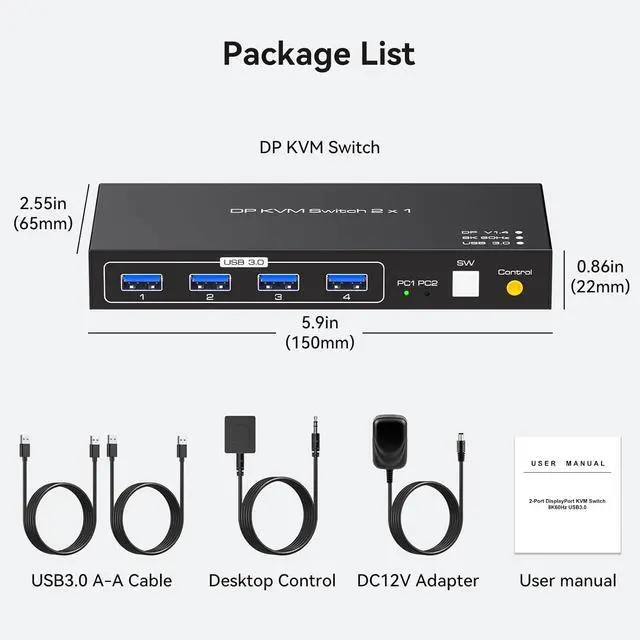
    • [KVM Switch Displayport] KVM Switcher supports 2 computers 1 monitor, shares 4 devices with USB port, can connect keyboard, mouse, printer and so on. Just click the button to switch, Make the desktop cleaner and tidier.
    • [Ultra HD 8K] Supports up to Ultra HD 8K@60Hz and is backward compatible with4K@120Hz 1080P@240Hz. If you want to use the 4K 120Hz high refresh rate resolution, make sure your computer and monitor support 4K 120Hz to ensure proper transmission.
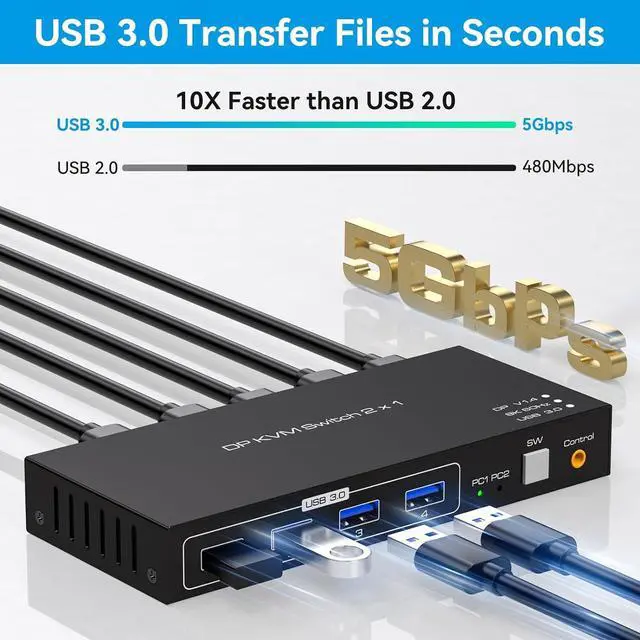
    • [USB 3.0 High-Speed Transfer] Has 4 USB 3.0 ports with a maximum transfer speed of up to 5Gbps and supports USB devices such as keyboards, mice, USB flash drives, printers etc. and is backward compatible with 2.0/1.1.
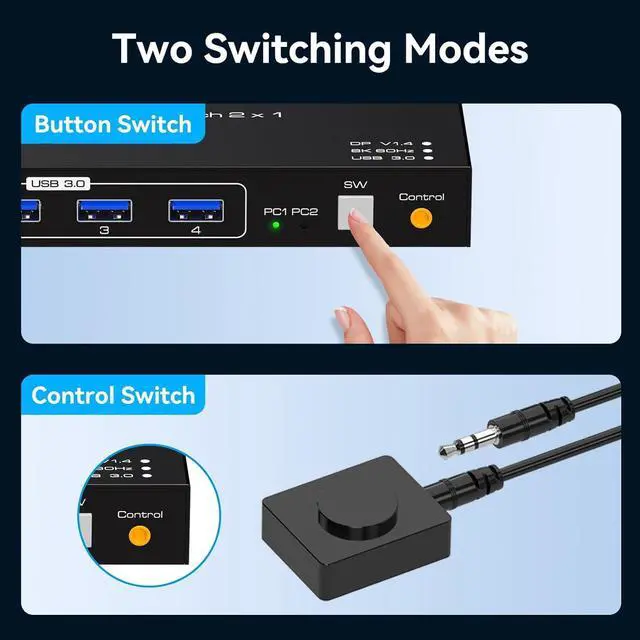
    • [Two Switching Methods] 1: Equipped with a switch button, press the button to switch. 2: Use the wired controller to extend the desktop switching, just click the quick switching gently.
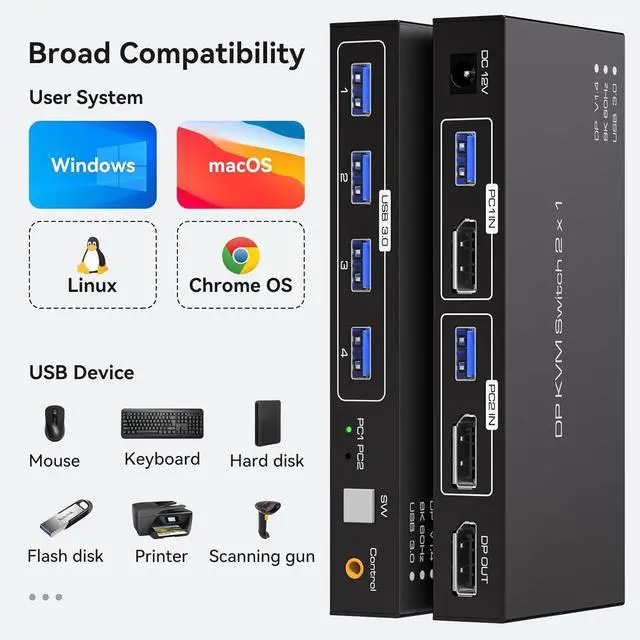
    • [Compatible with Windows, Vista/XP, MacOs, Linux and other computer systems, no need to install any drivers, plug and play.
    +
    +
    Overview
    Specs
    Reviews
    avatar

    Any questions? Our AI beta will help you find out quickly.

    2 in 1 Out Displayport 8K KVM Switch for 2 Computers Sharing 1 Monitor and Keyboard & Mouse

    Switch between computers using a single keyboard and mouse and a single monitor.

    It supports Ultra HD 8K@60Hz resolution transmission and is backward compatible with 4K@120Hz high refresh rate to enjoy Ultra HD visual effects.

    Keyboard, mouse, USB flash drive, printer, scanner, etc., can be connected to the KVM via 4 USB 3.0 ports.

    It supports switching between pc1 and pc2 via front panel buttons and external wired controllers.

    The keyboard and mouse control the corresponding computer after switching kvm channels, and support wireless keyboard and mouse.

    Warranty & Returns

    Warranty, Returns, And Additional Information

    Warranty

    • Please contact the Seller directly for warranty information. Warranty information may also be found on the Manufacturer's website.
    • CONTACT

    Return Policies

    Manufacturer Contact Info

    LOADING...