- Free 30-day Returns
Meet Your Seller
WRIARICH 4K KVM Switch HDMI 2 Port, 2 in 2 Out, UHD 4K@60Hz, 2 USB 3.0 Hub, One Key Button Switch,Audio Compatible with Most Keyboards and Mouse, 2 Computers Share 2 Monitor
- Specifications:
- 2 In 2 Out 4K USB 3.0 HDMI KVM Switch Box dual monitor for 2 PC Sharing Keyboard Mouse Printer Plug Play Video 2 Display USB Swltch Splitter
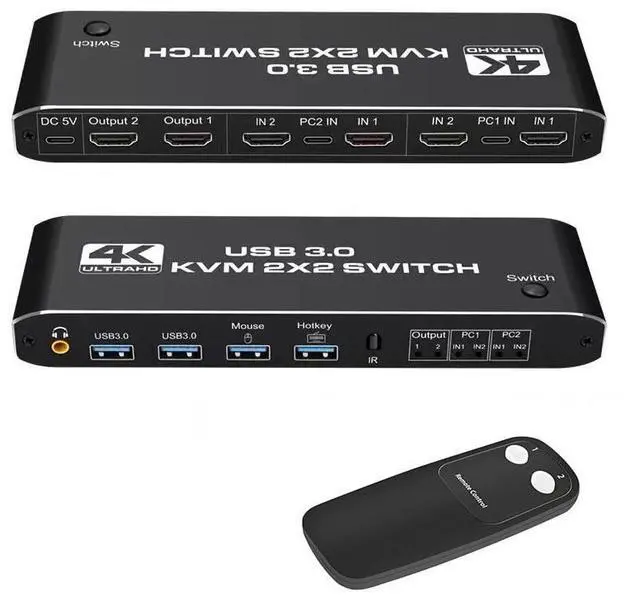
- Product Type: HDMI USB 3.0 KVM Switch (2 in 2 out)
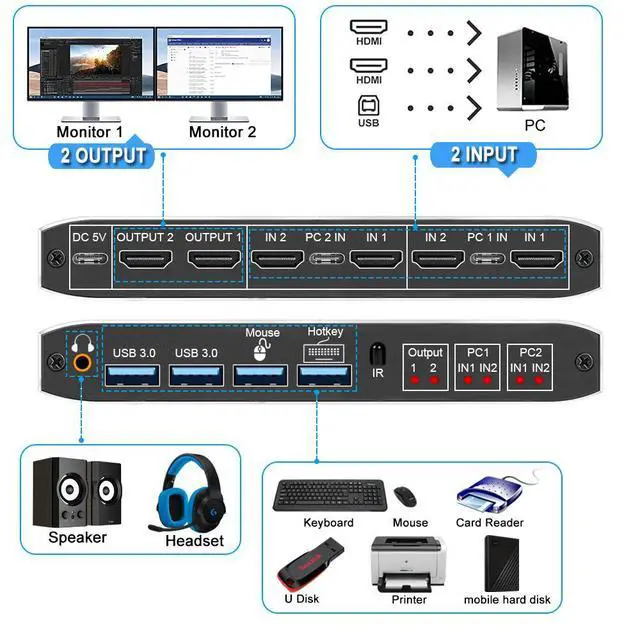
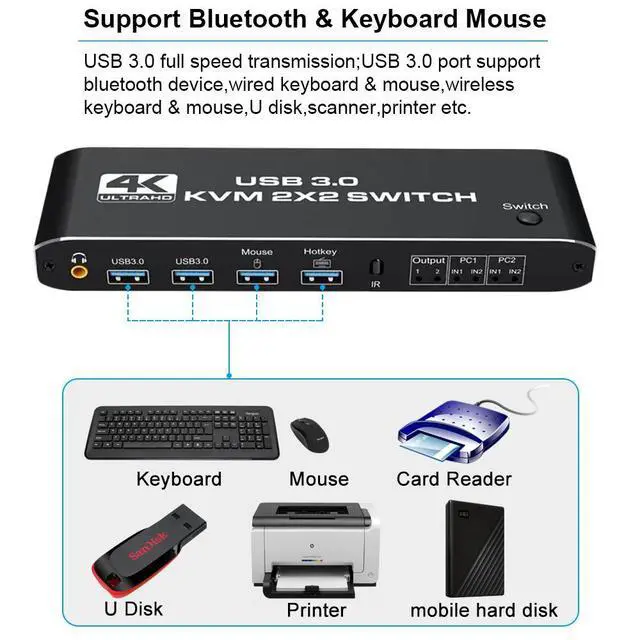
- Input Port: HDMI 2.0 x 4,USB-C x2, USB 3.0 x 4
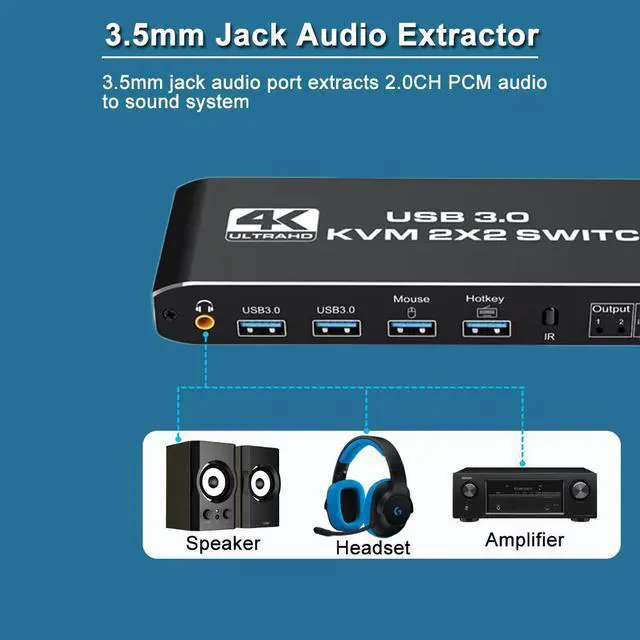
- Output Port: 2 x HDMI 2.0,1 x L/R audio
- Dimensions: 111.8x63.2x24.5mm
- Material: Aluminum Alloy shellanti-rust, anti-corrosion, anti-interference, fast transmission, surtace oxidation
- Features:
- Support HDMI 2.0b HDCP 2.2
- Resolution: Support 1080P/1080@144Hz, 3840x2160p, 4K/60Hz resolution, adaptive screen resolution
- Support system: Windows XP, Windows7, Windows10, Apple MAC, Linux, Unix and other operating systems
- Supports high current hard disk devices
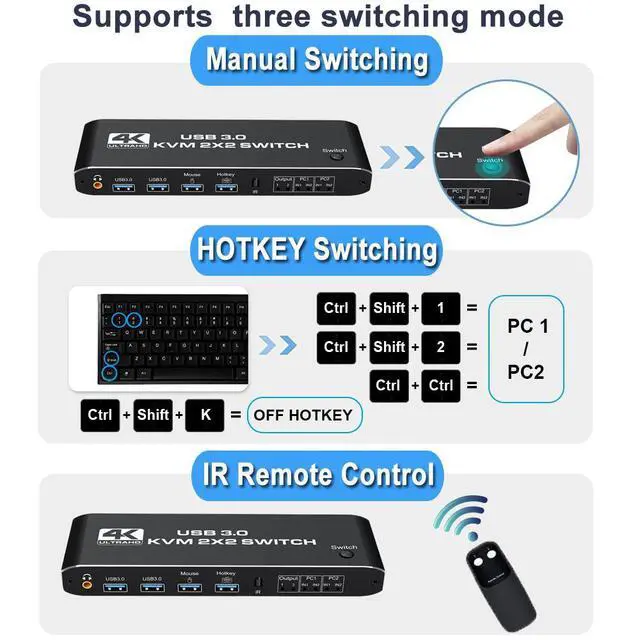
- Three Switching Method:
- 1.Press the "Select" button on the KVM switch panel to switch between the two source devices;
- 2.use hotkey switch(Ctrl+Shift+ 1 / 2 to PC1 / PC2 or Ctrl + Ctrl),Ctrl+Shift+ K to turn off hotkey;
- 3.use IR remote contrl to switch PC 1/ PC 2.
Any questions? Our AI beta will help you find out quickly.
Specifications
:
2 In 2 Out 4K USB 3.0 HDMI KVM Switch Box dual monitor for 2 PC Sharing Keyboard Mouse Printer Plug Play Video 2 Display USB Swltch Splitter
Product Type: HDMI USB 3.0 KVM Switch (2 in 2 out)
Input Port: HDMI 2.0 x 4, USB-C x2, USB 3.0 x 4
Output Port: 2 x HDMI 2.0, 1 x L/R audio
Dimensions: 111.8 x 63.2 x 24.5 mm
Material: Aluminum Alloy shellanti-rust, anti-corrosion, anti-interference, fast transmission, surtace oxidation
Features:
Support HDMI 2.0 b HDCP 2.2
Resolution: Support 1080P/1080@144Hz, 3840x2160p, 4K/60Hz resolution, adaptive screen resolution
Support system: Windows XP, Windows7, Windows10, Apple MAC, Linux, Unix and other operating systems
Supports high current hard disk devices
Three Switching Method:
1. Press the "Select" button on the KVM switch panel to switch between the two source devices;
2. use hotkey switch(Ctrl+Shift+ 1 / 2 to PC1 / PC2 or Ctrl + Ctrl), Ctrl+Shift+ K to turn off hotkey;
3. use IR remote contrl to switch PC 1/ PC 2.
Warranty & Returns
Warranty, Returns, And Additional Information
Warranty
- Please contact the Seller directly for warranty information. Warranty information may also be found on the Manufacturer's website.
- CONTACT
Return Policies
- Return for refund within: 30 days
- Return for replacement within: 30 days
- This item is covered by Lou Di Shi Lou Xing Qu Liu Li Shang Mao Return Policy
Manufacturer Contact Info
- For a directory of all our manufacturers, please click below.
- Manufacturers Directory