• $249.79
  • Free 30-day Returns
  • Ships from China.
    Price alert
    Shop it at NeweggBusiness.

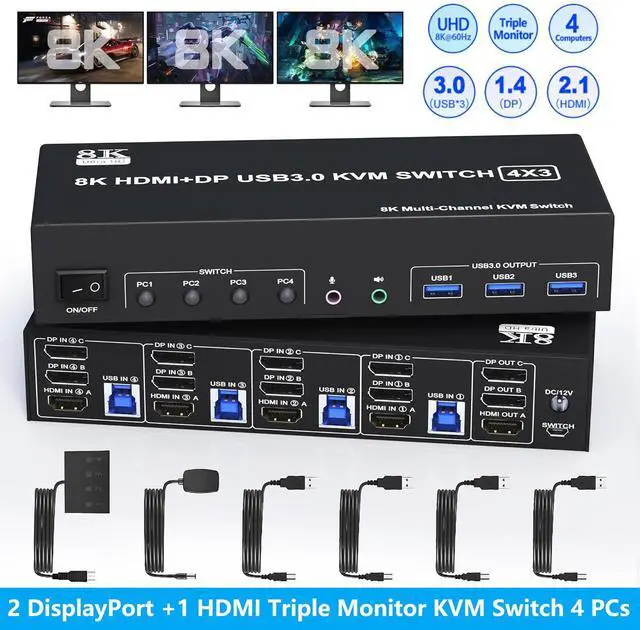
    WRIARICH KVM Switch 3 Monitors 4 Computers 8K@60Hz 4K@144Hz, 2 DisplayPort +1 HDMI Triple Monitor KVM Switch for 4 Computers with Audio and 3 USB 3.0 Ports, KVM Triple Monitor Keyboard Mouse Switcher

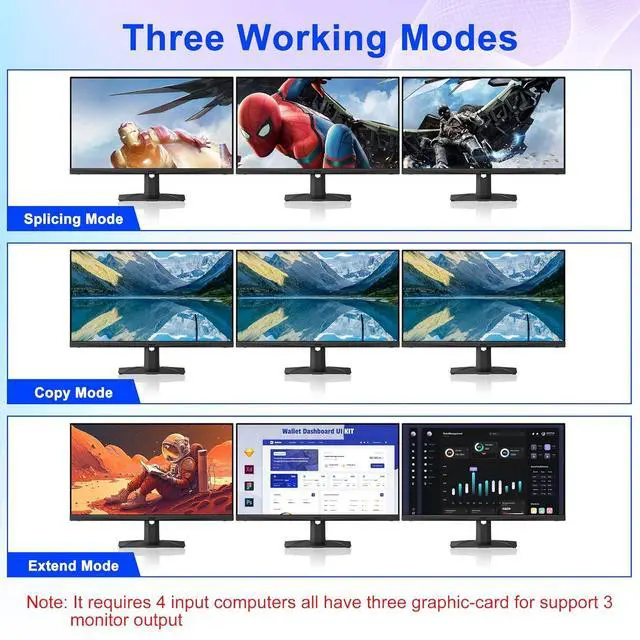
    • 2 DisplayPort+ HDMI 3 Monitor KVM Switch 4 PCs: This KVM perfect for hooking up 4 desktops or laptops to share one set of keyboard, mouse and 3 monitors for extended, mirrored display; Perfect for computers with 2 Displayport and 1 HDMI monitor for the display outputs. It requires every Laptop/PC support 3 screen or above display functions and must support extended display.
    • Ultra HD 8K@60Hz: DisplayPort: support resolution up to 8K@30Hz/4K@144Hz. HDMI: support resolution up to 8K@60Hz/4K@60Hz/2K@60Hz and backward compatible with lower resolution. Note: Final resolution is also subject to graphic cards, monitors, cables and adapters.
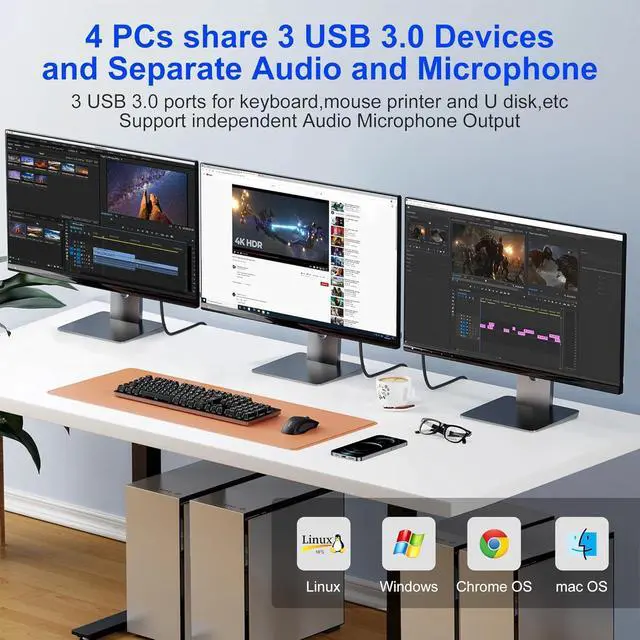
    • with 3 USB 3.0 & Audio & Microphone Output: with 3 integrated USB 3.0 ports which can recognize keyboard, mouse, printer and other USB devices. Supports ultra-fast USB 3.0 data transfer up to 5Gbps, backward compatible with USB 2.0/1.1 devices. Also supports separate audio and microphone output.
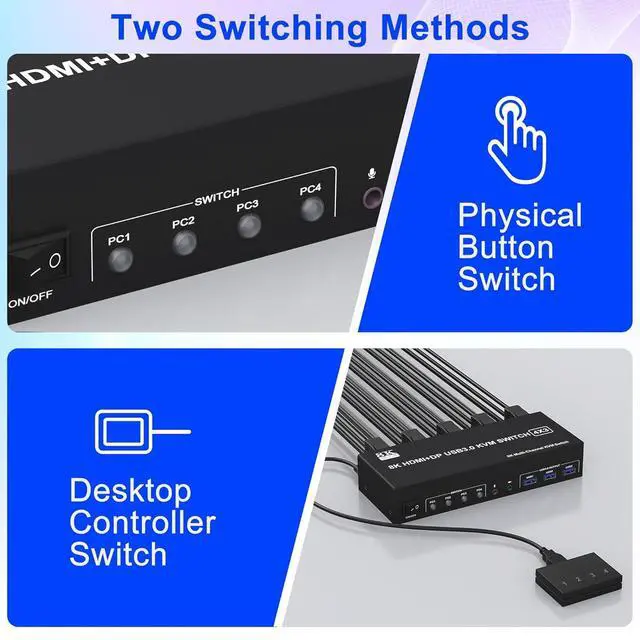
    • Convenient Switching modes and Wide Compatibility: You can press the button on the panel or use the wired remote controller (included) to switch between 4 computers. LED indicate the active computer. Compatible with a variety of computer systems,such as Windows, Linux, Mac, Unix, Ubuntu, Raspberry and most other major OS.
    • Note:Each PC needs 1*HDMI+2*DP+1*USB 3.0 cable be connected to get triple screens display properly. For desktop or laptop without 2*HDMI+1*DP port, you need to use it with a reliable adapter or USB C docking station.
    +
    +
    Overview
    Specs
    Reviews
    avatar

    Any questions? Our AI beta will help you find out quickly.

    8K@60Hz 4 Port USB 3.0 Triple Monitor 1 HDMI + 2 DisplayPort KVM Switch for 4 Computers Sharing 3 Monitor and 3 USB 3.0 Ports, Audio & Microphone

    Features:

    1. 8K Triple Monitor KVM Switch 4-Port allows 4 computers/laptops to share one set of keyboard, mouse, and 3 monitors

    2. This 3-monitor KVM switch with 4 ports does not mean that it can only be connected to 4 computers. You may only have 2 computers now, but you may need to use 3 or 4 computers in the future, then you can choose this switch. Please make sure each of your PCs can support triple display before purchasing.

    3. Support HDMI 2.1 and DP 1.4 standards and downward compatibility. 3 monitors output support up to 8K@60Hz for extended,mirrored or spliced display(Depends on your computer's graphics card.);

    4. 2 Switching modes: Button switch and wired remote.

    5. KVM switch with 3 USB 3.0 ports for USB devices, and with extra Audio Microphone output

    6. Plug and play, compatible with Windows, Linux, Mac, Unix, Ubuntu, Raspberry and most other major OS

    7. The ports that need to plug in HDMI/DisplayPort/USB cables are all hidden behind the triple monitor KVM switch, so the desktop doesn't get cluttered, you can enjoy the clean workspace.

    installation steps:

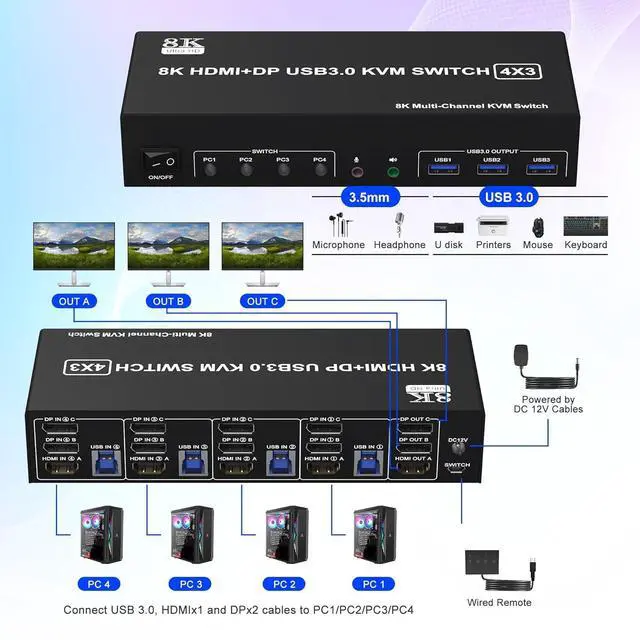
    1. Insert the DC/12V adapter into the KVM ;

    2. Plug the 1*HDMI cable and 2*DisplayPort cable into the KVM switch and monitor;(Output)

    3. Plug the 2*DisplayPort cable, 1*HDMI cable, and 1*USB cable into the KVM switch and your computer/laptop (HDMI and DP cables are not included)(Input)

    HDMI IN 1A + DP IN 1B + DP IN 1C + USB IN 1=PC1

    HDMI IN 2A + DP IN 2B + DP IN 2C + USB IN 2=PC2

    HDMI IN 3A + DP IN 3B + DP IN 3C + USB IN 3=PC3

    HDMI IN 4A + DP IN 4B + DP IN 4C + USB IN 4=PC4

    Please check whether HDMI IN 1A, DP IN 1B, DP IN 1C, and USB IN 1 corresponding, and whether HDMI IN 2A, DP IN 2B, DP IN 2C and USB IN 2 are corresponding. Mixed insertion is not supported. The same goes for PC3 and PC4.

    Learn more about the Detailed Specifications

    Additional Information
    First Listed on Newegg July 17, 2026

    Warranty & Returns

    Warranty, Returns, And Additional Information

    Warranty

    • Please contact the Seller directly for warranty information. Warranty information may also be found on the Manufacturer's website.
    • CONTACT

    Return Policies

    Manufacturer Contact Info

    LOADING...