• $208.68
  • Free 30-day Returns
  • Ships from China.
    Price alert
    Shop it at NeweggBusiness.

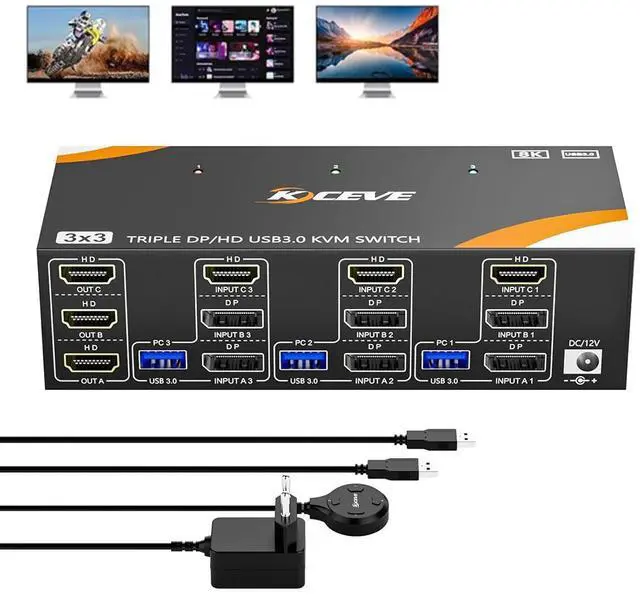
    KVM Switch 3 Computers 3 Monitors 8K@60Hz /4K@144Hz, 2* Displayport + HDMI Triple Monitor USB 3.0 KVM Switch for 3 PC Shares 3 Monitors and 4 USB 3.0 Devices with Wired Remote & 12V Power Adapter

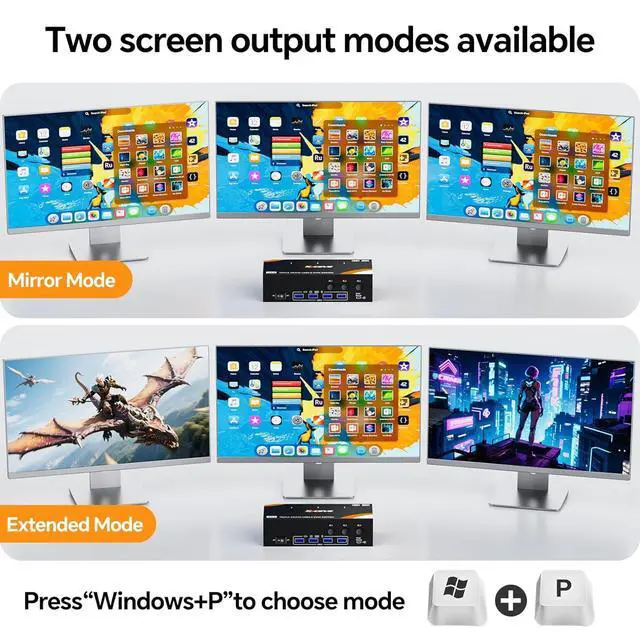
    • HDMI + DP + DP KVM Switch 3 PC 3 Monitors: The KVM Switch is ideal for devices with DP and HDMI interfaces. 3 computers share mouse, keyboard and monitors. Press "Windows+P" to mirror or expand the display.
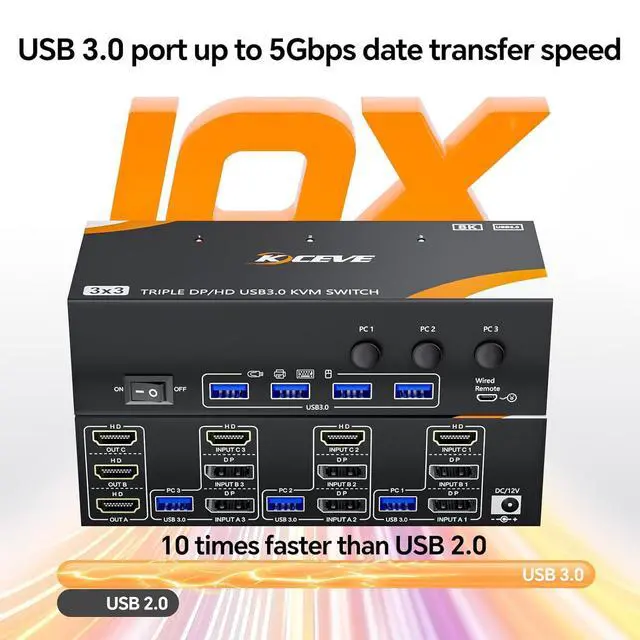
    • USB 3.0 ports: The USB 3.0 KVM switch supports ultra-fast data transfer at up to 5Gbps. The DP HDMI KVM switch for 3 PC 3 monitors shares 4 USB 3.0 devices without unplugging Keyboard, mouse, printer and other USB devices can be safely identified.
    • 8K@60Hz: plug and play. No driver required. The KVM switch offers you excellent UHD viewing experience. All 3 HDMI ports support 8K@60Hz, 4K@144Hz, 4K@120Hz, 4K@60Hz and 2K@165Hz.
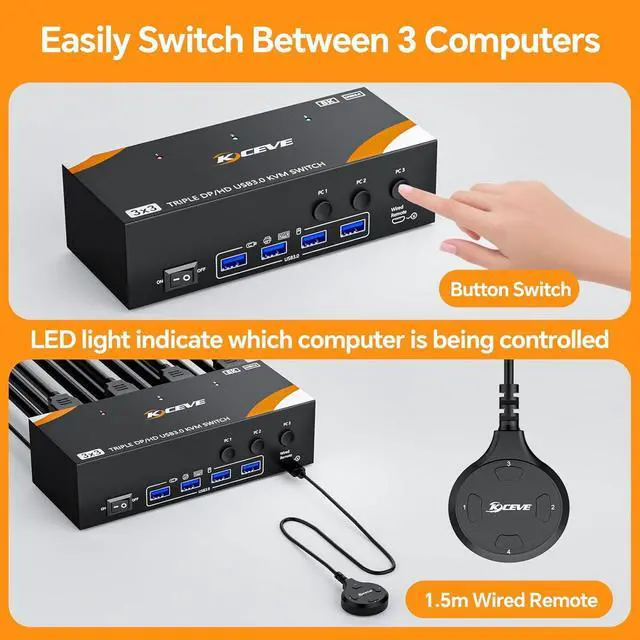
    • 2 switching methods: Switch between 3 PCs with the button of the KVM Switch or the 1.5m long wired remote (included).
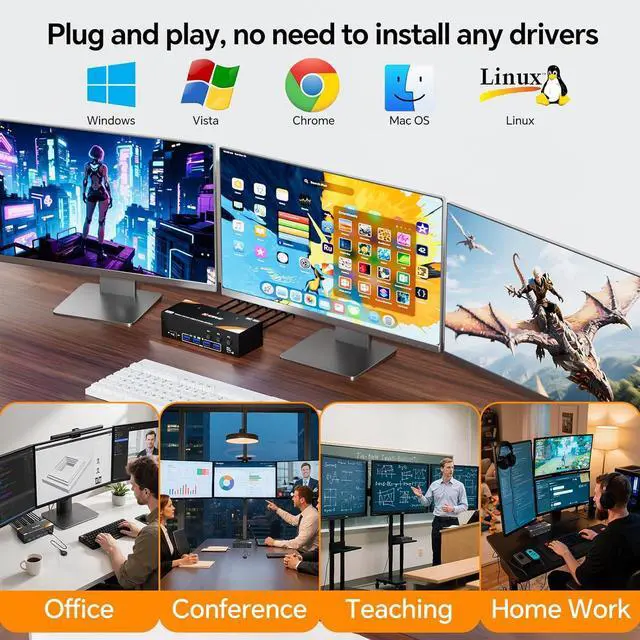
    • Excellent compatibility: The KVM support a variety of HDMI and DP inputs, e.g. computers, laptops, TV boxes, PS5, monitors, HDTV and projectors. Driver-free for Windows 7/8/10/11/XP/Vista, Mac OS, Chrome, Linux, Unix and Ubuntu etc...
    +
    +
    Overview
    Specs
    Reviews
    avatar

    Any questions? Our AI beta will help you find out quickly.

    USB 3.0 KVM Switch 3 PC 3 Monitor HDMI DP DP Share 4 USB Devices

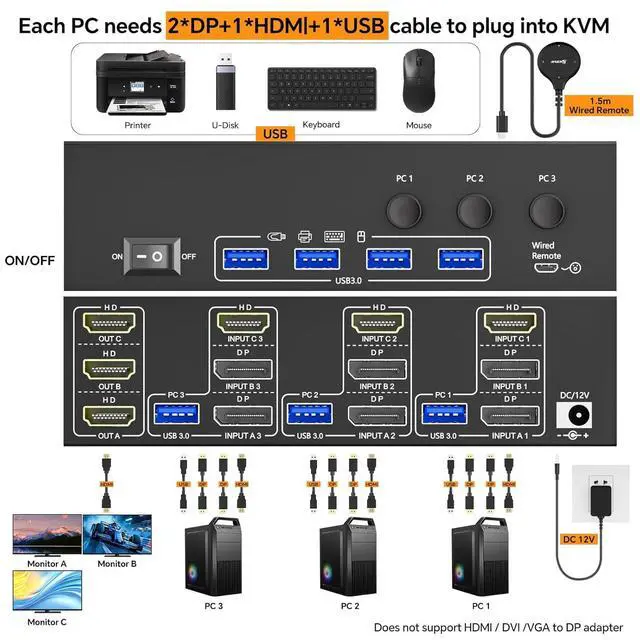
    Each PC requires 2 DP, 1 HDMI, 1 USB cable to connect to the KVM.

    Driver-free for Windows 11/10/8/7/XP/Vista/Chrome/Mac OS/Linux, etc. (Not recommended for less compatible docking stations).

    Supports DP to HDMI, USB-C/Type-C to HDMI, and USB-C/Type-C to DP adapter.

    Advanced and mirrored screen mode

    Press Windows P to select extended screen mode (three different screens) or mirrored screen mode (the same screen).

    Two switching methods: key switch and 1.5 m long wired remote control.

    LED indicator indicates which computer is active.

    Warranty & Returns

    Warranty, Returns, And Additional Information

    Warranty

    • Please contact the Seller directly for warranty information. Warranty information may also be found on the Manufacturer's website.
    • CONTACT

    Return Policies

    Manufacturer Contact Info

    LOADING...