Your Browsing History
- Free 30-day Returns
$159.79
Ships from China.
Meet Your Seller
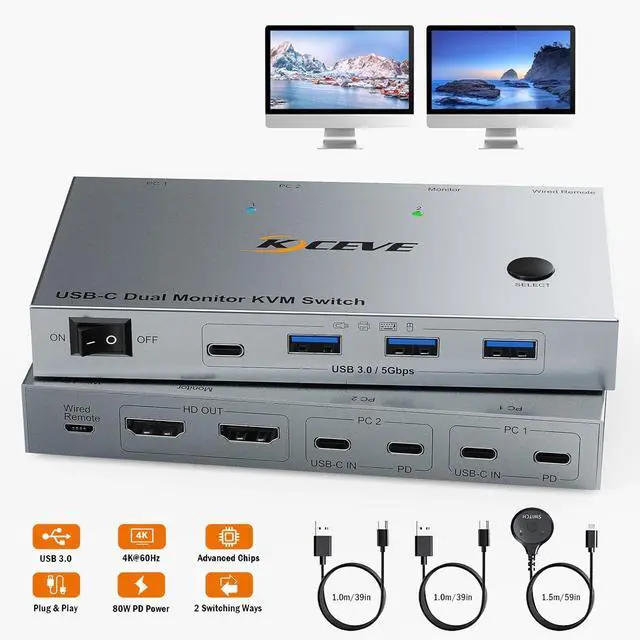
4K@60Hz Dual Laptop USB C HDMI KVM Switch, Dual Monitor HDMI KVM Switch for 2 Laptops Share 2 Monitors and 4 USB 3.0 Devices & PD 80W Charging, Plug & Play, with Wired Remote & 2 USB-C 3.1 Cables
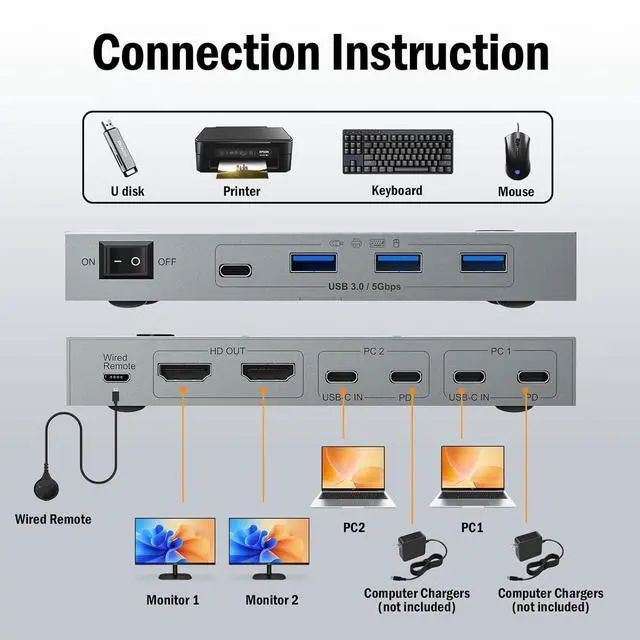
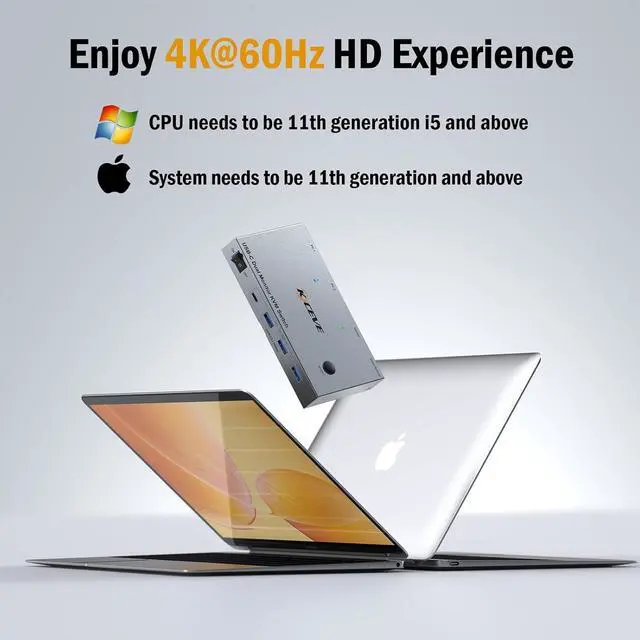
- USB C KVM switch Dual Monitor: KVM Docking Station effortlessly switches between 2 USB-C laptops while sharing 2 monitors and 4 USB peripherals. NOTE: For Windows, CPU needs to be 11th generation i5 and above. For Ap-pl-e, System needs to be 11th generation and above.
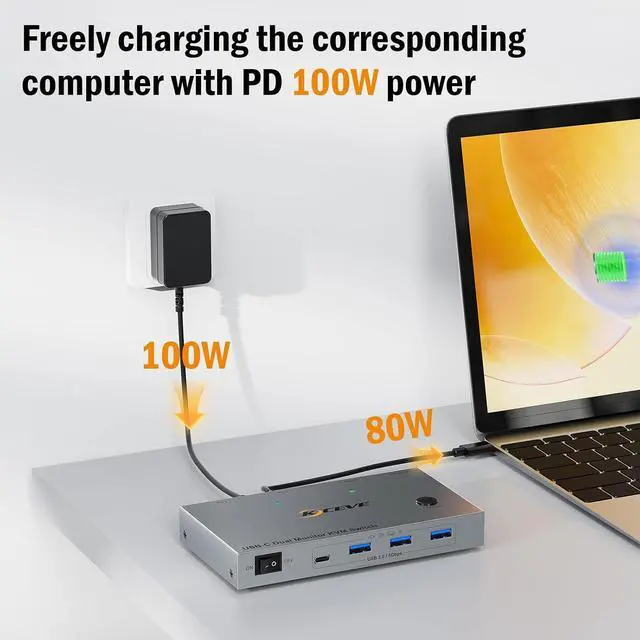
- Rapid 80W PD Charging: Designed with a dedicated PD port for each laptop, you can charge your laptop while in use to cope with intense workloads and stay smooth. (Pls use your computer's original charger).
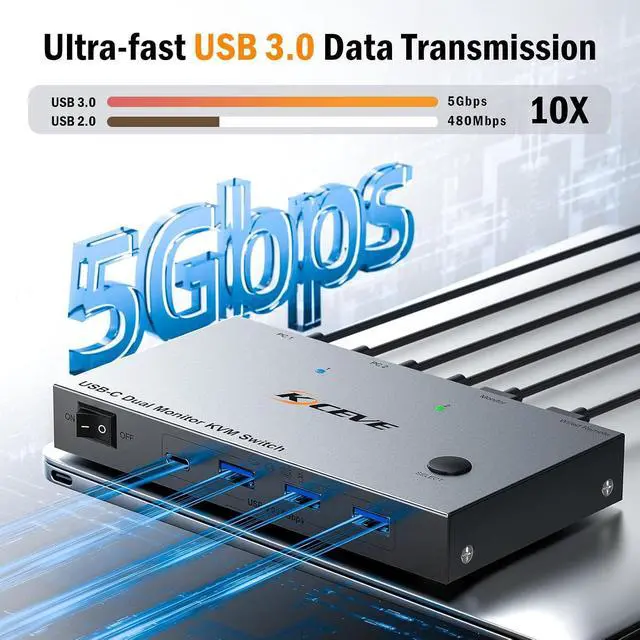
- SuperSpeed 5Gbps USB 3.0 Ports: With this Thunderbolt Switch, you can connect 4 devices simultaneously(1 USB-C and 3 USB-A) - all efficiently transferring data at 10 times the speed of USB 2.0. Keep all essentials connected while switching laptops.
- Plug-and-Play: Connect cables and start working instantly - no frustrating driver installations required. KVM Switch is safe and efficient, always on and ready to use.
- Stunning 4K@60Hz Clarity: USB C Switch lets you enjoy the clarity and vivid colors of cinema-quality 4K resolution. The smooth, flicker-free images are sure to keep your eyes visually relaxed and happy for a long time.
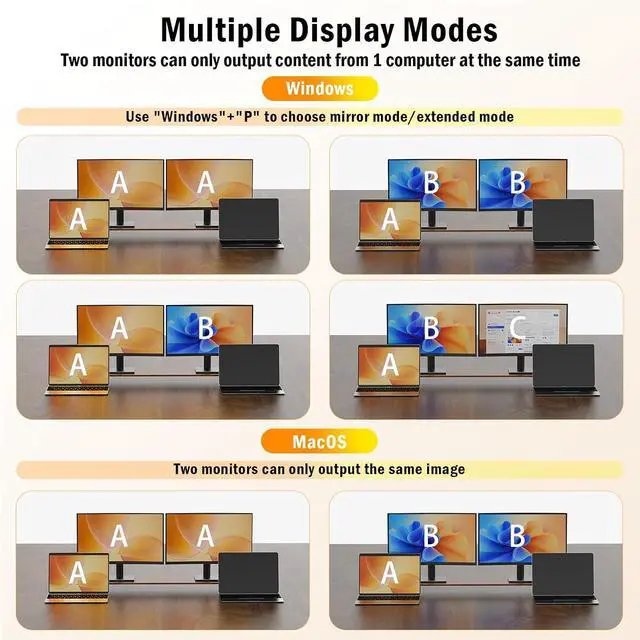
- Smart Display Modes: Choose between Mirror Mode or Extended Mode as you need. USB C switcher 2 computers maximizes efficiency whether you are entertaining or running a job. Note: For macOS, 2 monitors can only present the same content.
+
+
Overview
Specs
Reviews
Any questions? Our AI beta will help you find out quickly.
Try me now
Features
- USB C KVM switch Dual MonitorKVM Docking Station effortlessly switches between 2 USB-C laptops while sharing 2 monitors and 4 USB peripherals. Transform your chaotic desk into a tidy platform. Work or game on either laptop without replugging cables. NOTE: For Windows, CPU needs to be 11th generation i5 and above. For Apple, System needs to be 11th generation and above.
- Rapid 80W PD ChargingDual monitor KVM is designed with a dedicated PD port for each laptop, you can charge your laptop while in use to cope with intense workloads and stay smooth. (Please use your computer's original charger).
- SuperSpeed 5Gbps USB 3.0 PortsWith this Thunderbolt Switch, you can connect 4 devices simultaneously(1 USB-C and 3 USB-A) - all efficiently transferring data at 10 times the speed of USB 2.0. Keep all essentials connected while switching laptops.
- True Plug-and-Play SimplicityConnect cables and start working instantly - no frustrating driver installations required. Dual Monitor KVM Switch HDMI is safe and efficient, always on and ready to use.
- Stunning 4K@60Hz ClarityUSB C Switch lets you enjoy the clarity and vivid colors of cinema-quality 4K resolution. The smooth, flicker-free images are sure to keep your eyes visually relaxed and happy for a long time.
- Smart Display ModesChoose between Mirror Mode or Extended Mode as you need. USB C switcher 2 computers maximizes efficiency whether you are entertaining or running a job. Note: For macOS, 2 monitors can only present the same content.
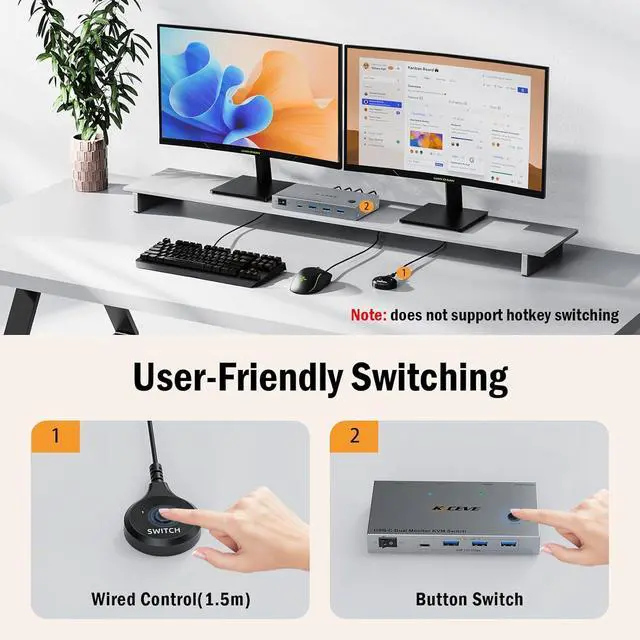
- 2 Flexible Switch WaysSwitching HDMI KVM Switch 2 Monitors is easy at the touch of a hub button or with the convenient 1.5 meter remote control, from any position, for convenience and desktop tidiness.
- What's in the Box & 1 Year Warranty1*Thunderbolt KVM switch;2*USB-C 3.1 Cable;1*Wired Remote;1*User Manual. We will provide Lifetime support + 1-year warranty. Contact us anytime for help!
Warranty & Returns
Warranty, Returns, And Additional Information
Warranty
- Please contact the Seller directly for warranty information. Warranty information may also be found on the Manufacturer's website.
- CONTACT
Return Policies
- Return for refund within: 30 days
- Return for replacement within: 30 days
- This item is covered by Lou Di Shi Lou Xing Qu Liu Li Shang Mao Return Policy
Manufacturer Contact Info
- For a directory of all our manufacturers, please click below.
- Manufacturers Directory
LOADING...