




 here!
here!
I’m your shopping assistant for PC builds, upgrades, and everything tech.
Got questions? Ask away!
Start a conversation
here!
I’m your shopping assistant for PC builds, upgrades, and everything tech.
Got questions? Ask away!
Start a conversation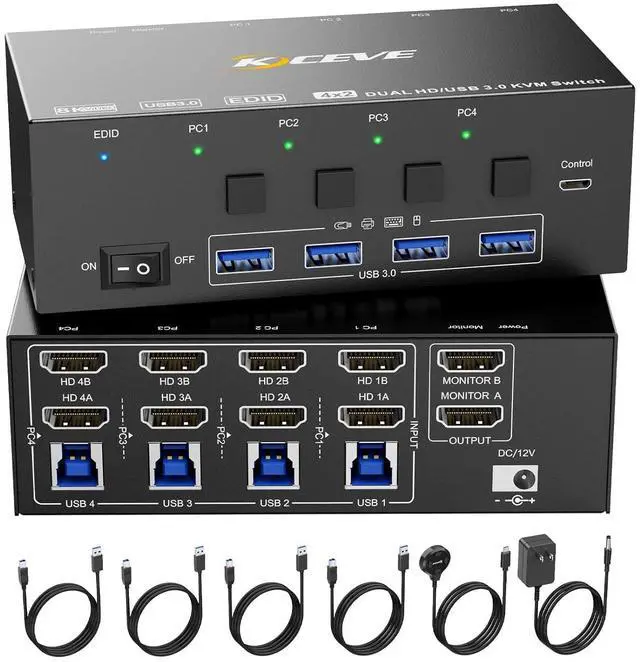



Any questions? Ask CelesteSM will help you find out quickly.
Features:
1, With 4 USB 3.0 ports USB peripherals device connected. Such as mouse, keybaord, U disk, scanner, printer, webcam, etc.
2, Please plug HDMI cable and USB cable together. HDM is used to transmit audio, USB is used for power supply and data transmission.
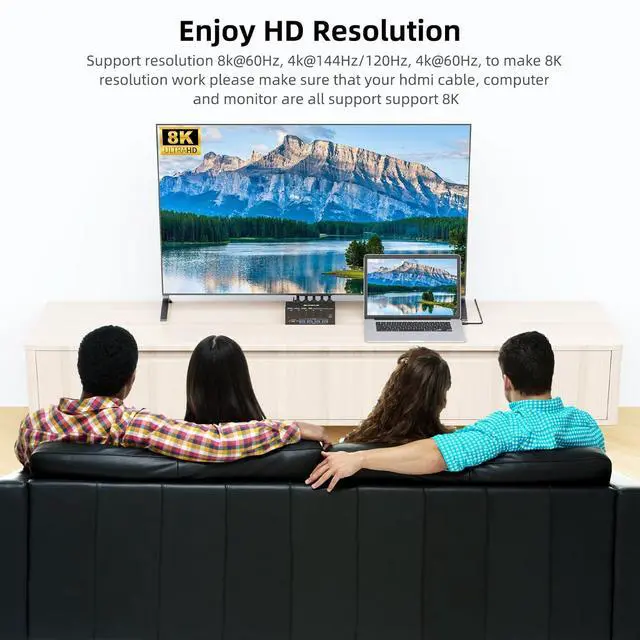
3, Please use 8k HDMI cable to achive 8K@60Hz resolution.
4, USB 3.0 transmission is more stable and fast, if you are looking for a USB 3.0 version this will be a good choice!
5, Plug and play, drive-free, compatible with a variety of computer systems, such as Win10 / 8.1 / 8 / 7 / XP / Vista, Mac OS, Linux, Chrome OS.
specifications
Name: 2 monitors 4 computers KVM switch
Material: Metal shell
Interfaces: HDMI 2.1, USB 3.0
Resolution: Up to 8K@60Hz
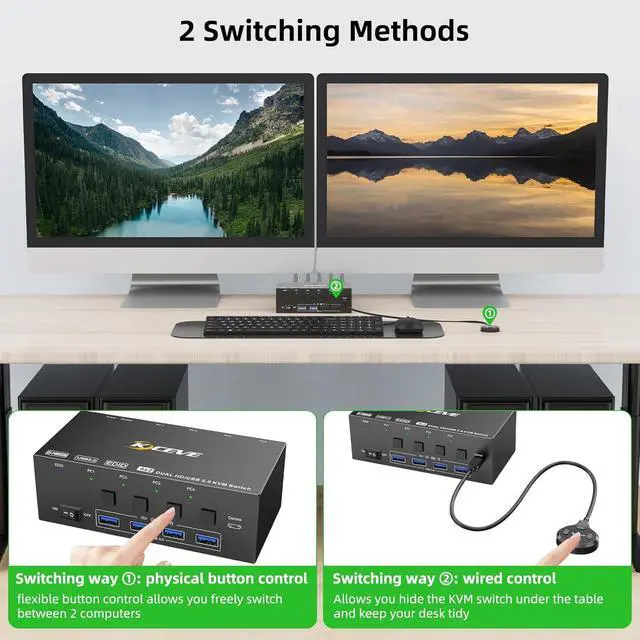
Control way: physical buttons and wired control
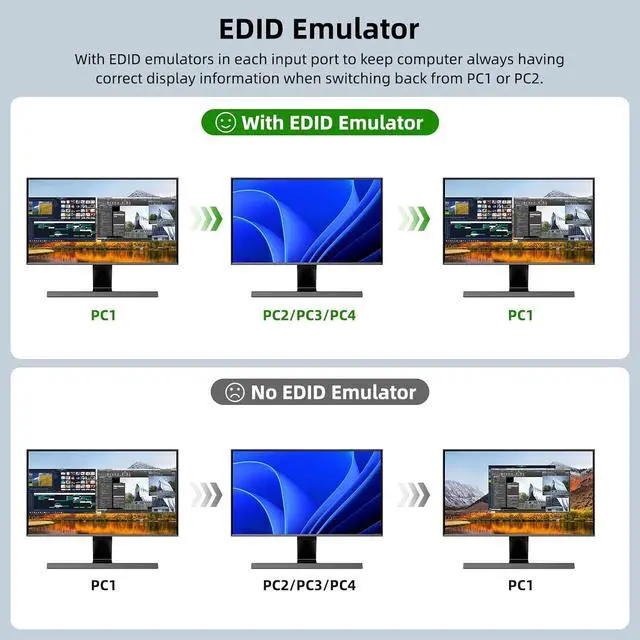
High standard 4 ports HDMI KVM switch with EDID emulator in each input port!
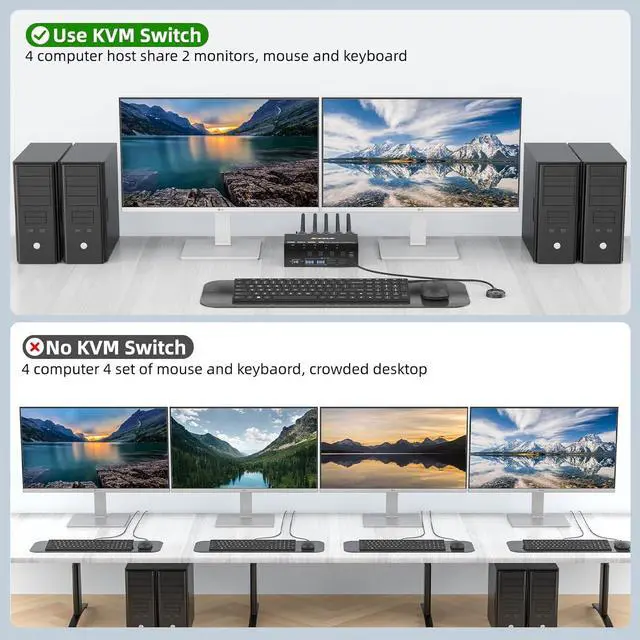
This 2 monitors 4 computers KVM switch with EDID emulators in each input port, keep computers always having correct display information when switch back.
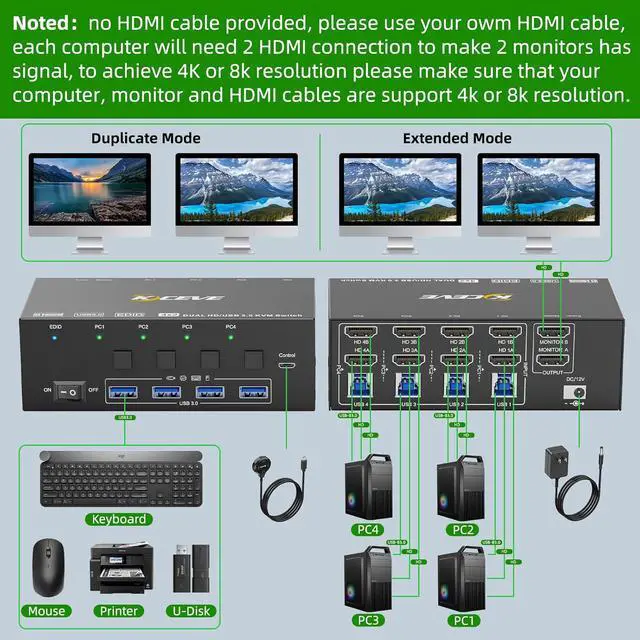
Easy set up, each computer needs 2 HDMI connection
1, Please make sure that your computers host has 2 HDMI ports.
HD 1A + HD 1B + USB 1=PC1
HD 2A + HD 2B + USB 2=PC2
HD 3A + HD 3B + USB 3=PC3
HD 4A + HD 4B + USB 4=PC4
Note:
Most of the reasons why only one video output works is because of an incorrect connection. Please make sure each computer has 2 HDMI cables+1 USB cable connected to the KVM switch.
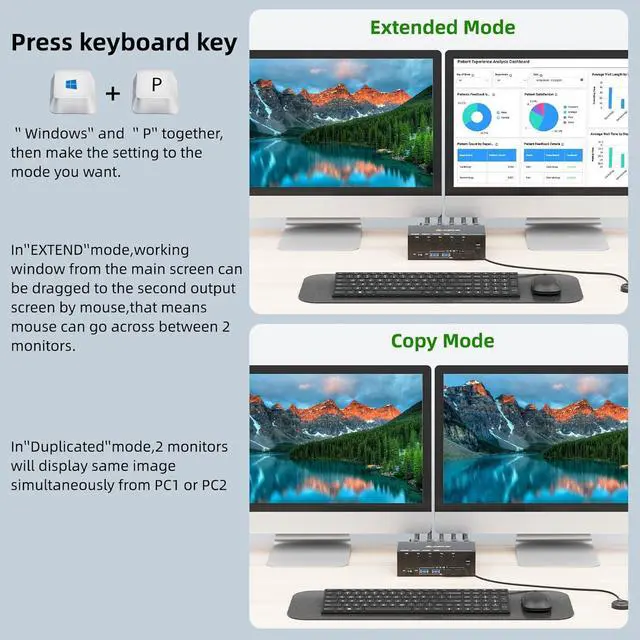
If the KVM switch does not work, you can turn off the switch on the panel and turn it on again after 2-3 seconds, and it will return to normal. Before purchasing this HDMI Dual Monitor KVM Switch, please make sure that your computer supports direct connection of two HDMI monitors to work properly, otherwise the KVM will not work.
Note: HD-MI cables are not included




