




 here!
here!
I’m your shopping assistant for PC builds, upgrades, and everything tech.
Got questions? Ask away!
Start a conversation
here!
I’m your shopping assistant for PC builds, upgrades, and everything tech.
Got questions? Ask away!
Start a conversation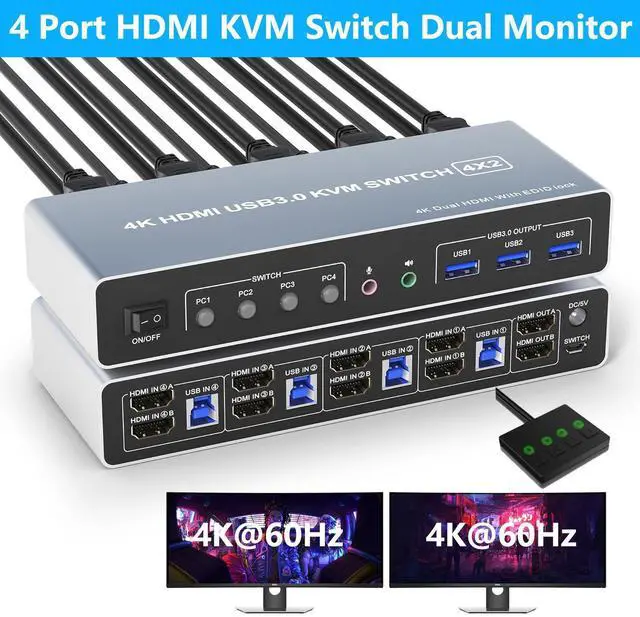




Any questions? Ask CelesteSM will help you find out quickly.
Does Everything You Need!
4 port USB 3.0 dual-monitor HDMI KVM Switch (HDMI + HDMI). Each input source device must be connected to two dual-monitor.
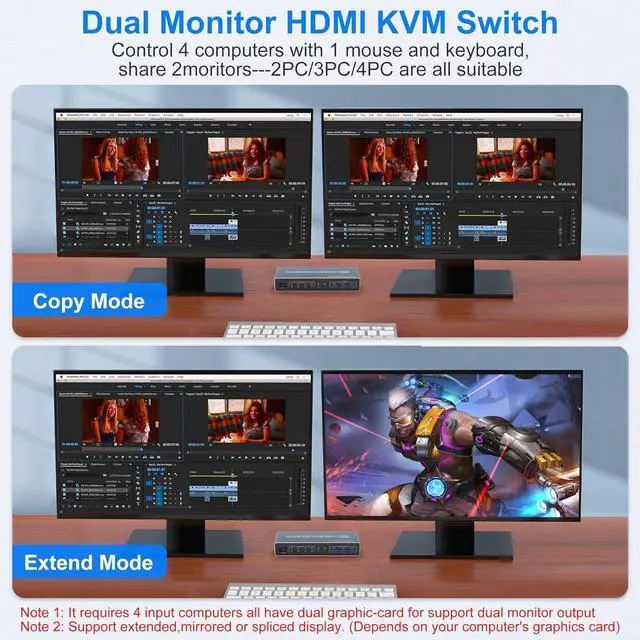
This kvm switch dual monitor 4 port help you control 4 PCs share 2 monitors by only one set of USB keyboard & mouse.
Connection Steps & Notes
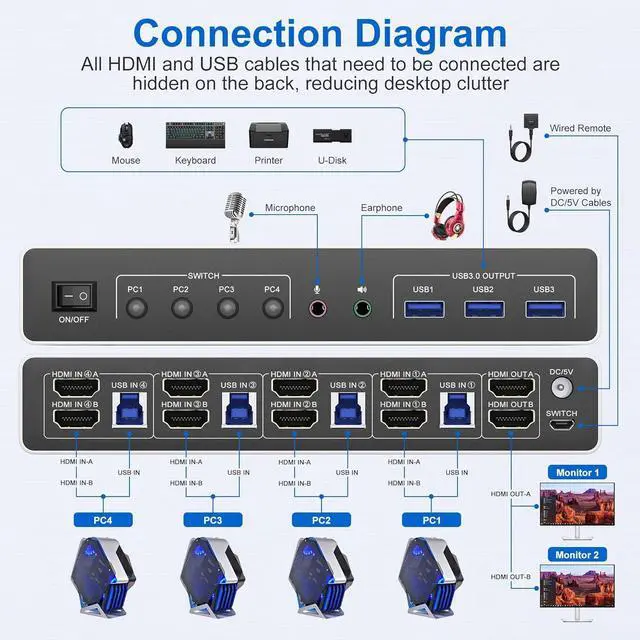
1. Insert the adapter into the KVM;
2. Plug the HDMI cable into the KVM and monitor; (Output)
3. 1). Connect PC1 Firstly (Input)
Use 1 HDMI cable to connect the "HDMI IN 1 A" input interface and PC1 HDMI A output interface,
Use 1 HDMI cable to connect the "HDMI IN1 B" input interface and PC1 HDMI B output interface.
Use 1 "USB-a to USB-b" USB 3.0 cable to connect the "USB IN 1" input interface and PC1 USB 3.0 interface.
2)Then, Connect PC2, PC3, and PC4 according to the connection steps of PC1.
4. Insert the mouse and keyboard into the KVM switch
5. If needed, you can connect a microphone and audio port
Note:
1. Most of the reasons why only onevideo output works is because of incorrect connection. Please make sure eachcomputer have 2 HDMI cables connect to the KVM.
2. Please check the HDMI IN A1 & A2 & A3 & A4, HDMI IN B1 & B2 & B3 & B4 and USB IN1 & IN2 & IN3 & IN4 is corresponding, HDMI OUT A, HDMI OUT B is corresponding, NOT support mixed insertion.
3.
Note: HDMI cables are not included



