




 here!
here!
I’m your shopping assistant for PC builds, upgrades, and everything tech.
Got questions? Ask away!
Start a conversation
here!
I’m your shopping assistant for PC builds, upgrades, and everything tech.
Got questions? Ask away!
Start a conversation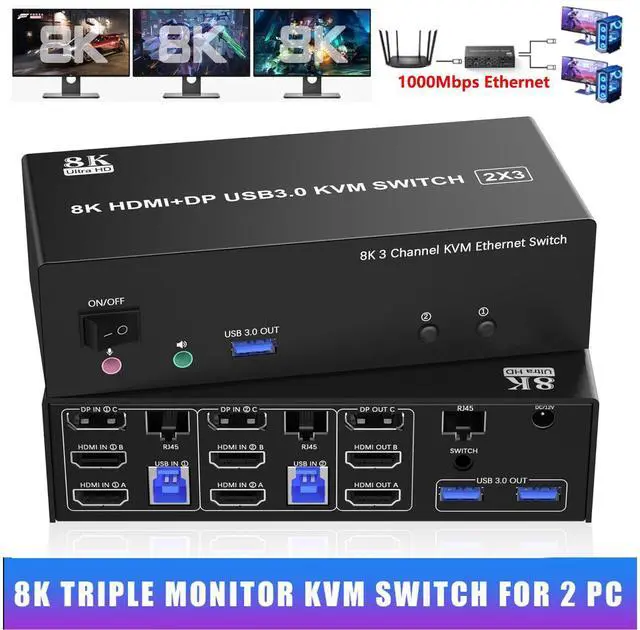




Any questions? Ask CelesteSM will help you find out quickly.
Features:
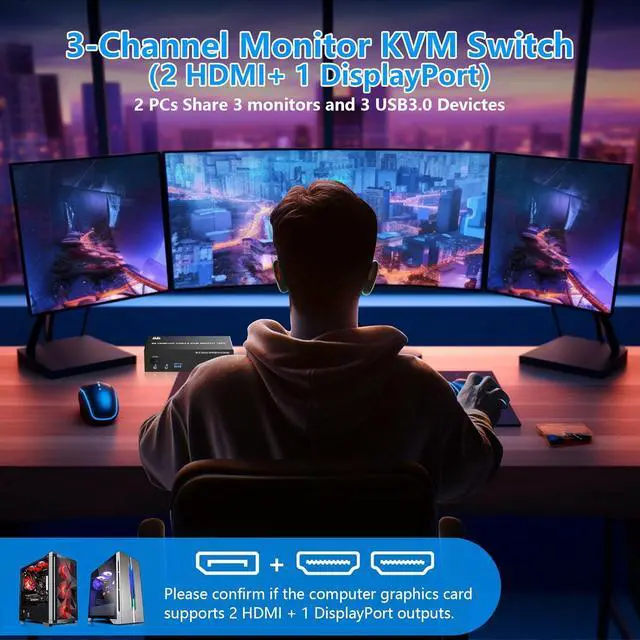
1. 8K Triple Monitor KVM Switch allows 2 computers/laptops to share one set of keyboard, mouse, and 3 monitors (2 HDMI+1 DisplayPort)
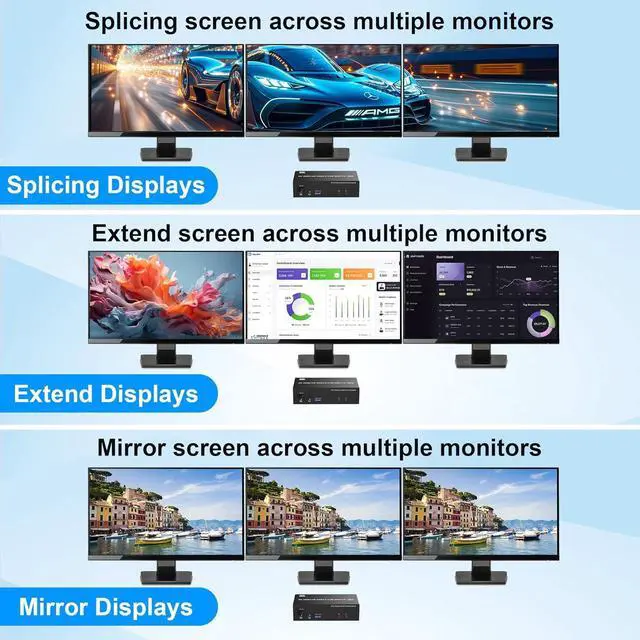
2. Support HDMI 2.1 & DP 1.4 standards and downward compatibility. 3 monitors output support up to 8K@60Hz 4K@144Hz for extended, mirrored or spliced display(Depends on your computer's graphics card. )
3. 2
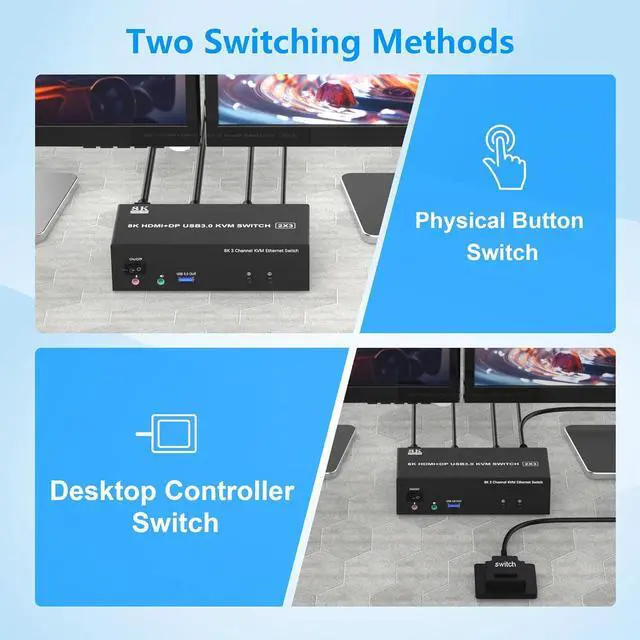
Switching modes: Button switch and wired remote.
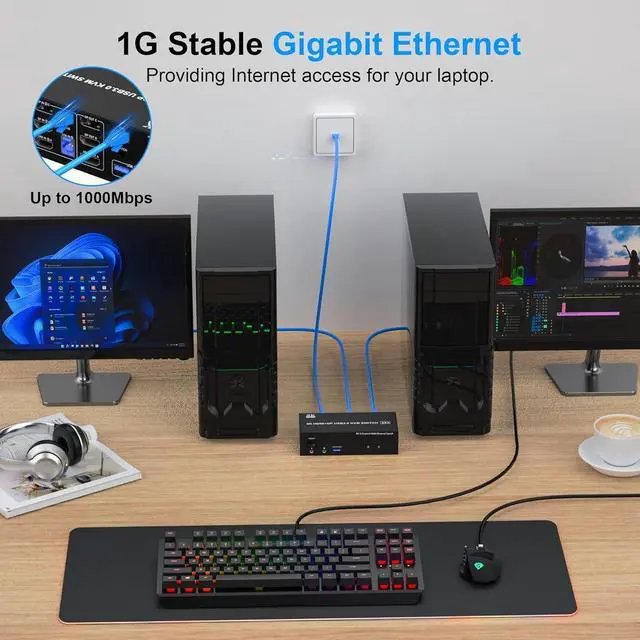
4. This triple monitor KVM Switch share 1000Mbps gigabit ethernet between 2 computers, providing Internet access for your laptop.
5. 3 monitor KVM switch equipped with 3 USB 3.0 ports for USB devices, and with extra Audio Microphone output
6. Equipped with a 12V power supply, ensuring stable operation even when high-power devices are connected.
7. Plug and play, compatible with Windows, Linux, Mac, Unix, Ubuntu, Raspberry and most other major OS.
installation steps:
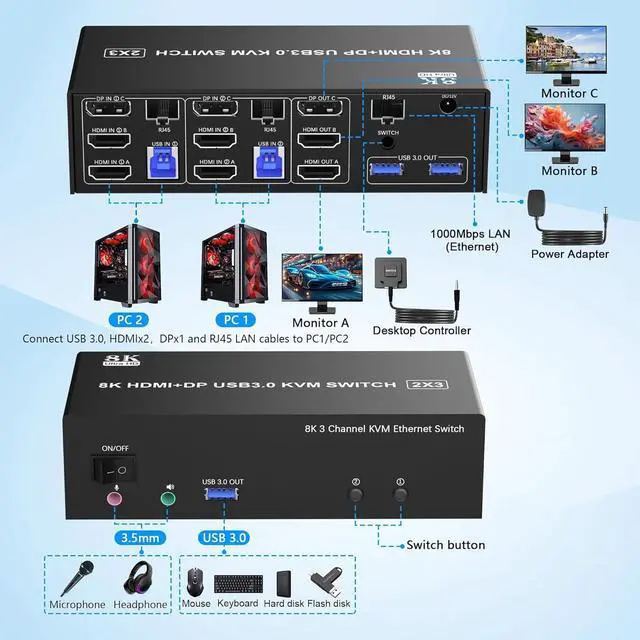
1. Insert the DC/12V adapter into the KVM;
2. Plug the Ethernet RJ45 cable into the KVM switch;
3. Plug the 2*HDMI cable and 1*DisplayPort cable into the KVM switch and monitor; (HDMI OUT A, HDMI OUT B, DP OUT C)
4. Plug the DisplayPort cable, HDMI cable, RJ45 cable, and USB cable into the KVM switch and your computer/laptop (HDMI and DP cables are not included) (Input)
HDMI IN 1A +HDMI IN 1B + DP IN 1C + RJ45 + USB IN 1=PC1
HDMI IN 2A + HDMI IN 2B + DP IN 2C + RJ45 + USB IN 2=PC2
Please check whether HDMI IN 1A, HDMI IN 1B, DP IN 1C, RJ45, and USB IN 1 corresponding, and whether HDMI IN 2A, HDMI IN 2B, DP IN 2C, RJ45 and USB IN 2 are corresponding. Mixed insertion is not supported.
4. Insert the mouse and keyboard into the KVM switch
5. If needed, you can connect a microphone and audio port



