Take a tax holiday. Take advantage of limited-time, tax-free savings on select products in certain states. Learn More>
  • $145.35
  • Free 30-day Returns
  • Ships from China.
    Sold by NovaStar Tech

    Shipped by NovaStar Tech

    Price alert
    Shop it at NeweggBusiness.

    Meet Your Seller

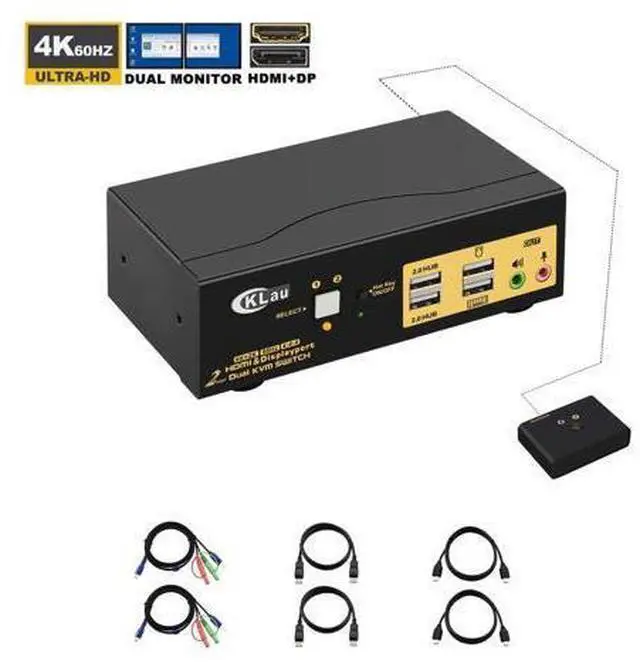
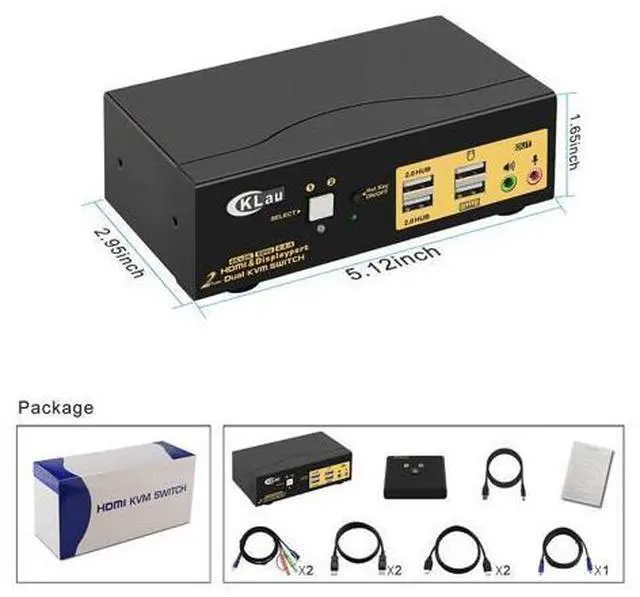
    CKLau Dual Monitors HDMI Displayport KVM Switches 2 Port 4K@60Hz HDMI + Displayport Dual Monitor KVM Switch with Audio, USB 2.0 Hub and Cables Support HDMI 2.0, HDCP 2.2, HDR 10

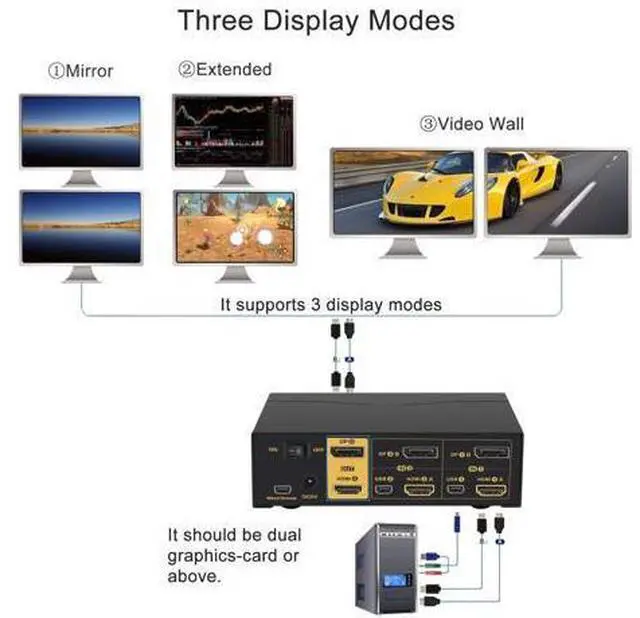
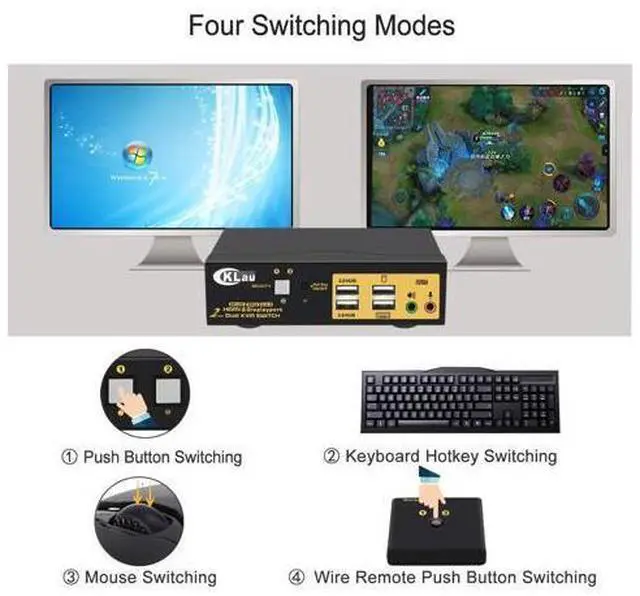
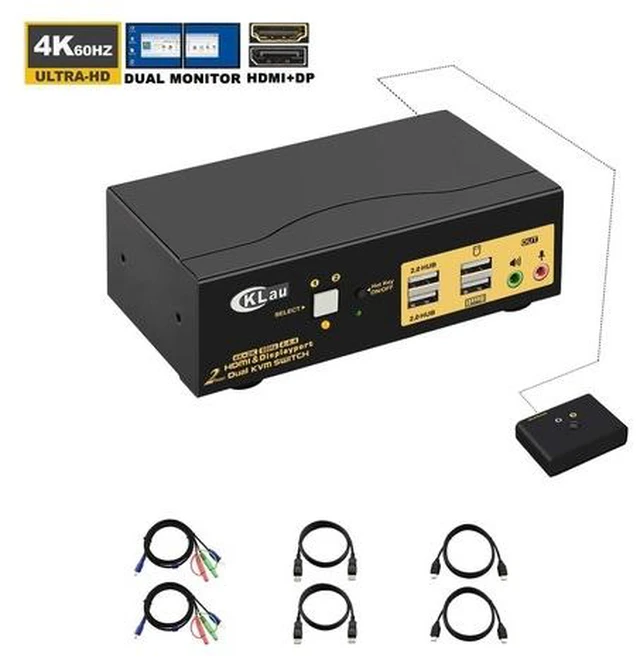
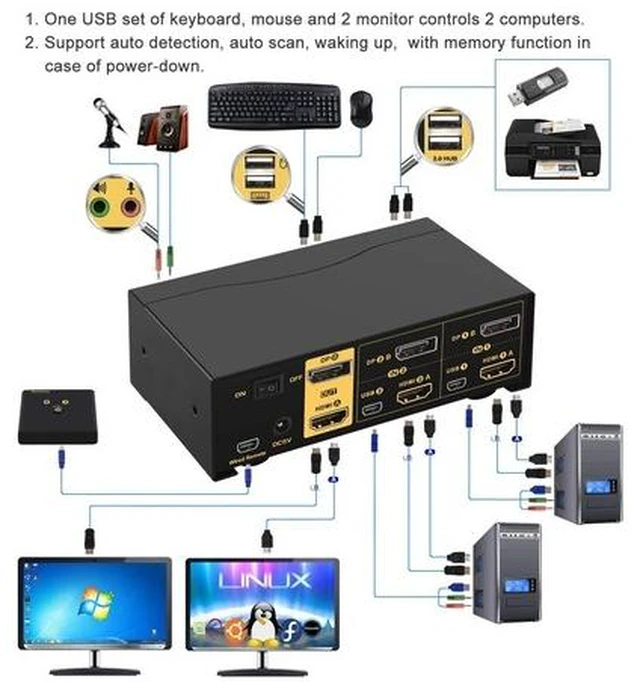
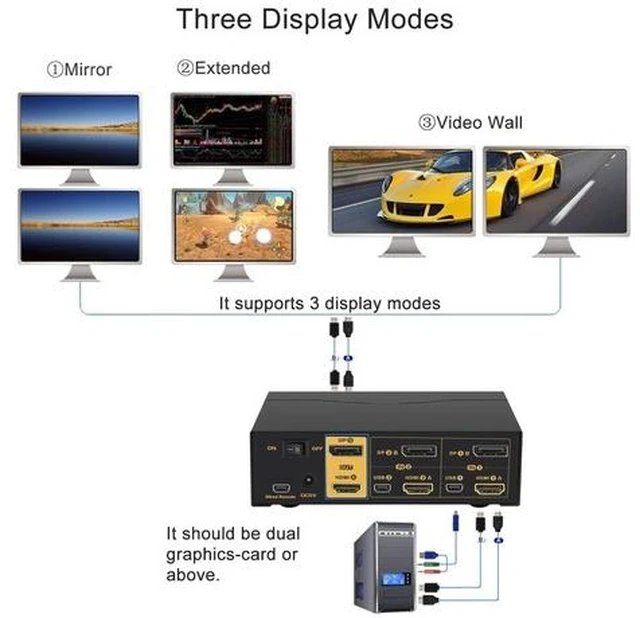
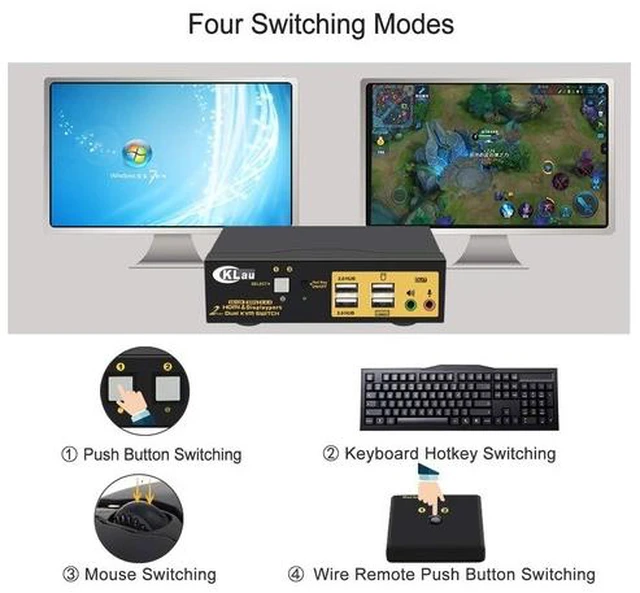
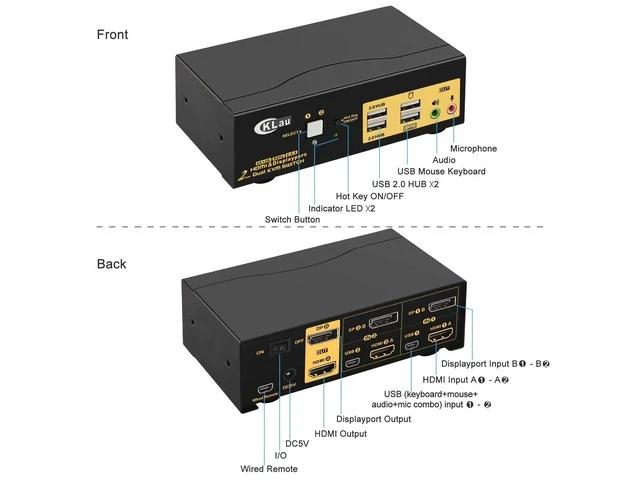
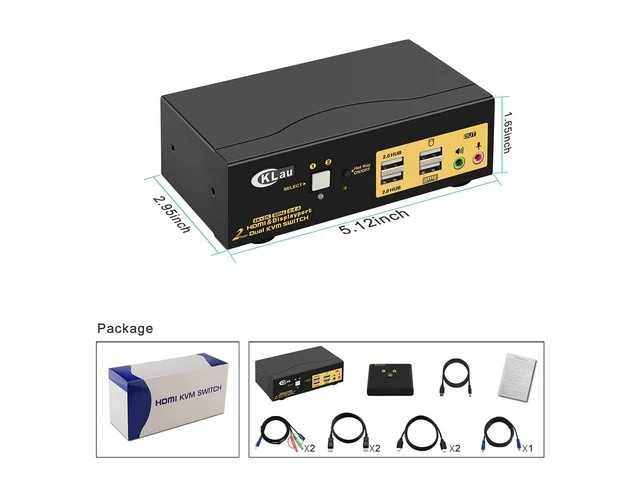
    • HDMI & DISPLAYPORT DUAL MONITOR KVM SWITCH 2 PORT: Controls 2 computers or laptops with one set of keyboard, mouse and 2 monitors which supports extended or mirrored display Ideal for working from home, designing, editing and gaming purposes etc; KVM SWITCH DUAL MONITOR HDMI & DP 4K 60HZ: Conforms to HDMI 20 and DP 12 standard for resolution up to 4096x2160@60Hz, 3840x2160@60Hz, 2560x1440@144Hz, 1920x1080@144Hz and downwards; Support HDCP and auto EDID; 2X2 KVM SWITCH 2 MONITORS WITH EASY SWITCHING MODES: 1 Button switch on front Panel; 2 Keyboard hotkey switch; 3 Mouse click switch; 4 Wired remote switch; 5 Auto scan switch with adjustable interval for monitoring or testing purposes; USB KVM WITH DUAL HDMI + DISPLAY PORT INPUTS & OUTPUTS: This dual display KVM switch is designed with HDMI + DP input and output combination, it is perfect for computers or laptops with HDMI + DP graphic outputs and 1 HDMI monitor + 1 DisplayPort monitor
    +
    +
    Overview
    Specs
    Reviews
    avatar

    Any questions? Our AI beta will help you find out quickly.

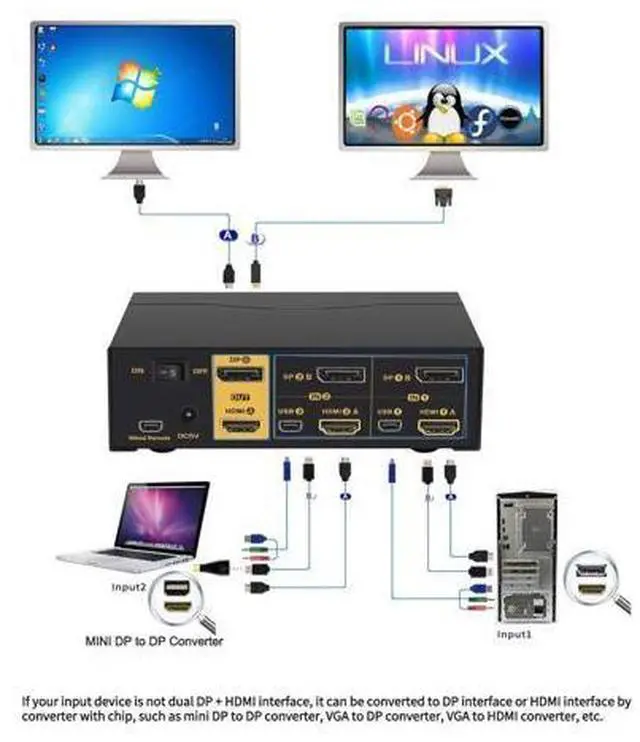
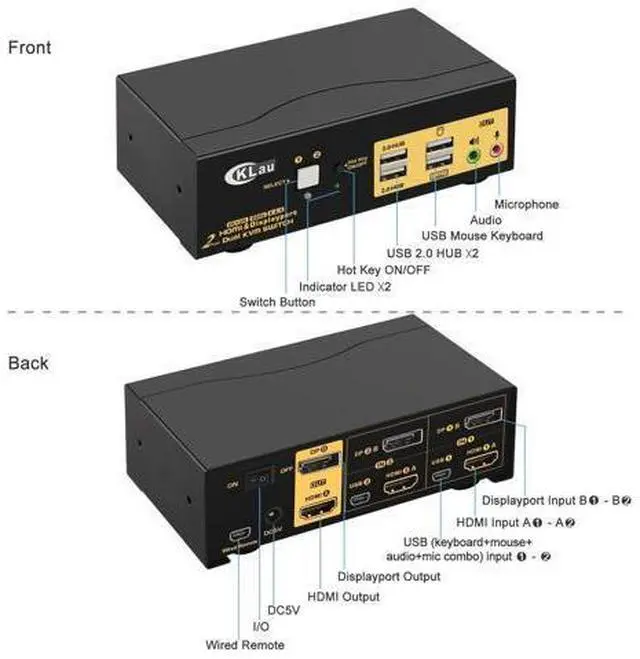
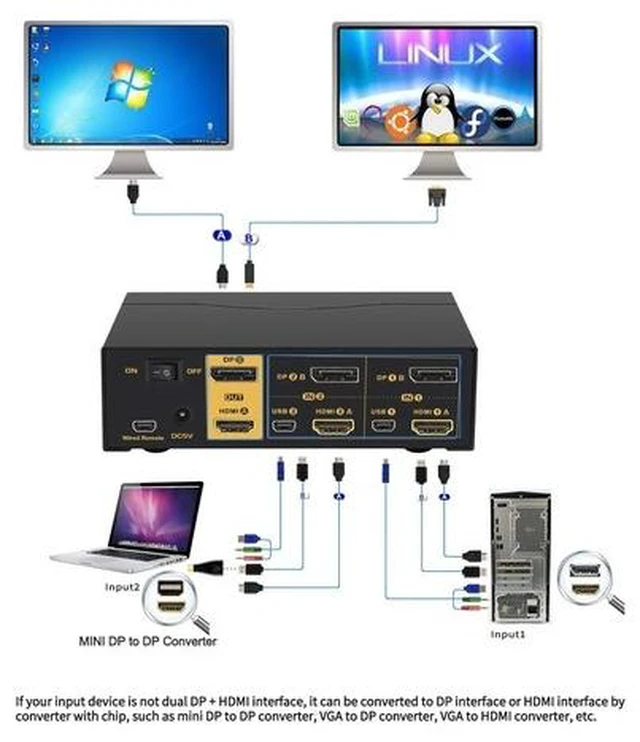
    How to Get Dual Monitor Display (Must Read before Order!!! ) Each computer / laptop needs 2 video connections to correspondent HDMI A and DP B port on the KVM switch using the standard HDMI 2.0 cables and DP cables included. Reliable adapters are needed but not included for DVI, VGA, USB Type C video outputs. Please be aware of the adapters needed for your setup before order. VGA to HDMI or HDMI to VGA adapter must be seperately powered. Resolution output is subject to adapter if any. Avoid using adapters on both monitor and computer side for a same video flow.

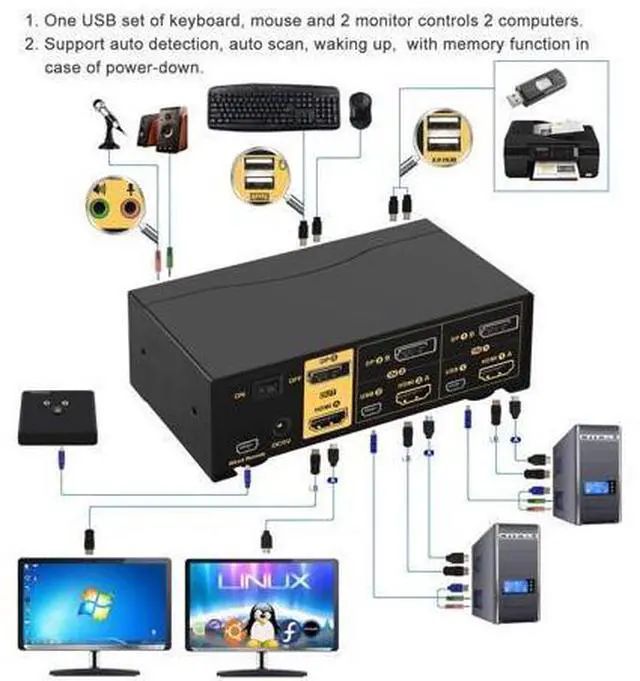
    For eg. if there is an adapter on computer for connecting HDMI A port, and then another adapter for connecting HDMI Out A to monitor, it may cause display issue. 4K@60Hz 2 Port HDMI + Displayport Dual monitor KVM Switch with Audio, USB 2.0 Hub One set of USB keyboard, mouse and 2 monitors controls 2 HDMI+displayport computers/laptops. With audio and mic output. Save space for you and bring a lot of convenience to your work. Installation Step; 1. Turn off all devices and unplug all the cables; 2.

    Plug KVM cables, displayport cables, HDMI cables into KVM switch and your computers/laptops; 3. Plug mouse and keyboard into KVM switch; 4. Plug displayport cable, HDMI cable into KVM switch and monitors; 5. Plug speaker or microphone into KVM switch if needed; 6. Plug AC socket into KVM switch and AC socket; 7. Turn on KVM switch; 8. Boot computers/laptops.
    Warm Tips: It is DP 1.2 60Hz version for displayport port, it doesn't

    Warranty & Returns

    Warranty, Returns, And Additional Information

    Warranty

    • Please contact the Seller directly for warranty information. Warranty information may also be found on the Manufacturer's website.
    • CONTACT

    Return Policies

    Manufacturer Contact Info

    LOADING...