Your Browsing History
Meet Your Seller
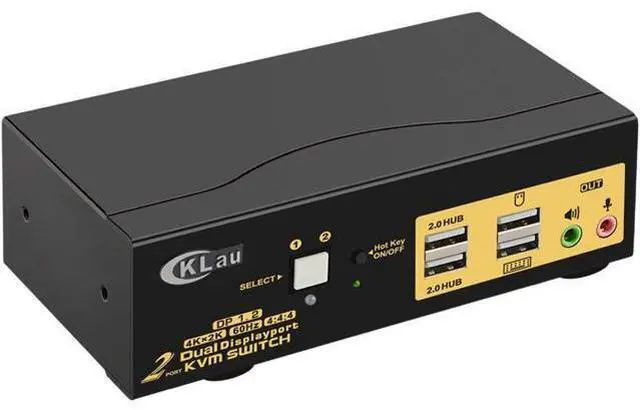
KVM Switch Dual Monitor DisplayPort 2 Port 4K @60Hz 4:4:4, 2x2 DP KVM Switch with Audio and USB 2.0 HUBs
Limited time offer, ends 07/25 By NovaStar Tech
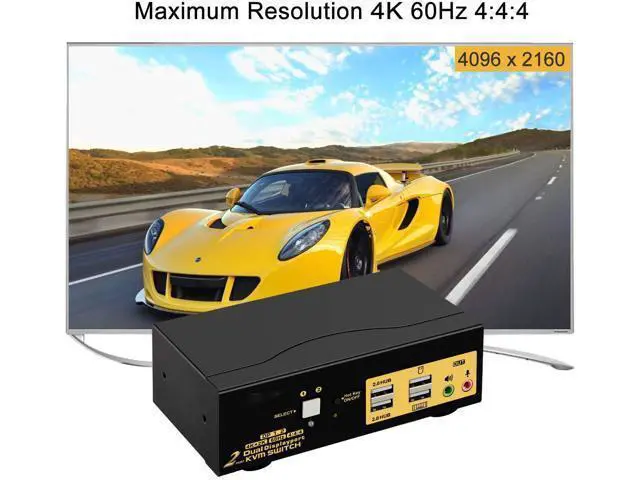
- DUAL MONITOR KVM SWITCH DISPLAYPORT 2 IN 2 OUT: Controls 2 Dual DP interfaced computers or laptops from one set of USB or wireless keyboard, mouse and 2 Display Port monitors for extended or mirrored display.; DP KVM SWITCH FOR ULTRA HIGH 4K RESOLUTION: Supports max resolution up to 4096x2160 @60Hz 4:4:4, compatible with 3840x2160 @60hz, 1080P, 1080P 3D, 1080I, 720P, 576P, 576I, 480P, 480I. Supports HDCP 2.2, HDR10. 16:9 widescreen and 21:9 ultra-wide monitors.; EASY SETUP & EASY SWITCH : Comes with all cables needed except cable for monitors, allows you to switch between home desktop, work laptop and gaming machines using keyboard hotkey, mouse click, front toggle button and wired remoter for different scenarios, also with auto scan function for monitoring multiple computers / DVR / NVR.; CROSS SUPPORT MOST MAJOR OPERATION SYSTEMS: Compatible with Windows 10/7/2000/XP/Vista, Linux, Mac, Debian, Ubuntu, Fedora, Raspbian and Ubuntu. Plug and Play without any software needed.
+
+
Overview
Specs
Reviews
Any questions? Our AI beta will help you find out quickly.
Try me now
2 Port Dual Monitor KVM Switch Display Port Product Benefits You Might be
Looking for:
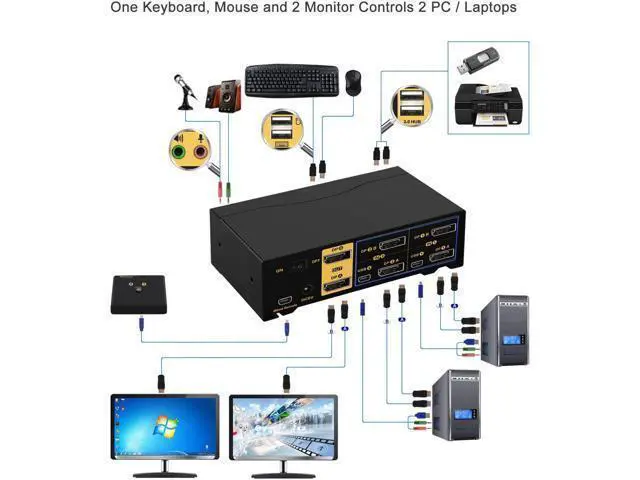
1. Control 2 computers or laptops with one set of keyboard, mouse and 2 monitors.
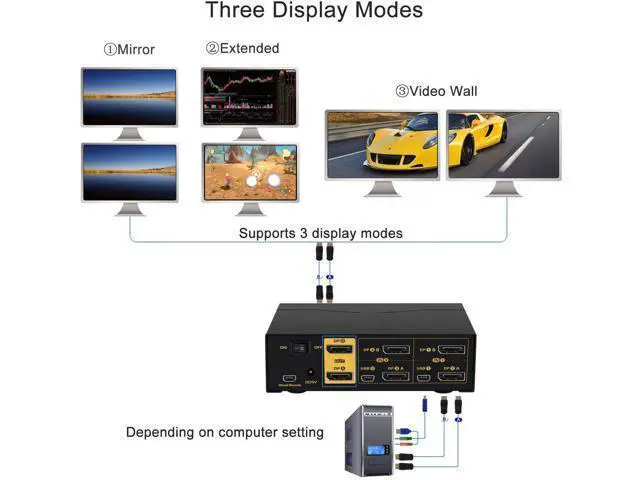
2. With 2 monitors output for extended, duplicated and spiced display purposes.
3. Support up to 4K@60Hz (4096*2160 4:4: 4).
4.
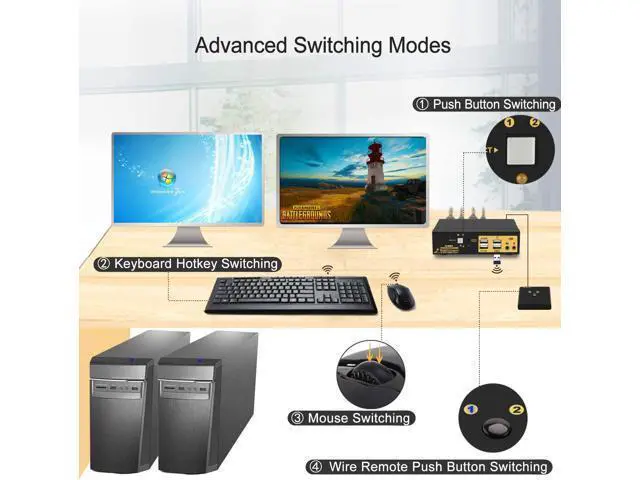
Multiple Switching Modes: 1. keyboard hotkey 2. mouse click 3. manual button 4. wired remote 5. auto scan.
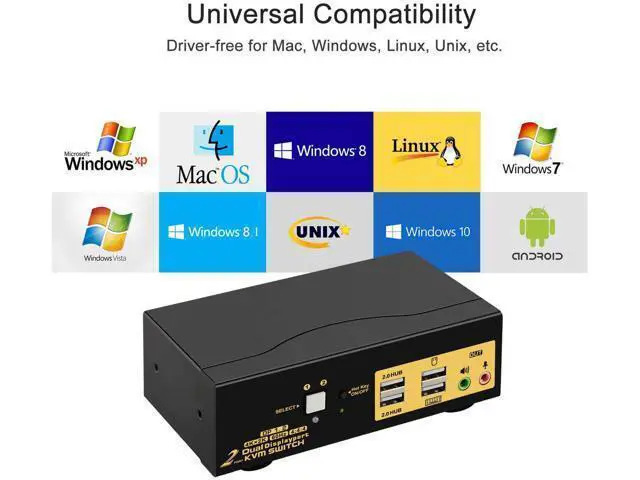
5. Cross support multi platforms inlcuding Windows 10/7/2000/XP/Vista, Linux, Mac and More.
6. Support most wired and wireless keyboard and mouse. 7. WIth extra 2 USB 2.0 HUB ports and audio support.
8. Fast shipping and efficient support. Switching Freely between Home, Work and Gaming PCs Installation Guide (incorrect connection will cause malfunction): PC
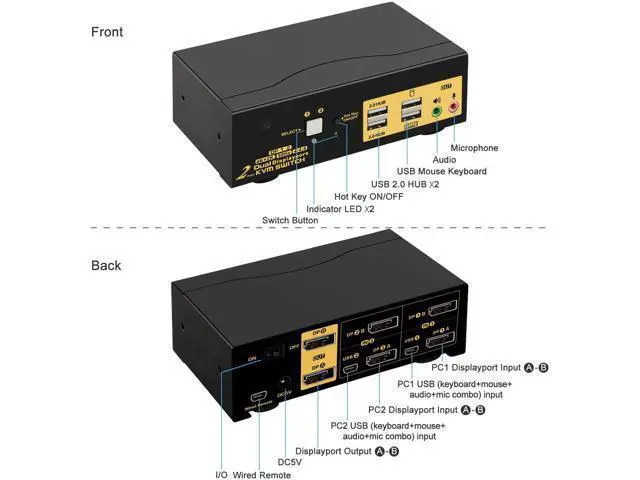
1: Connect 2 DP outputs on PC 1 to DP IN 1A & 1B on the kvm, and USB + Audio combo to USB 1.
PC 2: Connect 2 DP outputs on PC 2 to DP IN 2A & 2B on the kvm, and USB + Audio combo to USB
2.
Monitors: Connect Monitor A to DP A Out, Monitor B to DP B Out.
Wired Keyboard & Mouse: connect Keyboard to USB keyboard port, mouse to USB mouse port Wireless
Keyboard and Mouse: Connect the wireless dongle into USB keyboard port
Power Adapter: connect the power adapter to DC input.
Audio Devices: Connect speaker or microphone output on KVM (optional), make sure the audio jacks are also plugged into your computers if needed. Power on the KVM and computers.
Special Notes: USB connecion is to ensure keyboard and mouse work properly. What

Looking for:
1. Control 2 computers or laptops with one set of keyboard, mouse and 2 monitors.
2. With 2 monitors output for extended, duplicated and spiced display purposes.
3. Support up to 4K@60Hz (4096*2160 4:4: 4).
4.
Multiple Switching Modes: 1. keyboard hotkey 2. mouse click 3. manual button 4. wired remote 5. auto scan.
5. Cross support multi platforms inlcuding Windows 10/7/2000/XP/Vista, Linux, Mac and More.
6. Support most wired and wireless keyboard and mouse. 7. WIth extra 2 USB 2.0 HUB ports and audio support.
8. Fast shipping and efficient support. Switching Freely between Home, Work and Gaming PCs Installation Guide (incorrect connection will cause malfunction): PC
1: Connect 2 DP outputs on PC 1 to DP IN 1A & 1B on the kvm, and USB + Audio combo to USB 1.
PC 2: Connect 2 DP outputs on PC 2 to DP IN 2A & 2B on the kvm, and USB + Audio combo to USB
2.
Monitors: Connect Monitor A to DP A Out, Monitor B to DP B Out.
Wired Keyboard & Mouse: connect Keyboard to USB keyboard port, mouse to USB mouse port Wireless
Keyboard and Mouse: Connect the wireless dongle into USB keyboard port
Power Adapter: connect the power adapter to DC input.
Audio Devices: Connect speaker or microphone output on KVM (optional), make sure the audio jacks are also plugged into your computers if needed. Power on the KVM and computers.
Special Notes: USB connecion is to ensure keyboard and mouse work properly. What
Warranty & Returns
Warranty, Returns, And Additional Information
Warranty
- Please contact the Seller directly for warranty information. Warranty information may also be found on the Manufacturer's website.
- CONTACT
Return Policies
- Return for refund within: 30 days
- Return for replacement within: 30 days
- This item is covered by NovaStar Tech Return Policy
Manufacturer Contact Info
- For a directory of all our manufacturers, please click below.
- Manufacturers Directory
LOADING...