Product description 10ft vga kvm cable 4 ports KVM VGA 8 ports KVM VGA 16 ports KVM VGA 8 ports KVM VGA+LCD HDMI to VGA Adapter Add to Cart Add to Cart Add to Cart Add to Cart Add to Cart Buying Options Customer Reviews 4.3 out of 5 stars 62 4.4 out of 5 stars 332 4.5 out of 5 stars 260 3.5 out of 5 stars 26 3.6 out of 5 stars 46 4.4 out of 5 stars 656 Price $ 12.98 $12. 98 $ 24.99 $24. 99 $ 69.99 $69. 99 $ 135.00 $135.
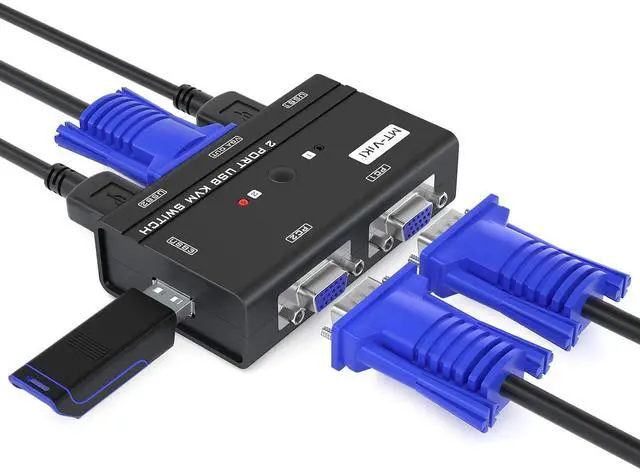
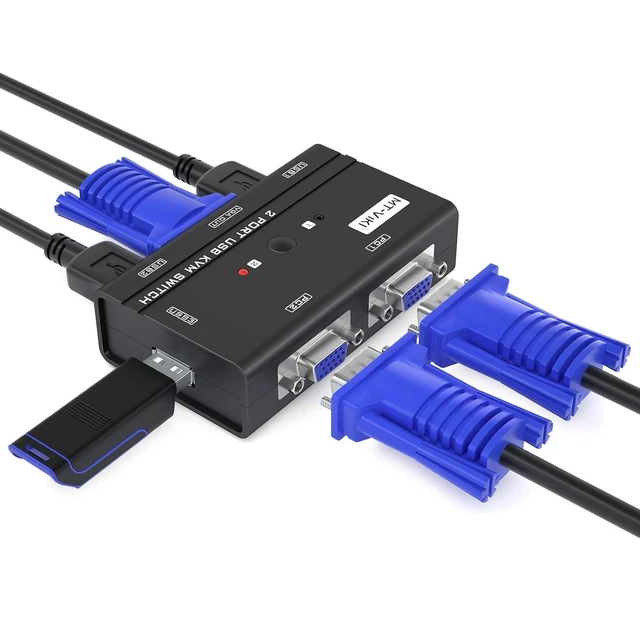
00 $ 589.00 $589. 00 no data Input VGA+USB*1 VGA*4 VGA*8 VGA*16 VGA*8 HDMI*1 Output VGA*1 VGA*1 VGA*1 VGA*1 VGA*1 VGA*1 kvm Cables no data 4 packs 8 packs 16 packs 8 packs no data Switch Options no data Button Button/ Desktop control Button/ Remote Button+keyboard hotkey+OSD no data MT-VIKI 260KL, 2 Port VGA KVM Switch This KVM switch vga enables 2 computers share 1 set of monitor keyboard mouse printer/U-disk. Feature Built with 3 USB 2.0 ports for keyboard mouse printer u-disk or other usb 2.0 devices. Also support wireless kb and mouse combo.
Supports resolution up to 1920 x 1440@60Hz and DDC and windows 10/8/7 / XP / Vista (32/64-bit), Mac, Linux, DOS, Win3, WINNT, Netware, and Unix. Support USB speaker for both computers, pls plug the usb cable into the side USB port in the kvm box, plug 3.5 mm into the monitor. It also can work with usb speaker with only usb cable, not come with 3.5 mm jack. Support hdmi to vga/ vga to hdmi adapter. Support usb 2.0 hub, but please plug your own AC adapter into USB hub for power.
Example: for me, I use this 2 port kvm for two computers to share one monitor, keyboard, and mouse. For the third USB port, it's used frequently for USB speaker and U disk (two PCs also share them). Installation-- First of all, connect 2 computers with KVM by the KVM cable (included). Please plug VGA head with USB into host computer, other head into KVM box. Secondly, connect the monitor with switcher by your own VGA cable (not included). Then plug the keyboard & mouse (USB cable are not included).
Package included: 1 x vga KVM Switch, 2 x 1.2M USB VGA KVM cable, 1 x User Manual What differences between USB 3.0 KVM, USB VGA KVM and USB HDMI KVM? 1. USB 3.0 KVM switch can't connect a monitor as no video port like VGA, HDMI, DP ports available. Two computers require 2 monitors, while USB VGA KVM or USB HDMI KVM only requires 1 monitor, you can switch by pressing button between 2 PC's. 2. USB 3.0 KVM can't send video or audio on monitor or TV, and VGA can send video at 1080p resolution, while HDMI KVM switch can even send 4K video & audio on monitor or HD TV. Overall, the USB VGA KVM switch provides all features that usb 3.0 does. But if you want to send 4K video & audion on HD TV, the HDMI switch is the best option, like asin B08DR2SHCP.





 here!
here!