Your Browsing History
Meet Your Seller
KVM Switch 3 Monitors 2 Computers 8K@60Hz 4K@144Hz, HDMI + 2 Displayport Triple Monitor KVM Switch Triple Monitor for 2 Computers Share 3 Monitors and 4 USB 3.0 Device, with Wired Remote
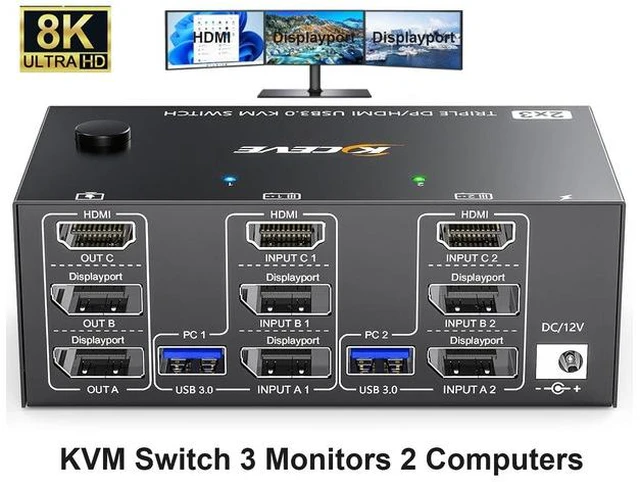
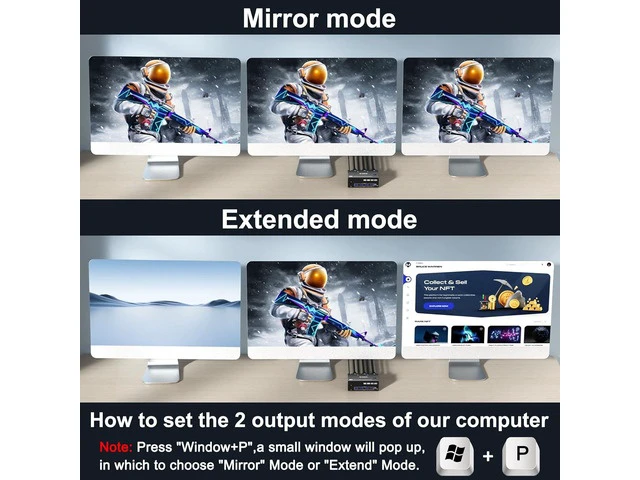
- [HDMI + 2 Displayport Triple Monitor KVM] This KVM switch allows 2 computers to share 3 monitors and 4 USB 3.0 ports (for wired/wireless keyboard,mouse,webcam,Hard disk, etc.). Support mirror and extended display modes. Pls Note: mirror mode can output 3
+
+
Overview
Specs
Reviews
Any questions? Ask CelesteSM will help you find out quickly.
Try me now
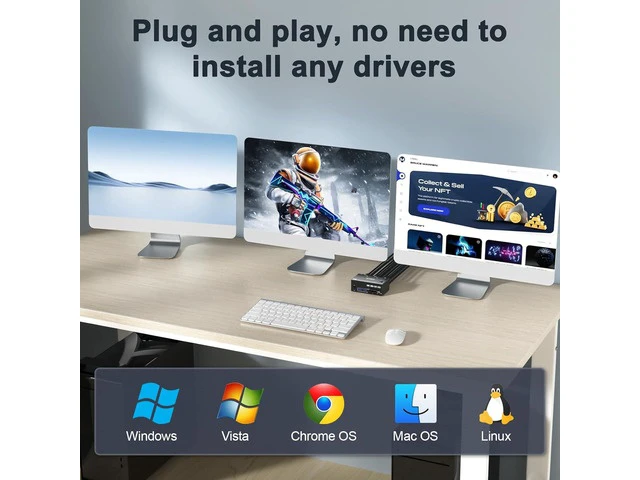
Advantages: 2 computers share 4 peripheral USB devices (keyboard mouse, printer, USB drive, etc) and 3 monitors. KVM triple monitors support extended and mirror display. Support wired or wireless keyboard and mouse. Cross support most major OS including Windows, Linux, Mac OS.
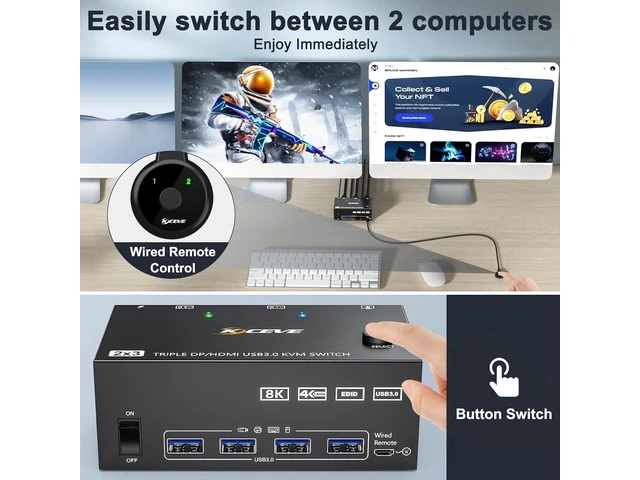
Switching modes: Button switch and wired remote ( 1.5 m), switch between 2 computers just need 2-4 seconds, fast and convenient.
1*HDMI+2* Displayport KVM Switch: HDMI support resolution up to 8K@60Hz/4K@60Hz; support resolution up to 8K@30Hz/4K@144Hz.
NOTE: Mac-book Air and Mac-book pro13 with M1 and M2 chips do not support expanded 3-screen output. Before purchasing this 3 monitor KVM switch, please make sure that connecting your computer directly to 3 monitors can work normally, Otherwise, the KVM will not be available. Not supporting EDID emulation.
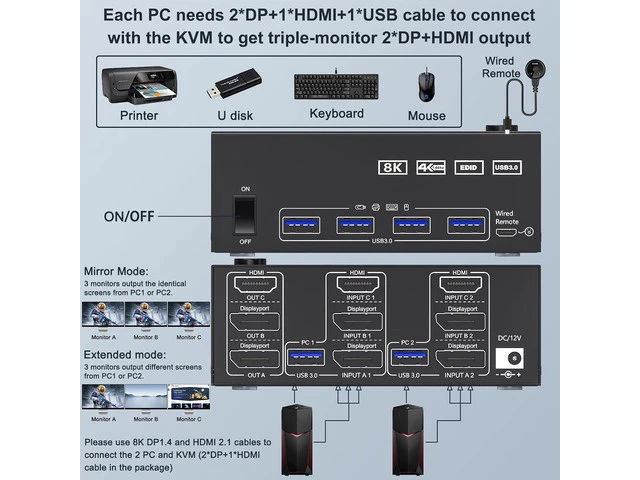
Connection steps: Step
1. Connect 2*DP cables+1*HDMI+1*USB-A cable between PC 1 and KVM (INPUT A1, INPUT B1, INPUT C1, USB 3.0 ). Step
2. Connect 2*DP cables+1*HDMI+1*USB-A cable between PC 2 and KVM (INPUT A2, INPUT B2, INPUT C2, USB 3.0 ). Step
3. Connect 2*DP+1*HDMI cables between the KVM (OUT A, OUT B, OUT C) and your 3 monitors. Step
4. Connect the DC12V power adapter. Step
5. Insert your USB devices (keyboard mouse and U disk) into the USB port on the KVM.
Package included: 1x Triple Monitor KVM Switch, 2x USB 3.0 Cable, 1x Power Adapter, 1x Wired Remote, 1x User's Manual.
Switching modes: Button switch and wired remote ( 1.5 m), switch between 2 computers just need 2-4 seconds, fast and convenient.
1*HDMI+2* Displayport KVM Switch: HDMI support resolution up to 8K@60Hz/4K@60Hz; support resolution up to 8K@30Hz/4K@144Hz.
NOTE: Mac-book Air and Mac-book pro13 with M1 and M2 chips do not support expanded 3-screen output. Before purchasing this 3 monitor KVM switch, please make sure that connecting your computer directly to 3 monitors can work normally, Otherwise, the KVM will not be available. Not supporting EDID emulation.
Connection steps: Step
1. Connect 2*DP cables+1*HDMI+1*USB-A cable between PC 1 and KVM (INPUT A1, INPUT B1, INPUT C1, USB 3.0 ). Step
2. Connect 2*DP cables+1*HDMI+1*USB-A cable between PC 2 and KVM (INPUT A2, INPUT B2, INPUT C2, USB 3.0 ). Step
3. Connect 2*DP+1*HDMI cables between the KVM (OUT A, OUT B, OUT C) and your 3 monitors. Step
4. Connect the DC12V power adapter. Step
5. Insert your USB devices (keyboard mouse and U disk) into the USB port on the KVM.
Package included: 1x Triple Monitor KVM Switch, 2x USB 3.0 Cable, 1x Power Adapter, 1x Wired Remote, 1x User's Manual.
Warranty & Returns
Warranty, Returns, And Additional Information
Warranty
- Please contact the Seller directly for warranty information. Warranty information may also be found on the Manufacturer's website.
- CONTACT
Return Policies
- Return for refund within: 30 days
- Return for replacement within: non-replaceable
- This item is covered by Glovibe Tech Return Policy
Manufacturer Contact Info
- For a directory of all our manufacturers, please click below.
- Manufacturers Directory
LOADING...