Take a tax holiday. Take advantage of limited-time, tax-free savings on select products in certain states. Learn More>
  • $144.99
  • Free 30-day Returns
  • Price alert
    Shop it at NeweggBusiness.

    Meet Your Seller

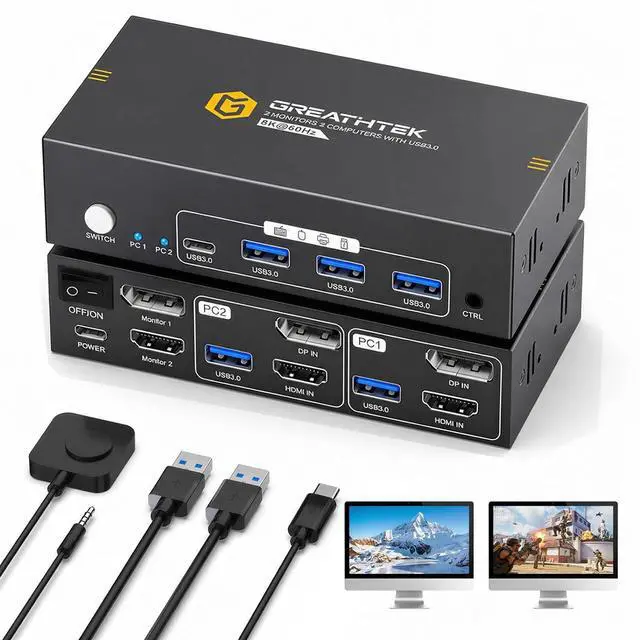
    HDMI+Displayport KVM Switch 2 Monitors 2 Computers 8K@60HZ Dual Monitors KVM Switcher for 2 PC/Laptops Share Mouse Keyboard and 2 Screens,with USB3.0 Ports/Wired Controller EDID Adapative

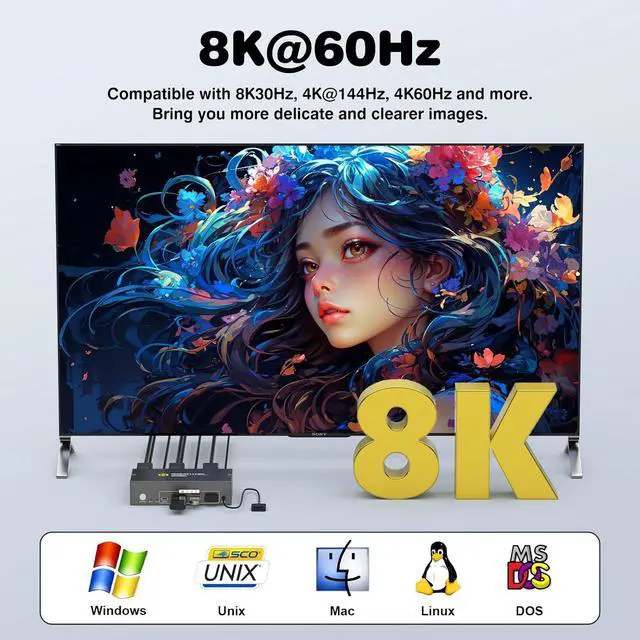
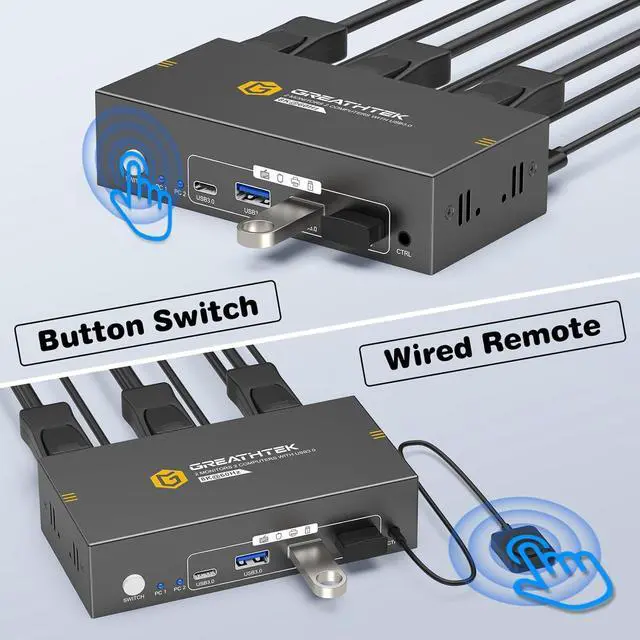
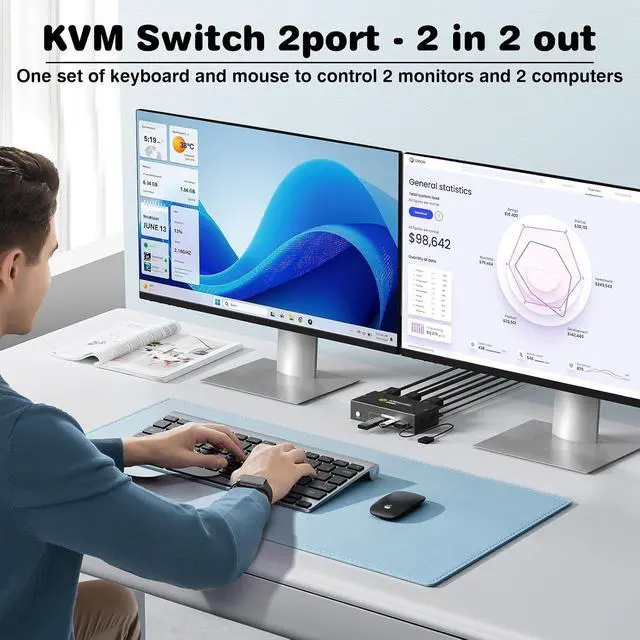
    • Dual Monitor HDMI + DisplayPort KVM Switch for 2 Computers This dual-monitor KVM switch enables you to control 2 computers with just one keyboard and mouse setup while sharing two displaysone HDMI monitor and one DisplayPort monitor. Easily switch between devices with a single press, reducing cable clutter and improving workspace efficiency. Compatible with Windows, macOS, Linux, and other mainstream operating systems. True plug-and-play design requires no driver installation or complicated setup.
    • 8K Ultra-HD Visual QualityOur dual-monitor KVM switch delivers stunning 8K@60Hz/4K@144Hz visuals with crystal-clear details on your monitors,The KVM works seamlessly with HDMI 2.1 and DP 1.4, allowing playback of protected content without interruption. Its flexible for many display needs, supporting 8K@30Hz, 4K@240Hz/144Hz/120Hz, 2K, 3D, and 1080P. Note: Please use high-quality HDMI 2.1 and DP1.4 cables to achieve 8K@60Hz performance.
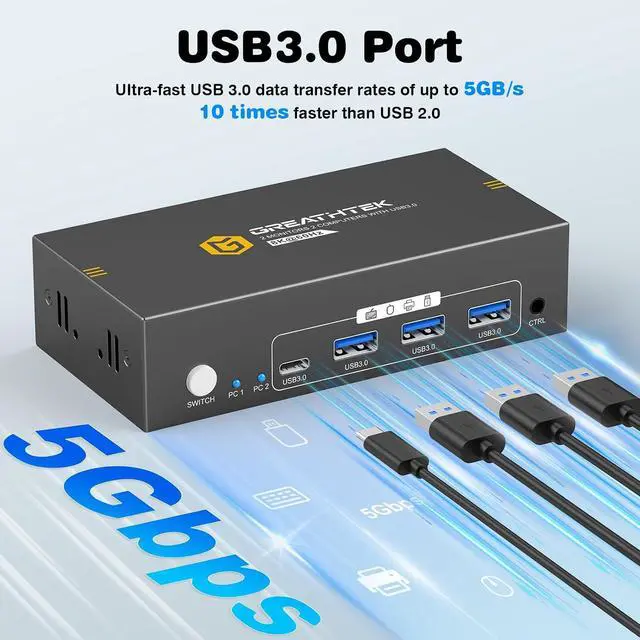
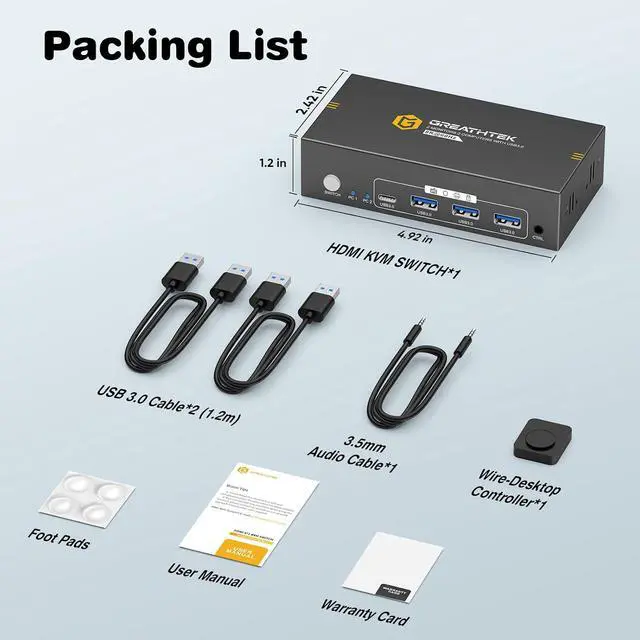
    • 4 USB 3.0 Ports for Peripheral Sharing Equipped
    +
    +
    Overview
    Specs
    Reviews
    avatar

    Any questions? Our AI beta will help you find out quickly.

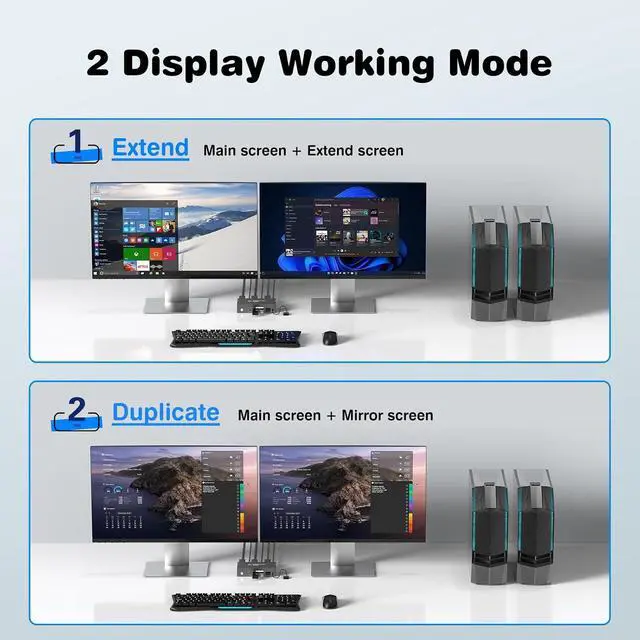
    1Connection Diagram2HIGHLY COMPATIBLE3CORRECT&WRONG CONNECTION41FULL USB3.0 PORTS22 SWITCHING WAYS3MIRROR& EXTENDED MODE18K Ultra HD2HDR Visuals3Resolution Read1Home Office2BUSINESS MEETING3Conference Mode4Video Editing & Design5Entertainment & Gaming How many HDMI and USB cables are required for a complete setup?
    A total of 3 HDMI cables and 3 Displayport cables and 2 USB cables are required, plus one power cable. Please use a 5V power adapter for power supply (power adapter and HDMI&Displayport cables not included).

    Only One Monitor Displays
    1)Please check the HDMI&Displayport cables connections. Make sure both PC1 and PC2 are each connected to the switch with one HDMI cable and one Displayport cable.
    2) Ensure the switch is powered properly using a 5V power adapter.

    No Display on Both Monitors
    1)Please check the HDMI&Displayport cables connections. Make sure both PC1 and PC2 are each connected to the switch with one HDMI cable and one Displayport cable.
    2) Ensure the switch is powered properly using a 5V power adapter.

    USB Not Working
    1)Make sure both USB cables between each PC and the KVM switch are securely connected. Missing connections may cause the USB devices not to be recognized.

    Can I connect a headset to the front USB port of the KVM switch?
    Yes, you can. The front USB port of this KVM switch supports audio output, allowing you to connect USB-C or USB-A headsets or other audio output devices.

    8K HDMI+DP KVM SWITCH FOR 2 COMPUTERS 2 MONITOR 2 COMPUTERS SHARE ON 2 MONITORS How many HDMI and USB cables are required for a complete setup?
    Only One Monitor Displays
    No Display on Both Monitors
    USB Not Working
    Can I connect a headset to the front USB port of the KVM switch?

    Warranty & Returns

    Warranty, Returns, And Additional Information

    Warranty

    • Please contact the Seller directly for warranty information. Warranty information may also be found on the Manufacturer's website.
    • CONTACT

    Return Policies

    Manufacturer Contact Info

    LOADING...