Take a tax holiday. Take advantage of limited-time, tax-free savings on select products in certain states. Learn More>
  • $216.99
  • Free 30-day Returns
  • Price alert
    Shop it at NeweggBusiness.

    Meet Your Seller

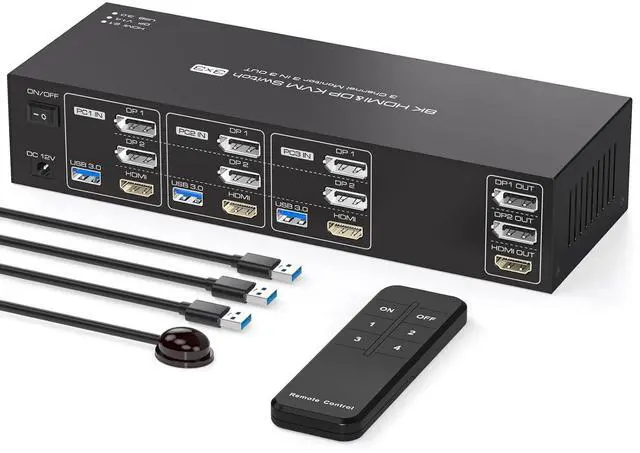
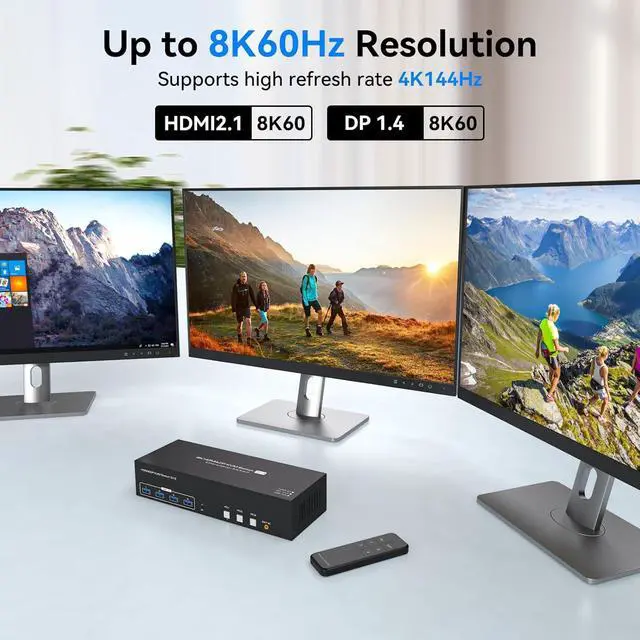
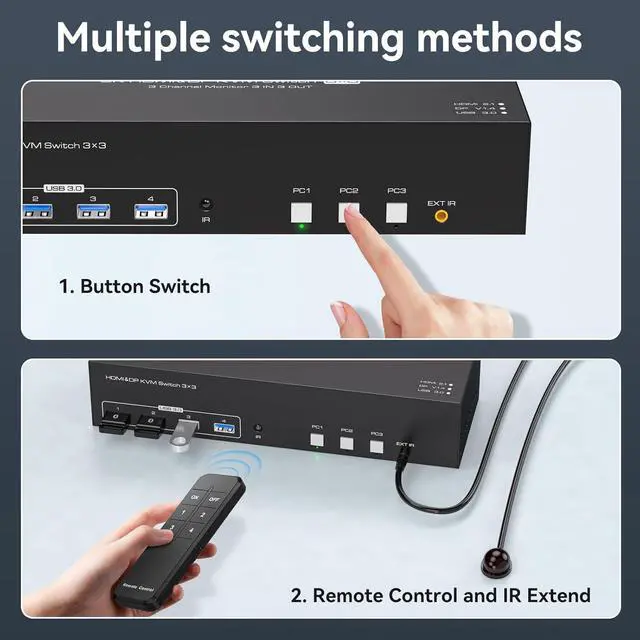
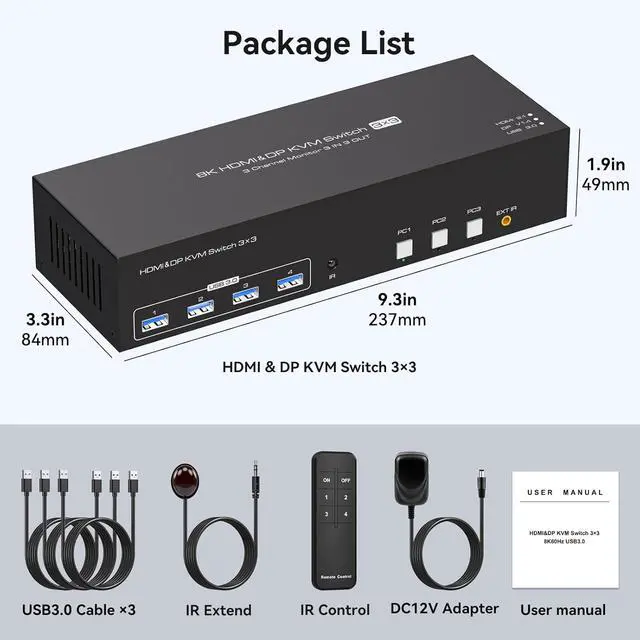
    KVM Switch 3 Monitors 3 Computers 4K144Hz 2 Displayport HDMI Triple Monitor KVM for 3 PC Sharing 3 Screens and 4 USB 3.0 Port with Controller

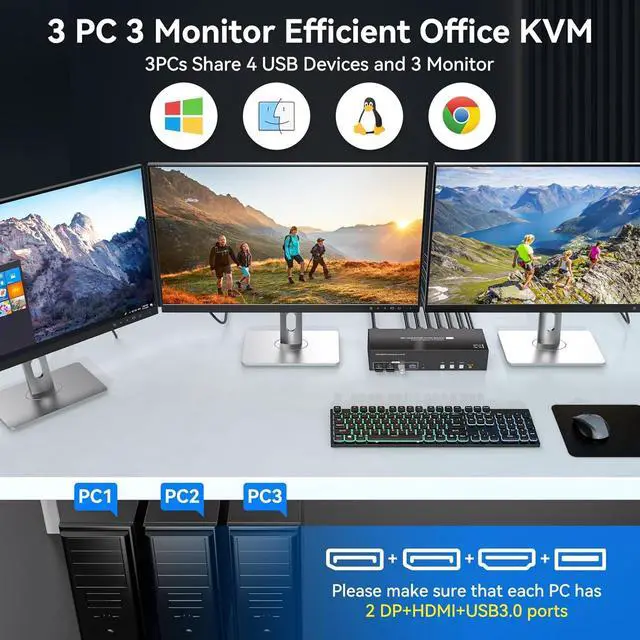
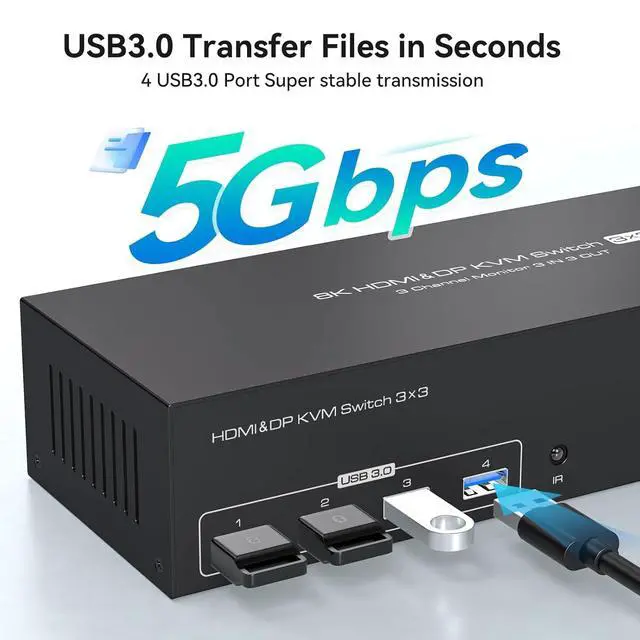
    • KVM Switch 3 Monitors 3 Computers for Ultimate Multitasking This advanced KVM switch 3 monitors 3 computers setup allows you to seamlessly share 3 high-definition monitors and 4 USB 3.0 peripherals (such as a mouse, keyboard, and printer) across 3 different PCs. As a versatile 3 monitor KVM switch, it supports both extended and duplicated display modes to boost your productivity. Duplicated mode mirrors the same image on all 3 screens, while extended mode provides a massive workspace with different images on each monitor. Whether you are managing complex data or multitasking in an office, this kvm switch 3 computers is the perfect hardware solution to keep your desk efficient.
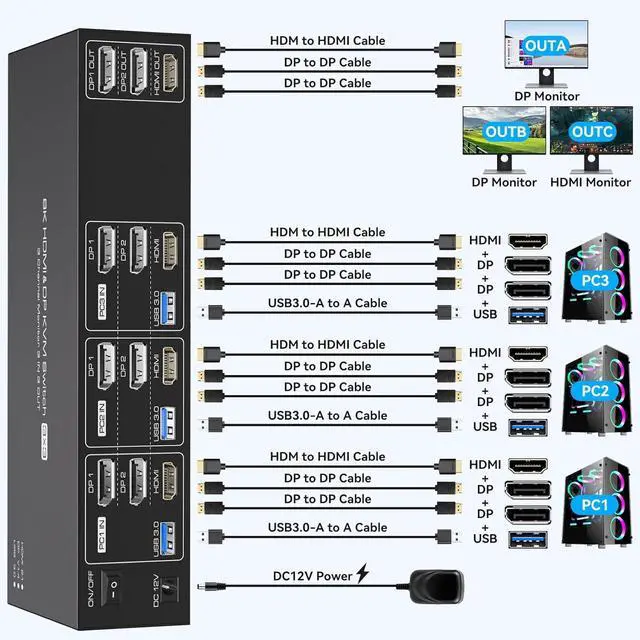
    • Essential Connection Note for Your KVM Switch To ensure the kvm 3 computers system works flawlessly, please note that each PC must be connected using '2DP + 1HDMI + 1USB' cables to display three screens and share 4 USB devices correctly. This display port kvm switch requires specific connections; if your PC
    +
    +
    Overview
    Specs
    Reviews
    avatar

    Any questions? Our AI beta will help you find out quickly.

    How to solve the flickering screen or intermittent connection situation?
    1. Use a high refresh rate cable or a high quality adapter cable. 2. After connecting to the KVM, check the resolution and refresh rate of the monitor and try to reduce the monitor resolution and refresh rate to 4K@60Hz.

    The monitor cannot display the content, is it incompatible? How to solve it?
    First of all, make sure it is connected correctly: each PC needs to be connected with '2*DP+1*HDMI+1*USB' cables in order to display three screens correctly and use four USB devices, please follow the second picture to connect correctly!

    How to solve the problem that a certain monitor does not display content?
    First of all, check out: which monitor is abnormal when switching to which computer, try to exchange the position with other devices and cables that can display normally to confirm the port abnormality or device problem.

    aplus content video 3 PC 3 Monitors KVM switch not working
    How to solve the flickering screen or intermittent connection situation?
    The monitor cannot display the content, is it incompatible? How to solve it?
    How to solve the problem that a certain monitor does not display content?

    Warranty & Returns

    Warranty, Returns, And Additional Information

    Warranty

    • Please contact the Seller directly for warranty information. Warranty information may also be found on the Manufacturer's website.
    • CONTACT

    Return Policies

    Manufacturer Contact Info

    LOADING...