Your Browsing History
Meet Your Seller
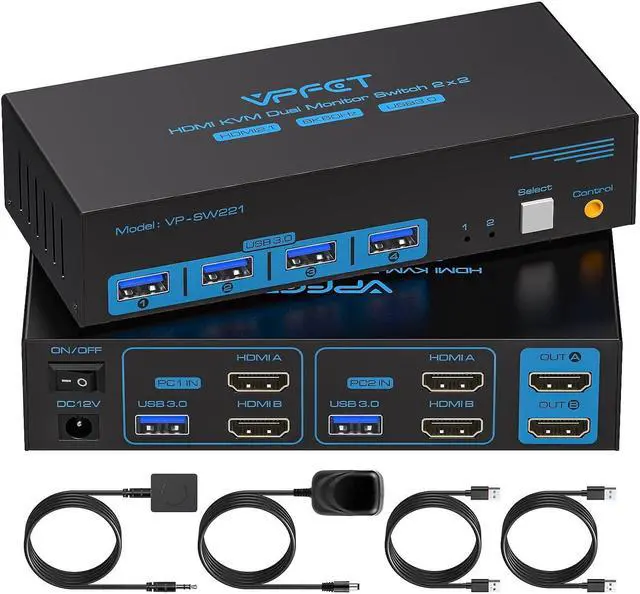
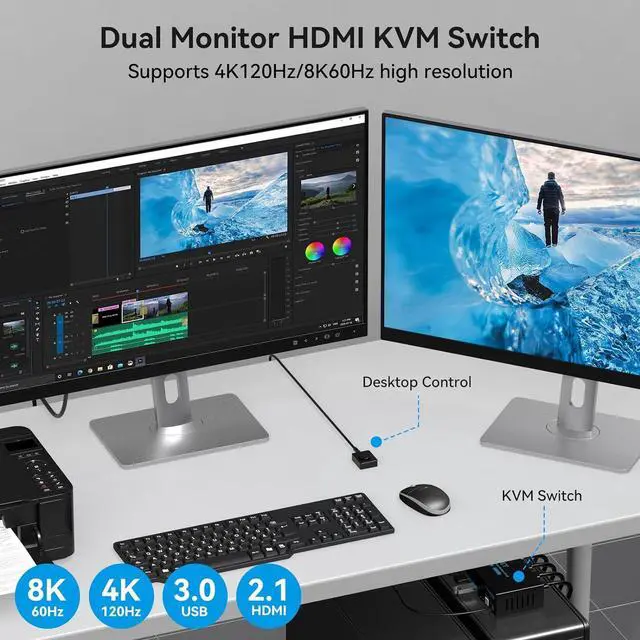
8K HDMI KVM Switch 2 Monitors 2 Computers Dual Monitor Support 8K@60Hz 4K@120Hz KVM Switcher PC Extended Display for 2 Port Share 4 USB 3.0 HUB Desktop Controller and 2 USB Cables Included
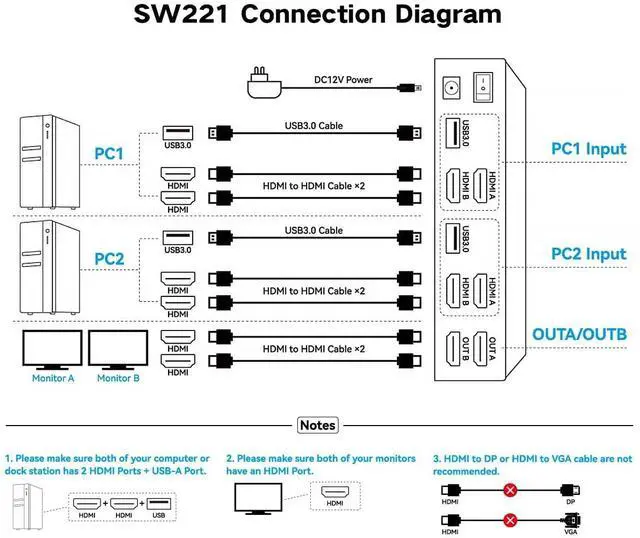
- Product usage requirements: 1. Please ensure that both of your computers or laptops have two HDMI output ports and one USB A output port; 2. Please ensure that both of your monitors have one HDMI input port; 3. The KVM switch requires the use of HDMI 2.1-compliant cables no longer than 6 feet in length to ensure proper video signal transmission; Note: HDMI cables are not included in the packaging; please prepare them separately
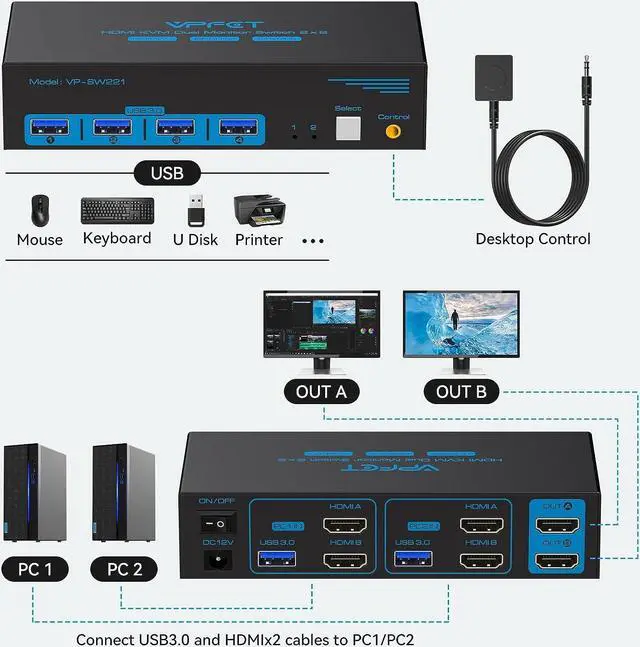
- Product connection steps: Connect PC1 to the two HDMI ports on the KVM switch's PC1IN using two HDMI cables, then connect to the USB3.0 port on PC1IN using a USB-A cable; connect PC2 to PC2IN in the same manner as PC1; connect the two monitors to the KVM's OUTA and OUTB ports using one HDMI cable each; connect the power supply to use; Note: Do not use HDMI-to-DP cables or hubsIt is not compatible with MacBooks
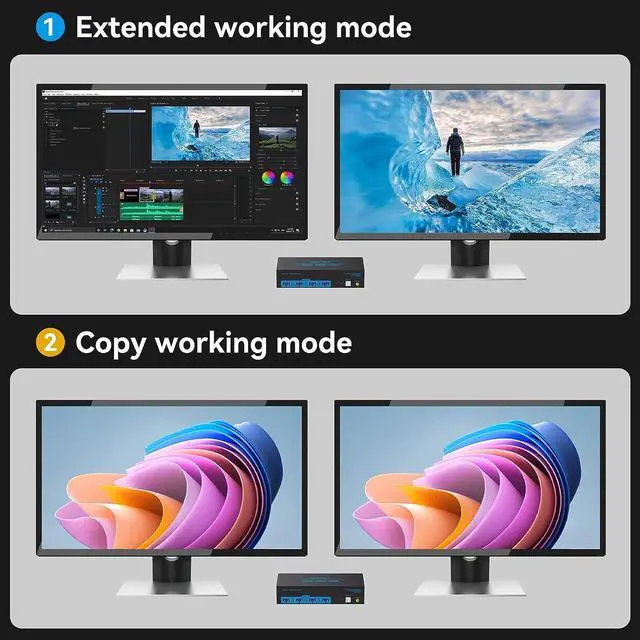
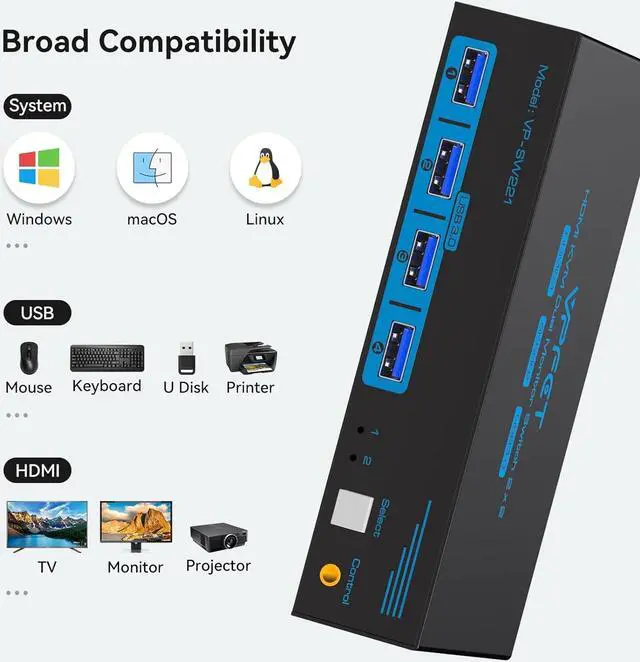
- Dual Monitor KVM Switch: This dual display KVM Switch allows you to use a set of keyboard and mouse to control 2 computers, share 4 USB devices and 2
+
+
Overview
Specs
Reviews
Any questions? Our AI beta will help you find out quickly.
Try me now
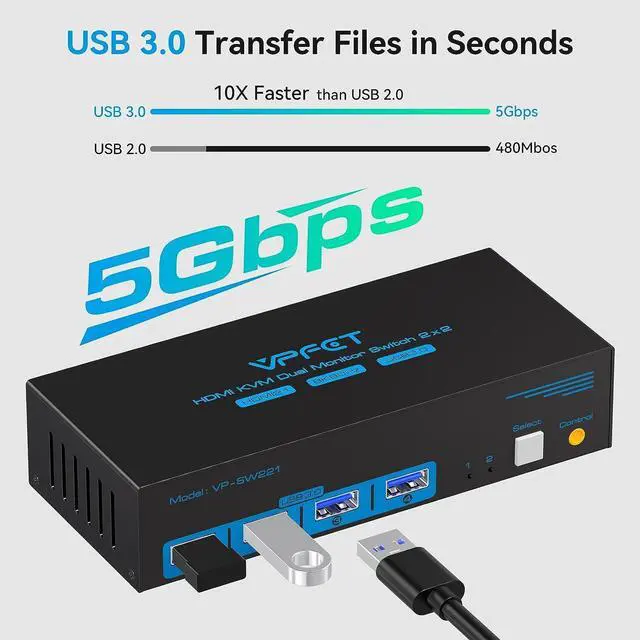
18K@60Hz Visual2USB 3.0 High Speed
12 Way to Switch2High Performance Solution3LED INDICATOR4STABLE WORK99 $59.99$59.99 $69.99$69.99 $59.99$59.99 $59.99$59.99 $36.85$36.85 USB standard USB3.0*4 USB3.0*4 USB3.0*4 USB3.0*4 USB3.0*4 USB3.0*4 USB3.0*4 Input Per PC: HDMI2.1*2+USB Per PC: HDMI2.0*2+USB Per PC: HDMI2.1*4+USB Per PC: DP1.4*1+HDMI2.1*1+USB Per PC: DP1.4*2+USB Per PC: HDMI2.1*3+USB Per PC: DP1.4*1+USB Output HDMI2.1*2 HDMI2.0*2 HDMI2.1*1 DP1.4*1+HDMI2.1*1 DP1.4*2 HDMI2.1*3 DP1.4*1 Quantity of signal sources 2 Computers 2 Computers 4 Computers 2 Computers 2 Computers 2 Computers 2 Computers Maximum resolution 8K@60Hz 4K@60Hz 8K@60Hz 8K@60Hz 8K@60Hz 8K@60Hz 8K@60Hz Features 2 PC share 2 monitor 2 PC share 2 monitor 4 PC share 1 monitor 2 PC share 2 monitor 2 PC share 2 monitor 2 PC share 3 monitor 2 PC share 1 monitor wired control switch support support support support support support support Plug and Play Can KVM switches support up to 4K@120Hz?
Our KVM can support up to 4K@120Hz, but the prerequisite is that the cable and Hub you use must support 4K@120Hz.
Can the two functions of USB Switch and HDMI Switch be used independently?
Yes, you can think of the KVM switch as a USB+HDMI Switch. These two functions not only support simultaneous use, but can also be used separately.
What is the maximum power of peripherals it can drive?
To drive peripherals with a maximum power of 10W, we use a 12V/1A power adapter, which can provide a more powerful and stable drive. Other KVM switches only support 5V/1A adapters. When using high-power
Is it really possible to replace a new product within two years?
Yes, if there are any problems with the product within two years, we will solve it for you, including replacing it with a new KVM.
Do I have to connect the 12V/1A power adapter to use it?
Make sure your computer supports multi-screen display, you can connect two screens directly to the computer and check if there are images display.
KVM Switch 8K HDMI Can KVM switches support up to 4K@120Hz?
Can the two functions of USB Switch and HDMI Switch be used independently?
What is the maximum power of peripherals it can drive?
Is it really possible to replace a new product within two years?
Do I have to connect the 12V/1A power adapter to use it?

12 Way to Switch2High Performance Solution3LED INDICATOR4STABLE WORK99 $59.99$59.99 $69.99$69.99 $59.99$59.99 $59.99$59.99 $36.85$36.85 USB standard USB3.0*4 USB3.0*4 USB3.0*4 USB3.0*4 USB3.0*4 USB3.0*4 USB3.0*4 Input Per PC: HDMI2.1*2+USB Per PC: HDMI2.0*2+USB Per PC: HDMI2.1*4+USB Per PC: DP1.4*1+HDMI2.1*1+USB Per PC: DP1.4*2+USB Per PC: HDMI2.1*3+USB Per PC: DP1.4*1+USB Output HDMI2.1*2 HDMI2.0*2 HDMI2.1*1 DP1.4*1+HDMI2.1*1 DP1.4*2 HDMI2.1*3 DP1.4*1 Quantity of signal sources 2 Computers 2 Computers 4 Computers 2 Computers 2 Computers 2 Computers 2 Computers Maximum resolution 8K@60Hz 4K@60Hz 8K@60Hz 8K@60Hz 8K@60Hz 8K@60Hz 8K@60Hz Features 2 PC share 2 monitor 2 PC share 2 monitor 4 PC share 1 monitor 2 PC share 2 monitor 2 PC share 2 monitor 2 PC share 3 monitor 2 PC share 1 monitor wired control switch support support support support support support support Plug and Play Can KVM switches support up to 4K@120Hz?
Our KVM can support up to 4K@120Hz, but the prerequisite is that the cable and Hub you use must support 4K@120Hz.
Can the two functions of USB Switch and HDMI Switch be used independently?
Yes, you can think of the KVM switch as a USB+HDMI Switch. These two functions not only support simultaneous use, but can also be used separately.
What is the maximum power of peripherals it can drive?
To drive peripherals with a maximum power of 10W, we use a 12V/1A power adapter, which can provide a more powerful and stable drive. Other KVM switches only support 5V/1A adapters. When using high-power
Is it really possible to replace a new product within two years?
Yes, if there are any problems with the product within two years, we will solve it for you, including replacing it with a new KVM.
Do I have to connect the 12V/1A power adapter to use it?
Make sure your computer supports multi-screen display, you can connect two screens directly to the computer and check if there are images display.
KVM Switch 8K HDMI Can KVM switches support up to 4K@120Hz?
Can the two functions of USB Switch and HDMI Switch be used independently?
What is the maximum power of peripherals it can drive?
Is it really possible to replace a new product within two years?
Do I have to connect the 12V/1A power adapter to use it?
Warranty & Returns
Warranty, Returns, And Additional Information
Warranty
- Please contact the Seller directly for warranty information. Warranty information may also be found on the Manufacturer's website.
- CONTACT
Return Policies
- Return for refund within: 30 days
- Return for replacement within: 30 days
- This item is covered by PrimeVolt’Shop Return Policy
Manufacturer Contact Info
- For a directory of all our manufacturers, please click below.
- Manufacturers Directory
LOADING...