Your Browsing History
Meet Your Seller
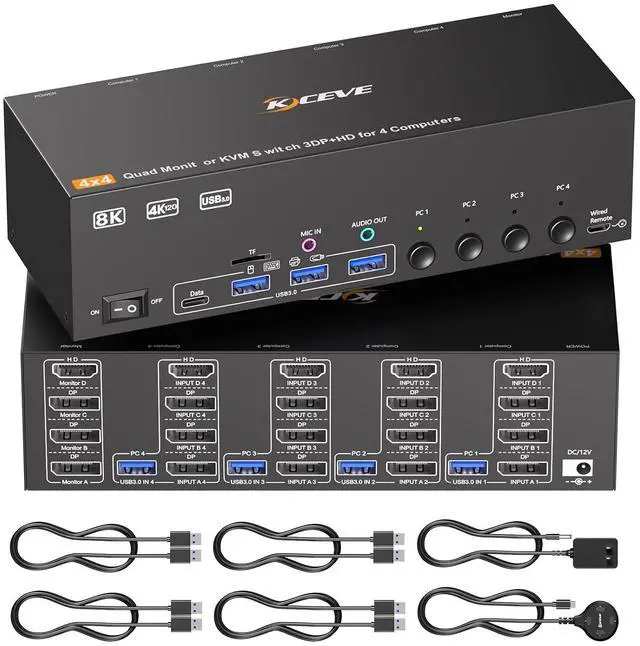
KVM Switch 4 Monitors 4 Computers HDMI + DisplayPort, KCEVE DP KVM Switcher with Audio Jack, 8K@30Hz/4k@144Hz for 4 PC Share 4 Display and 4 USB 3.0 Devices
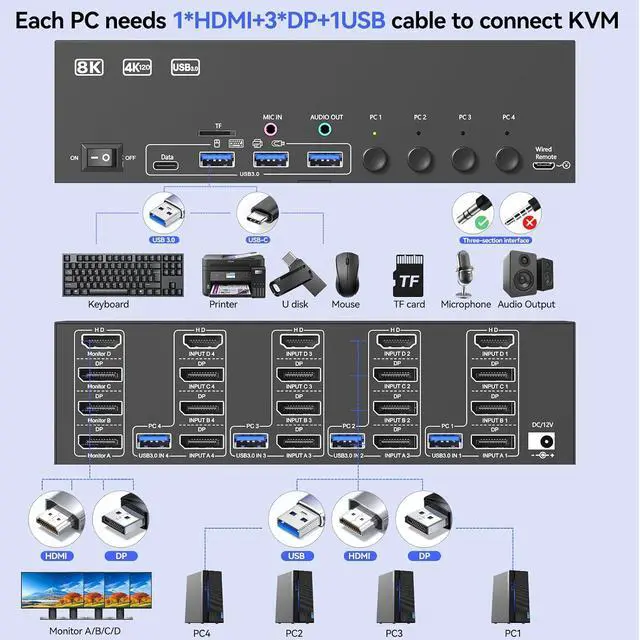
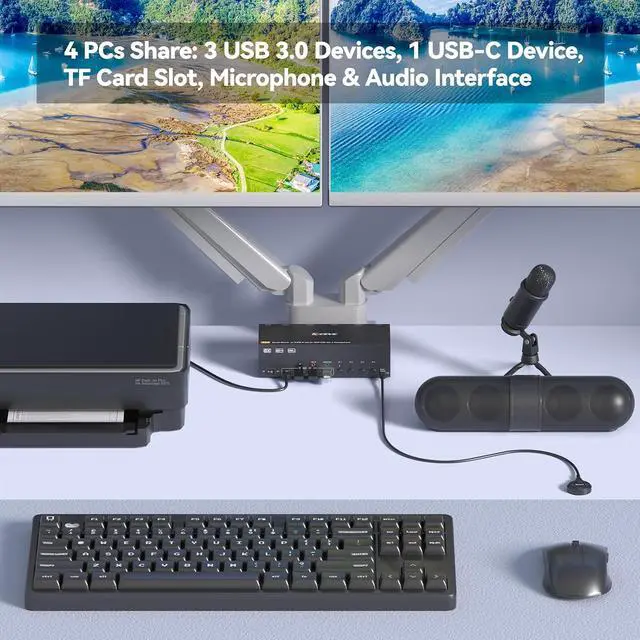
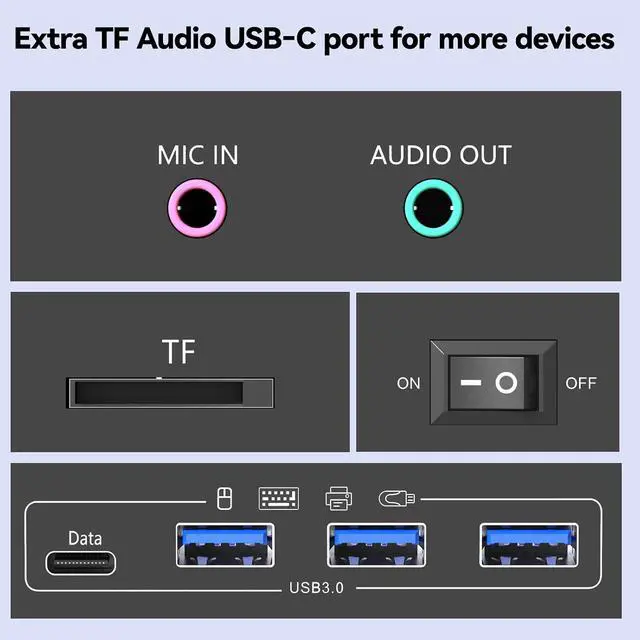
- 4 Monitors KVM Switch is ComingThis 4 monitors KVM switch is designed by KCEVE team, it is use for DisplayPort and HDMI ports device to share keyboard mouse and 4 monitor. When in copy mode the main screen can be copied to the second output screen. When in extend mode, the window from the main screen can be dragged to the second output screen. Noted: Each computer needs 3 displayport + 1 HDMI connection to make 4 monitors work. USB 3.0 cable must be connected to PC to make USB device (keybaord, mouse, hard driver) work.
- Support 2 Switching ModeThis KVM switch 4 monitors 4 computers support physical button and wired control. The wired control is upgraded, it's size is bigger and touch feel is more comfortable. By using the wired control you can hide the kvm switch under the table and keep the desk tidy.
- Ultra HD 8k Visual Enjoyment8K HDMI displayport kvm switch for 4 monitors support high resolution of 8K@60Hz, please use 8K HDMI cable and 8K DP cable to achive 8k@60Hz resoluti
+
+
Overview
Specs
Reviews
Any questions? Our AI beta will help you find out quickly.
Try me now
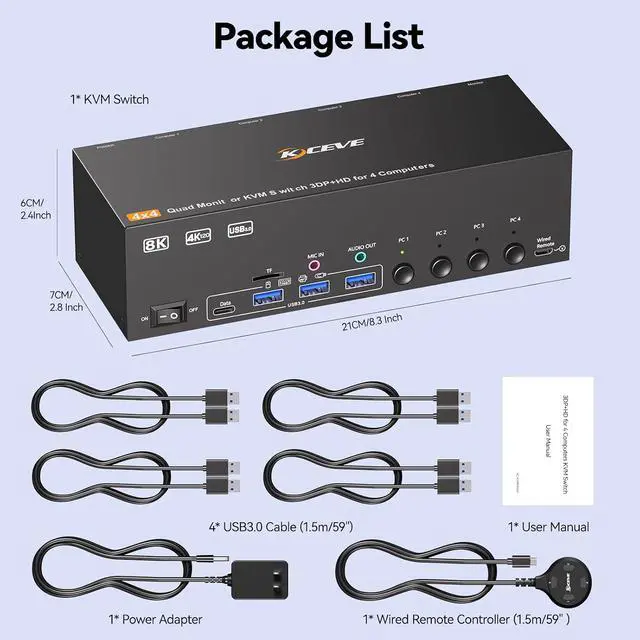
This 3 Displayport+1 HDMI 4 monitor KVM switch is designed for 4 computers to share 4 monitors and 4 USB 3.0 devices.
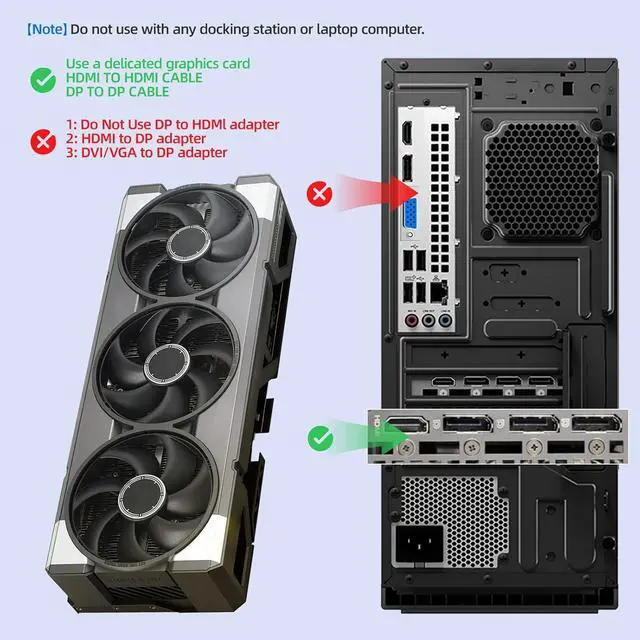
To make 4 monitors working, each computer will need 1 HDMI cable + 3 DP cables + 1 USB cable connection. Please buy good HDMI and DP cable yourself, if HDMI cable and DP cable is not good enough, the screen will flicker or unstable.
At least 1 or 2 USB 3.0 cable must be connected to the computer, otherwise USB devices such as mice and keyboards will not function properly
By using the wired control you can hide the kvm switch under the table and keep the desk tidy.
Please connect the 12V DC power adapter to provide sufficient power. Using a shorter 8K HDMI + DP cable can make the KVM switch more stable (It is recommended not to exceed 2 meters).

To make 4 monitors working, each computer will need 1 HDMI cable + 3 DP cables + 1 USB cable connection. Please buy good HDMI and DP cable yourself, if HDMI cable and DP cable is not good enough, the screen will flicker or unstable.
At least 1 or 2 USB 3.0 cable must be connected to the computer, otherwise USB devices such as mice and keyboards will not function properly
By using the wired control you can hide the kvm switch under the table and keep the desk tidy.
Please connect the 12V DC power adapter to provide sufficient power. Using a shorter 8K HDMI + DP cable can make the KVM switch more stable (It is recommended not to exceed 2 meters).
Warranty & Returns
Warranty, Returns, And Additional Information
Warranty
- Please contact the Seller directly for warranty information. Warranty information may also be found on the Manufacturer's website.
- CONTACT
Return Policies
- Return for refund within: 30 days
- Return for replacement within: 30 days
- This item is covered by PrimeVolt’Shop Return Policy
Manufacturer Contact Info
- For a directory of all our manufacturers, please click below.
- Manufacturers Directory
LOADING...