Your Browsing History
Meet Your Seller
KVM Switch 3 Monitors 3 Computers 4K@60Hz EDID Simulation, USB 3.0 HDMI Displayport KVM Switch Triple Monitor for 3 PC Share 3 Monitors and Keyboard Mouse Printer, with Wired Remote and 3 USB Cables
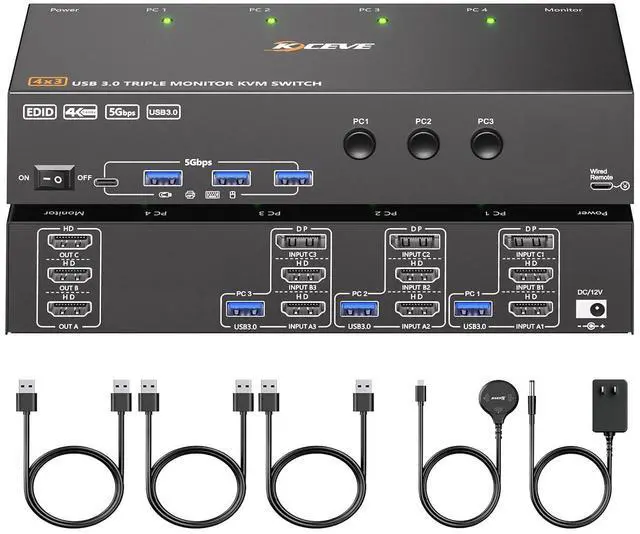
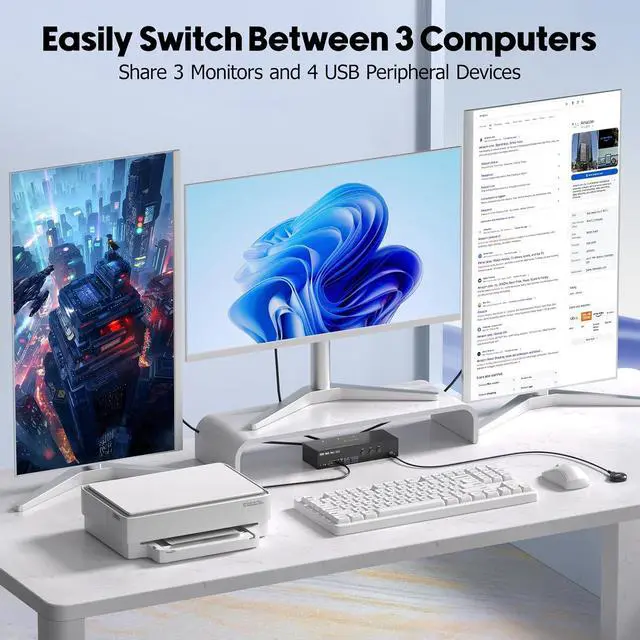
- KVM Switch 3 Monitors 3 ComputersThis 3 Monitors KVM Switch effortlessly connect up to 3 computers to share 3 monitors (supports extended & mirrored display modes) and 4 high-speed USB 3.0 ports. : Extended mode drives 3 distinct screens; mirrored mode duplicates the same content across all 3 displays.
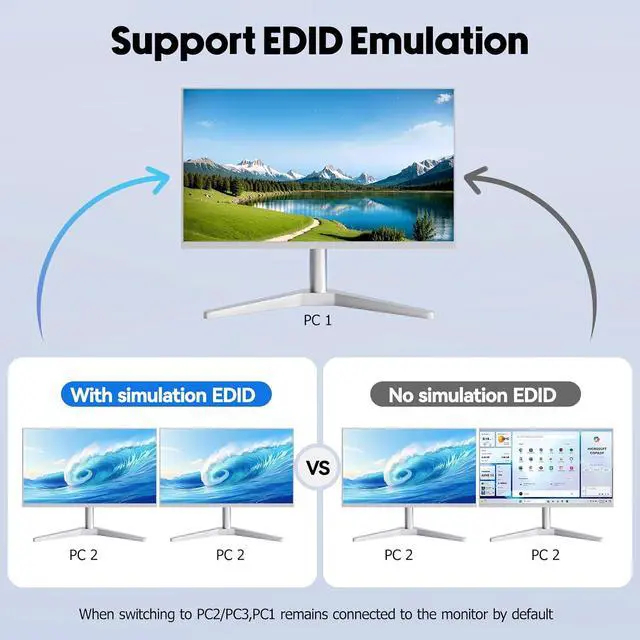
- KVM Switch with EDID simulation3 monitors KVM switch ,and when the monitors are switched between 3 computers, the original window position will not be changed, while other KVM switch require the user to rearrange the window order.
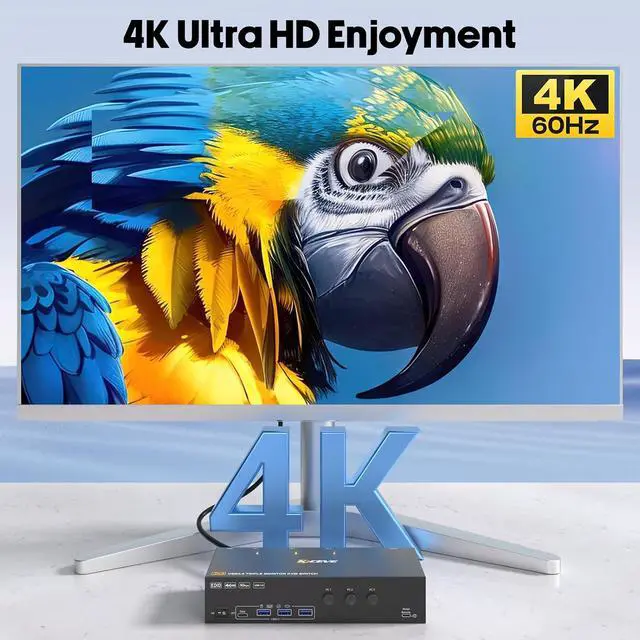
- 4K Ultra HD Triple Monitor KVM Switch KVM switches 3 monitors support up to 4K@60Hz, 2K@120Hz & lower resolutions, delivering crystal-clear visuals with sharp, detailed imagery.
- Triple monitor KVM Switch with 4 USB 3.0 PortsKVM Switch 3 computers 3 monitors integrated 4 USB 3.0 ports for keyboard, mouse, printer & USB drives Supports 5Gbps ultra-high-speed data transfer.
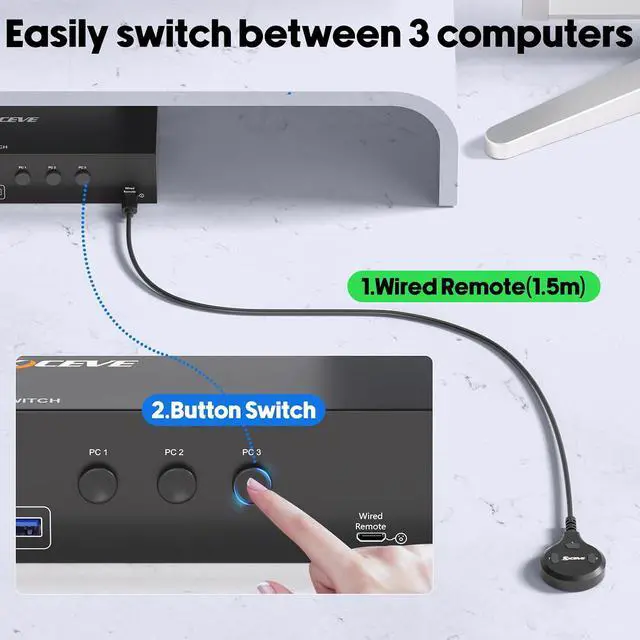
- Great Compatibility & 2 Switching
+
+
Overview
Specs
Reviews
Any questions? Our AI beta will help you find out quickly.
Try me now
3 computers 3 monitors KVM switch with EDID Simulation,suitable for users with Multiple computers and monitors, supporting Mirror mode and extended Mode, helping you balance work and play.
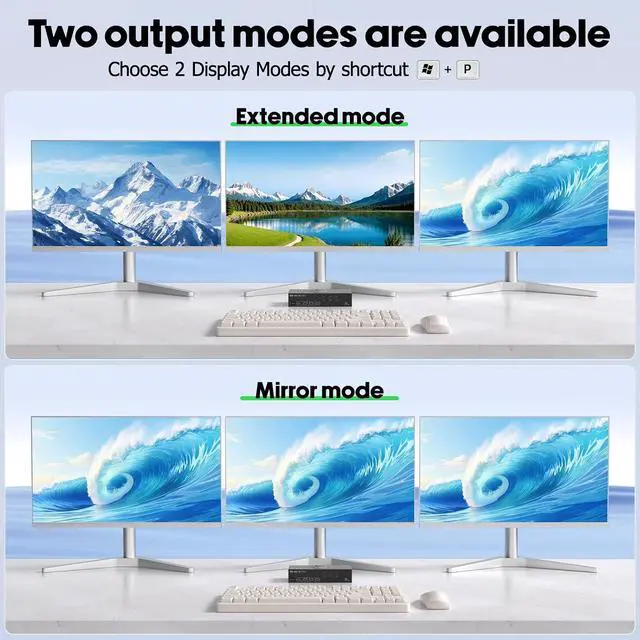
You can choose between mirror mode or expansion mode as needed among the 3 monitors. Mirror mode can output three identical screens, while extended mode can output three different screens.
when the monitor is switched between 3 computers, the original window position will not be changed, while other KVM require the user to rearrange the window order.
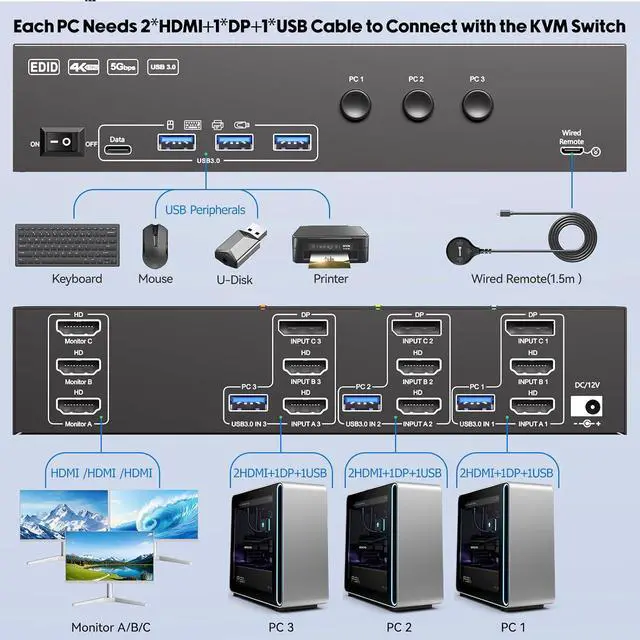
Each PC needs 2 * HDMI+1 * DP+1 * USB cables to connect to the KVM switch.
KVM switch 3 computers 3 monitors support resolution up to 3840*2160@60Hz and backward compatible, support 3 monitors simultaneously output 4K 60Hz.
Triple monitor KVM switch with 4 USB 3.0 ports for USB peripherals. you no longer need to plug and unplug the keyboard and mouse back and forth.
1.5m wired remote control, convenient for desktop cable management.
I want to share 3 monitors between 3 computers. How do I connect the cables?
Each PC needs 2 * HDMI+1 * DP+1 * USB cables to connect to the KVM, with 3 monitors correspond to 3 video sources, and cannot be crossed. USB cables are the data channel between USB devices and the PCs, and they also provide power to the KVM.
Does this triple monitor KVM Switch compatible with laptops only with USB-C ports?
Yes, but you need purchase an additional USB-C to DP/HDMI adapter or USB-C docking station to connect the KVM to your USB-C laptops.
Does this KVM switch support EDID emulation?
Yeswhen the monitors are switched between 3 computers, the original window position will not be changed, while other KVM require the user to rearrange the window order.
Does the DisplayPort HDMI KVM switch support Hotkey switching?
I want to share 3 monitors between 3 computers. How do I connect the cables?
Does this triple monitor KVM Switch compatible with laptops only with USB-C ports?
Does this KVM switch support EDID emulation?
Does the DisplayPort HDMI KVM switch support Hotkey switching?

You can choose between mirror mode or expansion mode as needed among the 3 monitors. Mirror mode can output three identical screens, while extended mode can output three different screens.
when the monitor is switched between 3 computers, the original window position will not be changed, while other KVM require the user to rearrange the window order.
Each PC needs 2 * HDMI+1 * DP+1 * USB cables to connect to the KVM switch.
KVM switch 3 computers 3 monitors support resolution up to 3840*2160@60Hz and backward compatible, support 3 monitors simultaneously output 4K 60Hz.
Triple monitor KVM switch with 4 USB 3.0 ports for USB peripherals. you no longer need to plug and unplug the keyboard and mouse back and forth.
1.5m wired remote control, convenient for desktop cable management.
I want to share 3 monitors between 3 computers. How do I connect the cables?
Each PC needs 2 * HDMI+1 * DP+1 * USB cables to connect to the KVM, with 3 monitors correspond to 3 video sources, and cannot be crossed. USB cables are the data channel between USB devices and the PCs, and they also provide power to the KVM.
Does this triple monitor KVM Switch compatible with laptops only with USB-C ports?
Yes, but you need purchase an additional USB-C to DP/HDMI adapter or USB-C docking station to connect the KVM to your USB-C laptops.
Does this KVM switch support EDID emulation?
Yeswhen the monitors are switched between 3 computers, the original window position will not be changed, while other KVM require the user to rearrange the window order.
Does the DisplayPort HDMI KVM switch support Hotkey switching?
I want to share 3 monitors between 3 computers. How do I connect the cables?
Does this triple monitor KVM Switch compatible with laptops only with USB-C ports?
Does this KVM switch support EDID emulation?
Does the DisplayPort HDMI KVM switch support Hotkey switching?
Warranty & Returns
Warranty, Returns, And Additional Information
Warranty
- Please contact the Seller directly for warranty information. Warranty information may also be found on the Manufacturer's website.
- CONTACT
Return Policies
- Return for refund within: 30 days
- Return for replacement within: 30 days
- This item is covered by PrimeVolt’Shop Return Policy
Manufacturer Contact Info
- For a directory of all our manufacturers, please click below.
- Manufacturers Directory
LOADING...