Your Browsing History
Meet Your Seller
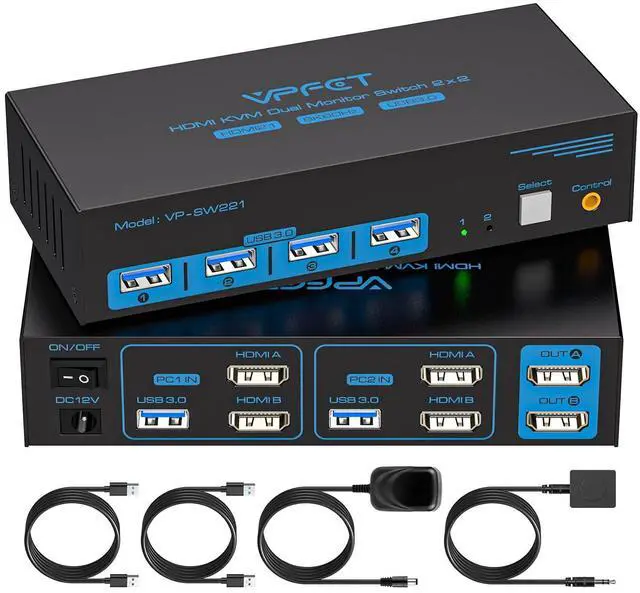
8K HDMI KVM Switch 2 Monitors 2 Computers Dual Monitor Extended Display 8K@60Hz 4K@120Hz, 2-Port KVM Switches with 4-Port USB 3.0 Hub, Desktop Controller and 2 USB Cables
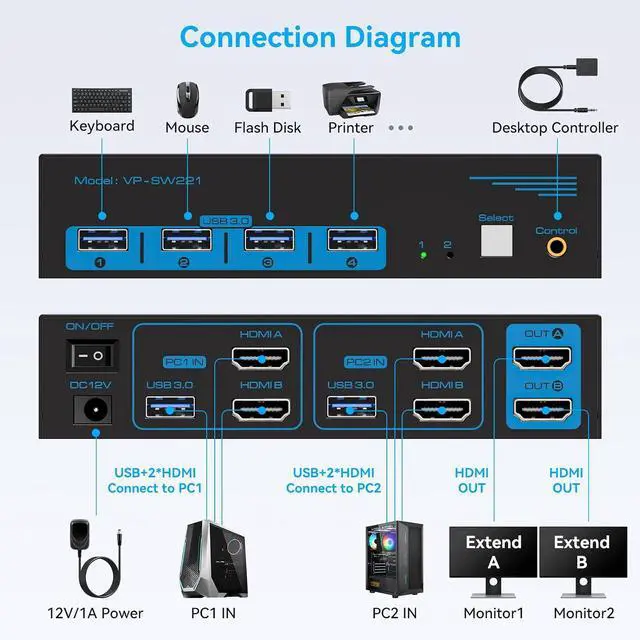
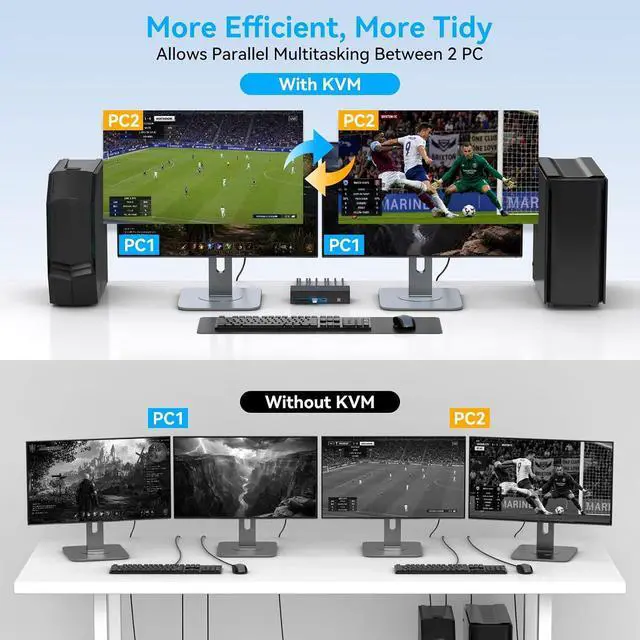
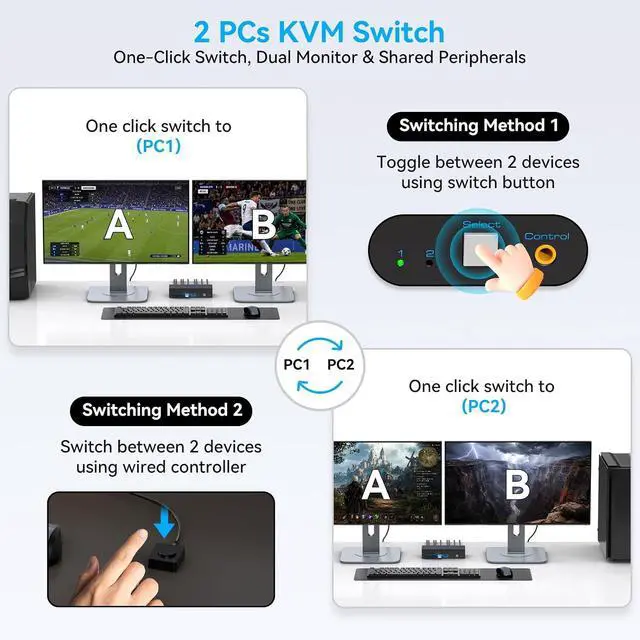
- Dual Monitor KVM Switch: This dual display KVM switch lets you control 2 computers with one keyboard and mouse set, share 4 USB devices across 2 monitors, and supports both copy mode (identical display on both screens) and extension mode (independent content per monitor); requires PC with 2 HDMI ports for extended display.
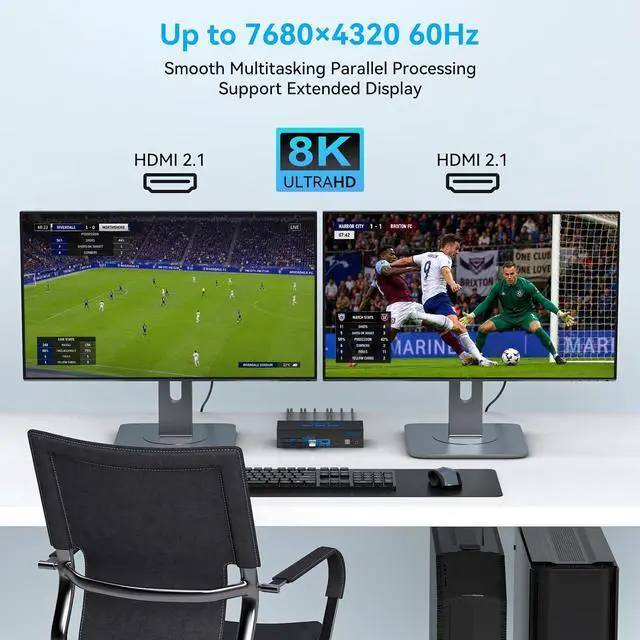
- Stunning Visual Effects: This 8K HDMI KVM switch supports resolutions up to 8K@60Hz and 4K@120Hz for ultra-sharp, vibrant images; backward compatible with 4K@60Hz, 1080P, and lower resolutions to work seamlessly with various HDMI devices.
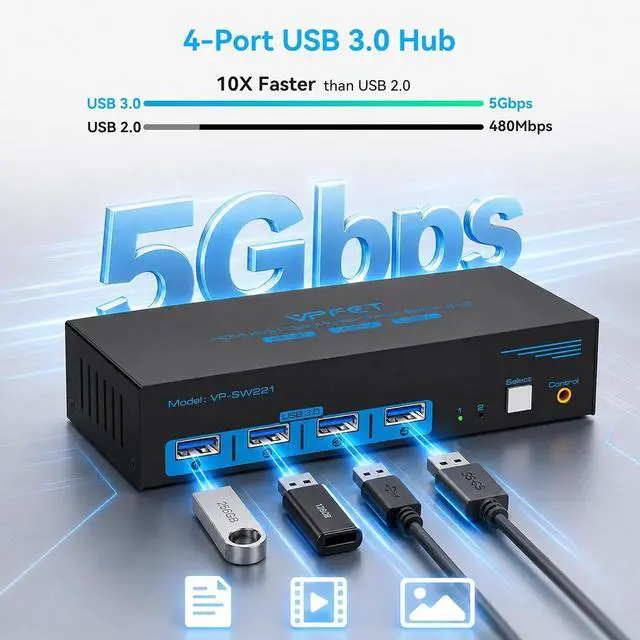
- 4-Port USB 3.0 Hub: Features two HDMI ports and four USB 3.0 ports with 5Gbps data transfer speed10x faster than USB 2.0, while remaining compatible with USB 2.0 devices. Share printers, scanners, webcams, wired/wireless keyboards & mice seamlessly between 2 computers. For high-power USB devices, use the included 12V power supply. Supports Windows, Vista, XP, Mac OS, Linux, and Unix systems.
- KVM Switch 2 Switch Mode: This HDMI
+
+
Overview
Specs
Reviews
Any questions? Our AI beta will help you find out quickly.
Try me now
1Simplify Your Layout2Close-up Details1Faster Switching 2Switch Methods Can KVM switches support up to 4K@120Hz?
Our KVM can support up to 4K@120Hz, but the prerequisite is that the cable and Hub you use must support 4K@120Hz.
What is the maximum power of peripherals it can drive?
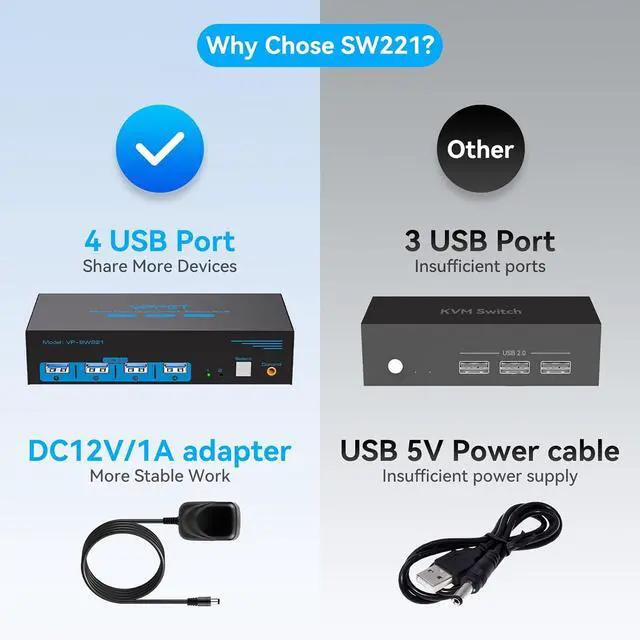
To drive peripherals with a maximum power of 10W, we use a 12V/1A power adapter, which can provide a more powerful and stable drive. Other KVM switches only support 5V/1A adapters. When using high-power.
Can the two functions of USB Switch and HDMI Switch be used independently?
Yes, you can think of the KVM switch as a USB+HDMI Switch. These two functions not only support simultaneous use, but can also be used separately.
Do I have to connect the 12V/1A power adapter to use it?
Make sure your computer supports multi-screen display, you can connect two screens directly to the computer and check if there are images display.
Is it really possible to replace a new product within two years?
Yes, if there are any problems with the product within two years, we will solve it for you, including replacing it with a new KVM.
KVM Switch 2PC 2M HDMI 8K Can KVM switches support up to 4K@120Hz?
What is the maximum power of peripherals it can drive?
Can the two functions of USB Switch and HDMI Switch be used independently?
Do I have to connect the 12V/1A power adapter to use it?
Is it really possible to replace a new product within two years?

Our KVM can support up to 4K@120Hz, but the prerequisite is that the cable and Hub you use must support 4K@120Hz.
What is the maximum power of peripherals it can drive?
To drive peripherals with a maximum power of 10W, we use a 12V/1A power adapter, which can provide a more powerful and stable drive. Other KVM switches only support 5V/1A adapters. When using high-power.
Can the two functions of USB Switch and HDMI Switch be used independently?
Yes, you can think of the KVM switch as a USB+HDMI Switch. These two functions not only support simultaneous use, but can also be used separately.
Do I have to connect the 12V/1A power adapter to use it?
Make sure your computer supports multi-screen display, you can connect two screens directly to the computer and check if there are images display.
Is it really possible to replace a new product within two years?
Yes, if there are any problems with the product within two years, we will solve it for you, including replacing it with a new KVM.
KVM Switch 2PC 2M HDMI 8K Can KVM switches support up to 4K@120Hz?
What is the maximum power of peripherals it can drive?
Can the two functions of USB Switch and HDMI Switch be used independently?
Do I have to connect the 12V/1A power adapter to use it?
Is it really possible to replace a new product within two years?
Warranty & Returns
Warranty, Returns, And Additional Information
Warranty
- Please contact the Seller directly for warranty information. Warranty information may also be found on the Manufacturer's website.
- CONTACT
Return Policies
- Return for refund within: 30 days
- Return for replacement within: 30 days
- This item is covered by PrimeVolt’Shop Return Policy
Manufacturer Contact Info
- For a directory of all our manufacturers, please click below.
- Manufacturers Directory
LOADING...