Your Browsing History
Meet Your Seller
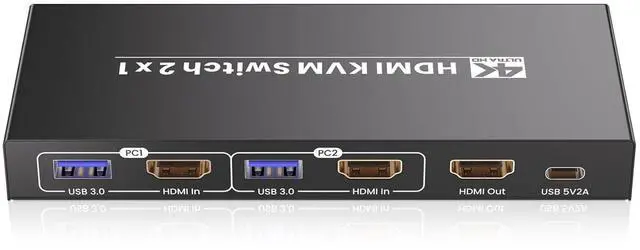
HDMI KVM Switch 1 Monitor 2 Computers, USB 3.0 4K60Hz 2 Port KVM Switch for Controlling 2 PCs with 1 Set of Keyboard Mouse and 1 Monitor
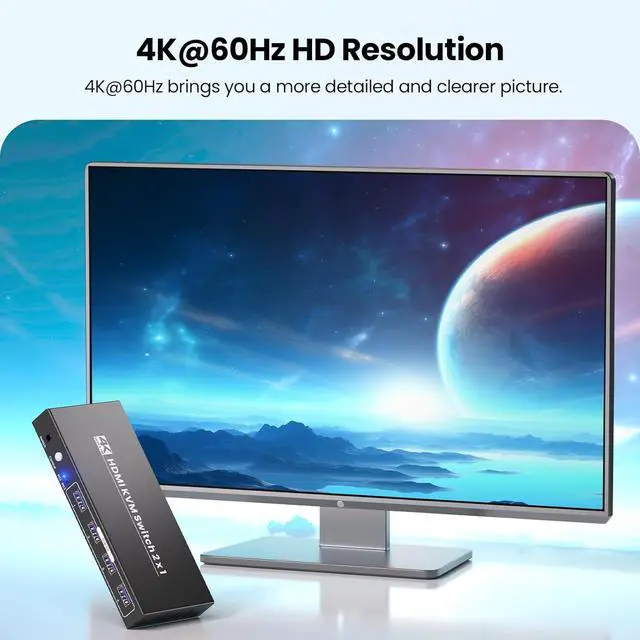
- 4K@60Hz Ultra HD VisualsThis KVM switch 1 monitor 2 computers cranks out ultra-high definition up to 4K@60Hz (3840x2160), serving up crisp details, vivid colors, and buttery-smooth playback thats a game-changer for pros and gamers alike. Every frame stays sharp, with no lag, ghosting, or pixel distortion. A quick heads-up: To unlock the full 4K@60Hz magic, make sure your computers, monitor, and HDMI cables all support 4K resolution.
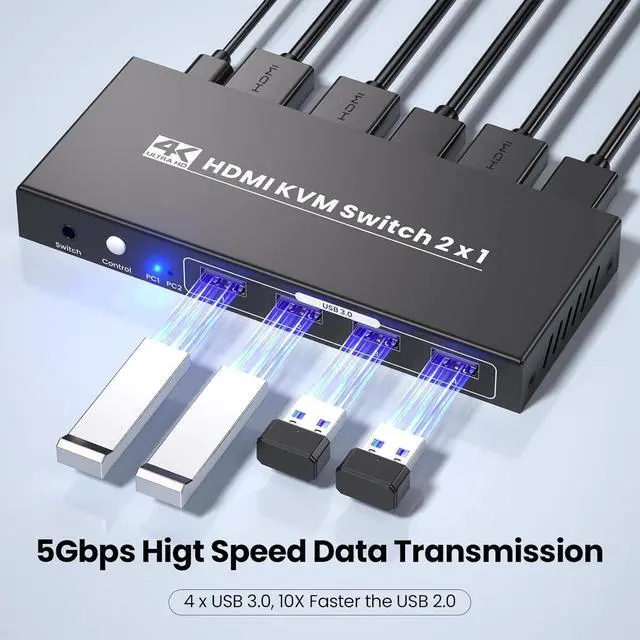
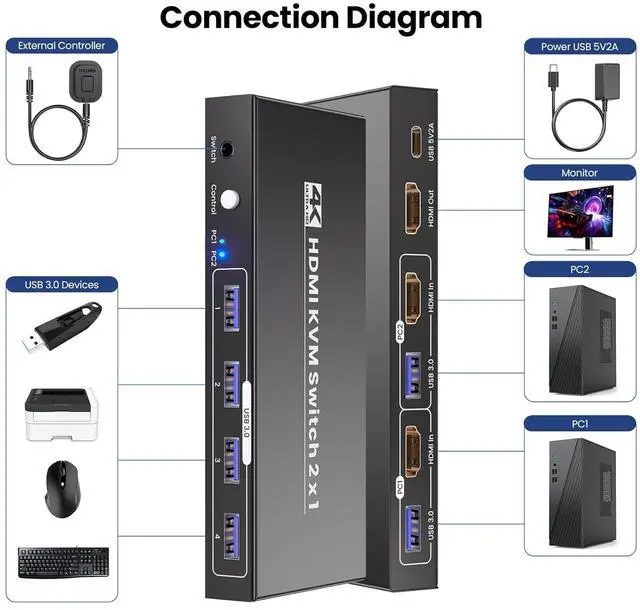
- High-Speed USB 3.0 ConnectivityThis 2 computer KVM switch isnt just about controlling computersits about keeping you connected at top speed. Equipped with 4 USB 3.0 ports, it delivers blistering 5Gbps data transfer speeds-way faster than outdated USB 2.0. Move large video files, photo libraries, or backups between your two computers in seconds, or hook up shared peripherals like external SSDs, printers, scanners, or gaming controllers without a hitch. Its fully backward compatible with USB 2.0 devices too, so you wont have to replace your existi
+
+
Overview
Specs
Reviews
Any questions? Our AI beta will help you find out quickly.
Try me now
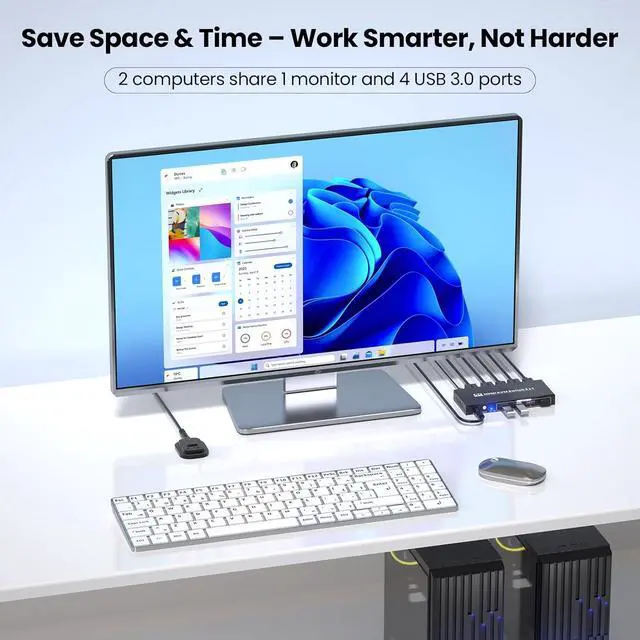
This HDMI 2 Port KVM Switch is your ticket to a streamlined, clutter-free workspaceall while serving up to 4K@60Hz visuals that take work and play to the next level. Whether youre a pro chasing pixel-perfect precision, a gamer craving smooth high-def action, or just someone who hates messy setups, this 2 computer KVM switch turns chaos into calm by letting you control two PCs with one set of peripherals and a single monitor. No more swapping cables, no more rearranging your deskjust seamless control that keeps you focused on what matters.
Note:
1. Hotkey switching is not compatible with this KVM switches.
2. Youll need to use USB cables to connect each computers USB port to this KVM switcherwithout this connection, the 4 front-panel USB 3.0 peripheral ports on the KVM switch wont be functional.
Whos This KVM Switch 1 Monitor 2 Computers Made For?
This KVM switch was designed with real users in mind, it fits right in:
1. Creative Professionals: Graphic designers, video editors, and photographers who demand pixel-perfect precision. With this 2 computer KVM switch, you can toggle between your work laptop and desktop without sacrificing 4K clarity, ensuring every color pops and every detail stays sharp while editing footage or designing layouts.
2. Gamers: Why choose between your gaming PC and console when this dual port KVM switch lets you enjoy 4K gaming on one monitor? Switch between systems in an instant to keep the action goingno lag, no interruptions, just seamless gameplay that keeps you in the zone.
3. Home & Office Users: Working from home or managing two computers at the office? This KVM switches cuts down on extra equipment, clears up desk space, and lets you stay focused on your tasks instead of fumbling with cables. Answer work emails on one PC and stream content on the otherall with the same keyboard and mouse.
Equipped with 4 USB 3.0 ports, it offers data transfer speeds of up to 5Gbps, which is 10 times faster than USB 2.0. That means you can transfer a 10GB video file between your two computers in just seconds, or back up an entire photo library without waiting around. The USB 3.0 ports also let you share peripherals across both computers. This 2 port KVM switch is backward compatible with USB 2.0 devices, so you can keep using your favorite gearno need to upgrade anything to enjoy fast, reliable connectivity.
This KVM switch 1 monitor 2 computers is plug-and-play: no software to install, no drivers to download, no technical skills needed. Just plug in your cables, power it up, and youre ready to gowithin minutes, youll have a streamlined setup that works with your existing gear.
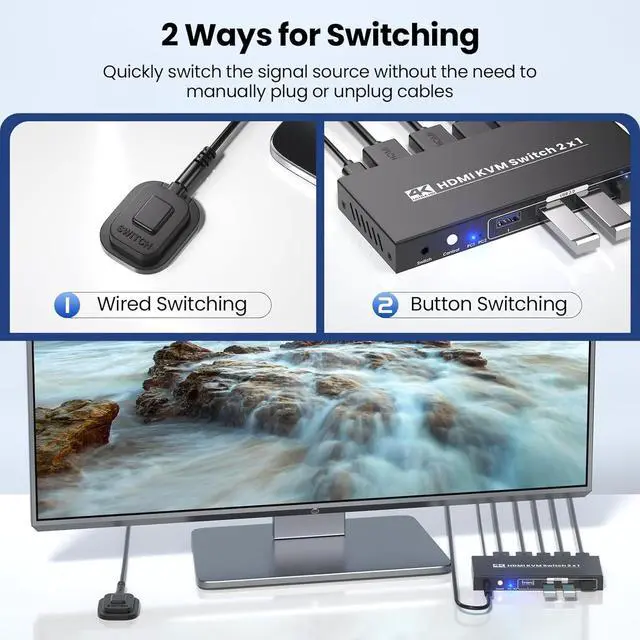
This KVM switch gives you two ways to switch between 2 computers. First, the built-in front-panel button: its responsive and easy to reach, so you can swap systems with a single press.
Second, the included external switching controller: keep it on your desk, and you can toggle between computers without reaching behind your monitor or moving the KVM switch itself.
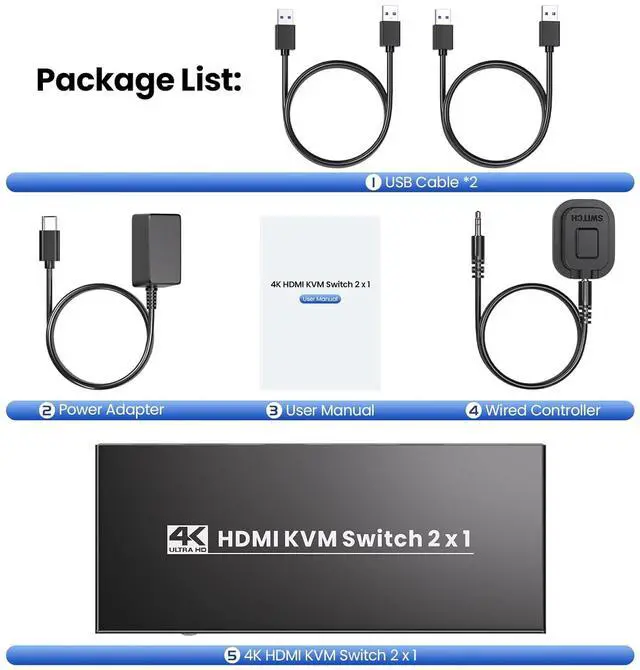
1. 4K 2 port HDMI KVM Switcher
2. External Controller
3. USB 3.0 Cables
4. Power Plug
5. User Manual
See More 2 Port HDMI KVM Switch - Control 2 Computers with 1 Monitor, Keyboard & Mouse (4K@60Hz + USB 3.0) 2-Computer Control Streamline Your Setup, Boost Your Flow USB 3.0 Connectivity 5Gbps Speeds for Lightning-Fast Transfers Plug-and-Play HDMI KVM Switch 2 Computers 4K Ultra HD, USB 3.0 & Dual Switching Modes to Master 2 PCs with 1 Monitor Built-in Front-panel Button Switching External Controller Switching Package List

Note:
1. Hotkey switching is not compatible with this KVM switches.
2. Youll need to use USB cables to connect each computers USB port to this KVM switcherwithout this connection, the 4 front-panel USB 3.0 peripheral ports on the KVM switch wont be functional.
Whos This KVM Switch 1 Monitor 2 Computers Made For?
This KVM switch was designed with real users in mind, it fits right in:
1. Creative Professionals: Graphic designers, video editors, and photographers who demand pixel-perfect precision. With this 2 computer KVM switch, you can toggle between your work laptop and desktop without sacrificing 4K clarity, ensuring every color pops and every detail stays sharp while editing footage or designing layouts.
2. Gamers: Why choose between your gaming PC and console when this dual port KVM switch lets you enjoy 4K gaming on one monitor? Switch between systems in an instant to keep the action goingno lag, no interruptions, just seamless gameplay that keeps you in the zone.
3. Home & Office Users: Working from home or managing two computers at the office? This KVM switches cuts down on extra equipment, clears up desk space, and lets you stay focused on your tasks instead of fumbling with cables. Answer work emails on one PC and stream content on the otherall with the same keyboard and mouse.
Equipped with 4 USB 3.0 ports, it offers data transfer speeds of up to 5Gbps, which is 10 times faster than USB 2.0. That means you can transfer a 10GB video file between your two computers in just seconds, or back up an entire photo library without waiting around. The USB 3.0 ports also let you share peripherals across both computers. This 2 port KVM switch is backward compatible with USB 2.0 devices, so you can keep using your favorite gearno need to upgrade anything to enjoy fast, reliable connectivity.
This KVM switch 1 monitor 2 computers is plug-and-play: no software to install, no drivers to download, no technical skills needed. Just plug in your cables, power it up, and youre ready to gowithin minutes, youll have a streamlined setup that works with your existing gear.
This KVM switch gives you two ways to switch between 2 computers. First, the built-in front-panel button: its responsive and easy to reach, so you can swap systems with a single press.
Second, the included external switching controller: keep it on your desk, and you can toggle between computers without reaching behind your monitor or moving the KVM switch itself.
1. 4K 2 port HDMI KVM Switcher
2. External Controller
3. USB 3.0 Cables
4. Power Plug
5. User Manual
See More 2 Port HDMI KVM Switch - Control 2 Computers with 1 Monitor, Keyboard & Mouse (4K@60Hz + USB 3.0) 2-Computer Control Streamline Your Setup, Boost Your Flow USB 3.0 Connectivity 5Gbps Speeds for Lightning-Fast Transfers Plug-and-Play HDMI KVM Switch 2 Computers 4K Ultra HD, USB 3.0 & Dual Switching Modes to Master 2 PCs with 1 Monitor Built-in Front-panel Button Switching External Controller Switching Package List
Warranty & Returns
Warranty, Returns, And Additional Information
Warranty
- Please contact the Seller directly for warranty information. Warranty information may also be found on the Manufacturer's website.
- CONTACT
Return Policies
- Return for refund within: 30 days
- Return for replacement within: 30 days
- This item is covered by PrimeVolt’Shop Return Policy
Manufacturer Contact Info
- For a directory of all our manufacturers, please click below.
- Manufacturers Directory
LOADING...