Your Browsing History
Meet Your Seller
KCEVE KVM Switch 2 Monitors 3 Computers USB C HDMI DP, EDID, USB 3.0 KVM Switch Dual Monitor HDMI for 1 Laptops 2 Desktop, 73W PD, 4K@60Hz, Aluminum, Wired Remote(4K USB C HD DP 3 in 2 Out KVM)
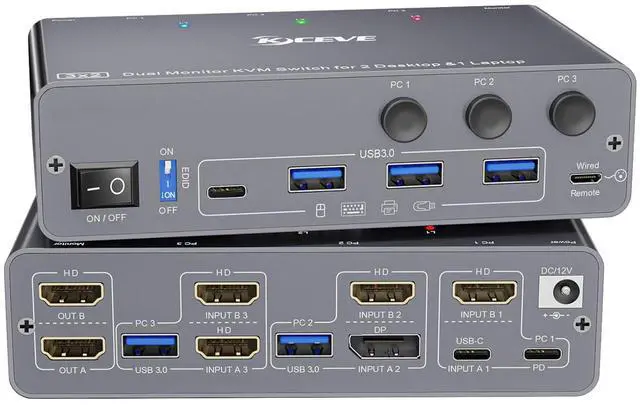
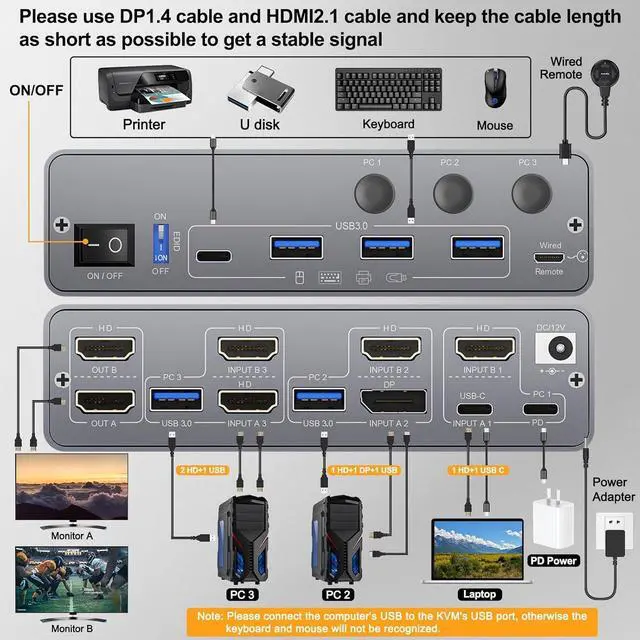
- USB 3.0 HDMI 2.0 KVM Switch 2 Monitors 3 Computers USB C HDMI DPKCEVE KVM switch Dual Monitor allows you to control 1 Laptop and 2 Desktop with one set of mouse keyboard and 2 HDMI monitors. The Laptop needs 1 HDMI + 1 USB C cable to plug into the HDMI KVM Switch 2 Monitors.The Desktop needs 2 HDMI + 1 USB cable (or 1 HDMI+1 DP+1 USB) to plug into the KVM Switch 2 monitor 1 laptop 2 desktop. Please make sure your laptop's USB C port and HDMI can output video at the same time
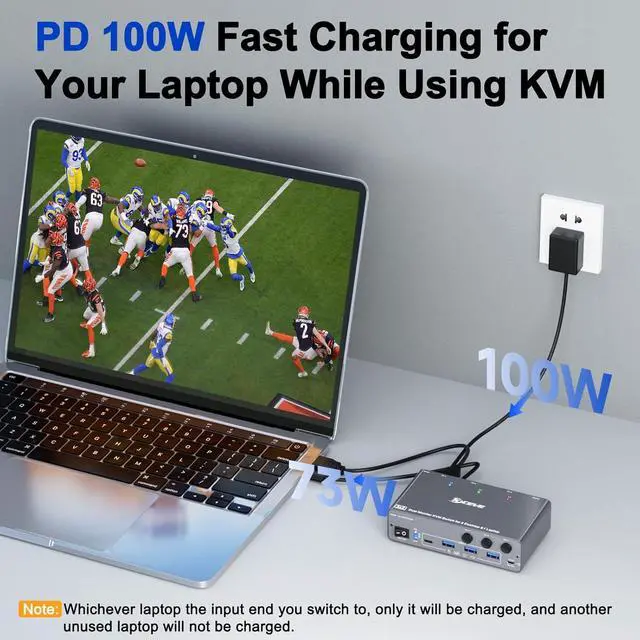
- 73W PD for USB C KVM Switch 1 Laptop and 2 Desktop PCKVM 3 computers 2 monitors have the function of charging laptop. Dual monitor KVM Switch USB C provides 73W charging efficiency to your laptop. Please use PD 100W charger. 3 Computers KVM switch USB C comes with an "on and off" switch, you can turn off the USB C KVM switch 2 monitors freely to achieve the effect of turning off the monitor
- Dual Monitor KVM Switch 3 Computers with 4 USB 3.0 Ports up to 5GbpsKVM Switch Dual Monitor for 1 Laptop and 2 Deskto
+
+
Overview
Specs
Reviews
Any questions? Our AI beta will help you find out quickly.
Try me now
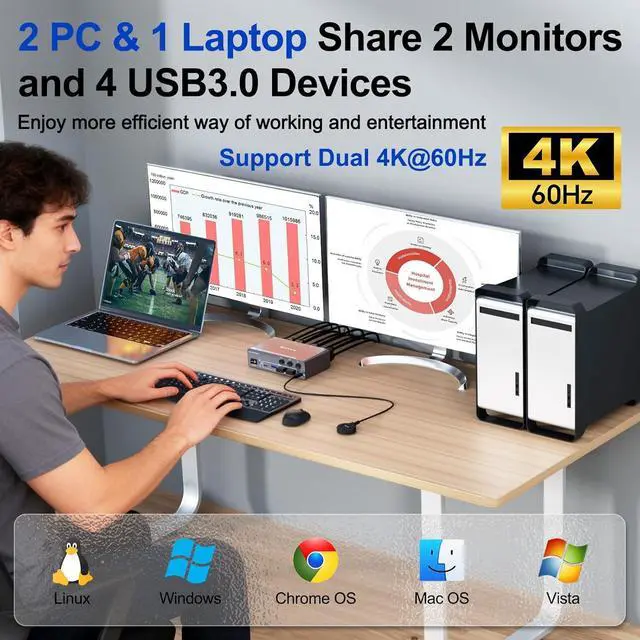
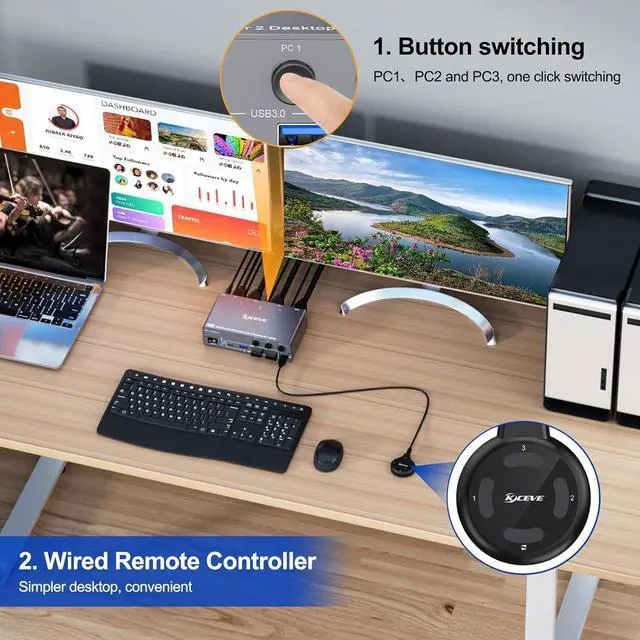
Plug and play. No additional driver software required. A set of mouse, keyboard controls 3 computers sharing 2 HDMI monitors.
PC 1 (Laptop) needs 1 HDMI cable + 1 USB C cable to plug into the KVM. PC 2 needs 1 HDMI + 1 DP + 1 USB cable. PC 3 needs 2 HDMI + 1 USB cable. Please make sure your laptop's USB C port and HDMI can output video at the same time.
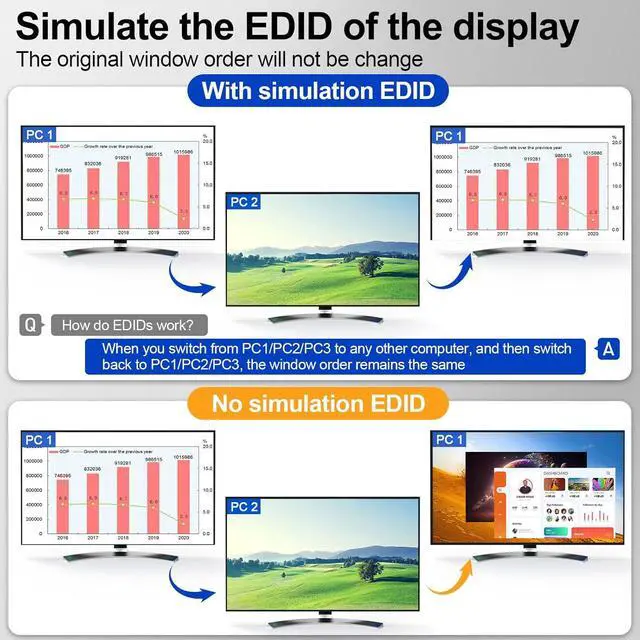
KVM Switch supports EDID and 4K@60Hz resolution
Please use a PD 100W charger connected to the KVM "PD" port to provide PD 73W charging for your laptop. 4 USB 3.0 ports support ultra-fast data transfer up to 5Gbps
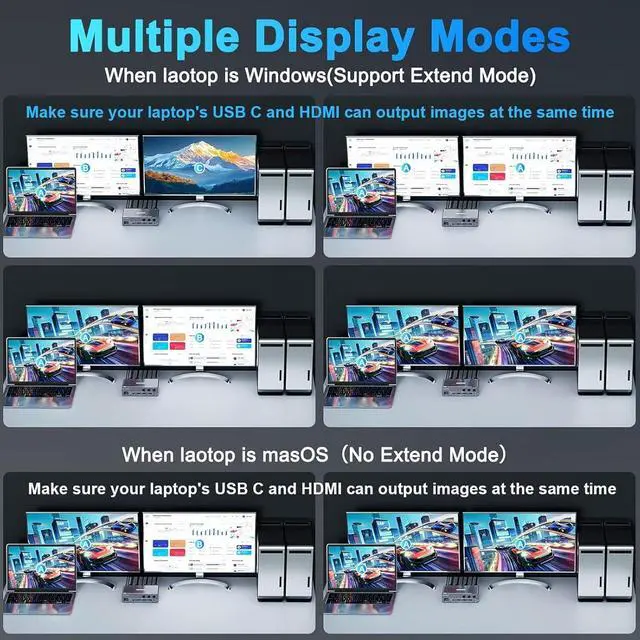
Your laptop needs to have USB-C and HDMI ports, and be able to output video to two displays simultaneously. Windows laptops support extended mode, while Apple laptops only support mirrored mode.
KCEVE USB 3.0 KVM Switch USB C for 1 Laptop and 2 Desktops Share 2 HDMI Monitors

PC 1 (Laptop) needs 1 HDMI cable + 1 USB C cable to plug into the KVM. PC 2 needs 1 HDMI + 1 DP + 1 USB cable. PC 3 needs 2 HDMI + 1 USB cable. Please make sure your laptop's USB C port and HDMI can output video at the same time.
KVM Switch supports EDID and 4K@60Hz resolution
Please use a PD 100W charger connected to the KVM "PD" port to provide PD 73W charging for your laptop. 4 USB 3.0 ports support ultra-fast data transfer up to 5Gbps
Your laptop needs to have USB-C and HDMI ports, and be able to output video to two displays simultaneously. Windows laptops support extended mode, while Apple laptops only support mirrored mode.
KCEVE USB 3.0 KVM Switch USB C for 1 Laptop and 2 Desktops Share 2 HDMI Monitors
Warranty & Returns
Warranty, Returns, And Additional Information
Warranty
- Please contact the Seller directly for warranty information. Warranty information may also be found on the Manufacturer's website.
- CONTACT
Return Policies
- Return for refund within: 30 days
- Return for replacement within: 30 days
- This item is covered by PrimeVolt’Shop Return Policy
Manufacturer Contact Info
- For a directory of all our manufacturers, please click below.
- Manufacturers Directory
LOADING...