Your Browsing History
Meet Your Seller
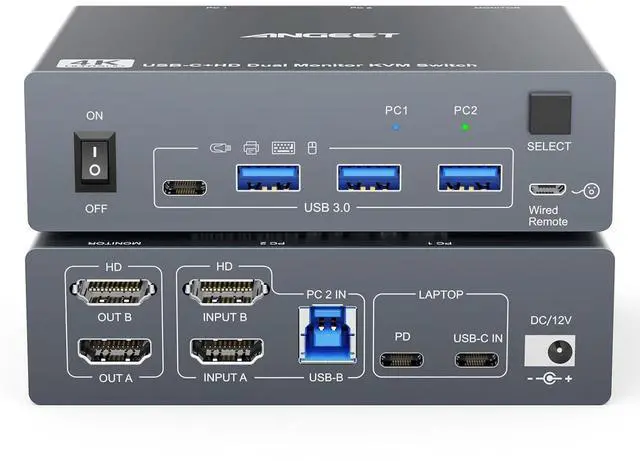
KVM Switch 2 Monitors 1 Laptop 1 Desktop 4K@60Hz, Dual Monitor KVM Switch Docking Station with 4 USB 3.0 Port for USB Peripherals, 80W PD Charging, Wired Remote and USB-C Cable Included
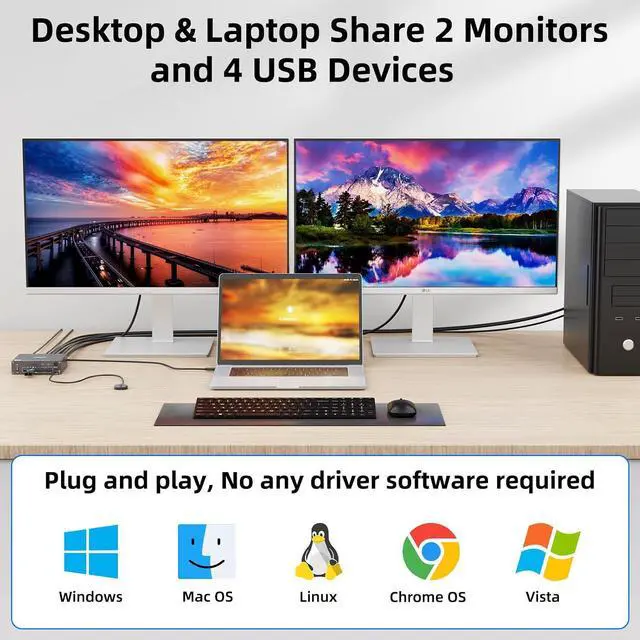
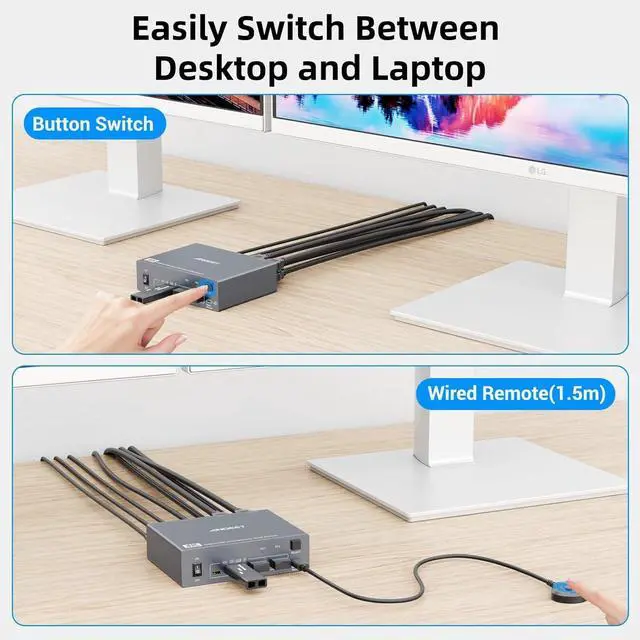
- HDMI and USB C KVM Switch Dual MonitorThis 2-monitor KVM switch allows you to easily manage 1 laptop & 1 desktop and share 2 monitors & 4 USB devices. You can choose extended (2 different screens) or mirror (2 identical screens) mode as needed.
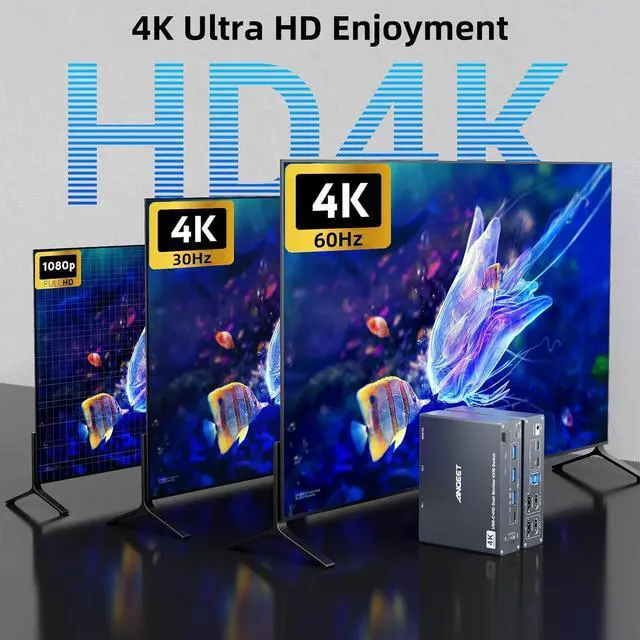
- Ultra HD 4K Visual EffectHDMI 2.0 and DP 1.4a (USB-C) compliant,dual monitor KVM Switch supports up to 4K@60Hz 4:4:4, 2K@120Hz resolutions and is backward compatible.
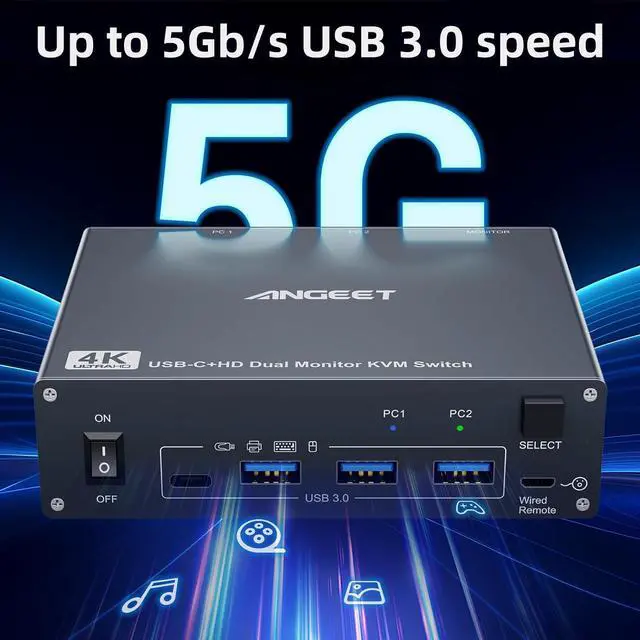
- 5Gbps Ultra-fast TransferUSB 3.0 KVM Switch 2 computers 2 monitors transfers files in seconds. Supports up to 5Gb/s, 4 USB 3.0 ports for keyboard, mouse, printer and other USB peripherals.
- Quickly Charge Your LaptopWith the 80W USB-C charging port, you can quickly charge your laptop while using this 2 monitor KVM switch, reducing clutter on your desk.
- Great Compatibility & 2 Switching ModeThis 2 computers 2 monitors switch driver-free for Windows, Mac OS, Linux and Chrome OS. Compatible with Desktop,Laptop,TV Box. It is widely applied for home, office, teaching, game
+
+
Overview
Specs
Reviews
Any questions? Our AI beta will help you find out quickly.
Try me now
15Gbps Ultra fast24K Ultra HD
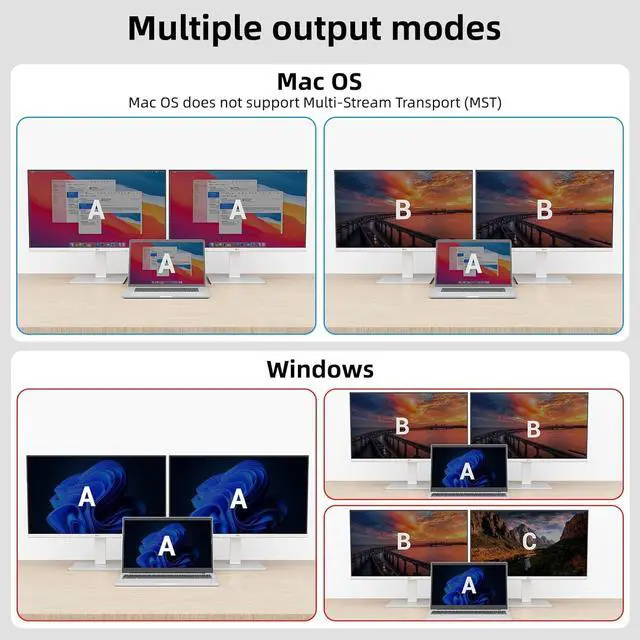
Mirror mode: 2 monitors output the same screen.
Extended mode: 2 monitors output different screens.
NOTE: Mac OS doesnt support MST (multi-stream transport), so two duplicate contents will be displayed.
For the extended display mode on two screens, please use a USB-C laptop supporting DP alt mode. 1-year repair or replacement , lifetime service.
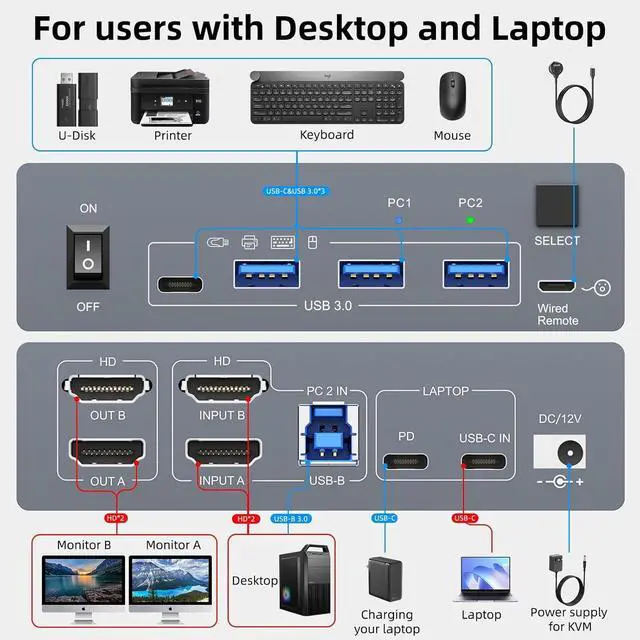
kvm switch 2 monitors laptop desktop How to connect the KVM switch
Mirror mode: 2 monitors output the same screen.
Extended mode: 2 monitors output different screens.
NOTE: Mac OS doesnt support MST (multi-stream transport), so two duplicate contents will be displayed.
For the extended display mode on two screens, please use a USB-C laptop supporting DP alt mode. 1-year repair or replacement , lifetime service.
kvm switch 2 monitors laptop desktop How to connect the KVM switch
Warranty & Returns
Warranty, Returns, And Additional Information
Warranty
- Please contact the Seller directly for warranty information. Warranty information may also be found on the Manufacturer's website.
- CONTACT
Return Policies
- Return for refund within: 30 days
- Return for replacement within: 30 days
- This item is covered by PrimeVolt’Shop Return Policy
Manufacturer Contact Info
- For a directory of all our manufacturers, please click below.
- Manufacturers Directory
LOADING...