Your Browsing History
Meet Your Seller
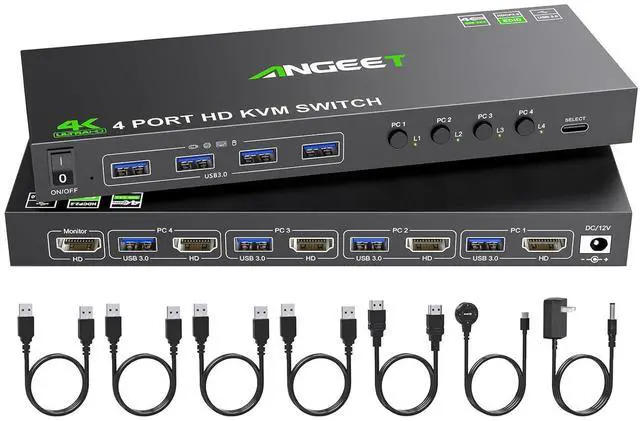
4 Port HDMI KVM Switch 4K@60Hz, Simulation EDID, ANGEET USB3.0 KVM Switches for 4 Computers Share 1 Monitor and Keyboard Mouse Printer, with Wired Remote,12V Power Adapter and 5 Cables
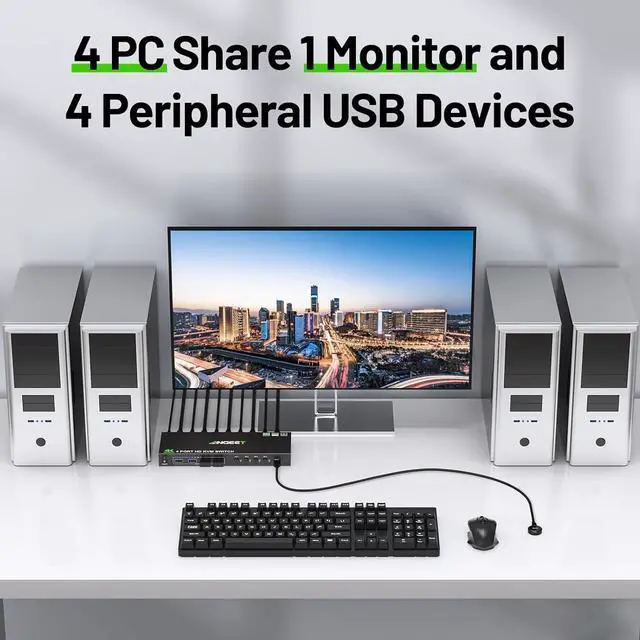
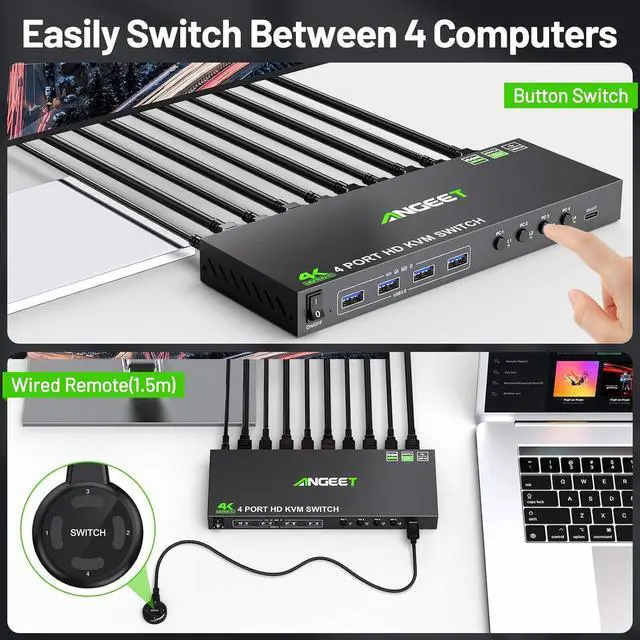
- KVM Switch HDMI 4 PortThis 4 port KVM switch allows you to effortlessly manage 4 computers to share 1 monitor with 1 set of Wired or Wireless keyboard mouse. You can easily switch through wired remote(included) or panel button between 4 computers,LED lights indicating the active computer.
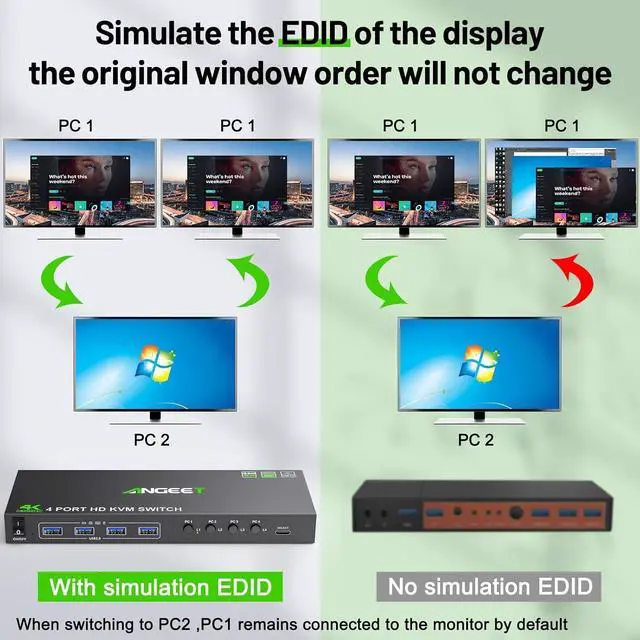
- KVM Switch with EDID simulationANGEET KVM switches , store the resolution and refresh rate of the display, and when the monitor is switched between 4 computers, the original window position will not be changed, while other KVM require the user to rearrange the window order.
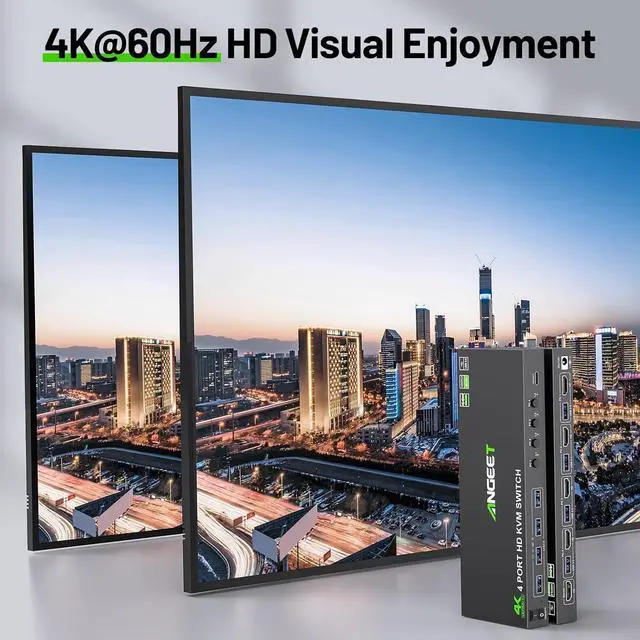
- Ultra HD 4K@60Hz VisualThis USB 3.0 KVM switch HDMI support resolution up to 4K@60Hz and backward compatible 4K@30Hz, 2560*1440@120Hz,1080P. The 4 ports KVM switch is also suitable for ultra wide monitor.
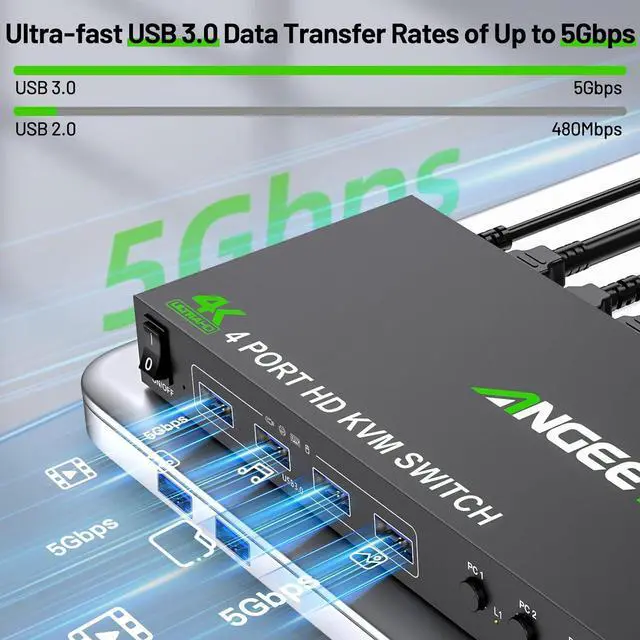
- KVM Switch with 4 USB 3.0 PortHDMI USB switch with 4 USB 3.0 ports for sharing keybaord, mouse, printer, U disk and more other USB devices.Supports ultra-fast USB 3.0 data transfer u
+
+
Overview
Specs
Reviews
Any questions? Our AI beta will help you find out quickly.
Try me now
With this HDMI KVM switch, you can connect up to 4 laptops or desktops(PS4/PS5, Raspberry Pi, etc) simultaneously, sharing 1 monitor and 4 peripheral USB devices.Supports video devices with HDMI, USB C, Displayport,DVI or VGA ports.
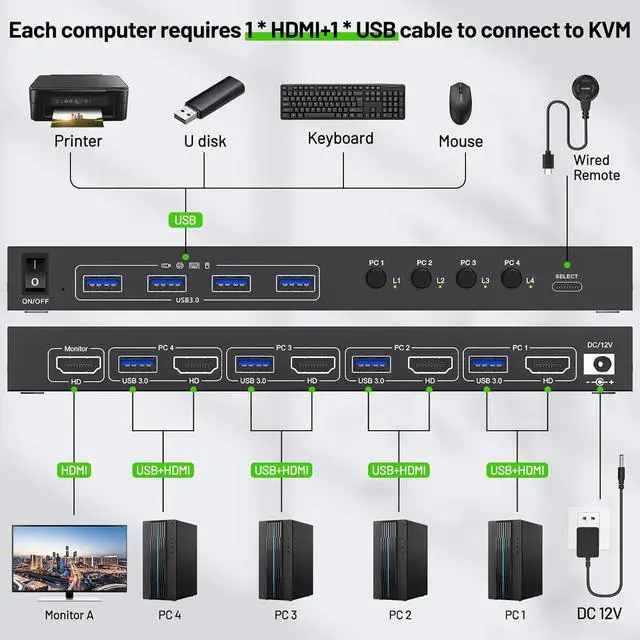
Each PC requires 1*HDMI+1*USB cable to connect to KVM switch (supports USB-C/Displayport/DVI/VGA to HDMI cable or converter)
Each PC needs 1*HDMI+1*USB cable to connect to KVM (supports USB-C/Displayport/DVI/VGA to HDMI cable or converter)
Support resolution up to 4K@60Hz and backward compatible 4K@30Hz, 1920*1080@120Hz
With 4 USB 3.0 ports for keybaord, mouse, U disk,support ultra-fast data transfer up to 5Gbps
Restart KVM with one click, no need to unplug and plug cables back and forth
Our KVM switch can simulate the EDID of the display, When switching between four computers, the original window order will not change.
Easy to hide your KVM, say goodbye to messy cables, and make your desktop more tidy.
Make KVM work smoother and more stable when using high-power USB devices.
Laptop/Desktop (HDMI Port) Just use 1*HDMI +1*USB cable to connect the PC and KVM. Desktop (only DP Port) Requires 1*USB cable+1*DP to HDMI cable or (DP to HDMI converter + HDMI cable) Laptop(only USB-C Port) Requires 1*USB cable+1*USB-C to HDMI cable or (USB-C to HDMI converter + HDMI cable) PC with VGA or DVI Port Supports VGA or DVI to HDMI cable, but the resolution is up to 1080P, which is not recommended. Monitor(HDMI Port) Just use 1*HDMI to connect the KVM and Monitor. Monitor(DP Port) Requires 1*HDMI to DP cable with USB powerd or (HDMI to DP converter with USB powerd+ DP cable),Not recommended Monitor(only DVI Port) 1*HDMI to DVI cable or (HDMI to DVI converter + DVI cable) Monitor(only VGA Port) 1*HDMI to VGA cable or (HDMI to VGA converter + VGA cable) About resolution Using conversion cables or converters may cause resolution to drop, flicker or the monitor to not work (depending on their quality and compatibility) It is recommended to use HDMI2.0/2.1 cable, and the length of a single cable should be controlled within 1.5 meters. ON/OFF switch EDID simulation Wired Remote(1.5m)bianyu 12V power adapter (included) How to use this KVM with computers/monitor without HDMI port

Each PC requires 1*HDMI+1*USB cable to connect to KVM switch (supports USB-C/Displayport/DVI/VGA to HDMI cable or converter)
Each PC needs 1*HDMI+1*USB cable to connect to KVM (supports USB-C/Displayport/DVI/VGA to HDMI cable or converter)
Support resolution up to 4K@60Hz and backward compatible 4K@30Hz, 1920*1080@120Hz
With 4 USB 3.0 ports for keybaord, mouse, U disk,support ultra-fast data transfer up to 5Gbps
Restart KVM with one click, no need to unplug and plug cables back and forth
Our KVM switch can simulate the EDID of the display, When switching between four computers, the original window order will not change.
Easy to hide your KVM, say goodbye to messy cables, and make your desktop more tidy.
Make KVM work smoother and more stable when using high-power USB devices.
Laptop/Desktop (HDMI Port) Just use 1*HDMI +1*USB cable to connect the PC and KVM. Desktop (only DP Port) Requires 1*USB cable+1*DP to HDMI cable or (DP to HDMI converter + HDMI cable) Laptop(only USB-C Port) Requires 1*USB cable+1*USB-C to HDMI cable or (USB-C to HDMI converter + HDMI cable) PC with VGA or DVI Port Supports VGA or DVI to HDMI cable, but the resolution is up to 1080P, which is not recommended. Monitor(HDMI Port) Just use 1*HDMI to connect the KVM and Monitor. Monitor(DP Port) Requires 1*HDMI to DP cable with USB powerd or (HDMI to DP converter with USB powerd+ DP cable),Not recommended Monitor(only DVI Port) 1*HDMI to DVI cable or (HDMI to DVI converter + DVI cable) Monitor(only VGA Port) 1*HDMI to VGA cable or (HDMI to VGA converter + VGA cable) About resolution Using conversion cables or converters may cause resolution to drop, flicker or the monitor to not work (depending on their quality and compatibility) It is recommended to use HDMI2.0/2.1 cable, and the length of a single cable should be controlled within 1.5 meters. ON/OFF switch EDID simulation Wired Remote(1.5m)bianyu 12V power adapter (included) How to use this KVM with computers/monitor without HDMI port
Warranty & Returns
Warranty, Returns, And Additional Information
Warranty
- Please contact the Seller directly for warranty information. Warranty information may also be found on the Manufacturer's website.
- CONTACT
Return Policies
- Return for refund within: 30 days
- Return for replacement within: 30 days
- This item is covered by PrimeVolt’Shop Return Policy
Manufacturer Contact Info
- For a directory of all our manufacturers, please click below.
- Manufacturers Directory
LOADING...