Your Browsing History
Meet Your Seller
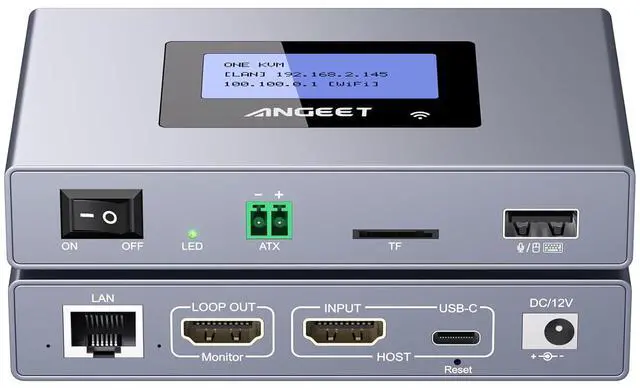
ONEKVM Wi-Fi Remote KVM Over IP Internet,4K IP KVM Remote Control PC,Server,Remote Power Control, LCD Screen,ZeroTier,Local Monitor, TF Card,Webcam,Wake, Install OS Via BIOS, Windows Mac Linux Android
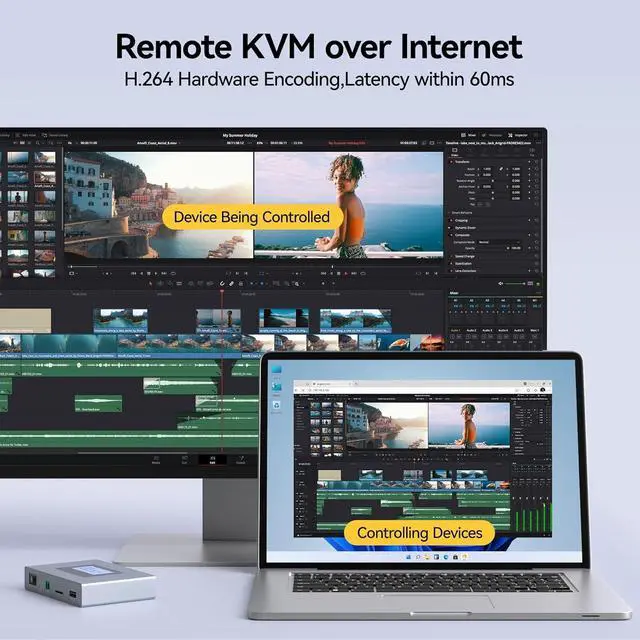
- Remote IP KVM ONE KVM IP KVM enables remote access to controlled computers and servers, no extra software or drivers required. Ideal for remote work, IT management, industrial applications and disaster recovery.
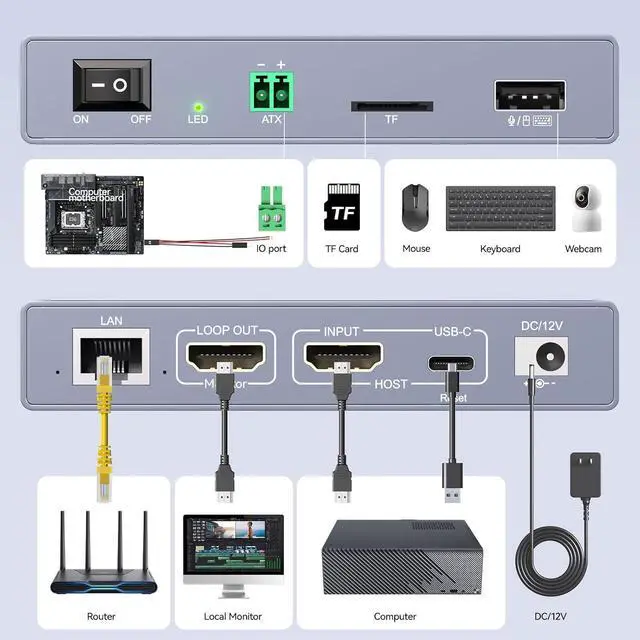
- Easy SetupSimply connect HDMI/USB to controlled device and Ethernet to the remote KVM, then control remotely via APP or Web. IP KVM over internet works with PC,Servers,IPC,Streaming devices,compatible with Windows, macOS, Linux, Android
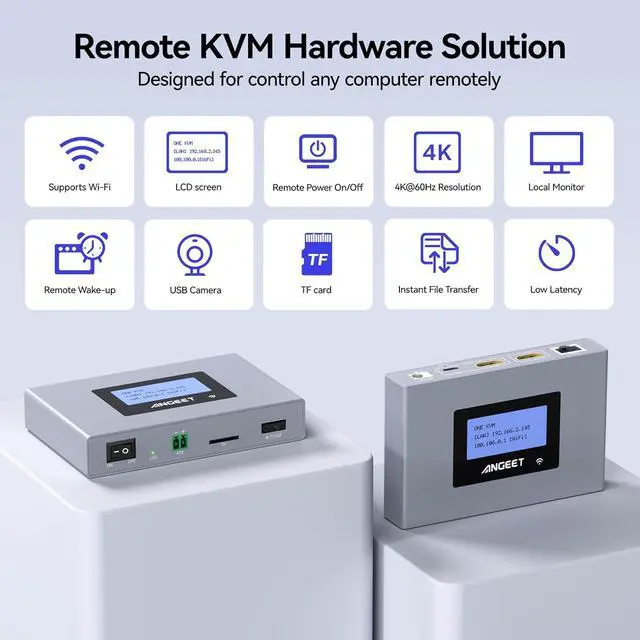
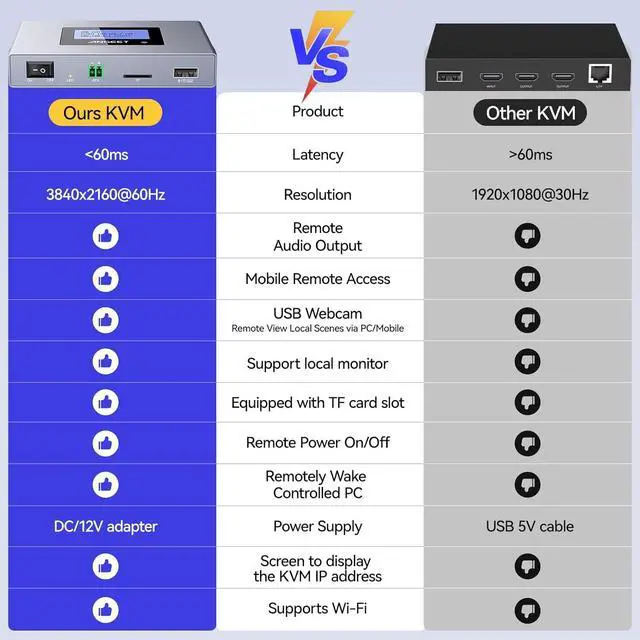
- WiFi KVM ONE KVM over IP supports both 2.4 GHz and 5 GHz Wi-Fi bands. By providing both wired or wireless connectivity, eliminates single points of failure, boosting remote access flexibility.
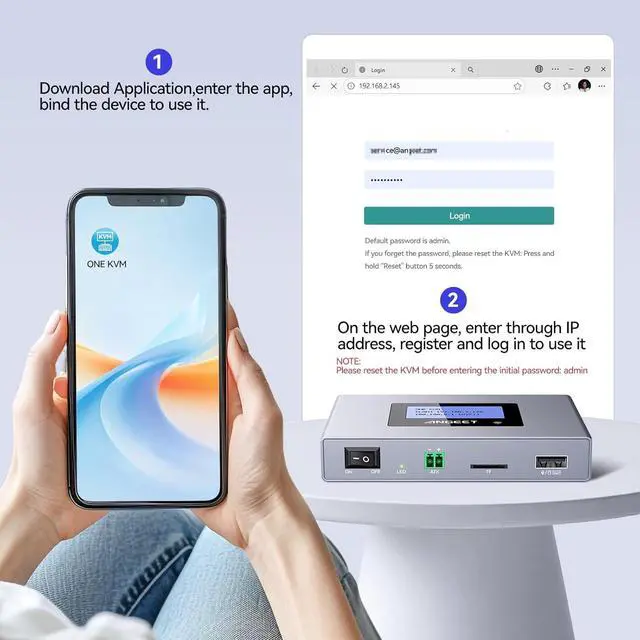
- Web Login and APP Remote access is available via our web-based cloud control (supports custom cloud server). Additionally, access remotely through the ONE KVM APP (downloadable after logging into the IP KVM via web browser). No personal information is collected by ONE KVM, ensuring a private experience.
- Remote Power ON/OFF Connect the D
+
+
Overview
Specs
Reviews
Any questions? Our AI beta will help you find out quickly.
Try me now
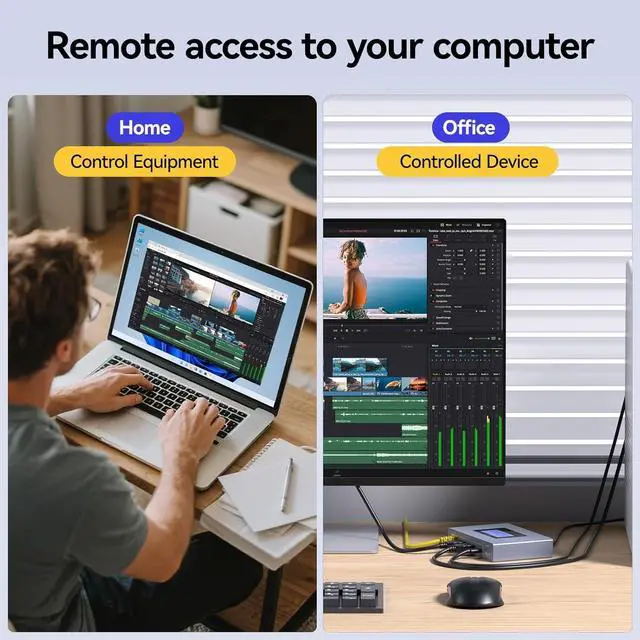
Need to remotely access your home/office computer while away? This remote IP KVM solves the hassle perfectlyyour ideal choice.
With ANGEET Remote KVM, control your devices via virtual desktop interface at home or on the gojust like being there in person.
Ultra-easy setup, package includes HDMI/USB/Ethernet cables, power adapter & all essential accessories
Remote control via web or exclusive ONE KVM APP, supports Ethernet & WiFi, ultra-convenient to use
Featuring an LED display, this Remote KVM over IP automatically identifies and displays the IP address. It also supports fixed IP configuration, online upgrades, and can be replaced with your own cloud server.
One-year warr anty (including replacement). Please contact te-ch support if you encounter any issues.
What is this?
ONE KVM is a little tiny box that connects to you PC and take the place of the keyboard, mouse and monitor. You can then connect remotely to it and control your computer as if your were right next to it.
What is the difference between this remote KVM and RDP(remote desktop protocol)?
RDP: You had to enter a code to allow remote access at the host meaning someone had to be at the host; Remote KVM over ip: Simply connect the IP KVM to the controlled device in advance and access it at any time.
Can the ip KVM access it remotely when my computer is sleeping?
This ip KVM supports one-click waking up your sleeping computer and accessing it remotely.
Can I set up an IP address and manage the cloud server?
Yes, you can set a fixed IP address, and you can also replace the cloud server (ONE KVM) with your own cloud server.
What is this?
What is the difference between this remote KVM and RDP(remote desktop protocol)?
Can the ip KVM access it remotely when my computer is sleeping?
Can I set up an IP address and manage the cloud server?

With ANGEET Remote KVM, control your devices via virtual desktop interface at home or on the gojust like being there in person.
Ultra-easy setup, package includes HDMI/USB/Ethernet cables, power adapter & all essential accessories
Remote control via web or exclusive ONE KVM APP, supports Ethernet & WiFi, ultra-convenient to use
Featuring an LED display, this Remote KVM over IP automatically identifies and displays the IP address. It also supports fixed IP configuration, online upgrades, and can be replaced with your own cloud server.
One-year warr anty (including replacement). Please contact te-ch support if you encounter any issues.
What is this?
ONE KVM is a little tiny box that connects to you PC and take the place of the keyboard, mouse and monitor. You can then connect remotely to it and control your computer as if your were right next to it.
What is the difference between this remote KVM and RDP(remote desktop protocol)?
RDP: You had to enter a code to allow remote access at the host meaning someone had to be at the host; Remote KVM over ip: Simply connect the IP KVM to the controlled device in advance and access it at any time.
Can the ip KVM access it remotely when my computer is sleeping?
This ip KVM supports one-click waking up your sleeping computer and accessing it remotely.
Can I set up an IP address and manage the cloud server?
Yes, you can set a fixed IP address, and you can also replace the cloud server (ONE KVM) with your own cloud server.
What is this?
What is the difference between this remote KVM and RDP(remote desktop protocol)?
Can the ip KVM access it remotely when my computer is sleeping?
Can I set up an IP address and manage the cloud server?
Warranty & Returns
Warranty, Returns, And Additional Information
Warranty
- Please contact the Seller directly for warranty information. Warranty information may also be found on the Manufacturer's website.
- CONTACT
Return Policies
- Return for refund within: 30 days
- Return for replacement within: 30 days
- This item is covered by PrimeVolt’Shop Return Policy
Manufacturer Contact Info
- For a directory of all our manufacturers, please click below.
- Manufacturers Directory
LOADING...