Take a tax holiday. Take advantage of limited-time, tax-free savings on select products in certain states. Learn More>
  • $108.99
  • Free 30-day Returns
  • Price alert
    Shop it at NeweggBusiness.

    Meet Your Seller

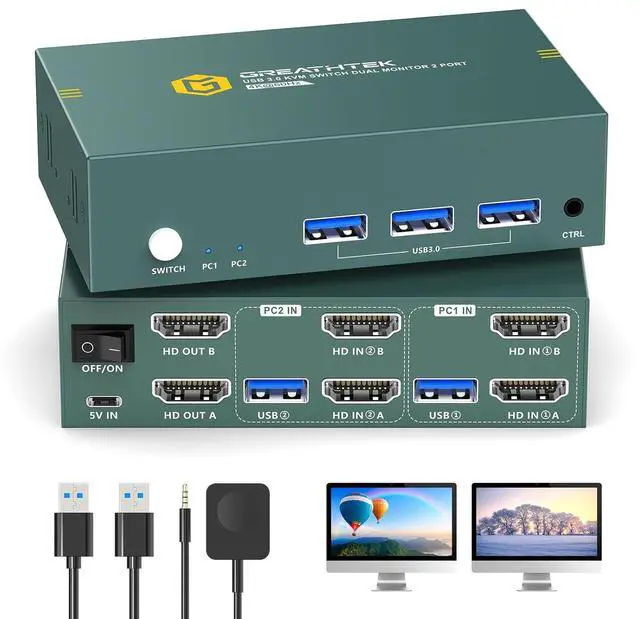
    Dual Monitors HDMI KVM Switch 2 Computers 2 Monitors USB3.0 4K@60HZ 2 Port KVM Switcher for 2 PC/Laptop Share 2 Screen,Remote Control,EDID Supported

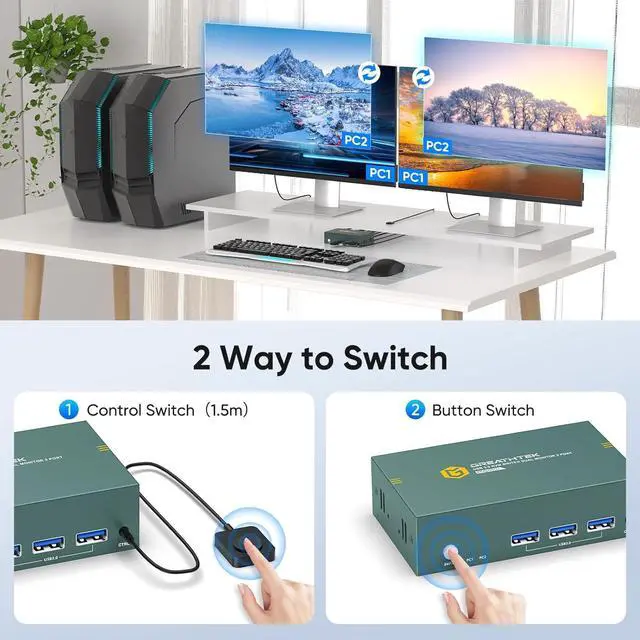
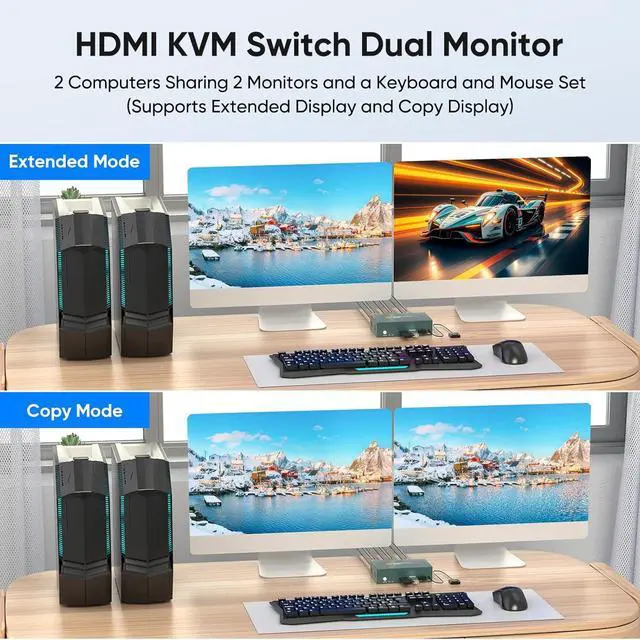
    • HDMI KVM Switch for 2 Computers 2 MonitorsEasily control and switch between two computers with just one keyboard and mouse, while sharing two monitors at the same time. This is the ideal pick for smooth multitasking across your work, entertainment and gaming setups. Note: To enable dual-monitor operation, each connected computer must be equipped with dual display output capability.
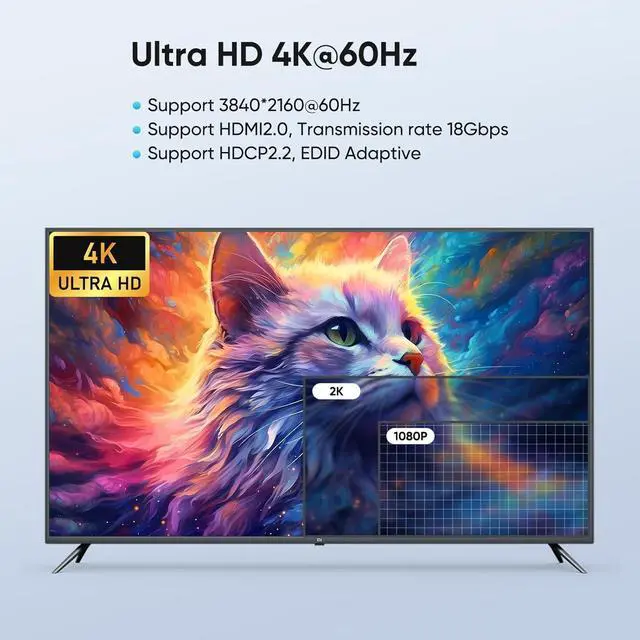
    • 4K@60Hz Ultra HD Visual ExperienceThis KVM switch supports striking 4K UHD resolution at 3840×2160@60Hz, and is fully backward compatible with 3D, 1080P and all lower resolution standards. It complies with HDMI 2.0 and HDCP 2.2 standards,Its 18Gbps max bandwidth delivers crisp, vivid images with no flicker at all, bringing you an extraordinary viewing experience.
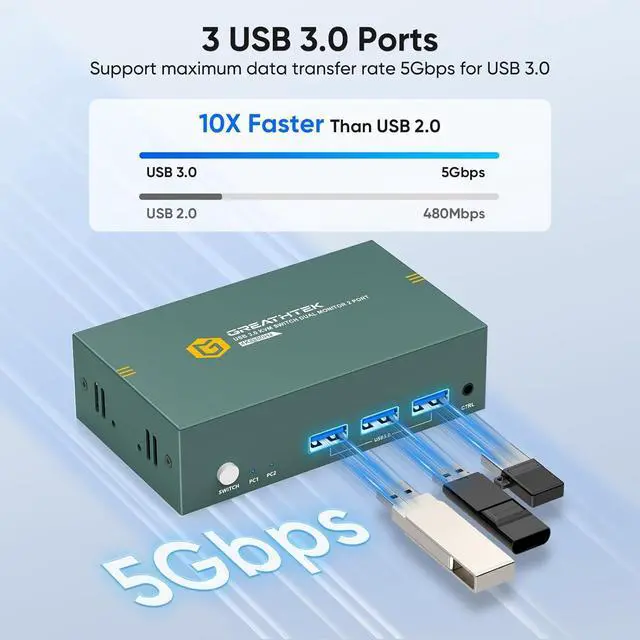
    • USB 3.0 High-Speed ProtocolThis KVM switch is equipped with 3 USB 3.0 ports that deliver blistering transfer speeds up to 5Gbpsan amazing 10x faster than USB 2.0. You can seamlessly share all your USB peripherals (printers, cameras, scann
    +
    +
    Overview
    Specs
    Reviews
    avatar

    Any questions? Our AI beta will help you find out quickly.

    1FULL USB3.0 PORTS24K@60HZ RESOLUTION3BUTTON&DESKTOP CONTROL12 DISPLAY MODE2BEFORE&AFTER USING3ADVANTAGES OF USING KVM1HIGHLY COMPATIBLE2CONNECT DIAGRAM3WARM REMINDER1WIDELY APPLICABLE2PACKING LIST How many HDMI and USB cables are required for a complete setup?
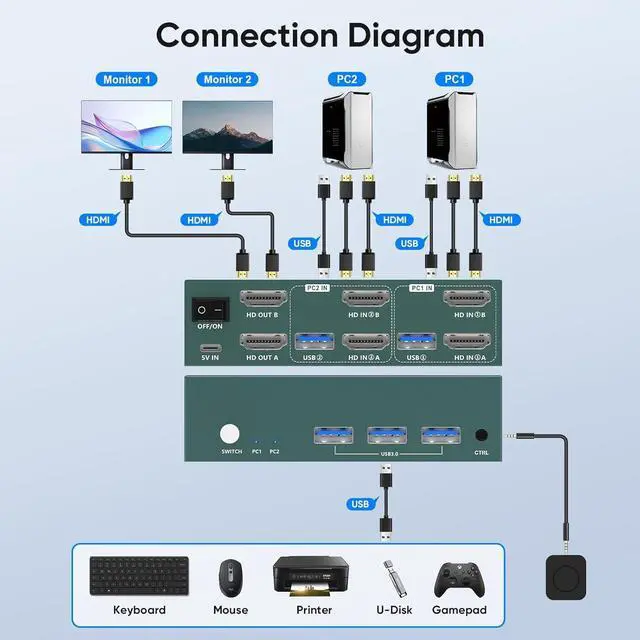
    A total of 6 HDMI cables and 2 USB cables are required, plus one power cable. Please use a 5V power adapter for power supply (power adapter and HDMl cables not included, please prepare yourself ).

    What to do if there is only one monitor to display the image?
    1)Please check the HDMl connections, Make sure both PC1 and PC2 are each connected to the switch with two HDMl cables2) Ensure the switch is powered properly using a 5V power adapter.

    What to do if both two monitors can not display the image?
    Please check the HDMl connections, Make sure both PC1 and PC2 are each connected to the switch with two HDMl cables2) Ensure the switch is powered properly using a 5V power adapter.

    What to do if the usb device not work?
    Please make sure both USB cables between each PC and the KVM switch are securely connected. Missing connections may cause the USB devices not to be
    recognized.

    What to do if the desktop control can not work?
    The remote switch is the key, please push (click) the cable into the jacks on the kvm device (you need to push it all the way in until you hear the "click "sound).

    HDMI KVM SWITCH 2 MONITORS 2 COMPUTERS 2 PC SHARE 2 MONITORS How many HDMI and USB cables are required for a complete setup?
    What to do if there is only one monitor to display the image?
    What to do if both two monitors can not display the image?
    What to do if the usb device not work?
    What to do if the desktop control can not work?

    Warranty & Returns

    Warranty, Returns, And Additional Information

    Warranty

    • Please contact the Seller directly for warranty information. Warranty information may also be found on the Manufacturer's website.
    • CONTACT

    Return Policies

    Manufacturer Contact Info

    LOADING...