Take a tax holiday. Take advantage of limited-time, tax-free savings on select products in certain states. Learn More>
  • $720.99
  • Free 30-day Returns
  • Price alert
    Shop it at NeweggBusiness.

    Meet Your Seller

    USB C KVM Switch 4 Monitors 2 Computers Docking Station 4K60Hz for M1/M2/M3/M4 Thunderbolt KVM Switch Support USB3.0/USB C in DP/HDMI Out with Displaylink Copy/Extended Mode

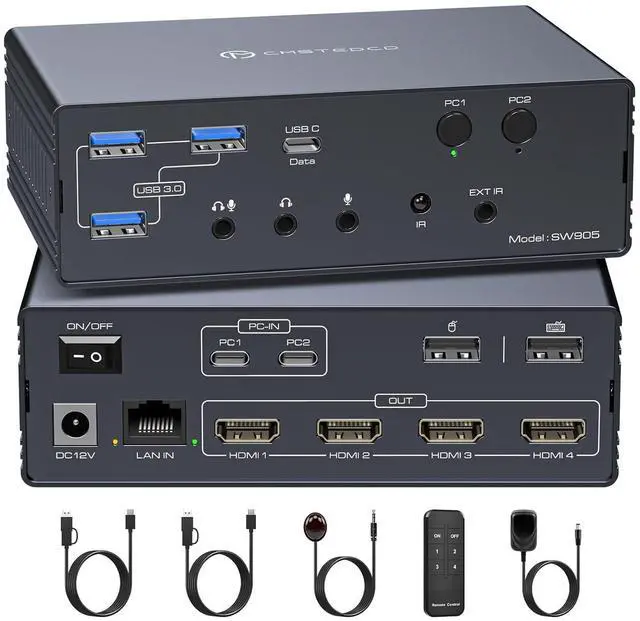
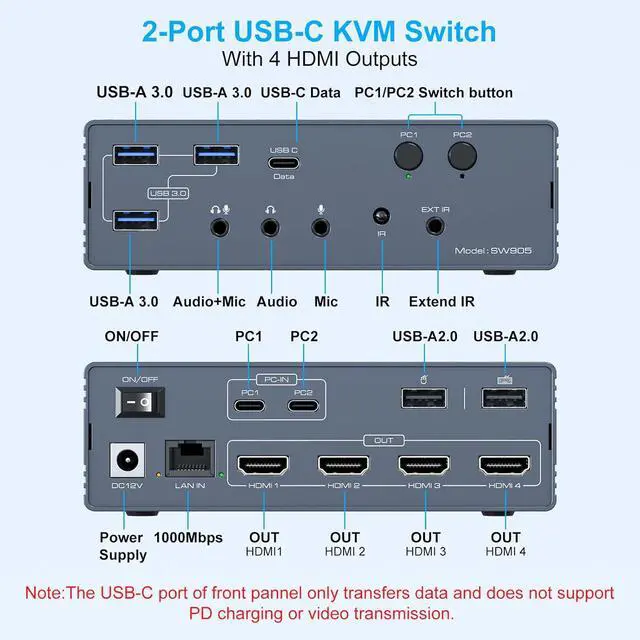
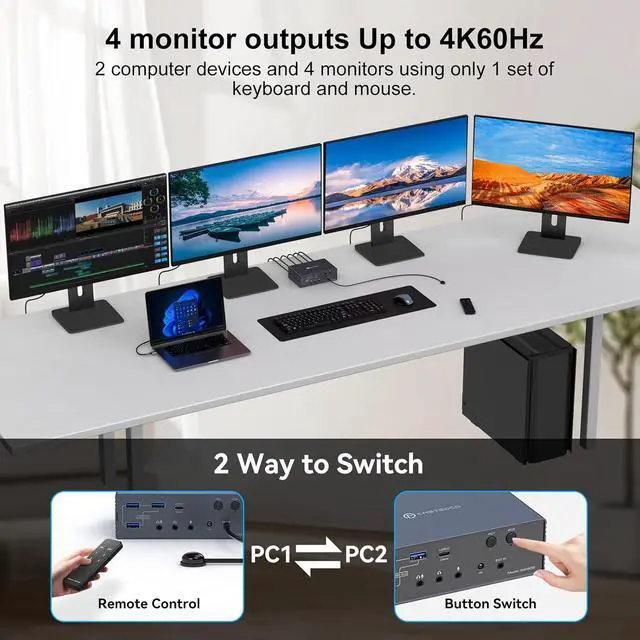
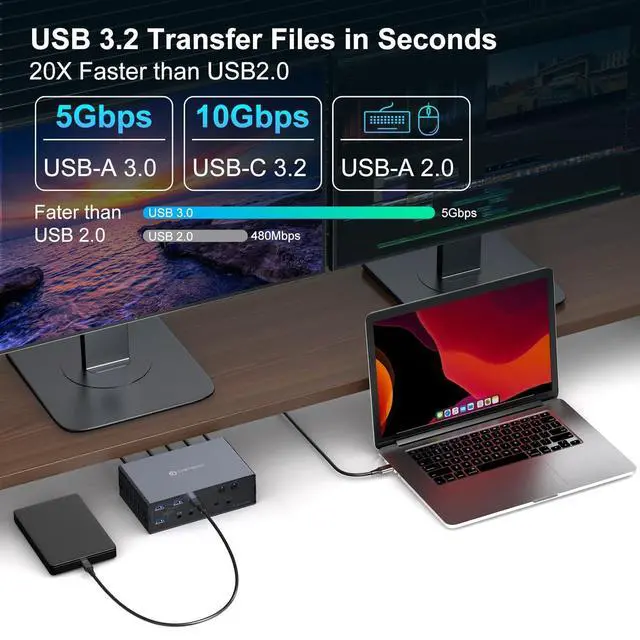
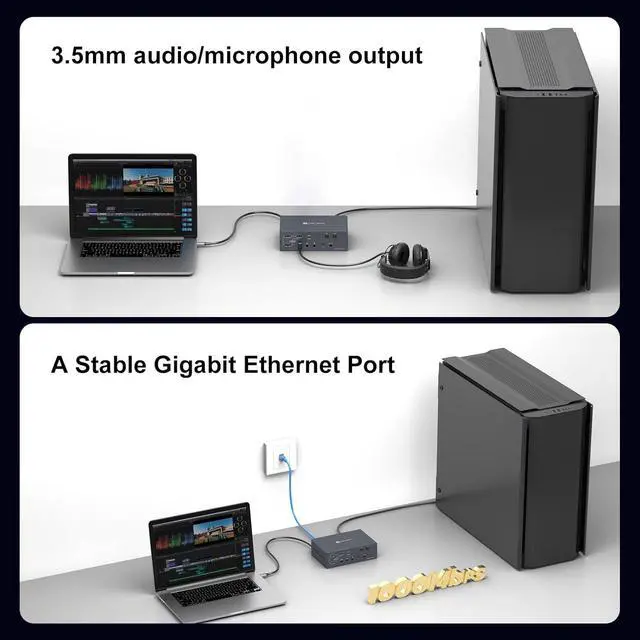
    • KVM Switch 4 Monitors 2 ComputersThis USB A/C docking station breaks through MacOS limitations. Supports MacBooks/other laptops/desktops (with USB-C or USB-A 3.0+ ports) to expand to 4 displays. Shares full configuration: Connect multiple peripherals via 2 USB-A 2.0 ports, 3 USB-A 3.0 ports, and 1 USB-C port. Features Gigabit Ethernet and audio interfaces. Supports remote control switching to create a complete all-in-one office or entertainment hub.
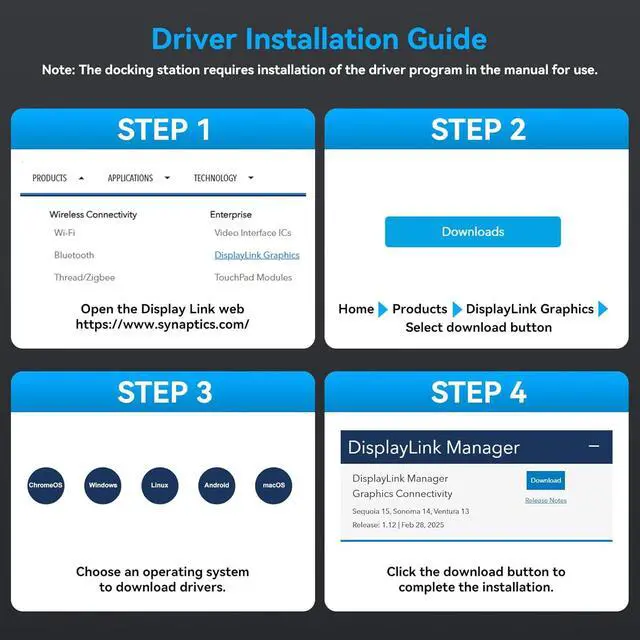
    • Important Notice 1. This KVM switch for Mac requires the DisplayLink driver to function. (Refer to the image details page and manual for specific installation steps. Set the driver to run automatically at system startup. Contact technical support if installation issues arise.) 2. The USB input port on your computer must meet the minimum USB 3.0 specification requirements. 3. PD charging functionality is not supported.4. When the device is running, it willoccupy computer system resources. It is recommended to use a CPU of I7 or above a
    +
    +
    Overview
    Specs
    Reviews
    avatar

    Any questions? Our AI beta will help you find out quickly.

    1USB 3.2 Transfer2Switching Mode3Audio & Ethernet Does this kvm switch require driver installation before use?
    Yes, you need to install the driver then you can use this device properly.

    Does this program use up computer memory when it's running?
    Yes, it will occupy computer system resources. It is recommended to use a CPU of I7 or above and at least 16GB of memory.

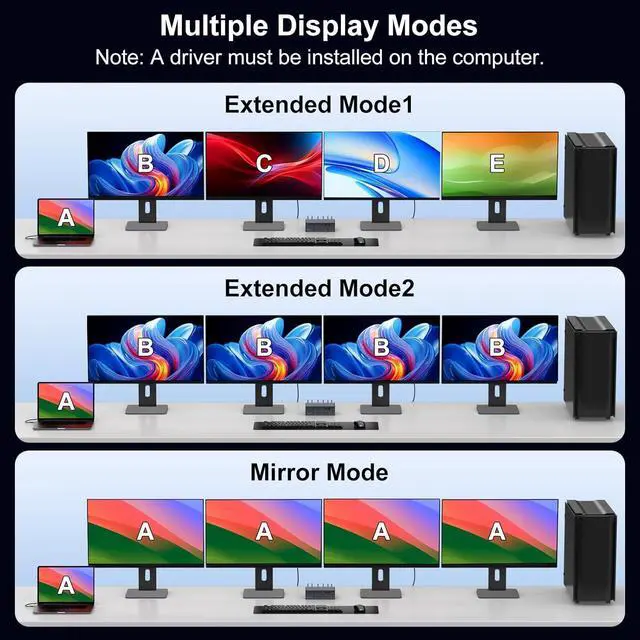
    Does macOS also support extended mode?
    Yes, macOS also supports extended mode (i.e., AAAAA/ABBBB/ABCDE).

    Can I charge my laptop while using this device?
    No, this product does not support powering a laptop.

    What ports do my computer and monitor need to have in order to use this KVM switch?
    Each of your computers must have at least one USB 3.0 or higher port, and each of your monitors must have at least one HDMI port.

    Does this kvm switch require driver installation before use?
    Does this program use up computer memory when it's running?
    Does macOS also support extended mode?
    Can I charge my laptop while using this device?
    What ports do my computer and monitor need to have in order to use this KVM switch?

    Warranty & Returns

    Warranty, Returns, And Additional Information

    Warranty

    • Please contact the Seller directly for warranty information. Warranty information may also be found on the Manufacturer's website.
    • CONTACT

    Return Policies

    Manufacturer Contact Info

    LOADING...