Your Browsing History
Meet Your Seller
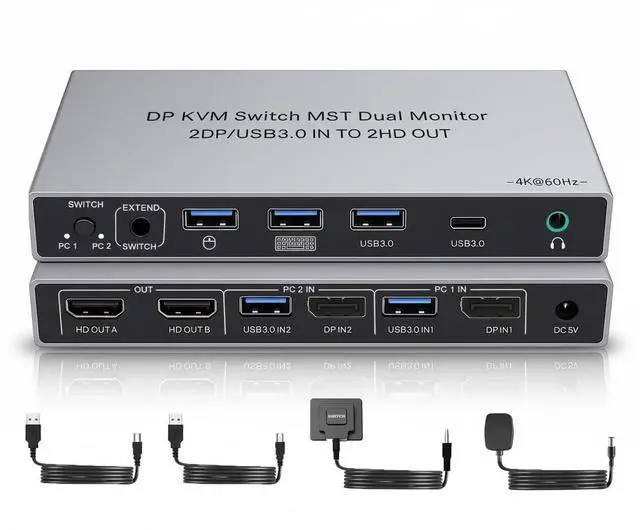
Displayport 2IN HDMI 2OUT KVM Switch 2 Monitors 2 Computers SW201 4K 60Hz DP 2 in HDMI 2 Out USB 3.0 KVM Switch USB 4 Ports KVM Switcher 2 PC or 2 Laptops Share Keyboard Mouse Printer
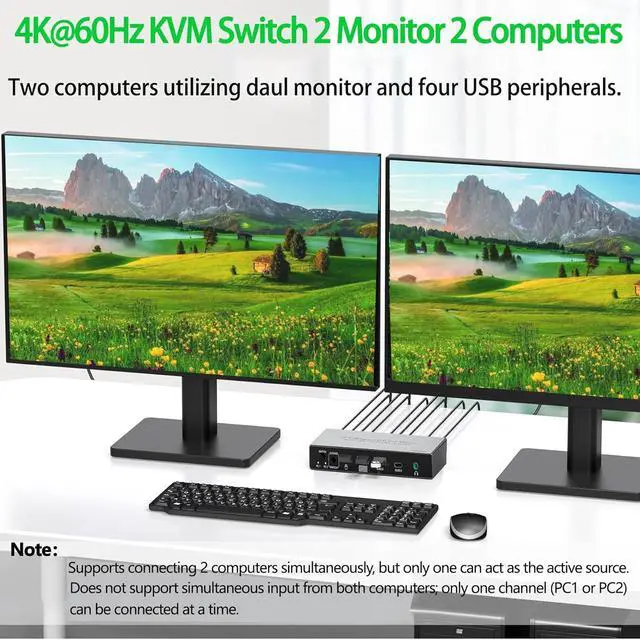
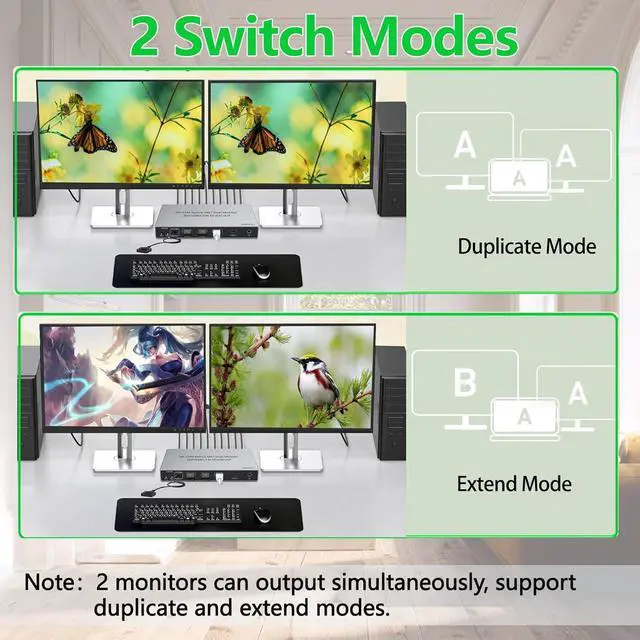
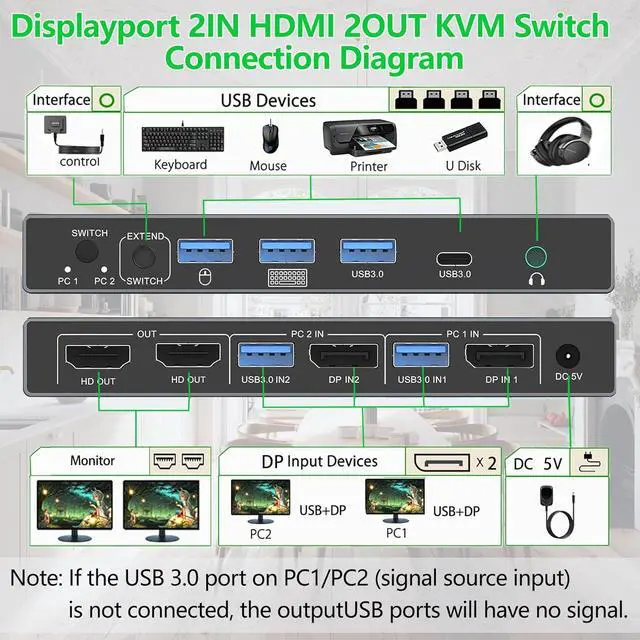
- Effortless Control of Two PCs with Two Monitors:Supports connecting two computers simultaneously, but only one can act as the active source. Both monitors can output simultaneously, with support for duplicate and extend modes. Does not support simultaneous input from both computers; only one channel (PC1 or PC2) can be connected at a time.
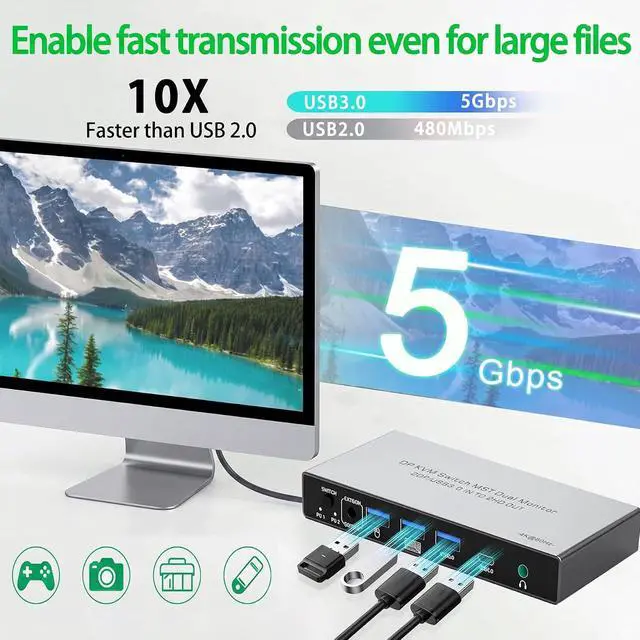
- High-Speed USB 3.0 Hub for Expanded Connectivity: If the USB 3.0 port on the active source (PC1 or PC2) is not connected, the USB ports on the output side will have no signal. Equipped with 4 USB ports (3 Type-A + 1 Type-C), delivering transfer speeds up to 5Gbps. Connect your mouse, keyboard, flash drives, hard drives, printers, and other peripheralsall from one central hub.
- True 4K@60Hz: Enjoy stunning visuals with support for up to 4K@60Hz resolution, along with backward compatibility for 4K@30Hz, 1080p, and more. Featuring HDMI 2.0, HDR10+, and 3D support, colors are vibrant, details are sharpperfect for design, entertainment, and gaming.
- T
+
+
Overview
Specs
Reviews
Any questions? Our AI beta will help you find out quickly.
Try me now
Dual Monitor, Dual PC Control Control 2 computers with a single set of keyboard, mouse, and 2 HDMI monitors. Switch between work and gaming in seconds, no more messy cable swapping.
4K@60Hz Stunning Visuals Supports UHD 4K@60Hz resolution, delivering crystal-clear visuals for your design, gaming, and multitasking needs.
USB 3.0 SuperSpeed 4 USB 3.0 ports with 5Gbps transfer speed, compatible with your keyboard, mouse, printer, and external hard drives.
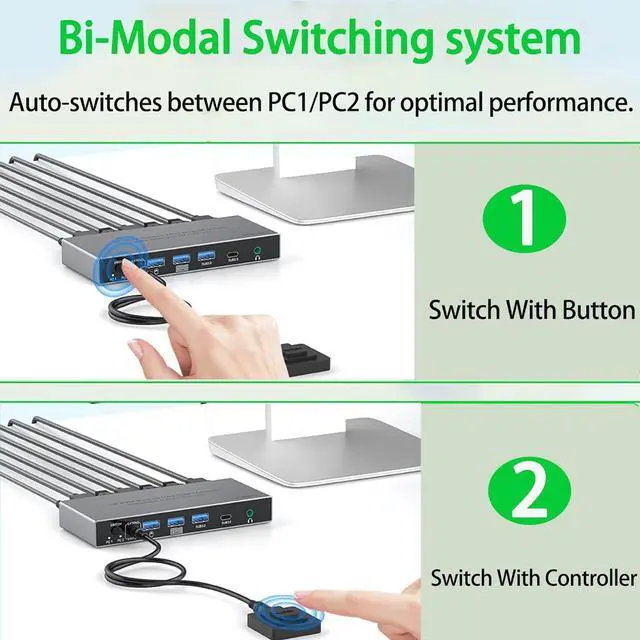
Seamless Switching Hotkey, remote control, and one-button switch options for instant, lag-free transitions between devices.
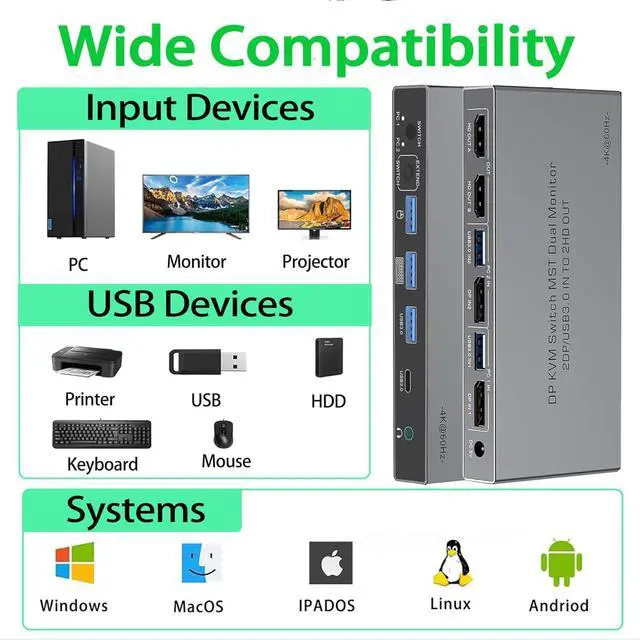
Wide Compatibility Works with Windows, Mac, Linux, Xbox, PS5, and more. Ideal for home offices, gamers, and content creators.
1.Dual-Screen Support Required: Ensure that each of your computers independently supports dual-screen output.
2.Computer Port Requirements: Each computer must have 1 DisplayPort video output and 1 USB port (for connecting the KVM control cable).
3.Connection Method (Critical): For Each Computer: You must connect 1 DP cable (to DP IN) + 1 USB cable (to the corresponding USB IN). For Each Monitor: Connect 1 HDMI cable (to HDMI OUT).
4.Display Logic: Both monitors will simultaneously display the signal from the same computer. It is not possible to have one monitor show PC1 and the other show PC2.
5.Power Connection: To ensure proper functionality, you must power the KVM switch using the included power adapter.
Our KVM Switch 2 Monitors 2 Computers Precautions for Dual Monitor KVM Switch 2 Monitors 2 Computers (Dual DisplayPort Input, Dual HDMI Output)

4K@60Hz Stunning Visuals Supports UHD 4K@60Hz resolution, delivering crystal-clear visuals for your design, gaming, and multitasking needs.
USB 3.0 SuperSpeed 4 USB 3.0 ports with 5Gbps transfer speed, compatible with your keyboard, mouse, printer, and external hard drives.
Seamless Switching Hotkey, remote control, and one-button switch options for instant, lag-free transitions between devices.
Wide Compatibility Works with Windows, Mac, Linux, Xbox, PS5, and more. Ideal for home offices, gamers, and content creators.
1.Dual-Screen Support Required: Ensure that each of your computers independently supports dual-screen output.
2.Computer Port Requirements: Each computer must have 1 DisplayPort video output and 1 USB port (for connecting the KVM control cable).
3.Connection Method (Critical): For Each Computer: You must connect 1 DP cable (to DP IN) + 1 USB cable (to the corresponding USB IN). For Each Monitor: Connect 1 HDMI cable (to HDMI OUT).
4.Display Logic: Both monitors will simultaneously display the signal from the same computer. It is not possible to have one monitor show PC1 and the other show PC2.
5.Power Connection: To ensure proper functionality, you must power the KVM switch using the included power adapter.
Our KVM Switch 2 Monitors 2 Computers Precautions for Dual Monitor KVM Switch 2 Monitors 2 Computers (Dual DisplayPort Input, Dual HDMI Output)
Warranty & Returns
Warranty, Returns, And Additional Information
Warranty
- Please contact the Seller directly for warranty information. Warranty information may also be found on the Manufacturer's website.
- CONTACT
Return Policies
- Return for refund within: 30 days
- Return for replacement within: 30 days
- This item is covered by PrimeVolt’Shop Return Policy
Manufacturer Contact Info
- For a directory of all our manufacturers, please click below.
- Manufacturers Directory
LOADING...