Your Browsing History
Meet Your Seller
USB C KVM Switch 4 Computers 4 Montors Docking Station for M1 M2 M3 M4 with Displaylink Technology,4K60Hz HDMI KVM Multi-Monitor Extended/Mirrored Display Out for Windows Mac
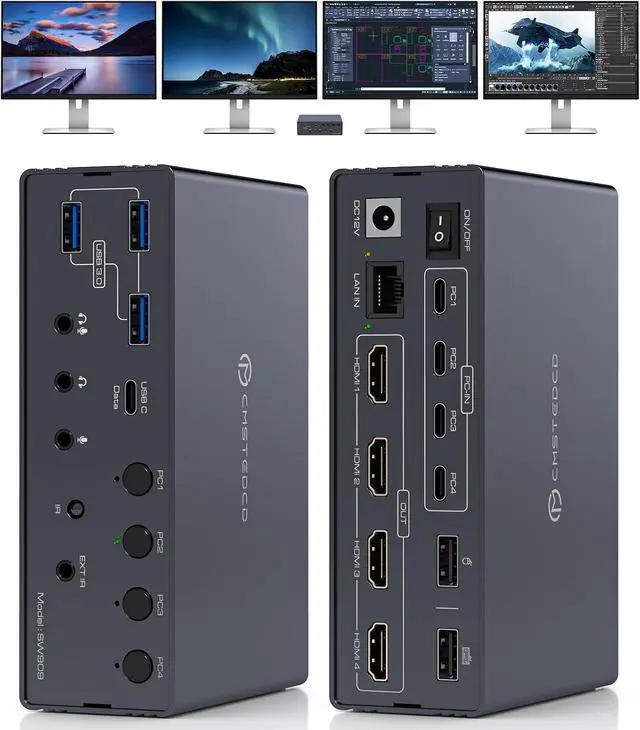
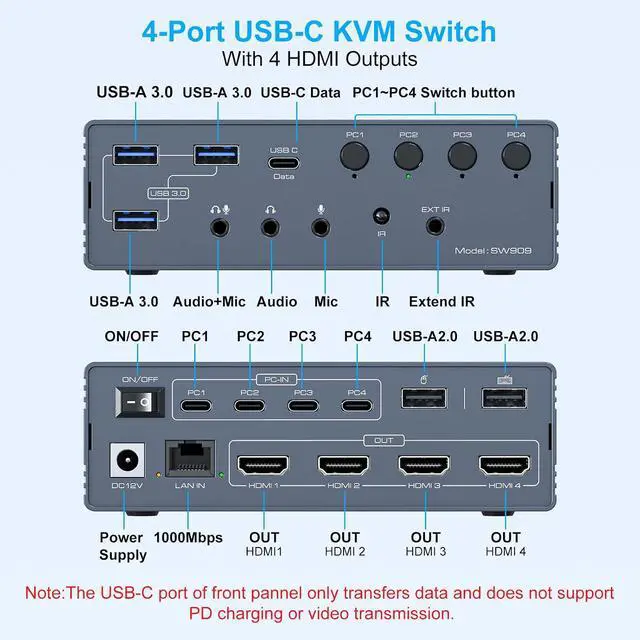
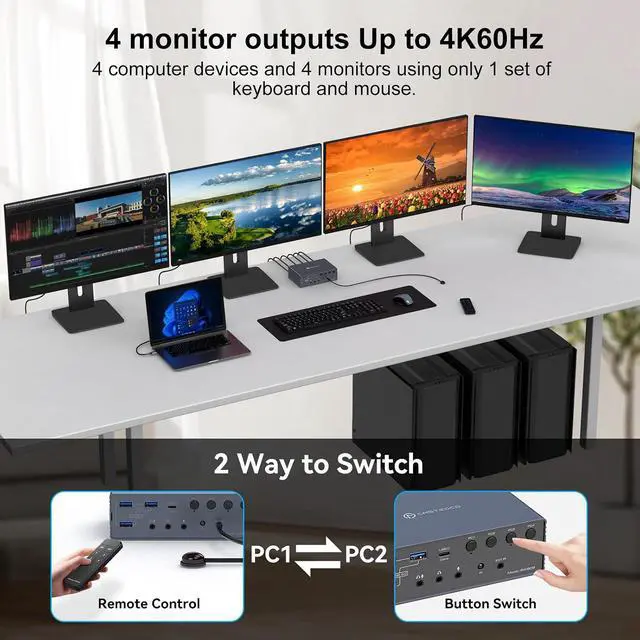
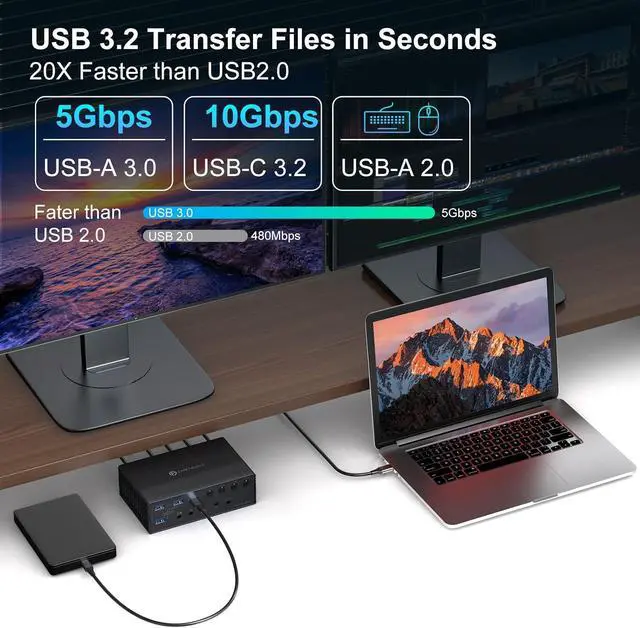
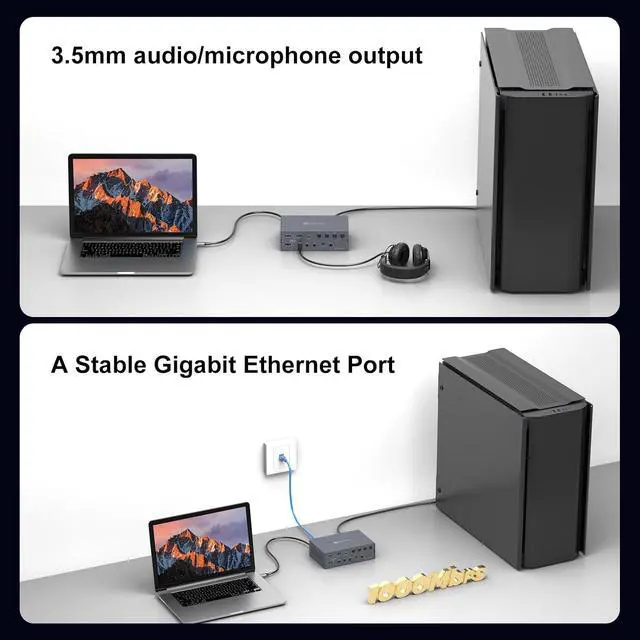
- KVM Switch 4 Computers 4 MontorsThe KVM docking station seamlessly integrates 4 computers with four monitors, while also combining network connections, headphones, microphones, mouse, keyboards, webcams, portable hard drives, and other devices into a complete office and entertainment system
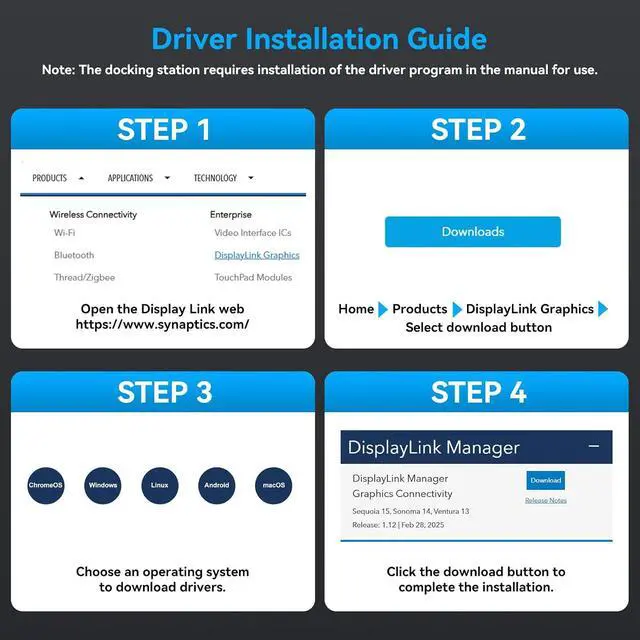
- Important Notice1. DisplayLink drivers must be installed to enable full functionality (set driver to auto-start at system boot,contact technical support if issues arise during driver installation). 2. This KVM Switch Docking Station don't support PD charging. 3. The USB-C port on the front panel only transmits data and does not support PD charging or video transmission.4.For optimal 4K@60Hz performance, please using high-quality cables (under 3 feet/1 meter is ideal) that support HDMI 2.0 standards
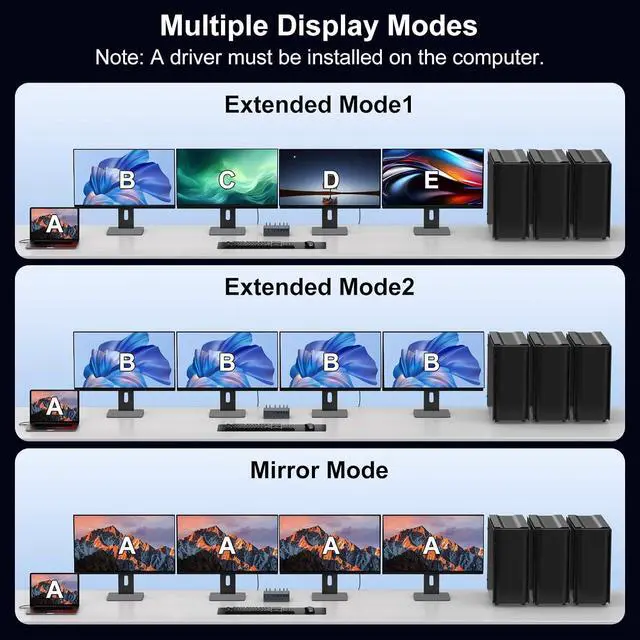
- Mirroring and Extended DisplayThe thunderbolt KVM switch 4 computers supports extended mode and mirroring mode, suitable for desktop/laptop computers.The KVM switches breaks through the limitatio
+
+
Overview
Specs
Reviews
Any questions? Our AI beta will help you find out quickly.
Try me now
1Two Way Switch2Ethernet&Audio/Mic Out3With USB A-C to C Cable 1.Must I install a displaylink driver When I use the TJCXELE Thunderbolt KVM switch docking station
The Displaylink driver must be installed when using the USB C KVM switch docking station, otherwise monitors will not output images properly
2.What are the requirements for the ports on the laptop? Can all C ports be used?
your laptop must be equipped with a USB-C 3.0 (or higher) interface
3.Will this dock enable the use of four displays on base M1, M2, M3 or M4Macs?
Yes. After installing the displaylink driver, even on MacOS systems, this docking station can be connected to two monitors to display different content.
4.Does each monitor support 4K 60Hz?
Yes,For optimal 4K@60Hz performance, please using high-quality cables (under 3 feet/1 meter is ideal) that support DP 1.4 and HDMI 2.1 standards
USB C DisplayLink Docking Installation Video 1.Must I install a displaylink driver When I use the TJCXELE Thunderbolt KVM switch docking station
2.What are the requirements for the ports on the laptop? Can all C ports be used?
3.Will this dock enable the use of four displays on base M1, M2, M3 or M4Macs?
4.Does each monitor support 4K 60Hz?

The Displaylink driver must be installed when using the USB C KVM switch docking station, otherwise monitors will not output images properly
2.What are the requirements for the ports on the laptop? Can all C ports be used?
your laptop must be equipped with a USB-C 3.0 (or higher) interface
3.Will this dock enable the use of four displays on base M1, M2, M3 or M4Macs?
Yes. After installing the displaylink driver, even on MacOS systems, this docking station can be connected to two monitors to display different content.
4.Does each monitor support 4K 60Hz?
Yes,For optimal 4K@60Hz performance, please using high-quality cables (under 3 feet/1 meter is ideal) that support DP 1.4 and HDMI 2.1 standards
USB C DisplayLink Docking Installation Video 1.Must I install a displaylink driver When I use the TJCXELE Thunderbolt KVM switch docking station
2.What are the requirements for the ports on the laptop? Can all C ports be used?
3.Will this dock enable the use of four displays on base M1, M2, M3 or M4Macs?
4.Does each monitor support 4K 60Hz?
Warranty & Returns
Warranty, Returns, And Additional Information
Warranty
- Please contact the Seller directly for warranty information. Warranty information may also be found on the Manufacturer's website.
- CONTACT
Return Policies
- Return for refund within: 30 days
- Return for replacement within: 30 days
- This item is covered by PrimeVolt’Shop Return Policy
Manufacturer Contact Info
- For a directory of all our manufacturers, please click below.
- Manufacturers Directory
LOADING...