Your Browsing History
Meet Your Seller
HDMI KVM Switch with Audio, 4 Ports KVM Switcher 8K@60Hz, with EDID Emulator for 4 Computers Share Mouse Keyboard and Monitor
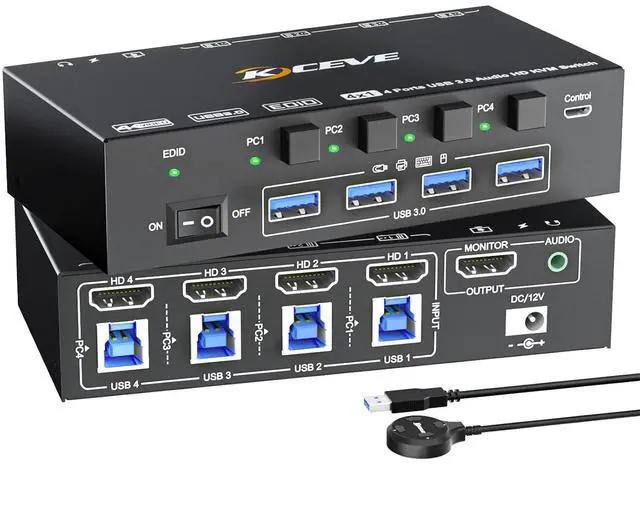
- This is a 4 in 1 out HDMI KVM USB 3.0 switch, it will be an amazing choice if you need to share your monitor, keyboard & mouse between 4 HDMI port computers.
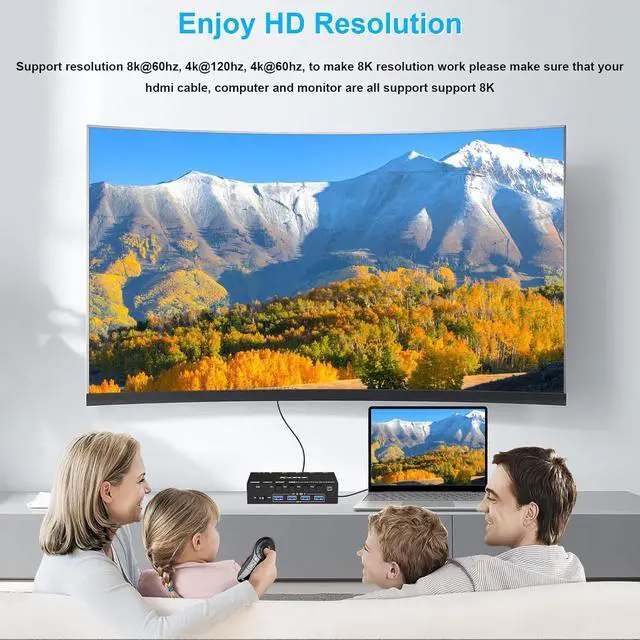
- 4 PC 1 monitor KVM switch support high resolution of 8K@60Hz, please use 8k HDMI cable to achive 8k@60Hz resolution. And make sure your monitor, computer are all support 8k.
- This 4 ports kvm switch desigh with audio port for audio device connected. Four USB 3.0 ports for usb devices connected, such as USB Hub, hard driver, printer, scaner, etc. USB 3.0 transmission is more stable and fast.
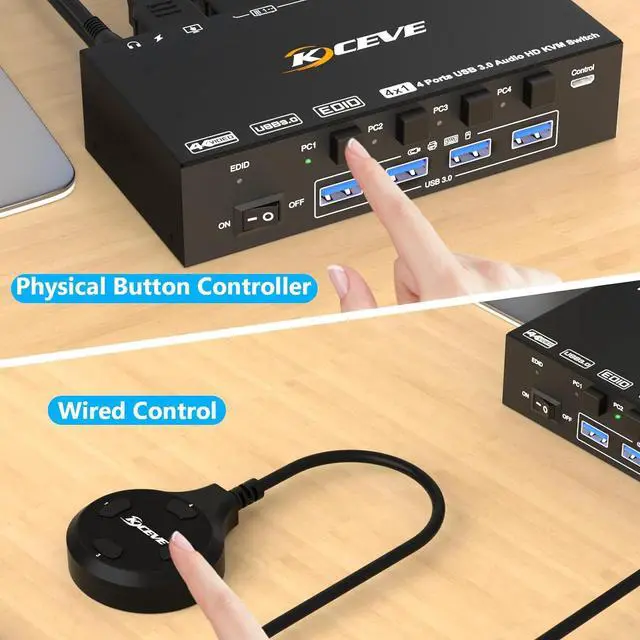
- Support two switching way, phsical button control and wired control, come with a wired control button, support control device within 1.5 meters. Noted: this 4 computers kvm switcher not support keyboard hot key control.
- Plug and play, drive-free, compatible with a variety of computer systems, such as Windows10 / 8.1 / 8 / 7 / XP / Vista, Mac OS, Linux, Chrome OS. Thanks for purchasing our 4 in 1 out KVM switch, we provide one year guarantee
+
+
Overview
Specs
Reviews
Any questions? Our AI beta will help you find out quickly.
Try me now
4 Computers Share 1 Monitor and 4 USB 3.0 Devices
This 4 ports kvm switch is used for 4 HDMI port computers or laptops to share 1 monitor and 4 USB 3.0 devices (keyboard, mouse, printer, scanner and other USB devices.
Ultra HD 8K@60HZ/4K@120Hz Visual Experience
This 4 in 1 out KVM switch output max resolution up to 8K@60Hz/4K@120Hz, each details can be displayed without any latency.
Displayport 1.4 support max resolution up to 8K@30Hz/4K@120Hz and backward compatible.
HDMI 2.1 supports max 8K@60Hz/4K@60Hz and down compatible with lower resolution. Note: HDMI part does not support 4k@144Hz or 4K@120Hz
Important Note: The final resolution is subject to your graphics card, cables, monitors and adapters.
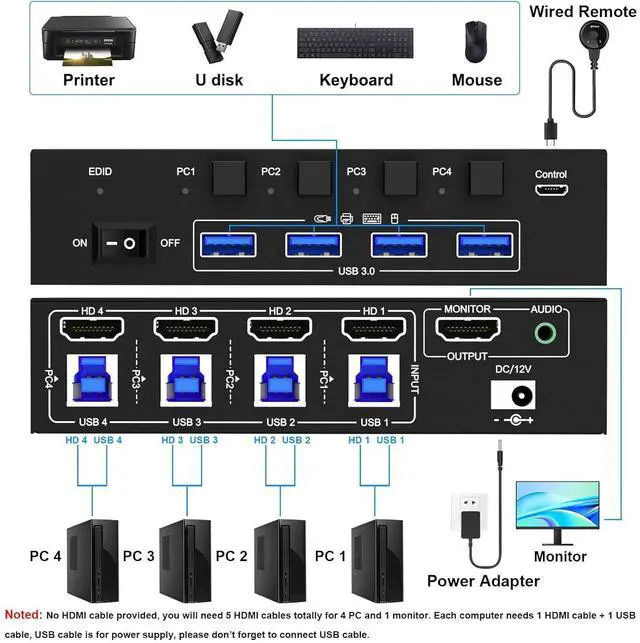
Step 1: Connect 1 HDMI cable + 1 USB cable to PC 1 and KVM switch (HD 1, USB 1).
Step 2. Connect 1 HDMI cable + 1 USB cable to PC 2 and KVM switch (HD 2, USB 2).
Step 3. Connect 1 HDMI cable + 1 USB cable to PC 3 and KVM switch (HD 3, USB 3).
Step 4. Connect 1 HDMI cable + 1 USB cable to PC 4 and KVM switch (HD 4, USB 1).
Step 5. Connect 1 HDMI cable to monitor ( output)
Step 6: Connect your USB device (keyboard and mouse) to the USB 3.0 port on the KVM switch. You can connect up to 4 USB 3.0 devices at the same time.
Step 7. Connect the wired remote control
Note: Please connect the 12V DC power adapter to provide sufficient power. Using a shorter 8K HDMI can make the KVM switch more stable.
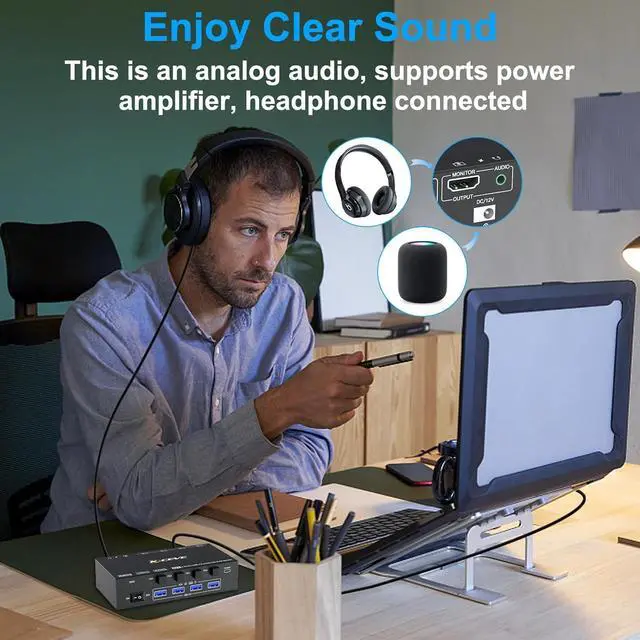
This KVM switch design with audio for audio device, such as power amplifier, headphone.
Microphone not supported.
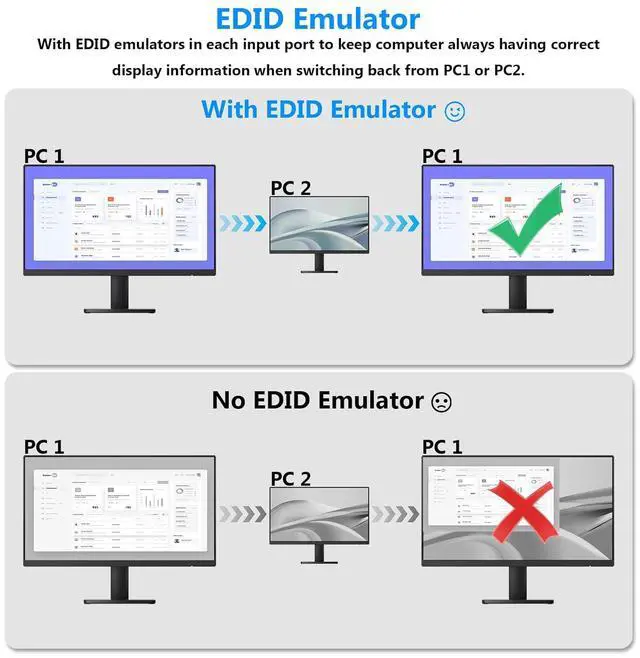
USB 3.0 KVM switch with EDID emulators in each input port to keep computers always having correct display information when switch back.
For most KVM switch on the market are not support EDID locking sreen function, its not very convenient sometimes.
Support resolution 8k@60hz, 4K@120hz, 4K@60hz and lower resolution
Please use 8K cable to achive 8k resolution. And HDMI cable shoud not be too long ( within 1.5m would be stable)
This KVM switch design with audio for audio device, such as power amplifier, headphone.
Microphone not supported.
USB 3.0 version ensure data transfer more faster and stable, it's a great solution to solve many USB device disconnected issue during use.
Physical button control.
Wired control, we upgraded the wired control, it's size is more bigger and touch feel more comfortable, this switching way is fast respond and flexible, you can hide the 4 PC KVM switch under the table and keep desk tidy.
External power supply is not required for normal USB device.
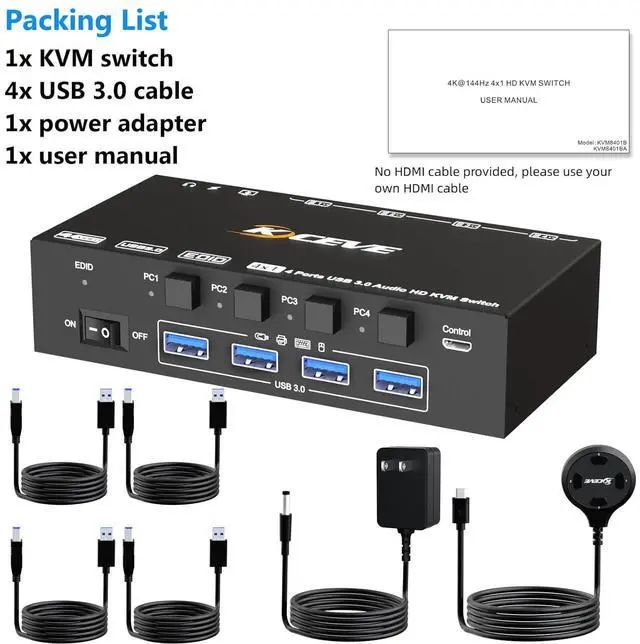
DC12 power adapter is included. When connected high power consumption USB device, you will need to connect power adapter to ensure it's operation stable.
KVM Switch for 4 Computers 1 Monitor With Audio Function For input, each computer needs 1 HDMI + 1 USB 3.0 connection, for output needs 1 HDMI connection 4 PC KVM Switch With Audio Function KVM Switch 4 PC with EDID emulators in each input port Enjoy 8K HD quality display With audio function 4PC KVM switch with 4 USB 3.0 ports Support 2 switching ways DC12V port for power supply

This 4 ports kvm switch is used for 4 HDMI port computers or laptops to share 1 monitor and 4 USB 3.0 devices (keyboard, mouse, printer, scanner and other USB devices.
Ultra HD 8K@60HZ/4K@120Hz Visual Experience
This 4 in 1 out KVM switch output max resolution up to 8K@60Hz/4K@120Hz, each details can be displayed without any latency.
Displayport 1.4 support max resolution up to 8K@30Hz/4K@120Hz and backward compatible.
HDMI 2.1 supports max 8K@60Hz/4K@60Hz and down compatible with lower resolution. Note: HDMI part does not support 4k@144Hz or 4K@120Hz
Important Note: The final resolution is subject to your graphics card, cables, monitors and adapters.
Step 1: Connect 1 HDMI cable + 1 USB cable to PC 1 and KVM switch (HD 1, USB 1).
Step 2. Connect 1 HDMI cable + 1 USB cable to PC 2 and KVM switch (HD 2, USB 2).
Step 3. Connect 1 HDMI cable + 1 USB cable to PC 3 and KVM switch (HD 3, USB 3).
Step 4. Connect 1 HDMI cable + 1 USB cable to PC 4 and KVM switch (HD 4, USB 1).
Step 5. Connect 1 HDMI cable to monitor ( output)
Step 6: Connect your USB device (keyboard and mouse) to the USB 3.0 port on the KVM switch. You can connect up to 4 USB 3.0 devices at the same time.
Step 7. Connect the wired remote control
Note: Please connect the 12V DC power adapter to provide sufficient power. Using a shorter 8K HDMI can make the KVM switch more stable.
This KVM switch design with audio for audio device, such as power amplifier, headphone.
Microphone not supported.
USB 3.0 KVM switch with EDID emulators in each input port to keep computers always having correct display information when switch back.
For most KVM switch on the market are not support EDID locking sreen function, its not very convenient sometimes.
Support resolution 8k@60hz, 4K@120hz, 4K@60hz and lower resolution
Please use 8K cable to achive 8k resolution. And HDMI cable shoud not be too long ( within 1.5m would be stable)
This KVM switch design with audio for audio device, such as power amplifier, headphone.
Microphone not supported.
USB 3.0 version ensure data transfer more faster and stable, it's a great solution to solve many USB device disconnected issue during use.
Physical button control.
Wired control, we upgraded the wired control, it's size is more bigger and touch feel more comfortable, this switching way is fast respond and flexible, you can hide the 4 PC KVM switch under the table and keep desk tidy.
External power supply is not required for normal USB device.
DC12 power adapter is included. When connected high power consumption USB device, you will need to connect power adapter to ensure it's operation stable.
KVM Switch for 4 Computers 1 Monitor With Audio Function For input, each computer needs 1 HDMI + 1 USB 3.0 connection, for output needs 1 HDMI connection 4 PC KVM Switch With Audio Function KVM Switch 4 PC with EDID emulators in each input port Enjoy 8K HD quality display With audio function 4PC KVM switch with 4 USB 3.0 ports Support 2 switching ways DC12V port for power supply
Warranty & Returns
Warranty, Returns, And Additional Information
Warranty
- Please contact the Seller directly for warranty information. Warranty information may also be found on the Manufacturer's website.
- CONTACT
Return Policies
- Return for refund within: 30 days
- Return for replacement within: 30 days
- This item is covered by PrimeVolt’Shop Return Policy
Manufacturer Contact Info
- For a directory of all our manufacturers, please click below.
- Manufacturers Directory
LOADING...