

Your Browsing History

Meet Your Seller

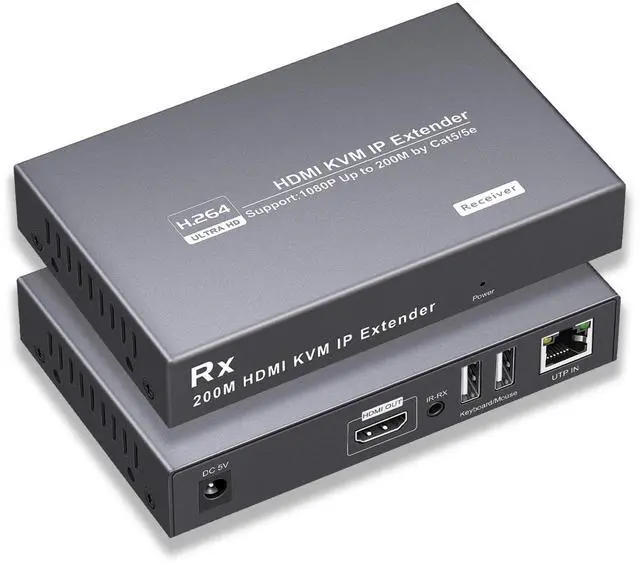
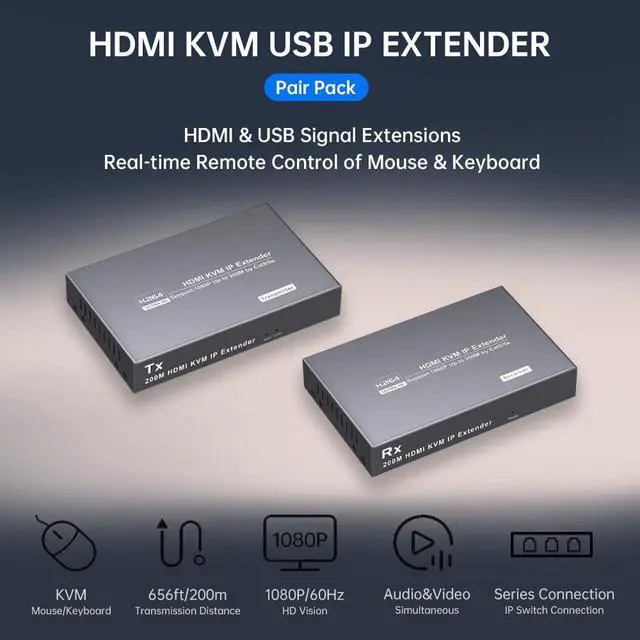


RYXN 1080P HDMI KVM USB IP Extender Over Cat5e/6 Transmits Up to 656ft/200m, with 2 USB Ports Supports Mouse and Keyboard Remote Control, Both Ends Feature Audio Extractor Function
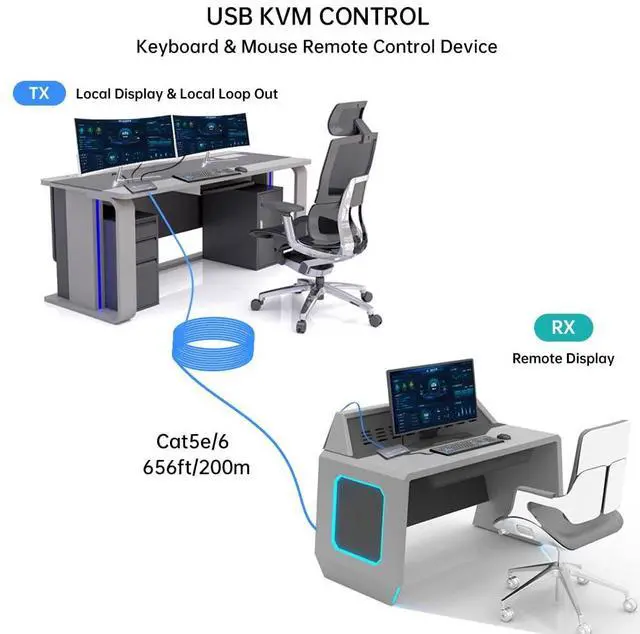
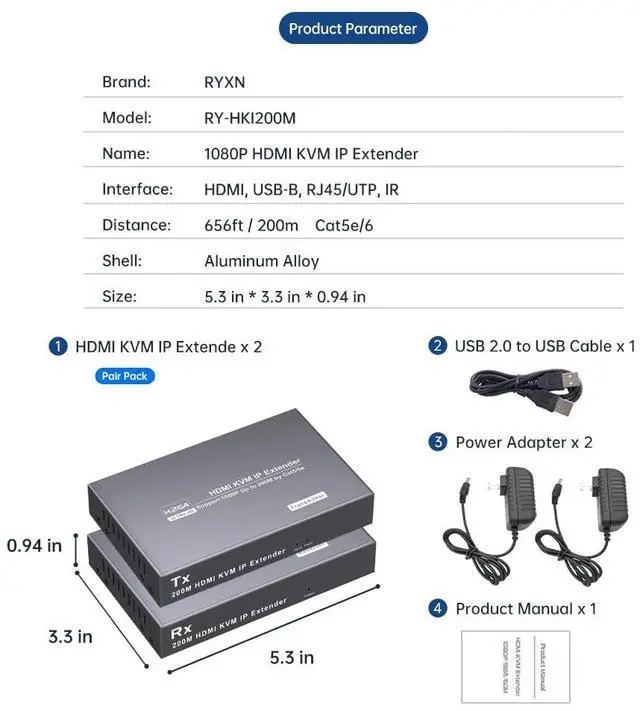
- 1080P@60Hz, 656ft/200mHDMI KVM IP Extender can transmit 1080P HDMI1.3 signals and USB1.1 signals from a computer host or laptop over a single CAT6 cable up to 200 meters/656 feet, CAT5e cable up to 150 meters, It is suitable for remotely controlling computers, NVR, Monitors, and other devices.
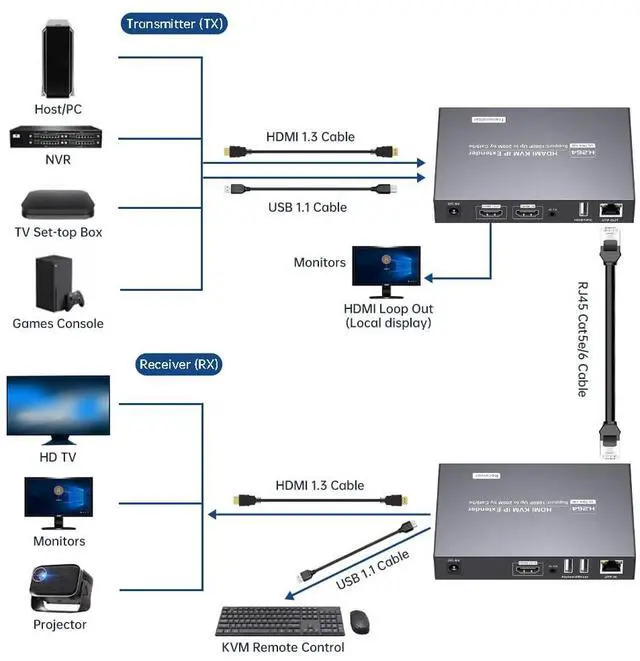
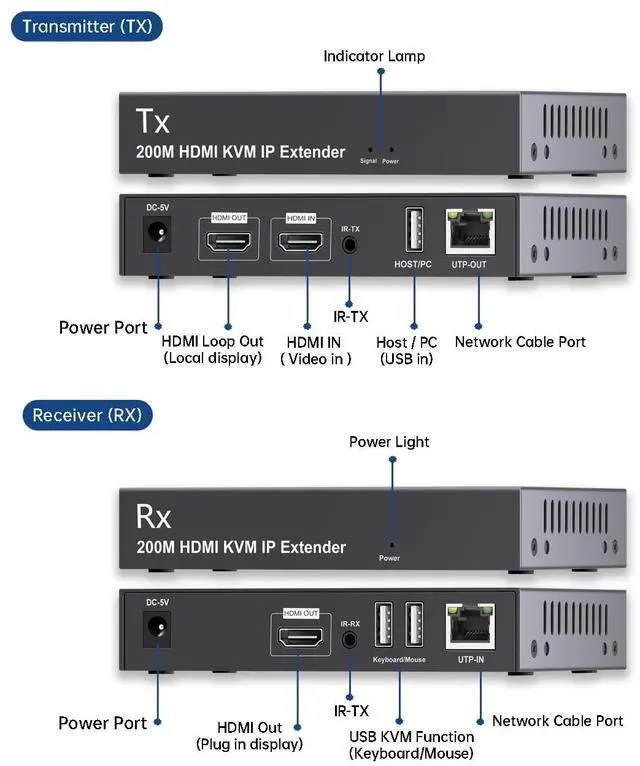
- HDMI Local loopout FunctionThis HDMI KVM Extender provides HDMI local loopout function at the transmitter (TX). That is, an HDMI port is left at the transmitter end, which can be directly connected to the display to achieve local video playback in real time. See an image of your transmitted remote HDMI input signal in real time. The resolution must be consistent with that of the receiver. This function is mainly used for home security monitoring, remote video control and other application scenarios.
- Two Usage Methods1. Supports single cable one-to-one mode. Typically used for transmitting USB signals over a cable to facilitate remote control of a mouse and keyboard. 2. Also supports one-
+
+
Overview
Reviews

Any questions? Our AI beta will help you find out quickly.
Try me now
1080P@60Hz, 656ft/200mHDMI KVM IP Extender can transmit 1080P HDMI1.3 signals and USB1.1 signals from a computer host or laptop over a single CAT6 cable up to 200 meters/656 feet, CAT5e cable up to 150 meters, It is suitable for remotely controlling computers, NVR, Monitors, and other devices.
HDMI Local loopout FunctionThis HDMI KVM Extender provides HDMI local loopout function at the transmitter (TX). That is, an HDMI port is left at the transmitter end, which can be directly connected to the display to achieve local video playback in real time. See an image of your transmitted remote HDMI input signal in real time. The resolution must be consistent with that of the receiver. This function is mainly used for home security monitoring, remote video control and other application scenarios.
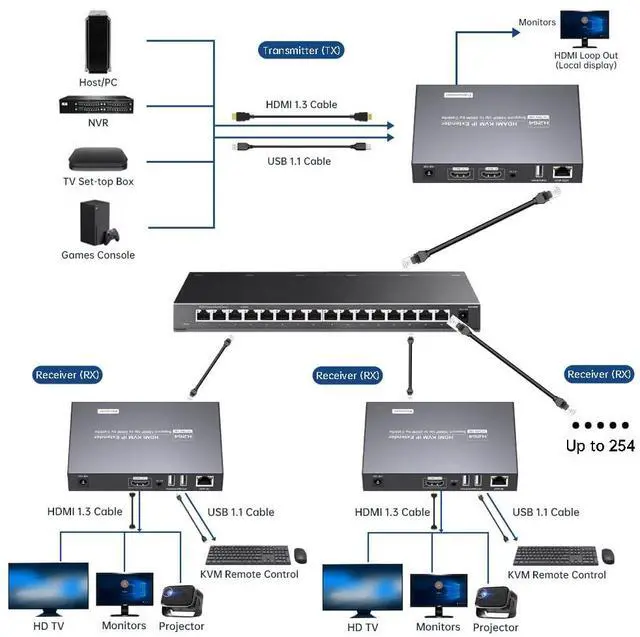
Two Usage Methods1. Supports single cable one-to-one mode. Typically used for transmitting USB signals over a cable to facilitate remote control of a mouse and keyboard. 2. Also supports one-to-many cascading transmission mode (up to 254 cascades). The one-to-many cascading mode requires the use of an Ethernet switch and supports the 802.3 Ethernet standard from one transmitter (TX) to twenty receivers (RX). It is generally used when multiple monitors need to synchronously display images from the transmitter (TX). Receivers (RX) need to be purchased separately for cascading mode. When cascading a large number of devices, a Gigabit Ethernet switch is recommended.
Supports 2 USB1.1 ExtensionsThe transmitter's USB connects to the PC host, and the receiver has 2 USB1.1 ports, transmitting keyboard and mouse signals through the cable, allowing for easy remote control of the mouse and keyboard. No drivers are needed, plug and play.
Multi scenario ApplicationsWidely used in security monitoring, broadcasting, video conferencing, home theaters, educational systems, and more. The metal shell is designed with integrated heat dissipation holes to effectively dissipate heat and ensure the stability of the long-term operation of the system.
HDMI Local loopout FunctionThis HDMI KVM Extender provides HDMI local loopout function at the transmitter (TX). That is, an HDMI port is left at the transmitter end, which can be directly connected to the display to achieve local video playback in real time. See an image of your transmitted remote HDMI input signal in real time. The resolution must be consistent with that of the receiver. This function is mainly used for home security monitoring, remote video control and other application scenarios.
Two Usage Methods1. Supports single cable one-to-one mode. Typically used for transmitting USB signals over a cable to facilitate remote control of a mouse and keyboard. 2. Also supports one-to-many cascading transmission mode (up to 254 cascades). The one-to-many cascading mode requires the use of an Ethernet switch and supports the 802.3 Ethernet standard from one transmitter (TX) to twenty receivers (RX). It is generally used when multiple monitors need to synchronously display images from the transmitter (TX). Receivers (RX) need to be purchased separately for cascading mode. When cascading a large number of devices, a Gigabit Ethernet switch is recommended.
Supports 2 USB1.1 ExtensionsThe transmitter's USB connects to the PC host, and the receiver has 2 USB1.1 ports, transmitting keyboard and mouse signals through the cable, allowing for easy remote control of the mouse and keyboard. No drivers are needed, plug and play.
Multi scenario ApplicationsWidely used in security monitoring, broadcasting, video conferencing, home theaters, educational systems, and more. The metal shell is designed with integrated heat dissipation holes to effectively dissipate heat and ensure the stability of the long-term operation of the system.
Warranty & Returns
Warranty, Returns, And Additional Information
Warranty
- Please contact the Seller directly for warranty information. Warranty information may also be found on the Manufacturer's website.
- CONTACT
Return Policies
- Return for refund within: 30 days
- Return for replacement within: 30 days
- This item is covered by PrimeVolt’Shop Return Policy
Manufacturer Contact Info
- For a directory of all our manufacturers, please click below.
- Manufacturers Directory
LOADING...