Your Browsing History
Meet Your Seller
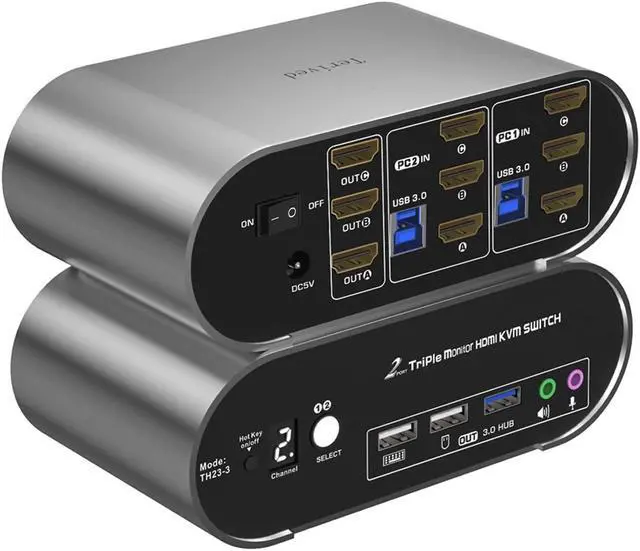
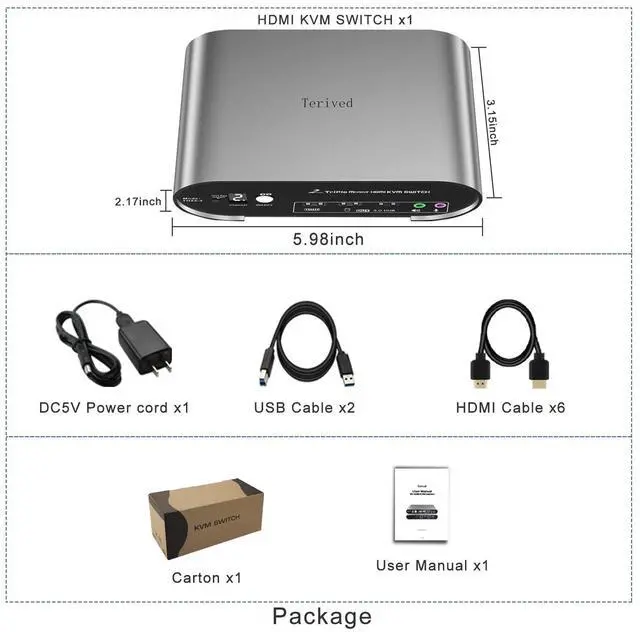
HDMI Triple Monitor KVM Switch 4K60Hz, Audio Microphone hotkey EDID with Cables
- Aluminum Alloy shell -Aluminum alloy for the body, which provides you with an excellent premium look, great drop resistance, light-weight, strong, and robust corrosion resistance
- HDMI Switch 4K - Supported resolutions: 480i, 480p, 720p, 1080i, 1080p, 2K@120Hz, 4K@60Hz RGB 4:4:4 HDR10, HDMI 2.0 compatible.Auto-Scan, auto-detection, auto EDID. Hot plug & play and HDCP. Multi-platform: support Windows 11/10/7/2000/XP/Vista, Linux, and Mac
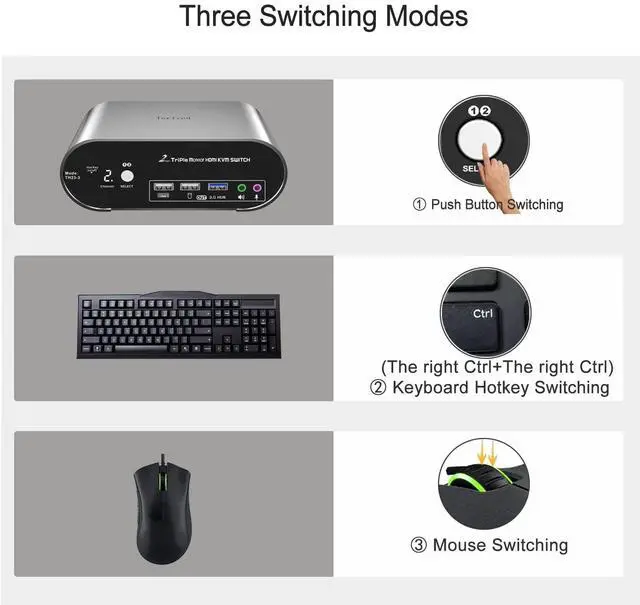
- Hotkey - Tired of a manual button switch? This product gives you a convenient way to switch use hotkeys
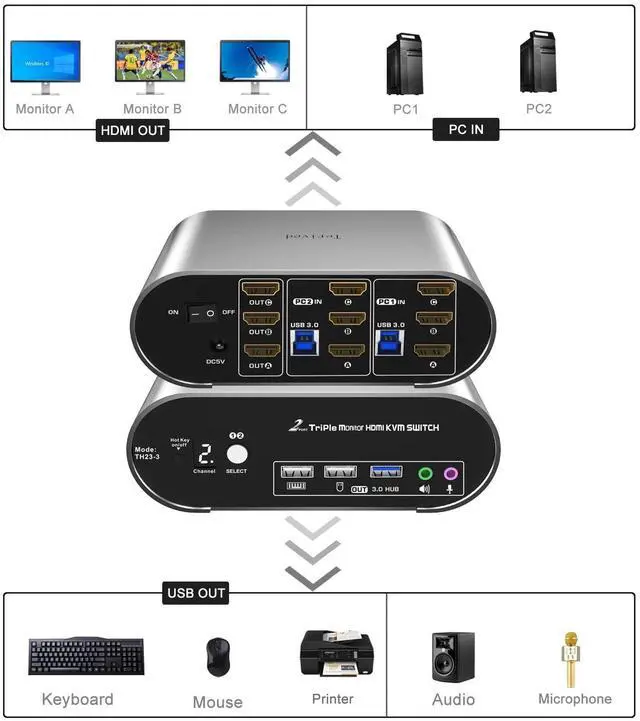
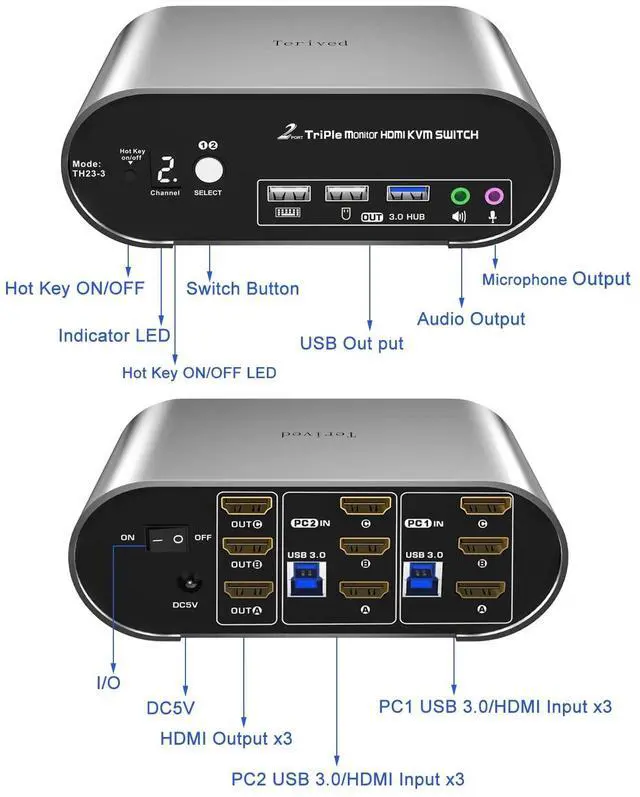
- Two computers three monitors - Control two HDMI interfaced computers or other applicable devices using one keyboard, a mouse, three HDMI monitors with audio & microphone, and USB 3.0 HUB
- KVM switch with Automatic Switching: To enable the automatic switching feature of the KVM switch, press Right [CTRL] twice, then [S], and [Enter]. The default auto-switching time is 10 seconds. (To turn it off, simply press this shortcut combination again). You ca
+
+
Overview
Specs
Reviews
Any questions? Our AI beta will help you find out quickly.
Try me now
Aluminum Alloy shell -Aluminum alloy for the body, which provides you with an excellent premium look, great drop resistance, light-weight, strong, and robust corrosion resistance
HDMI Switch 4K - Supported resolutions: 480i, 480p, 720p, 1080i, 1080p, 2K@120Hz, 4K@60Hz RGB 4:4:4 HDR10, HDMI 2.0 compatible.Auto-Scan, auto-detection, auto EDID. Hot plug & play and HDCP. Multi-platform: support Windows 11/10/7/2000/XP/Vista, Linux, and Mac
Hotkey - Tired of a manual button switch? This product gives you a convenient way to switch use hotkeys
Two computers three monitors - Control two HDMI interfaced computers or other applicable devices using one keyboard, a mouse, three HDMI monitors with audio & microphone, and USB 3.0 HUB
KVM switch with Automatic Switching: To enable the automatic switching feature of the KVM switch, press Right [CTRL] twice, then [S], and [Enter]. The default auto-switching time is 10 seconds. (To turn it off, simply press this shortcut combination again). You can adjust the auto-switching time by pressing Right [CTRL] twice, followed by [S], then [N], and [Enter], where 'N' represents the number of seconds for the switching time (ranging from 1 to 999 seconds).

HDMI Switch 4K - Supported resolutions: 480i, 480p, 720p, 1080i, 1080p, 2K@120Hz, 4K@60Hz RGB 4:4:4 HDR10, HDMI 2.0 compatible.Auto-Scan, auto-detection, auto EDID. Hot plug & play and HDCP. Multi-platform: support Windows 11/10/7/2000/XP/Vista, Linux, and Mac
Hotkey - Tired of a manual button switch? This product gives you a convenient way to switch use hotkeys
Two computers three monitors - Control two HDMI interfaced computers or other applicable devices using one keyboard, a mouse, three HDMI monitors with audio & microphone, and USB 3.0 HUB
KVM switch with Automatic Switching: To enable the automatic switching feature of the KVM switch, press Right [CTRL] twice, then [S], and [Enter]. The default auto-switching time is 10 seconds. (To turn it off, simply press this shortcut combination again). You can adjust the auto-switching time by pressing Right [CTRL] twice, followed by [S], then [N], and [Enter], where 'N' represents the number of seconds for the switching time (ranging from 1 to 999 seconds).
Warranty & Returns
Warranty, Returns, And Additional Information
Warranty
- Please contact the Seller directly for warranty information. Warranty information may also be found on the Manufacturer's website.
- CONTACT
Return Policies
- Return for refund within: 30 days
- Return for replacement within: 30 days
- This item is covered by PrimeVolt’Shop Return Policy
Manufacturer Contact Info
- For a directory of all our manufacturers, please click below.
- Manufacturers Directory
LOADING...