Your Browsing History
Meet Your Seller
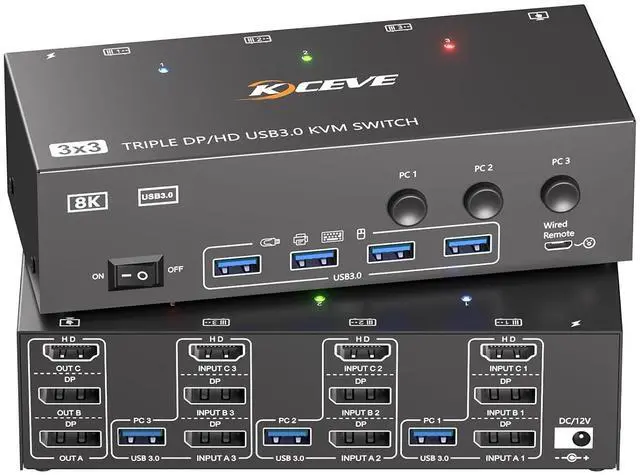
HDMI Dispalyport KVM Switch 3 Monitors 3 Computers 8K@60Hz 4K@144Hz, USB3.0 KVM Switches Triple Monitor for 3 PC Share 3 Screens and 4 SUB3.0 Ports, Support Extended/Mirror Mode, with Wired Controller
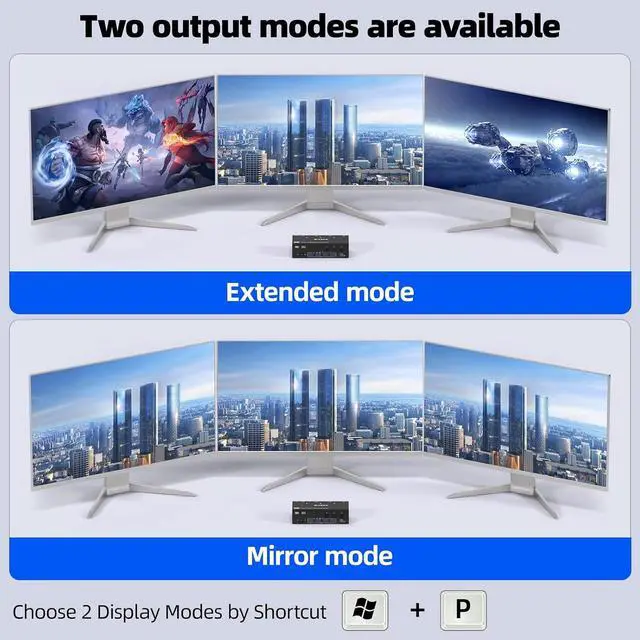
- KVM Switch 3 PC 3 MonitorsThe HDMI Display port KVM Switch allows 3 PC to share 3 monitors and 4 USB peripherals, such as keyboards, mouse, printers, etc.(Supports extended Mode and copy Mode.) Note: Your computer's graphics card needs to be equipped with 2 DP ports and 1 HDMI port, and you need to use 2 monitors with DP ports and 1 monitor with HDMI port for proper display.
- 8K@60Hz/4K@144Hz KVM Triple monitor KVM switch supports up to 8K@60Hz Ultra HD resolution and is backward compatible with 4K@144Hz, 4K@120Hz, and 1080P@240Hz. Notice: To transmit 4K144Hz, the computer and monitor as well as the transmission cable must support 4K144Hz; The use of a conversion cable will result in display abnormalities.
- USB 3.0 KVM Switch More StableTriple monitor HDMI+2 Displayport KVM switch with 4 USB 3.0 ports. The maximum transfer rate is up to 5Gbps and is backward compatible with USB 2.0 and 1.1. (Note: Each computer needs to be connected with a USB 3.0 cable to the KVM switch, otherw
+
+
Overview
Reviews
Any questions? Our AI beta will help you find out quickly.
Try me now
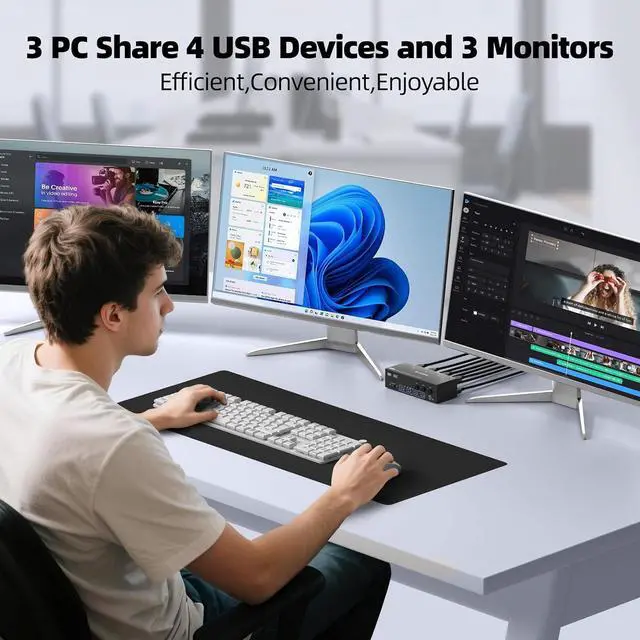
This triple monitor KVM switch can control up to 3 computers to share 3 monitors and 4 USB devices with just one set of keyboard and mouse. You can also use various combinations, such as 2 PC share 3 monitors,3 PC share 2 monitors, 2 PC share 1 monitor. etc.
Connection Steps:
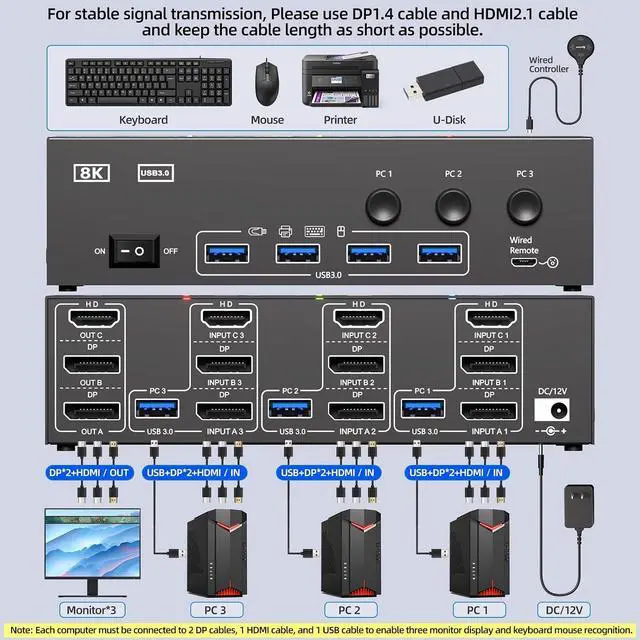
1. Connect 2*Displayport & 1* HDMI & 1* USB cables from PC1 to "INPUT A1, INPUT B1, INPUT C1 and USB-A (PC1) " separately
2. Connect 2*Displayport & 1* HDMI & 1* USB cables from PC2 to " INPUT A2, INPUT B2, INPUT C2 and USB-A (PC2)" separately
3. Connect 2*Displayport & 1* HDMI & 1* USB cables from PC3 to " INPUT A3, INPUT B3, INPUT C3 and USB-A (PC3)" separately
4. Connect 3 monitors to "OUT A" "OUT B"OUT C seperately
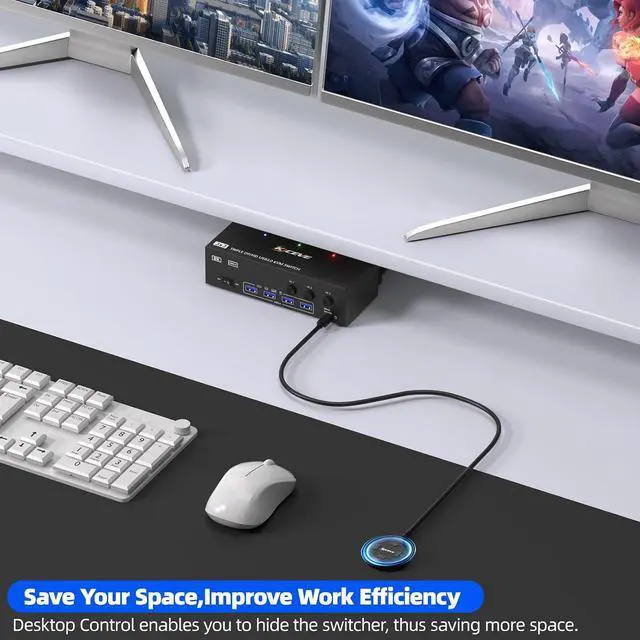
5. Plug USB peripherals like keyboard mouse into the USB port on the front of the 3 monitors 3 computers KVM switch ; Plug the 12V power cable into "DC/12V" to supply external power for more stable performance
6. Insert the 1.5M wired remote controller; then turn on the 3 PCs 3 monitors KVM switch
Please Attention: (1) System Requirements & Setup Guide: For 3-monitor output: Requires a graphics card that supports 3 independent displays. And 2x DP and 1x HDMI cables should be connected from each computer to the KVM (2) For USB function: Connect the included USB 3.0 cable from each computer to the KVM's rear USB-A port. Don't cross-connect
1Ultra 8K Vivid Visual25Gbps Data Transfer3Convenient Switching Ways42 Display Modes Triple Monitor 2 Displayport+HDMI 3 Computers 3 Monitors KVM Switch Easy setup, Plug and Play What Can You Get from 3 Computers 3 Monitors KVM Switch?

Connection Steps:
1. Connect 2*Displayport & 1* HDMI & 1* USB cables from PC1 to "INPUT A1, INPUT B1, INPUT C1 and USB-A (PC1) " separately
2. Connect 2*Displayport & 1* HDMI & 1* USB cables from PC2 to " INPUT A2, INPUT B2, INPUT C2 and USB-A (PC2)" separately
3. Connect 2*Displayport & 1* HDMI & 1* USB cables from PC3 to " INPUT A3, INPUT B3, INPUT C3 and USB-A (PC3)" separately
4. Connect 3 monitors to "OUT A" "OUT B"OUT C seperately
5. Plug USB peripherals like keyboard mouse into the USB port on the front of the 3 monitors 3 computers KVM switch ; Plug the 12V power cable into "DC/12V" to supply external power for more stable performance
6. Insert the 1.5M wired remote controller; then turn on the 3 PCs 3 monitors KVM switch
Please Attention: (1) System Requirements & Setup Guide: For 3-monitor output: Requires a graphics card that supports 3 independent displays. And 2x DP and 1x HDMI cables should be connected from each computer to the KVM (2) For USB function: Connect the included USB 3.0 cable from each computer to the KVM's rear USB-A port. Don't cross-connect
1Ultra 8K Vivid Visual25Gbps Data Transfer3Convenient Switching Ways42 Display Modes Triple Monitor 2 Displayport+HDMI 3 Computers 3 Monitors KVM Switch Easy setup, Plug and Play What Can You Get from 3 Computers 3 Monitors KVM Switch?
Warranty & Returns
Warranty, Returns, And Additional Information
Warranty
- Please contact the Seller directly for warranty information. Warranty information may also be found on the Manufacturer's website.
- CONTACT
Return Policies
- Return for refund within: 30 days
- Return for replacement within: 30 days
- This item is covered by PrimeVolt’Shop Return Policy
Manufacturer Contact Info
- For a directory of all our manufacturers, please click below.
- Manufacturers Directory
LOADING...