Your Browsing History
Meet Your Seller
HDMI KVM Switch 4K@60Hz Dual Monitor, 4 Port for 4 PCs Share 2 Monitors, Support Button Switch, Adaptive EDID, 4 in 2 Out
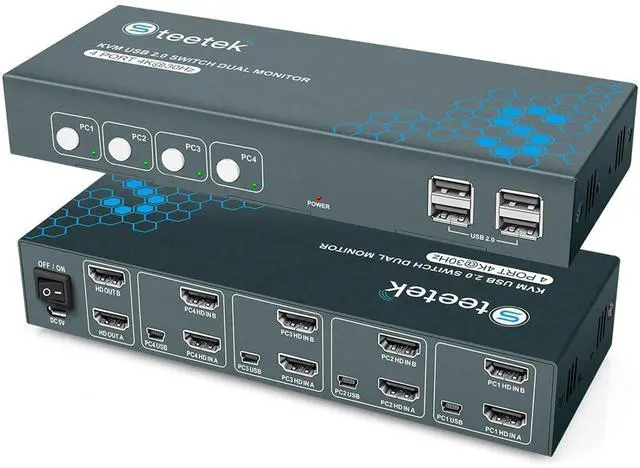
- HDMI Interface Materia: The switch features a gold-plated alloy body, a full metal matte finish, and thick gold-plated ports. It's compatible with various HD input interfaces, ensuring excellent transmission performance and increasing transmission speeds.
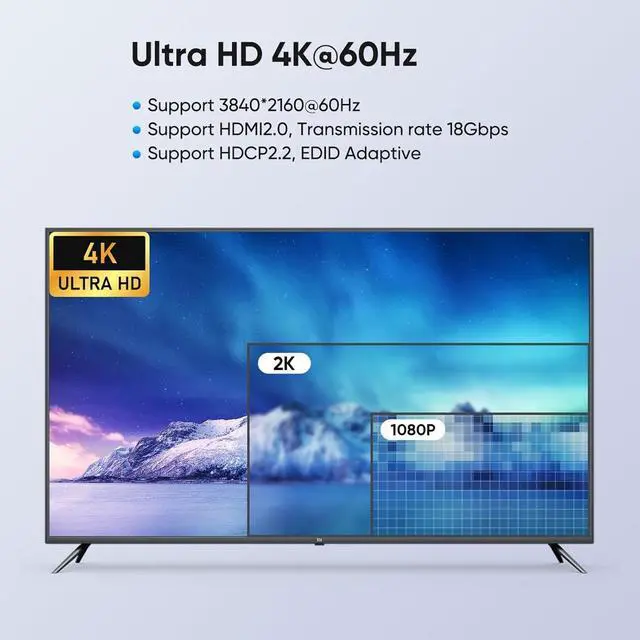
- UHD 4K@60Hz:This HDMl KVM switch 4 computers supports maximum resolution 4K@60Hz, compatiblewith 2K, 1080P@60Hz Or other lower resolutions.
- Equipped with 4 USB 2.0 Ports:HDMl KVM switch 2 monitors 4 computers comes with 4 UsB 2.0 ports,4 PC ports for4 computers to share USB devices such as keyboards, mouse, printers, UsB drives, etc.
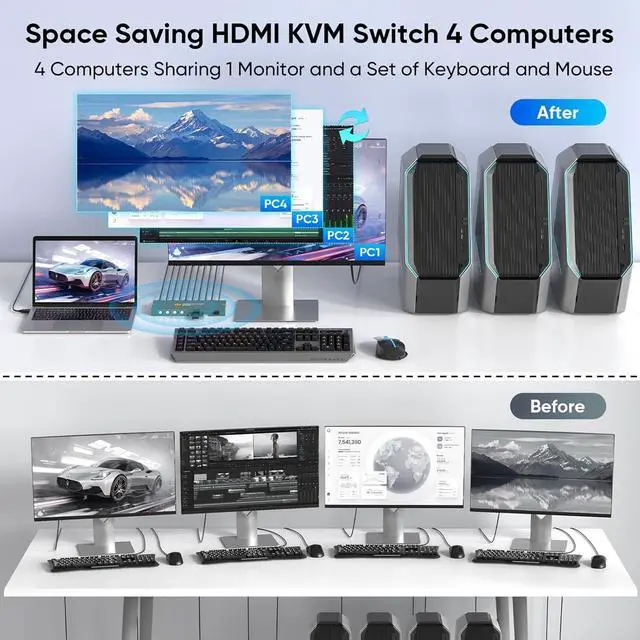
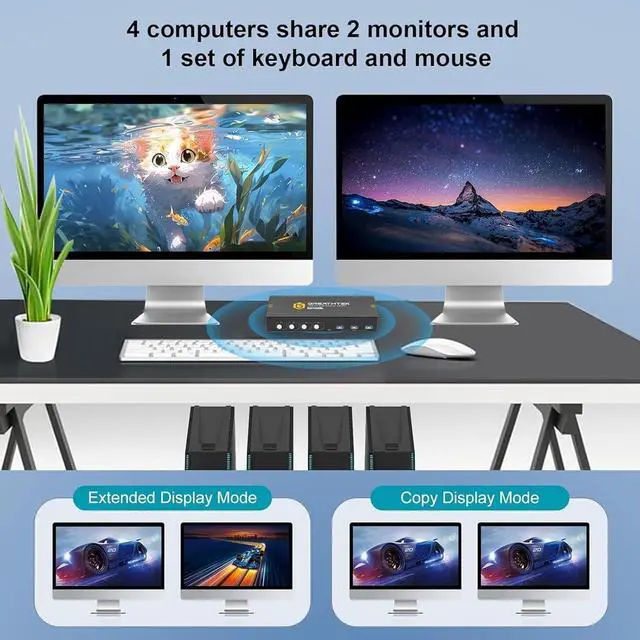
- Features: This dual monitor HDMl KVM Switch 4 port supports 4computers sharing 2 monitors and USB2.0 devices. 1 set of keyboard and mouse management for 4computers, saving your desktop space and connecting work and personal computers for easy use.
- Wide Application: This KVM switchsupports multiple signal sources, such as PCs, laptops, PS4, and more. Compatible with various computesyste
+
+
Overview
Reviews
Any questions? Our AI beta will help you find out quickly.
Try me now
Product Overview
--1 set of keyboard and mouse management for 4computers, saving your desktop space and connecting work and personal computers for easy use.
Specification:
Type: USB3.0 KVM Switch
Input interface: 4 * HDMI/ 4* PC
Output interface: 4 * USB
Shell Material: Aluminum alloy
Quantity of supported PCs: 4
Item weight: 1500g
Connection method:
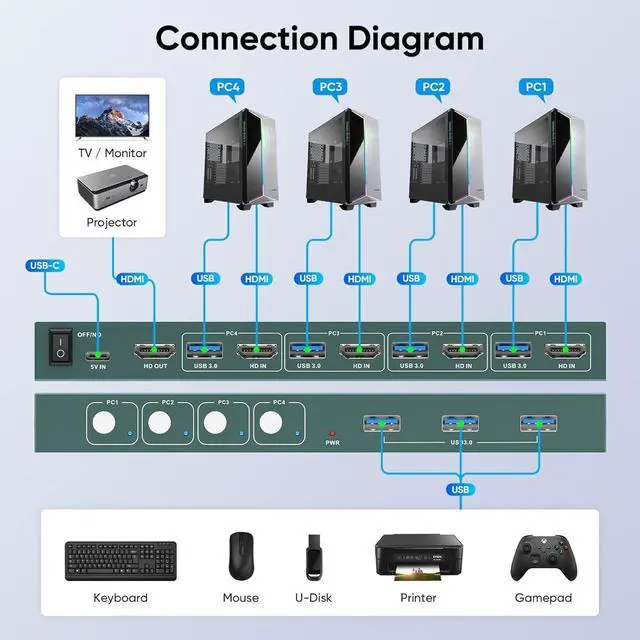
-Connect the USB C power cable to the switch to power it.
-Connect 2 HDMI2.0 cables and 4 USB2.0 cable from PC1 to the input port of the switch PC1. (HD IN 1 A, HD IN 1 B, USB 1)
-Connect two HDMI 2.0 cables between the two display and switch output ports. (HD OUT A, HD OUT B)
-Connect the USB devices to the USB 3.0 ports.
Please note
--that each computer has 2 HDMI2.0 cables and 1 USB3.0 cable connected to the switch. A total of 10 HDMI2.0 cables, 4 USB3.0 cables and 1 USB C cable need to be connected
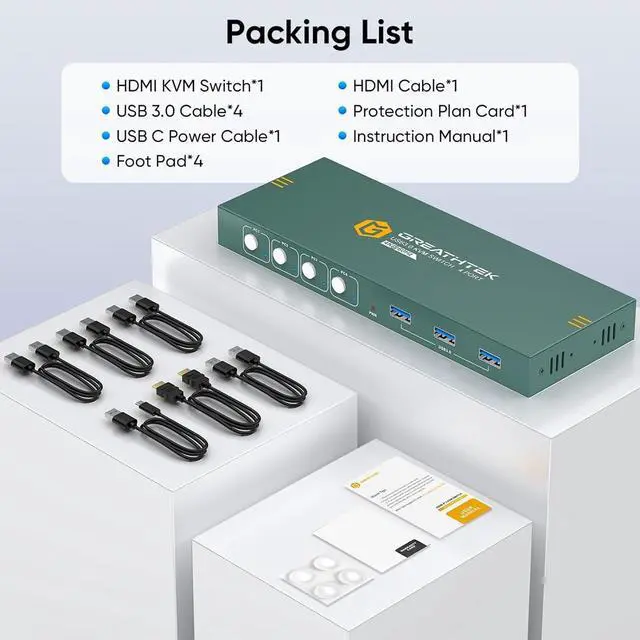
Packing list:
1 * distributor Synchronizer
8 * HDMI cable
4 * USB cable
1 * User manual

--1 set of keyboard and mouse management for 4computers, saving your desktop space and connecting work and personal computers for easy use.
Specification:
Type: USB3.0 KVM Switch
Input interface: 4 * HDMI/ 4* PC
Output interface: 4 * USB
Shell Material: Aluminum alloy
Quantity of supported PCs: 4
Item weight: 1500g
Connection method:
-Connect the USB C power cable to the switch to power it.
-Connect 2 HDMI2.0 cables and 4 USB2.0 cable from PC1 to the input port of the switch PC1. (HD IN 1 A, HD IN 1 B, USB 1)
-Connect two HDMI 2.0 cables between the two display and switch output ports. (HD OUT A, HD OUT B)
-Connect the USB devices to the USB 3.0 ports.
Please note
--that each computer has 2 HDMI2.0 cables and 1 USB3.0 cable connected to the switch. A total of 10 HDMI2.0 cables, 4 USB3.0 cables and 1 USB C cable need to be connected
Packing list:
1 * distributor Synchronizer
8 * HDMI cable
4 * USB cable
1 * User manual
Warranty & Returns
Warranty, Returns, And Additional Information
Warranty
- Please contact the Seller directly for warranty information. Warranty information may also be found on the Manufacturer's website.
- CONTACT
Return Policies
- Return for refund within: 30 days
- Return for replacement within: 30 days
- This item is covered by PrimeVolt’Shop Return Policy
Manufacturer Contact Info
- For a directory of all our manufacturers, please click below.
- Manufacturers Directory
LOADING...