Your Browsing History
Meet Your Seller
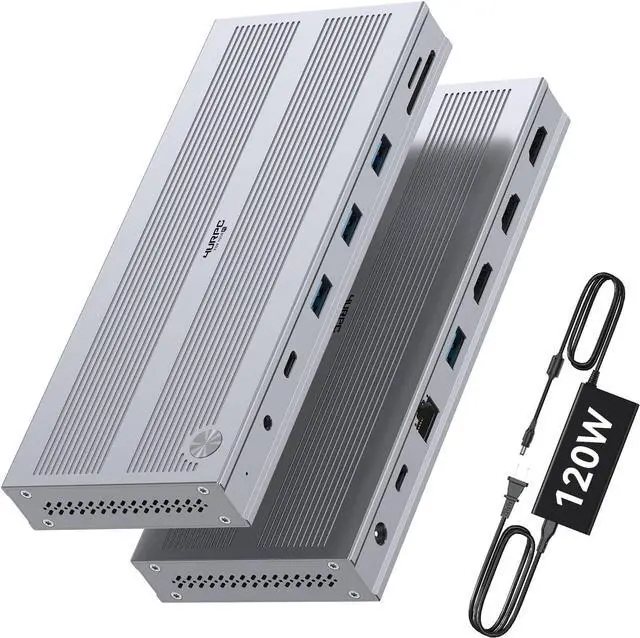
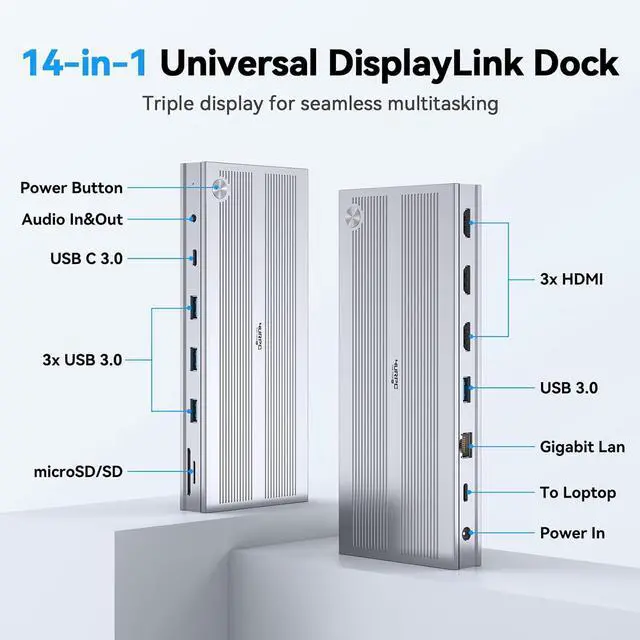
Displaylink Docking Station 3 Monitors with 120W Power Adapter, 14-in-1 Laptop Dock for MacBook M1/M2/M3/M4/Windows, 3XHDMI, 5 USB Ports, Ethernet, Audio, SD/microSD
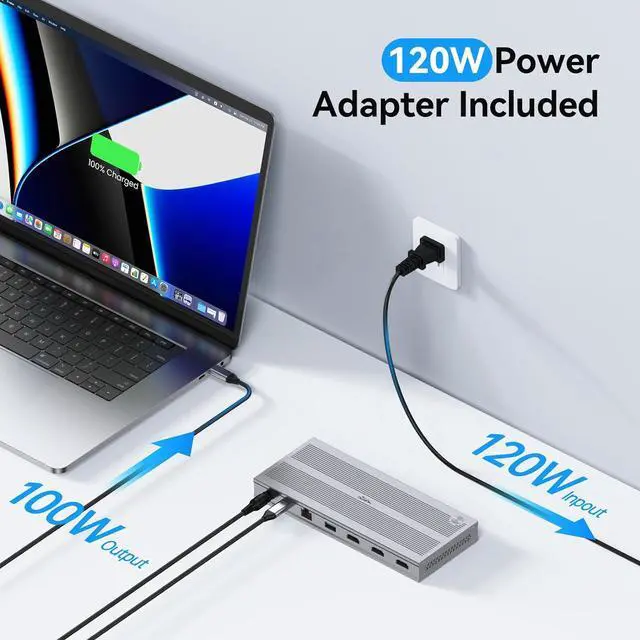
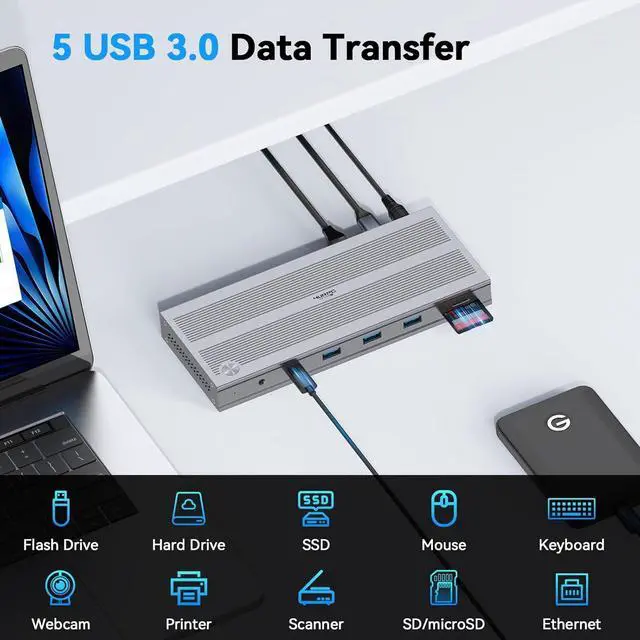
- Powerful Scalability: This USB-C docking station supports triple monitor output and features 14 ports for all-round connectivity. The included 120W dedicated power adapter provides stable and consistent power delivery for your laptop and connected peripherals. It offers an all-in-one connectivity solution, streamlines your workspace, improves multitasking efficiency, and delivers reliable performance for home offices and professional corporate environments
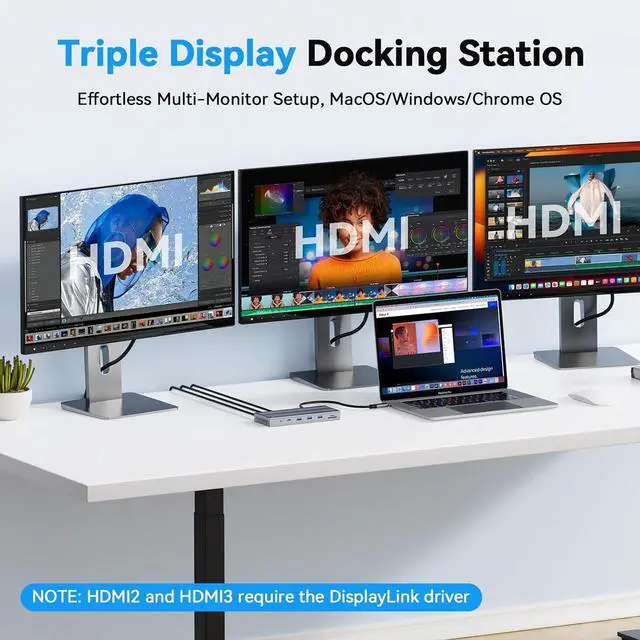
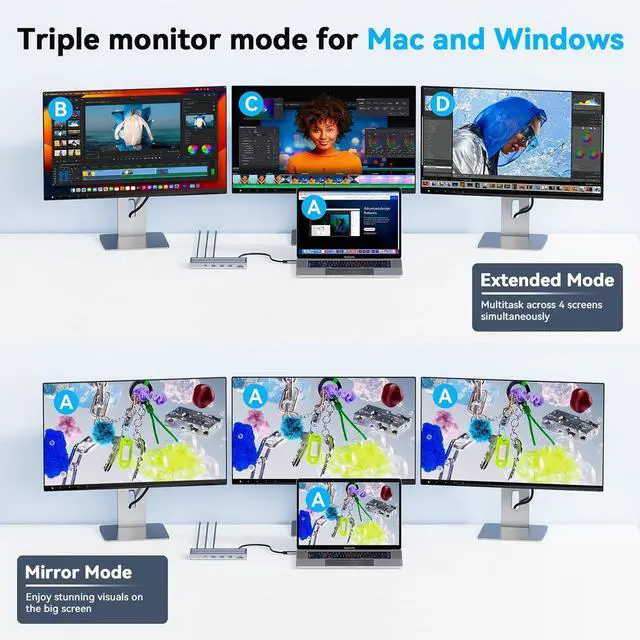
- Triple Monitor Expansion: The 3-HDMI docking station supports triple monitor display via HDMI ports, even for M1/M2/M3/M4 MacBook devices.HDMI 1 supports resolution up to 4K@60Hz, while HDMI 2 and HDMI 3 support up to [email protected] delivers sharp, clear visuals and expands your workspace, helping you efficiently handle complex spreadsheets, high-resolution video editing, and heavy multitasking with ease
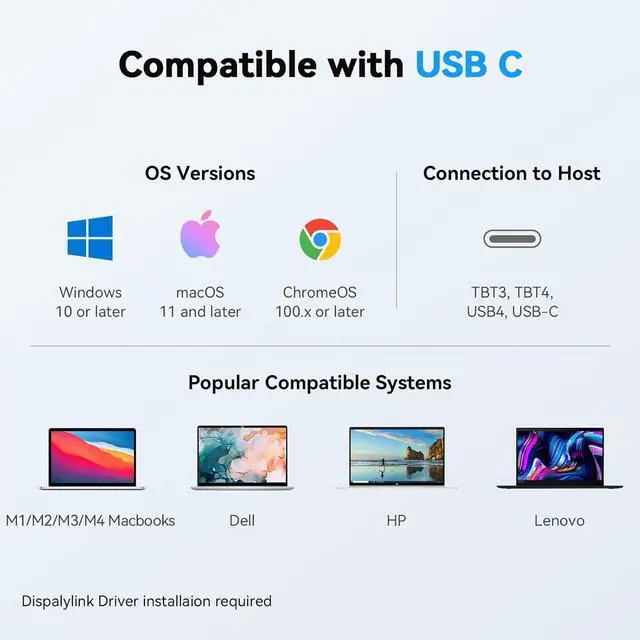
- Widely Compatibility: This triple monitors docking station is widely compatible with USB4, Thunderbolt 3/4, and full-featured
+
+
Overview
Reviews
Any questions? Our AI beta will help you find out quickly.
Try me now
1Triple Display2Powerful 120W Charging3Detail Designs4Compatibility1Multiple USB Ports2Usage Scenarios3What's in the Box4Display Driver Why does my MacBook display a Screen Recording prompt after installing driver and connecting the hdmi docking station?
MacBook requires the "Screen Recording" function for the DisplayLink driver to work properly, and the driver does not store or record any data, pixels, or images
My macbook fail to recognize displaylink docking stations after waking up from sleep mode? What should I do?
1.First, it's suggested that you unplug and replug the host connection. 2. Try adjusting the hibernation setting of the laptop: System - Power - Power Options - Choose" when to tun off the display" -Put the computer to sleep - Choose '' Never".
Why am I not getting 3 displays after connecting the universal docking station?
Please confirm that your laptop's USB-C port supports display and that DisplayLink is installed before use.
The usb docking station for laptop stop working. What should I do?
Please try the DisplayLink driver and disconnect all connections before reconnecting them. If the issue persists, contact client care for assistance.
How to install driver Do I need to install software to support triple monitor when using this USB C dock?
Why does my MacBook display a Screen Recording prompt after installing driver and connecting the hdmi docking station?
My macbook fail to recognize displaylink docking stations after waking up from sleep mode? What should I do?
Why am I not getting 3 displays after connecting the universal docking station?
The usb docking station for laptop stop working. What should I do?

MacBook requires the "Screen Recording" function for the DisplayLink driver to work properly, and the driver does not store or record any data, pixels, or images
My macbook fail to recognize displaylink docking stations after waking up from sleep mode? What should I do?
1.First, it's suggested that you unplug and replug the host connection. 2. Try adjusting the hibernation setting of the laptop: System - Power - Power Options - Choose" when to tun off the display" -Put the computer to sleep - Choose '' Never".
Why am I not getting 3 displays after connecting the universal docking station?
Please confirm that your laptop's USB-C port supports display and that DisplayLink is installed before use.
The usb docking station for laptop stop working. What should I do?
Please try the DisplayLink driver and disconnect all connections before reconnecting them. If the issue persists, contact client care for assistance.
How to install driver Do I need to install software to support triple monitor when using this USB C dock?
Why does my MacBook display a Screen Recording prompt after installing driver and connecting the hdmi docking station?
My macbook fail to recognize displaylink docking stations after waking up from sleep mode? What should I do?
Why am I not getting 3 displays after connecting the universal docking station?
The usb docking station for laptop stop working. What should I do?
Warranty & Returns
Warranty, Returns, And Additional Information
Warranty
- Please contact the Seller directly for warranty information. Warranty information may also be found on the Manufacturer's website.
- CONTACT
Return Policies
- Return for refund within: 30 days
- Return for replacement within: 30 days
- This item is covered by PrimeVolt’Shop Return Policy
Manufacturer Contact Info
- For a directory of all our manufacturers, please click below.
- Manufacturers Directory
LOADING...