

Your Browsing History

Meet Your Seller

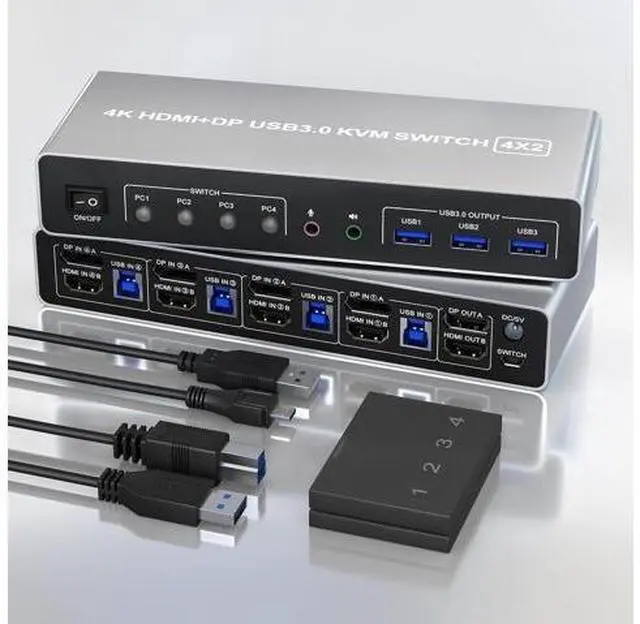


Ennovor KVM Switch 4 Computers 2 Monitors Displayport and HDMI 4K@60Hz, USB 3.0 4 Port Dual Monitors KVM Switch with Audio Microphone Output and 3 USB 3.0 Ports, 4 in 2 Out Monitor Switch for 4 PCs
Limited time offer, ends 08/22 By TERRA HAVEN
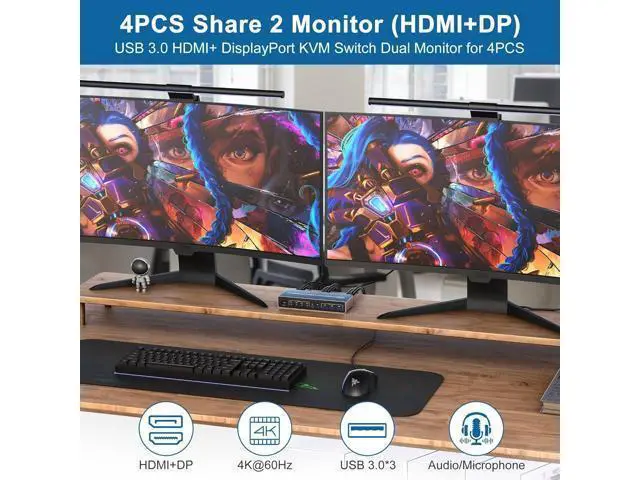
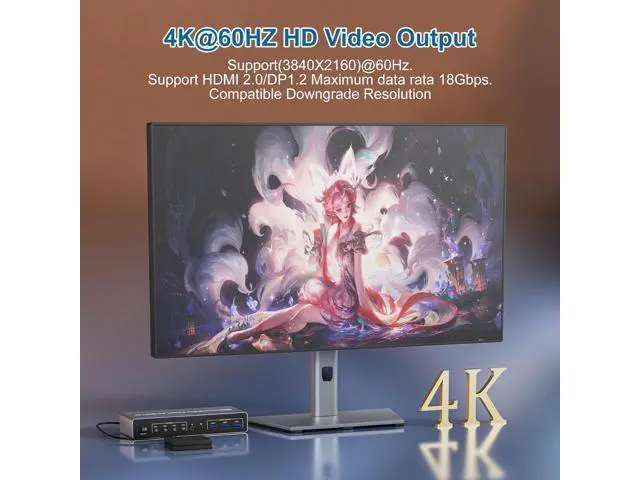
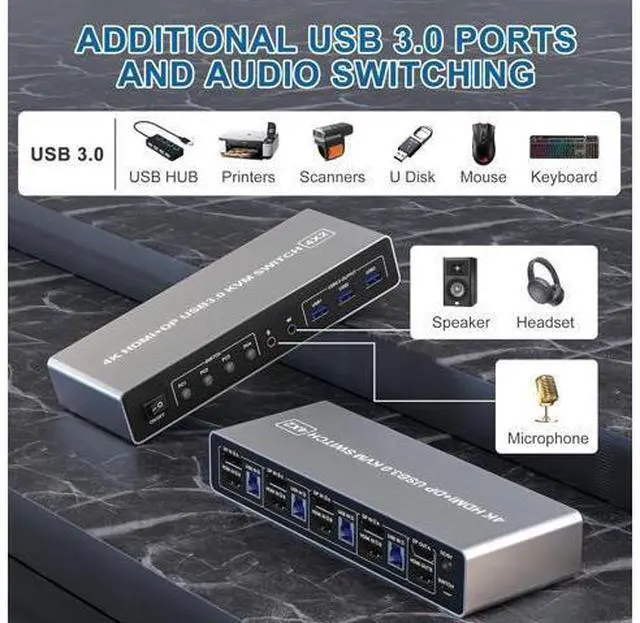
- 4 Port Displayport and HDMI KVM Switch: This 4 port dual monitor KVM allows you to use a set of keyboard and mouse to control 4 computers, share 3 USB devices and 2 monitors. 4 ports does not mean that it can only be connected to 4 computers. You may have 4 computers currently, or you may only have 2 computers now, but you may need to use 3 or 4 computers in the future, then you can choose this switch. As long as your computer confirms that it supports dual-screen display, you can use 2 screens; Ultra HD 4K@60Hz Dual Monitor KVM Switch: This dual monitor 4 port kvm switch supporting high resolution max up to 4K@60Hz, and also supports 3D and 1080P@60Hz or other lower resolution (Downward Compatible). Support up to 4K@60Hz for extended and mirrored display. Note: Only when both your computer Graphics card, monitor and DP/HDMI cable support 4K@60Hz then you can get 4K@60Hz effect, so if you want the max resolution you have to check your devices first.
+
+
Overview
Specs
Reviews

Any questions? Our AI mode will help you find out quickly.
Try me now
Does Everything You Need! Support maximum resolution up to 4K 60Hz
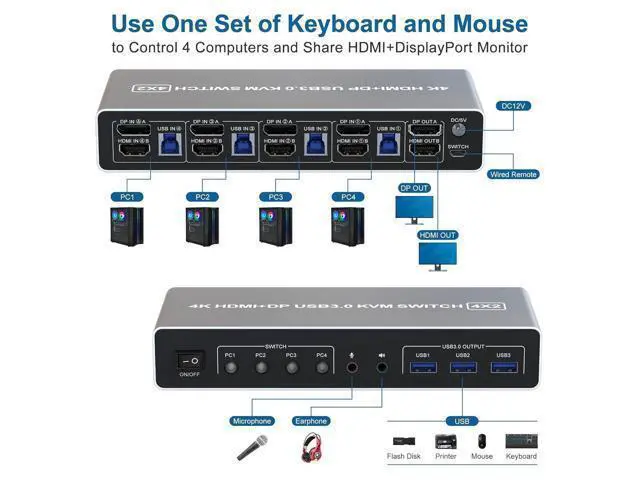
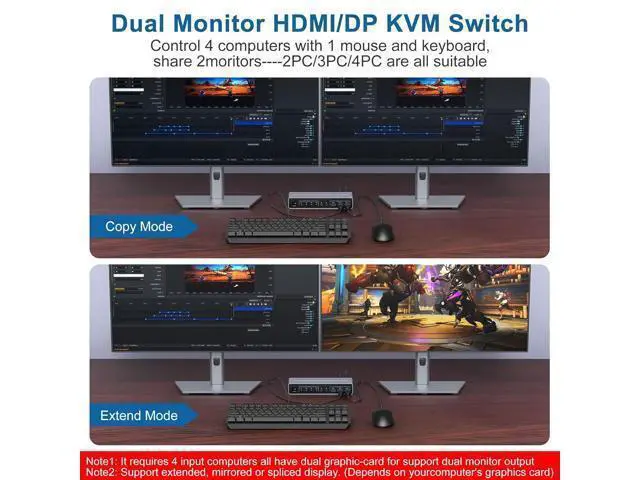
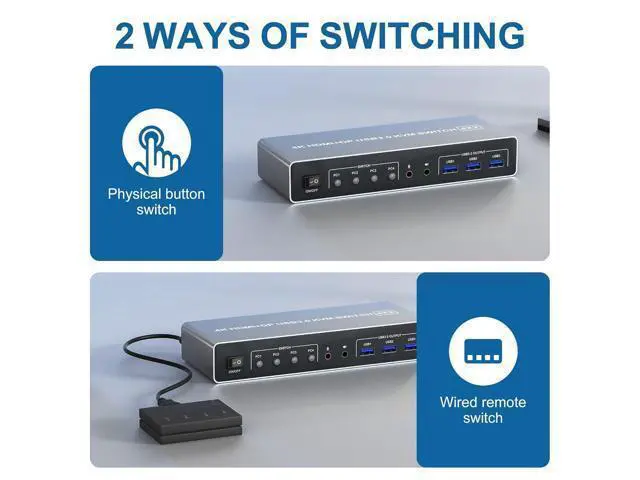
YUV 4:4: 4, HDCP 1.4, HDR 2.2; Dual monitors output support up to 4K@60Hz for extended and mirrored displayDepends on your computer's graphics card; With 3 USB 3.0 Ports, USB 3.0 transmission rate up to 5Gbps; Supports Separate Audio and Microphone Output; 2 switching methods, easy to switch. Support button switching and desktop wired remote controller; Compatible with multiple operating systems, such as Windows/Mac/Linux/Unix, etc; Easy installation, plug and play, no driver required. Connection Steps & Notes 1. Insert the adapter into the KVM; 2. Plug the HDMI and DP cable into the KVM and monitor; (Output) 3. 1). Connect PC1 Firstly (Input) Use 1 DP cable to connect the "DPIN 1 A" input interface and PC1 DP A output interface, Use 1 HDMI cable to connect the "HDMI IN1 B" input interface and PC1 HDMI B output interface. Use 1 "USB-a to USB-b" USB 3.0 cable to connect the "USB IN 1" input interface and PC1 USB 3.0 interface. 2)Then, Connect PC2, PC3, and PC4 according to the connection steps of PC 1.4.
Insert the mouse and keyboard into the KVM switch5. If needed, you can connect a microphone and audio port Note 1. Most of the reasons why only onevideo output works is because of incorrect connection. Please make sure eachcomputer have 1 HDMI and 1 DP cables connect to the KVM. 2. Please check the DP IN A1 & A2 & A3 & A4, HDMI IN B1 & B2 & B3 & B4 and USB IN1 & IN2 & IN3 & IN4 is corresponding, DP OUT A, HDMI OUT B is correspon
YUV 4:4: 4, HDCP 1.4, HDR 2.2; Dual monitors output support up to 4K@60Hz for extended and mirrored displayDepends on your computer's graphics card; With 3 USB 3.0 Ports, USB 3.0 transmission rate up to 5Gbps; Supports Separate Audio and Microphone Output; 2 switching methods, easy to switch. Support button switching and desktop wired remote controller; Compatible with multiple operating systems, such as Windows/Mac/Linux/Unix, etc; Easy installation, plug and play, no driver required. Connection Steps & Notes 1. Insert the adapter into the KVM; 2. Plug the HDMI and DP cable into the KVM and monitor; (Output) 3. 1). Connect PC1 Firstly (Input) Use 1 DP cable to connect the "DPIN 1 A" input interface and PC1 DP A output interface, Use 1 HDMI cable to connect the "HDMI IN1 B" input interface and PC1 HDMI B output interface. Use 1 "USB-a to USB-b" USB 3.0 cable to connect the "USB IN 1" input interface and PC1 USB 3.0 interface. 2)Then, Connect PC2, PC3, and PC4 according to the connection steps of PC 1.4.
Insert the mouse and keyboard into the KVM switch5. If needed, you can connect a microphone and audio port Note 1. Most of the reasons why only onevideo output works is because of incorrect connection. Please make sure eachcomputer have 1 HDMI and 1 DP cables connect to the KVM. 2. Please check the DP IN A1 & A2 & A3 & A4, HDMI IN B1 & B2 & B3 & B4 and USB IN1 & IN2 & IN3 & IN4 is corresponding, DP OUT A, HDMI OUT B is correspon
Warranty & Returns
Warranty, Returns, And Additional Information
Warranty
- Please contact the Seller directly for warranty information. Warranty information may also be found on the Manufacturer's website.
- CONTACT
Return Policies
- Return for refund within: 30 days
- Return for replacement within: 30 days
- This item is covered by TERRA HAVEN Return Policy
Manufacturer Contact Info
- For a directory of all our manufacturers, please click below.
- Manufacturers Directory
LOADING...