• $126.99
  • Free 30-day Returns
  • Ships from China.
    Sold by TERRA HAVEN

    Shipped by TERRA HAVEN

    Price alert
    Shop it at NeweggBusiness.

    Meet Your Seller

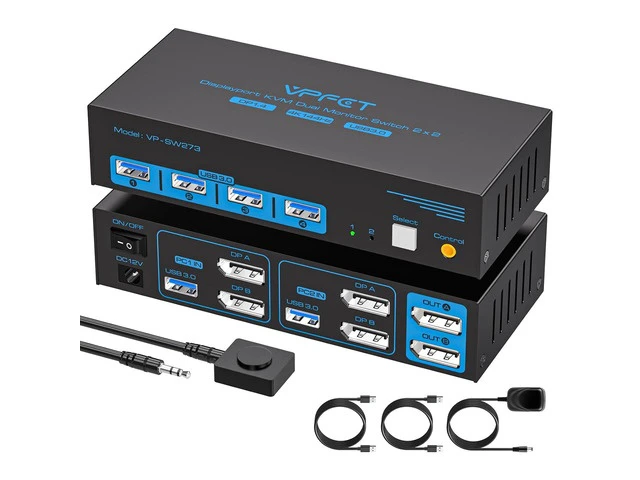
    4K@144Hz KVM Switch 2 Monitors 2 Computers Display Port 8K@60Hz USB 3.0 KVM Switch Dual Monitor for 2 Computers Share 2 Monitors and 4 USB Devices Support Extended/Copy Mode with Desktop Controller

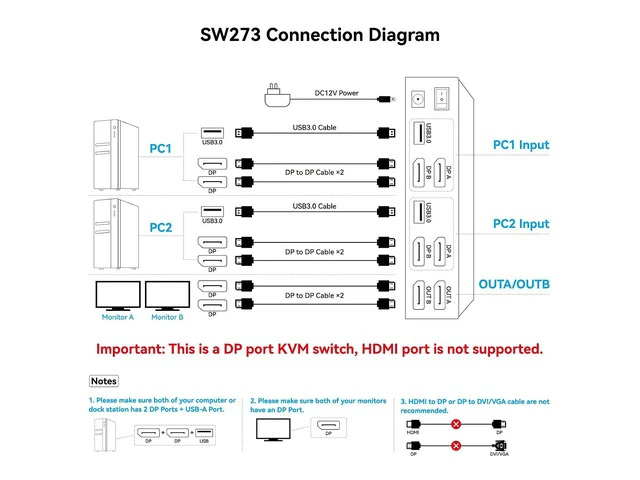
    • Please read before purchasing 1. Each computer must be connected to the KVM switch using two DP cables, not one
    • 2. HDMI-to-DP or DP-to-HDMI conversion cables or adapters are not supported throughout the entire setup
    • 3. Both computers need to have two DP outputs each, and each monitor requires at least one DP input. The switch will work properly only if all three conditions are met. Note: For compatibility reasons, use of this KVM switch with Mac devices is not recommended
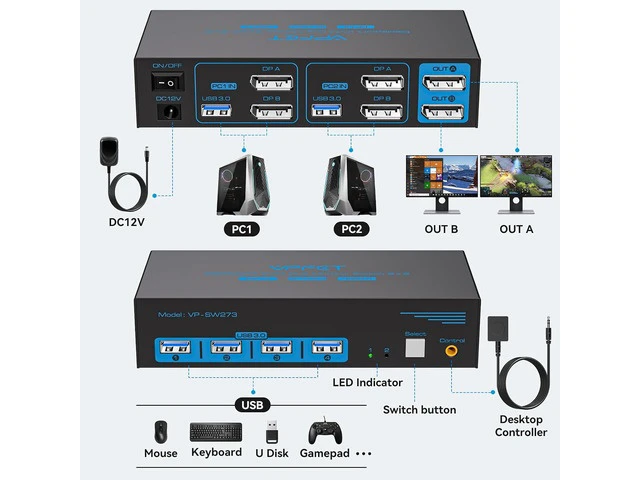
    • KVM Switch 2 Monitors 2 Computers Display Port: Use just one set of keyboard, mouse, and up to four USB devices to switch between two computers.Note: Each computer must be connected to the KVM via 2 DP cables and 1 USB-A cable to share monitors and USB devices. To use two monitors, your computer must have two DP ports. The DP A and DP B ports on the product must be connected to the same computer. Adapter cables are not recommended
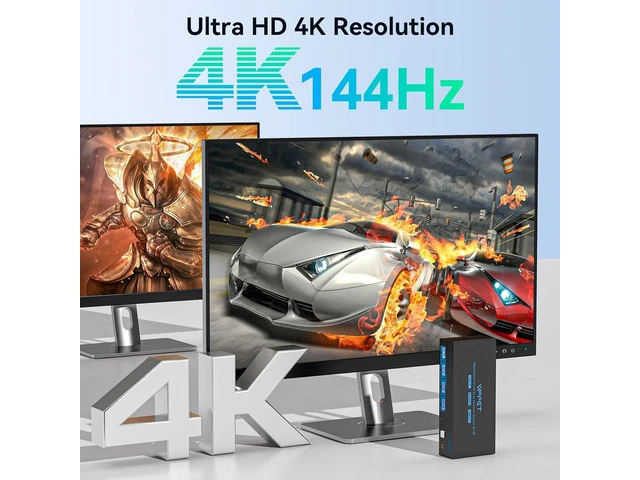
    • 4K@144Hz Dual Monitor KVM Switch: This KVM switches supports resolutions up to 4K
    +
    +
    Overview
    Specs
    Reviews

    Any questions? Ask CelesteSM will help you find out quickly.

    Please read before purchasing 1. Each computer must be connected to the KVM switch using two DP cables, not one; 2. HDMI-to-DP or DP-to-HDMI conversion cables or adapters are not supported throughout the entire setup; 3. Both computers need to have two DP outputs each, and each monitor requires at least one DP input. The switch will work properly only if all three conditions are met.
    Note: For compatibility reasons, use of this KVM switch with Mac devices is not recommended KVM Switch 2 Monitors 2 Computers
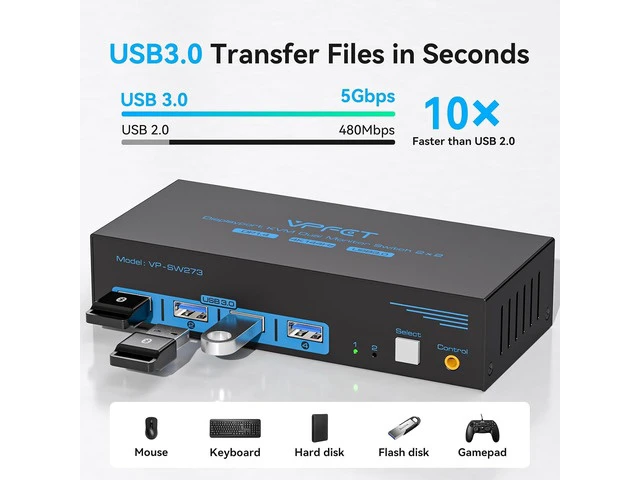
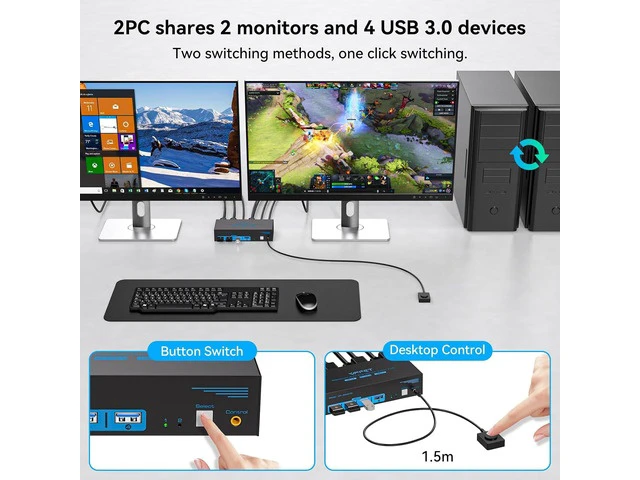
    Display Port: Use just one set of keyboard, mouse, and up to four USB devices to switch between two computers.
    Note: Each computer must be connected to the KVM via 2 DP cables and 1 USB-A cable to share monitors and USB devices. To use two monitors, your computer must have two DP ports. The DP A and DP B ports on the product must be connected to the same computer. Adapter cables are not recommended 4K@144Hz Dual
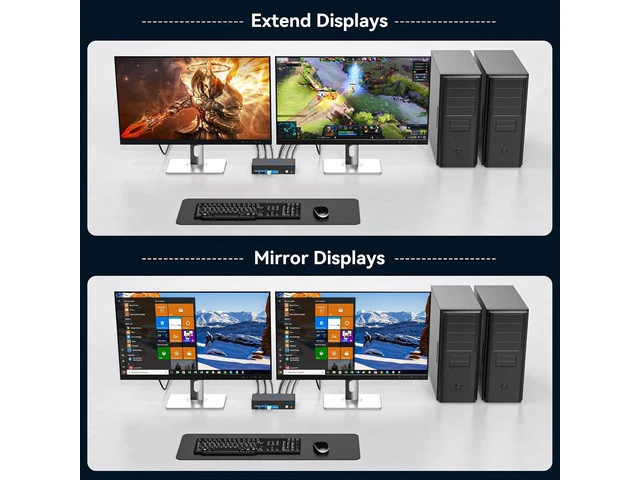
    Monitor KVM Switch: This KVM switches supports resolutions up to 4K@144Hz and 8K@60Hz, with backward compatibility for 4K@120Hz, 4K@60Hz, 2K, etc. The KVM supports Extended Mode and Mirror Mode. Extended Mode allows you to move application windows to the other screen, providing ample space for efficient multitasking. In Mirror Mode, the main screen's image is duplicated onto the secondary screen, ideal for presentations or showcasing work
    Two Switching Methods: The KVM switch DisplayPort is plug-and-play, requiring no software drivers. It offers two switching method

    Warranty & Returns

    Warranty, Returns, And Additional Information

    Warranty

    • Please contact the Seller directly for warranty information. Warranty information may also be found on the Manufacturer's website.
    • CONTACT

    Return Policies

    Manufacturer Contact Info

    LOADING...