Your Browsing History
Meet Your Seller
KAGO 4 Port HDMI KVM Switch 4K@30Hz for 4 Computers
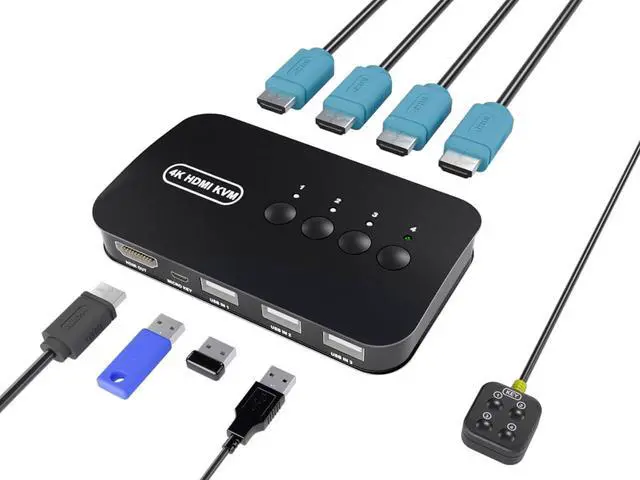
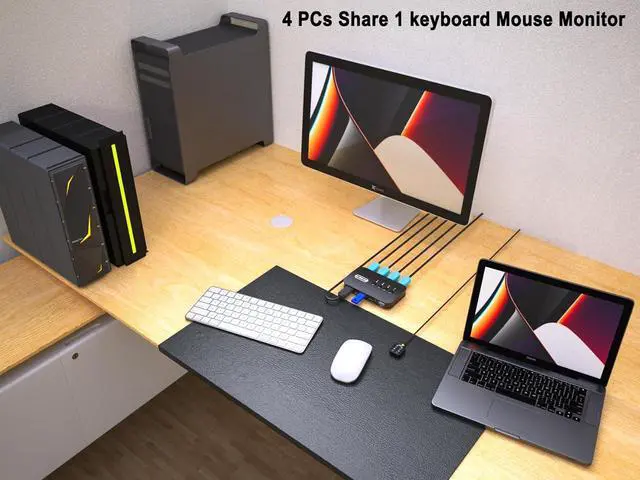
- [Control 4 Computers with Ease] Effortlessly switch between 4 desktop PCs, laptops, or gaming consoles using a single set of keyboard, mouse, and monitor. Perfect for decluttering your workspace and boosting productivity in home offices or multi-tasking environments.
- [Stunning 4K@30Hz Visuals] Enjoy crystal-clear image quality with support for resolutions up to $3840 imes 2160$ @ 30Hz. Fully compatible with HDMI 1.4b and lower resolutions like 1080P/3D, ensuring smooth video transmission for high-definition monitors and projectors.
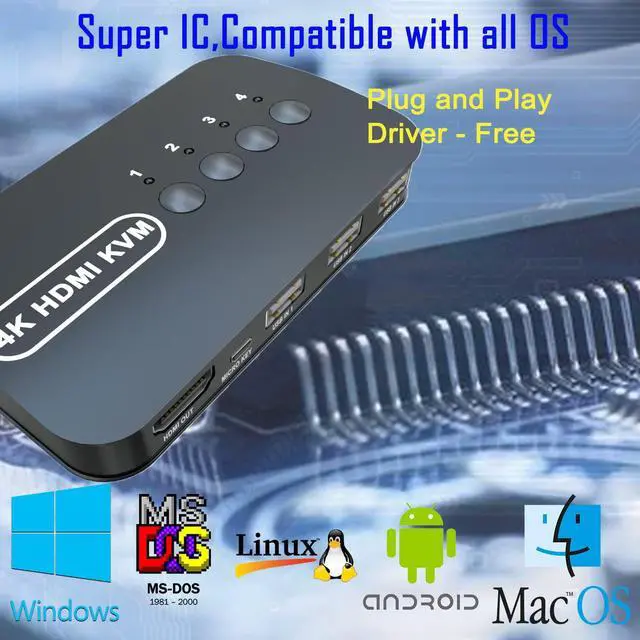
- [Expanded 4 USB 2.0 Ports] Equipped with 4 integrated USB 2.0 ports to share peripherals like printers, scanners, U-disks, and webcams among 4 computers. Plug and playno driver installation required, supporting Windows, Mac OS, Linux, and more.
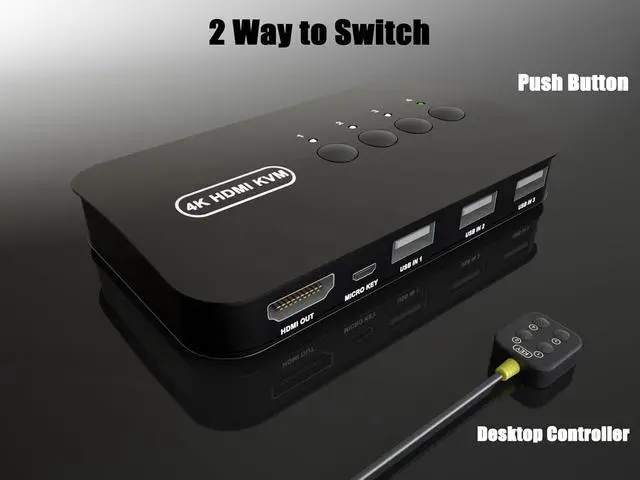
- [Flexible Dual Switching Modes] Switch between sources quickly using the One-Button Faceplate or the included Wired Desktop Controller. The LED indicators clearly show which computer is active, allowing you to
+
+
Overview
Specs
Reviews
Any questions? Our AI mode will help you find out quickly.
Try me now
[Control 4 Computers with Ease] Effortlessly switch between 4 desktop PCs, laptops, or gaming consoles using a single set of keyboard, mouse, and monitor. Perfect for decluttering your workspace and boosting productivity in home offices or multi-tasking environments.
[Stunning 4K@30Hz Visuals] Enjoy crystal-clear image quality with support for resolutions up to $3840 imes 2160$ @ 30Hz. Fully compatible with HDMI 1.4 b and lower resolutions like 1080P/3D, ensuring smooth video transmission for high-definition monitors and projectors.
[Expanded 4 USB 2.0 Ports] Equipped with 4 integrated USB 2.0 ports to share peripherals like printers, scanners, U-disks, and webcams among 4 computers. Plug and playno driver installation required, supporting Windows, Mac OS, Linux, and more.
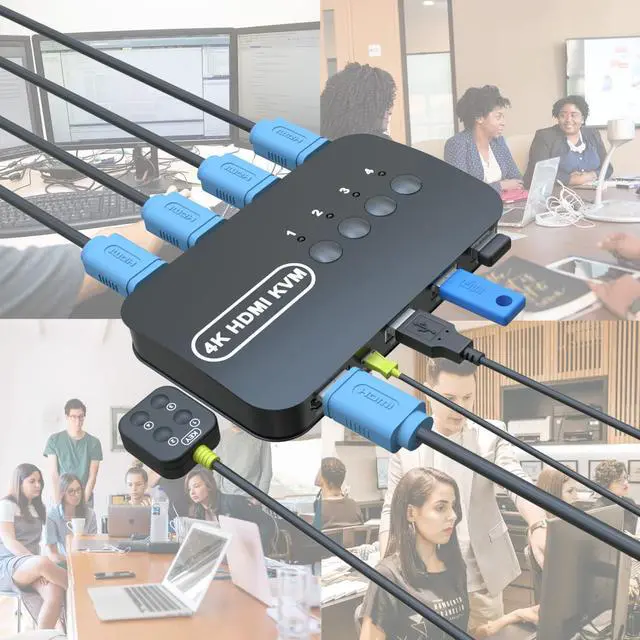
[Flexible Dual Switching Modes] Switch between sources quickly using the One-Button Faceplate or the included Wired Desktop Controller. The LED indicators clearly show which computer is active, allowing you to hide the KVM body and keep your desk tidy.
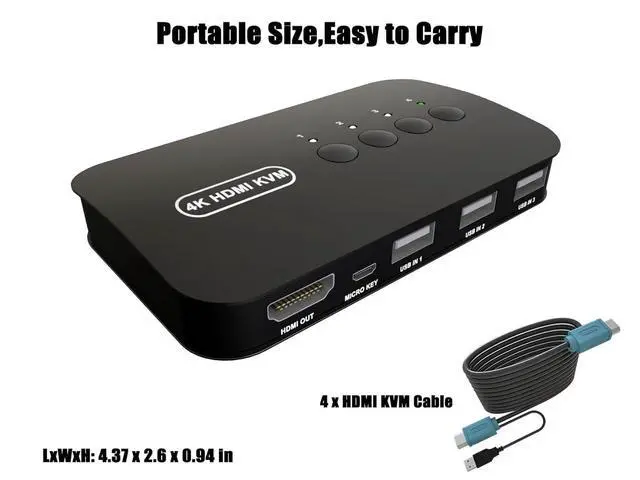
[Complete All-in-One Kit] Everything you need is in the box: 1x 4-Port KVM, 4x specialized HDMI/USB KVM cables, 1x Desktop Controller, and 1x Manual. Powered via USB cables from the hostsno external power adapter needed for most setups.
After connecting the KVM keyboard and mouse, it is best to refresh the keyboard and mouse drivers for each PC to ensure that the keyboard and mouse of a single computer work normally after connecting to KVM. This way, the keyboard and mouse can be used correctly when switching between two computers. Please contact technical support through to answer any questions during use.
What You Get: 1* KAGO 4 Port HDMI KVM Switch, 4* KVM HDMI Cables, 1* Desktop Controller, 1* User Guide.
NOTE: 1. This KVM switch is not compatible with those host devices that have only USB C ports and do not have any USB A ports. 2. Not supported for use with docking station. 3. If you connect a keyboard and mouse, please ensure that its working range meets the product requirements (within 1m/ 3.3 ft for a single USB device, and within 0.3 m/ 0.98 ft for multiple USB devices).
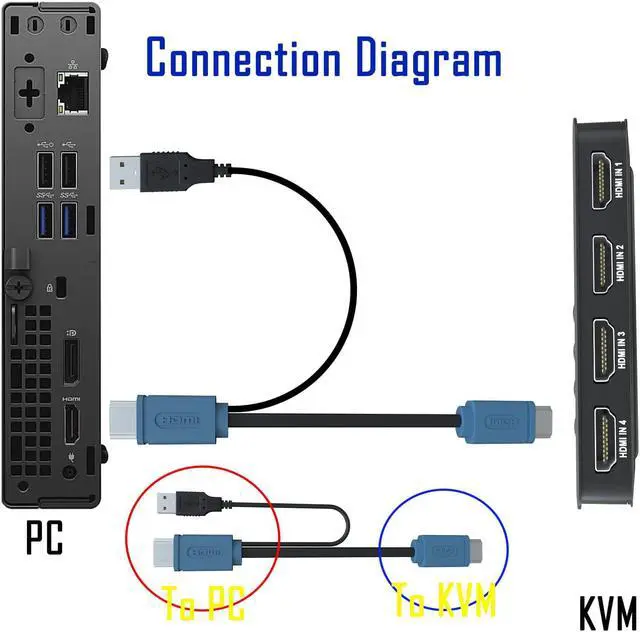
Easy to install - connect and use, specially made HDMI KVM cable, one end of the cable is a USB 2.0 port and HDMI high-quality durable cable, when in use, plug the USB + HDMI head cable into the computer, USB is used to power the KVM Switch and transfer USB Data, HDMI is used for computer audio and video transfer. The other end of the cable (ONLY HDMI Male) is connected to the HDMI input of the 4 port KVM Switch. Plug and play, no need for additional power supply.

[Stunning 4K@30Hz Visuals] Enjoy crystal-clear image quality with support for resolutions up to $3840 imes 2160$ @ 30Hz. Fully compatible with HDMI 1.4 b and lower resolutions like 1080P/3D, ensuring smooth video transmission for high-definition monitors and projectors.
[Expanded 4 USB 2.0 Ports] Equipped with 4 integrated USB 2.0 ports to share peripherals like printers, scanners, U-disks, and webcams among 4 computers. Plug and playno driver installation required, supporting Windows, Mac OS, Linux, and more.
[Flexible Dual Switching Modes] Switch between sources quickly using the One-Button Faceplate or the included Wired Desktop Controller. The LED indicators clearly show which computer is active, allowing you to hide the KVM body and keep your desk tidy.
[Complete All-in-One Kit] Everything you need is in the box: 1x 4-Port KVM, 4x specialized HDMI/USB KVM cables, 1x Desktop Controller, and 1x Manual. Powered via USB cables from the hostsno external power adapter needed for most setups.
After connecting the KVM keyboard and mouse, it is best to refresh the keyboard and mouse drivers for each PC to ensure that the keyboard and mouse of a single computer work normally after connecting to KVM. This way, the keyboard and mouse can be used correctly when switching between two computers. Please contact technical support through to answer any questions during use.
What You Get: 1* KAGO 4 Port HDMI KVM Switch, 4* KVM HDMI Cables, 1* Desktop Controller, 1* User Guide.
NOTE: 1. This KVM switch is not compatible with those host devices that have only USB C ports and do not have any USB A ports. 2. Not supported for use with docking station. 3. If you connect a keyboard and mouse, please ensure that its working range meets the product requirements (within 1m/ 3.3 ft for a single USB device, and within 0.3 m/ 0.98 ft for multiple USB devices).
Easy to install - connect and use, specially made HDMI KVM cable, one end of the cable is a USB 2.0 port and HDMI high-quality durable cable, when in use, plug the USB + HDMI head cable into the computer, USB is used to power the KVM Switch and transfer USB Data, HDMI is used for computer audio and video transfer. The other end of the cable (ONLY HDMI Male) is connected to the HDMI input of the 4 port KVM Switch. Plug and play, no need for additional power supply.
Warranty & Returns
Warranty, Returns, And Additional Information
Warranty
- Please contact the Seller directly for warranty information. Warranty information may also be found on the Manufacturer's website.
- CONTACT
Return Policies
- Return for refund within: 30 days
- Return for replacement within: 30 days
- This item is covered by Circuit Cove Return Policy
Manufacturer Contact Info
- For a directory of all our manufacturers, please click below.
- Manufacturers Directory
LOADING...