• $349.99
  • Free 30-day Returns
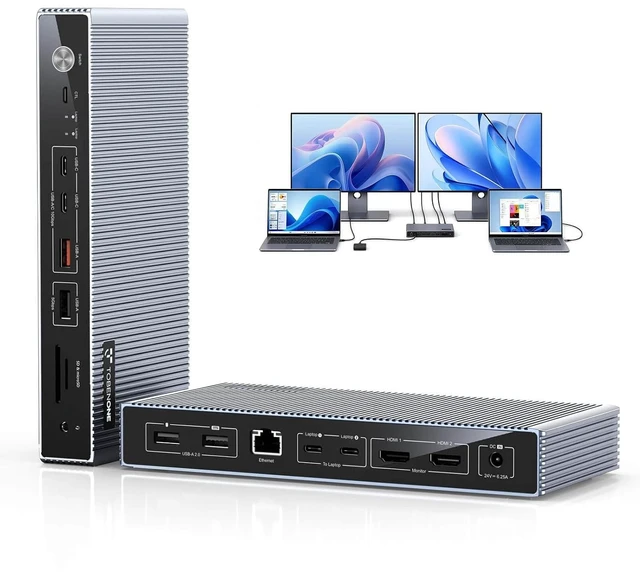
  • Price alert
    Shop it at NeweggBusiness.

    Meet Your Seller

    KVM Switch 2 Monitors 2 Laptops, Dual 4K KVM Docking Station, EDID, 2×10Gbps USB-C, 4 USB-A, 2 HDMI, 60W PD for Each PC, SDµSD, RJ45, Wired Remote, Plug & Play, for Home Office

    • &
    +
    +
    Overview
    Specs
    Reviews

    Any questions? Ask CelesteSM will help you find out quickly.

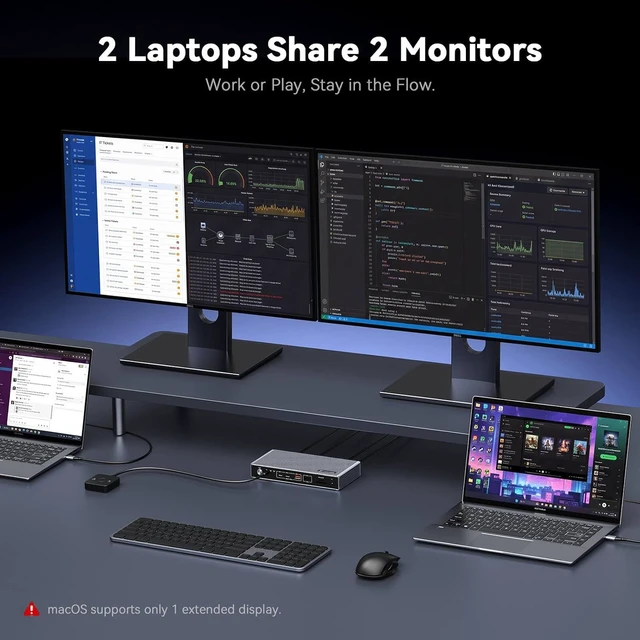
    1. : This KVM switch 2 monitors 2 computers lets two USB-C laptops share 2 HDMI monitors, one keyboard, one mouse and USB peripherals. Switch between work and personal laptops with one press, no cable swapping, helping you stay focused. Made for hybrid work, home offices and multitasking. Each laptop's USB-C port must support DisplayPort Alt Mode, dual extended displays also require MST. : ( )
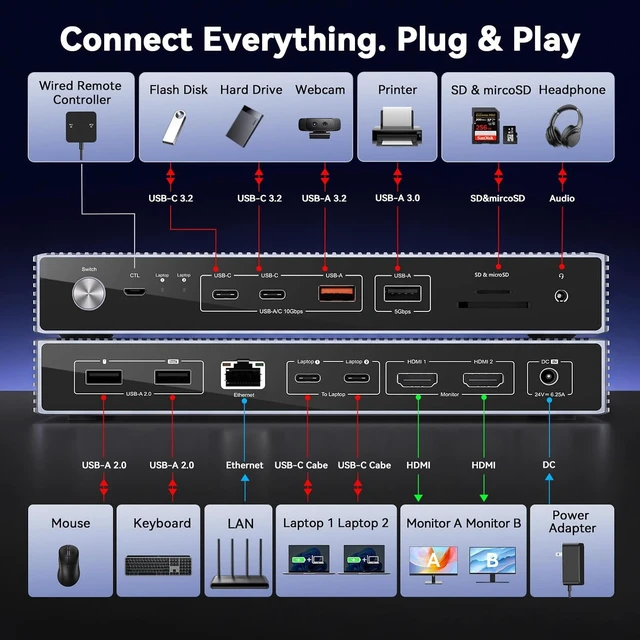
    2. -- : This dual monitor KVM switch features 2x HDMI outputs, 2x 10Gbps USB-C 3.2 ports, 1x 10Gbps USB-A 3.2, 1x 5Gbps USB-A 3.0, 2x USB 2.0, SD 3.0 and microSD 3.0 card slots, a 3.5mm audio jack, and a Gigabit Ethernet port. Ethernet follows the active input, so only one laptop can use the wired network at a time. A practical all-in-one pick for remote workers, consultants, developers, and small teams who want less clutter and faster setup
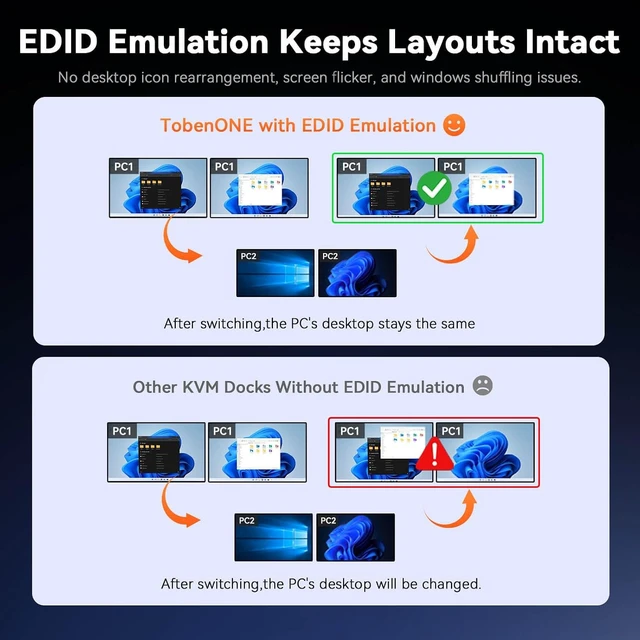
    3. : The USB C KVM switch helps keep your monitor setup consistent when switching between laptops. EDID emulation maintains monitor recognition, helping your windows, desktop icons, and resolution stay in placeso you spend less time rearranging spreadsheets, browser tabs, code, or design files. Ideal for hybrid workers, engineers, and analysts who switch laptops constantly throughout the day
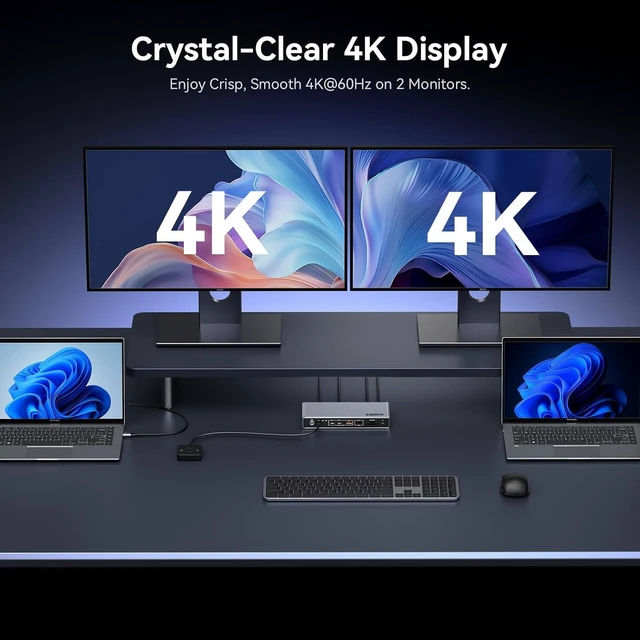
    4. : TobenONE KVM switch dual monitor connects two HDMI displays at up to 4K@60Hz for sharp documents and code, smooth design previews, and ample screen space for email, meetings and reference materials. Perfect for office work, programming and design review.
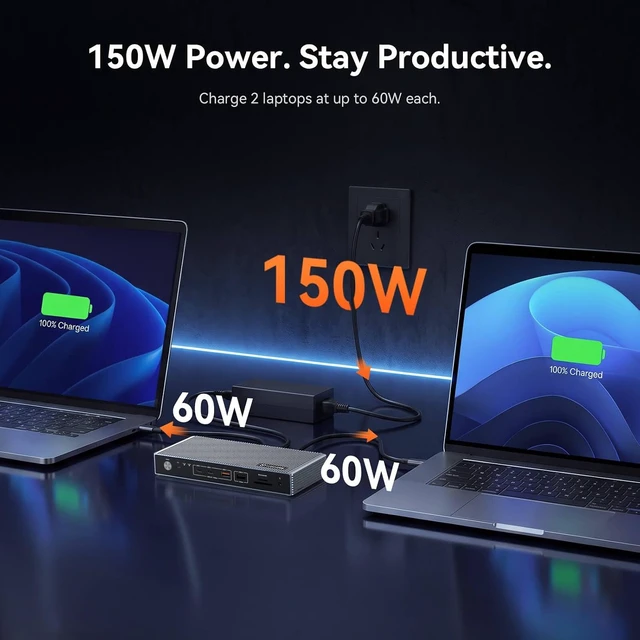
    5. : This KVM switches includes a 150W adapter that supports up to 60W charging for each connected laptop while you work, helping keep your work and personal laptops powered with fewer chargers on the desk. Great for office laptops and ultrabooks. If your gaming laptop or high-power mobile workstation needs more than 60W, connect its original adapter to the laptop directly
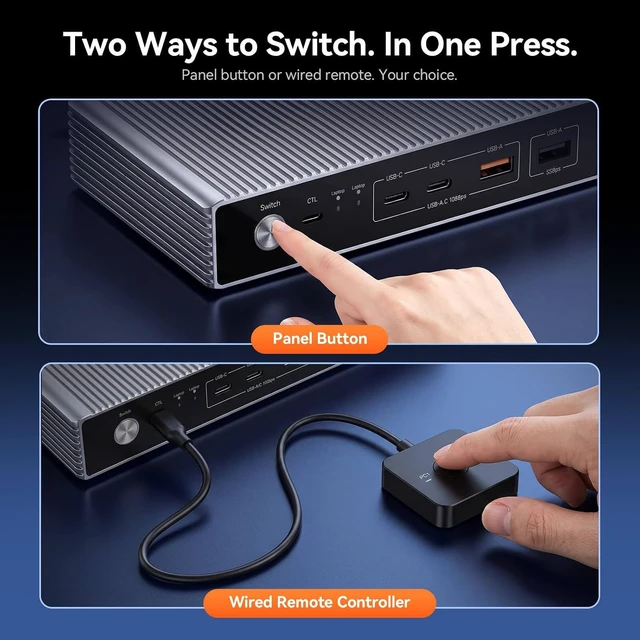
    6. : Short-press the front button or the included wired remote to switch laptops in about 35 seconds. Auto-Wake helps wake your sleeping laptop when you switch to itno need to open the lid or press the power button. Place the 2 computer 2 monitor KVM switch behind a monitor or under your desk and keep the remote within reach for calls, client meetings, and a tidier workspace. Note: Auto-Wake requires the laptop to support wake-on-USB-C
    7. & : No drivers or software needed. This USB C KVM supports Windows 10+, ChromeOS 100+, and Linux laptops with a full-featured USB-C, USB4, or Thunderbolt 3/4/5 port. : 1) Your laptop's USB-C port must support DisplayPort Alt Mode for video output; 2) macOS supports only one extended display, so two connected monitors will mirror the same content; 3) Not compatible with 5K monitors, FreeSync/G-Sync, or Dell Display Manager


    TobenONE kvm docking station

    kvm switch 2 monitors 2 computers.jpeg

    dual monitor kvm switch

    usb c kvm switch

    kvm switch dual monitor 2 laptop

    kvm 2 monitors 2 computers

    kvm switch 2 monitors 2 laptops

    usb-c kvm switch

    dual laptop docking station switch

    2 computer 2 monitor switch


    Warranty & Returns

    Warranty, Returns, And Additional Information

    Warranty

    • Please contact the Seller directly for warranty information. Warranty information may also be found on the Manufacturer's website.
    • CONTACT

    Return Policies

    • Return for refund within: 30 days
    • Return for replacement within: 30 days
    • This item is covered by DAOWO Tech Return Policy

    Manufacturer Contact Info

    LOADING...